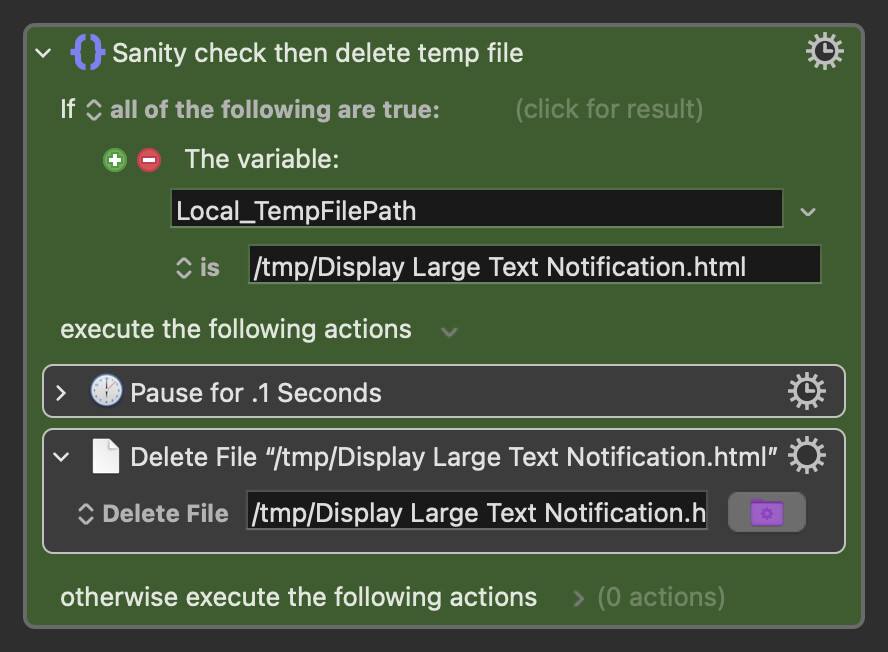
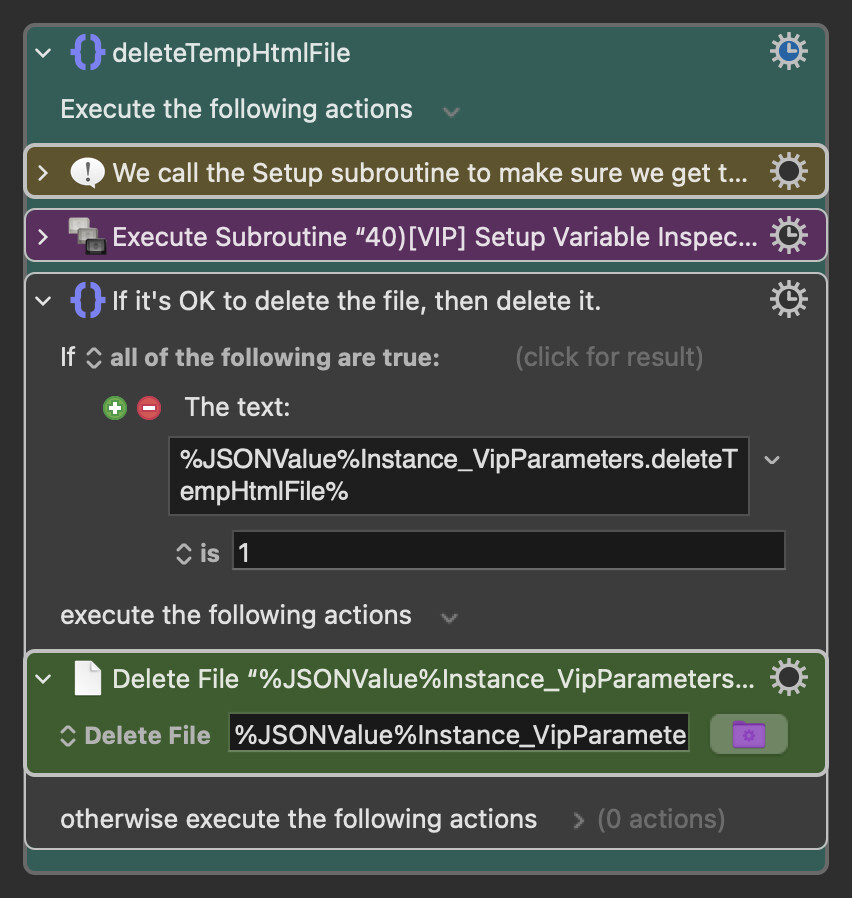
I've been using @DanThomas's Display Large Text Notification subroutine, and it keeps filling the bin with all the old deleted tmp html files. Looking at its cleanup macro, the file action is definitely delete rather than trash, and I'm not seeing any reason why it shouldn't be deleting the tmp files permanently as expected. I didn't really anticipate anything different happening, but I tried changing the action to trash anyway, then calling the subroutine a few times and changing it back to delete. I was right, nothing different happened. Not sure what I could be missing here.

Have you tried just disabling the Action?
I've skimmed the macro and I can't see any particular reason (beyond tidiness!) to delete the temporary file -- it'll be overwritten the next time the macro runs (so there's only ever one copy) and will get auto-pruned from /tmp in the usual way if not used for a while.
Of course, it'll be better to sort out why this isn't working as expected -- but at least this'll cut down on the clutter until you do!
I hadn't, but just tested now and perplexingly the tmp file continues to be shunted into the bin. I tried commenting out all the functions where the cleanup macro is called within the javascript, and still the tmp html is moved to the bin. I tried adding a cancel just this macro to the top of the cleanup macro, and still the tmp html is moved to the bin. I completely deleted the cleanup macro and still the tmp file is moved to the bin. I'm so confused. I can't think why or how this could be happening.
Tried Quitting and Relaunching the Engine? Sounds like something isn't updating properly -- or you've another copy of Dan's macro and are editing the wrong one!
Yep, a few times. Also rebooting the whole machine.
I don't think this is the case since I always use ⌃⌘M to go to macros by name, and there's only one copy that exists. Just searched all macros to be sure and can confirm there is definitely only one copy of the macro.
This is so utterly bizarre. Either there's some kind of bug somewhere or I'm missing something so simple and obvious that whenever I finally realise the embarrassment might kill me stone dead.
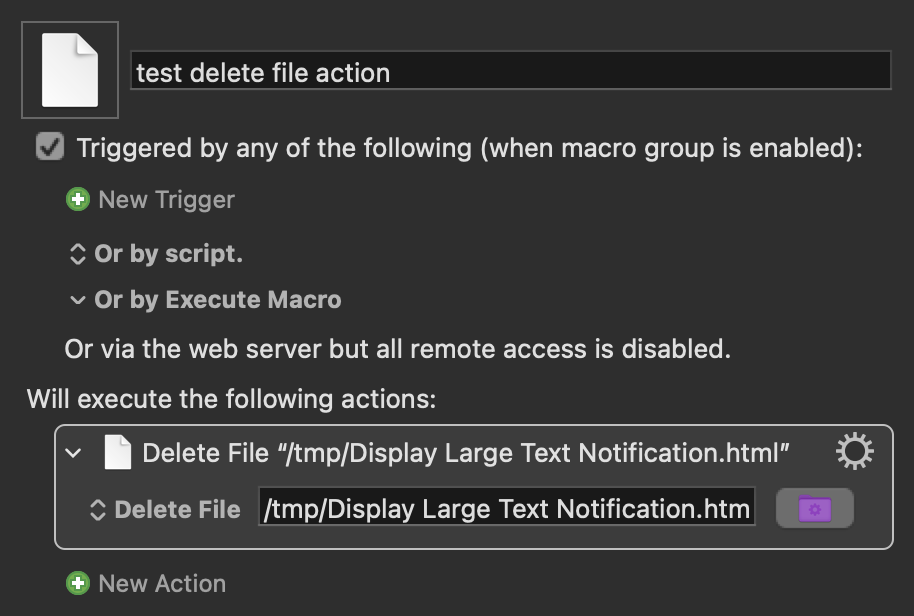
[editing to add] I just tested a macro with only the delete file action set to delete the tmp html file, and it successfully permanently deleted the file without moving it to the bin. I don't know if I'm more or less confused now.
Make sure that grave is wide enough for us both...
Only other thing I can think of is to step through it slowly with the Debugger set to "Pause New Macros" and see what happens when.
If the file has already been trashed, then the action will not do anything since the file will not exist.
Is the action set to report errors, and do you have notifications for Keyboard Maestro Engine enabled (Apple helpfully disables notifications by default so you can easily end up not seeing what are very important error notifications).
Tried this, but nothing strange jumped out. The macro still happily sends the tmp file to the bin.
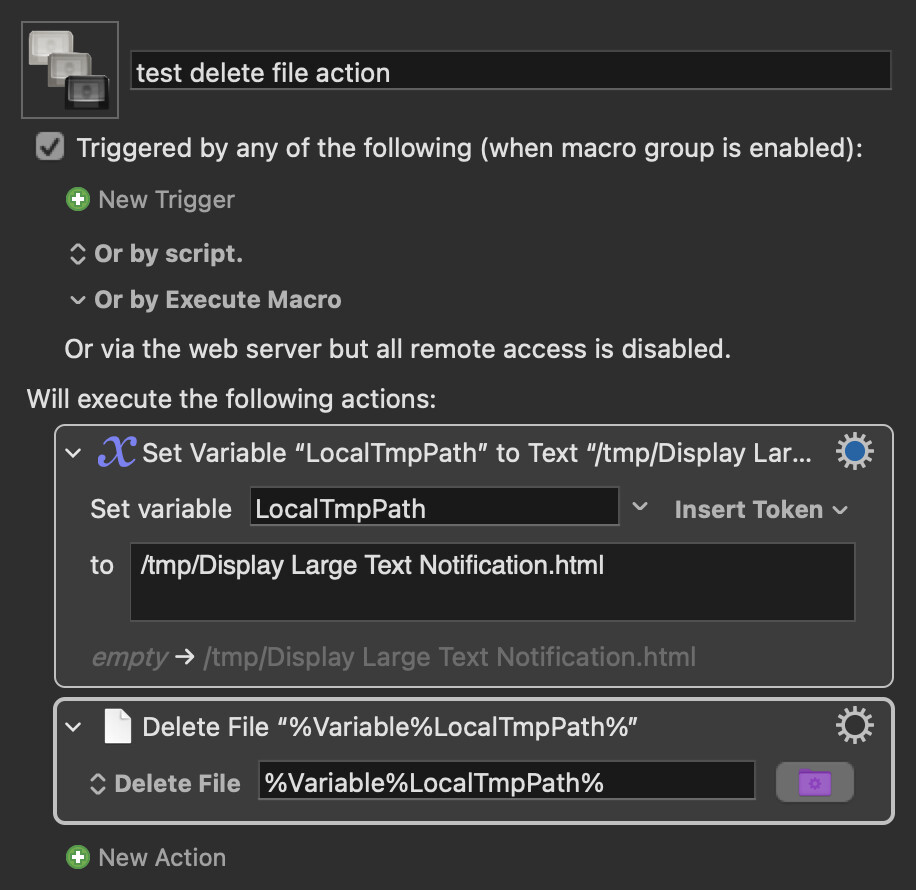
I do have engine notifications enabled, and the actions are set to notify on failure, but there are never any errors. The files are just trashed rather than deleted even though the actions are explicitly set to delete immediately. The same happens for another macro using the custom html prompt. I tested the delete file action for the same temp file in a separate macro, and it was successfully deleted rather than trashed. I thought perhaps it might be an issue with the path being saved to a variable, but another test proved that idea wrong. And now I'm all out of ideas. I might try tinkering with the affected macros to see if I can get around using a tmp file.
Short demo
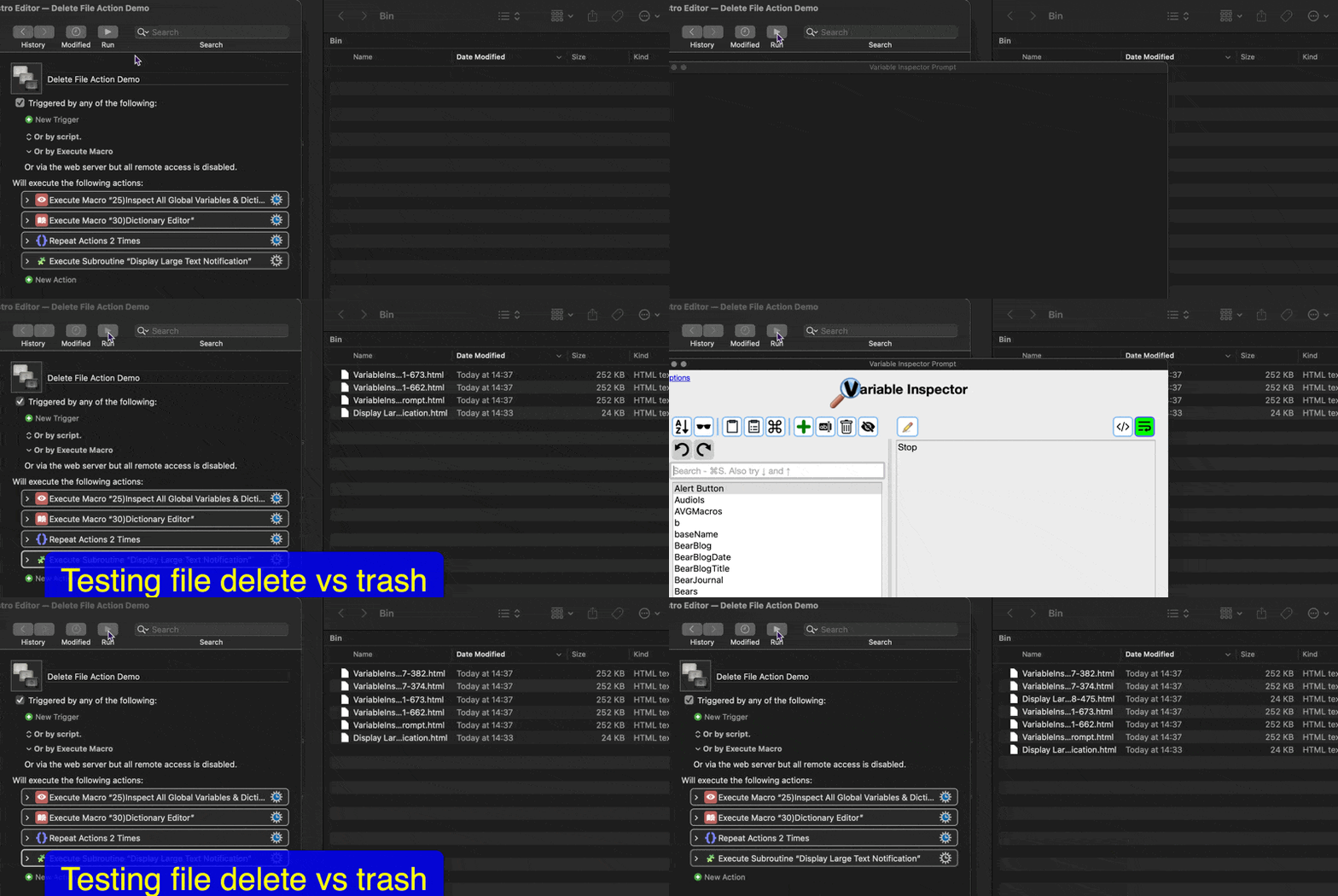
Your macro as shown in the demo does not match the actions as shown in the image.
Your macro is executing two other macros, repeating some actions, and executing a subroutine. There is no way for us (and not much way for you) to know what is going on with that.
Use the Macro Debugger, step through the actions and see when the trashed file appears.