I want a macro to run only if no other macros are executing. I'm sure this is simple, but as I've not needed to do this before, I don't know the solution.
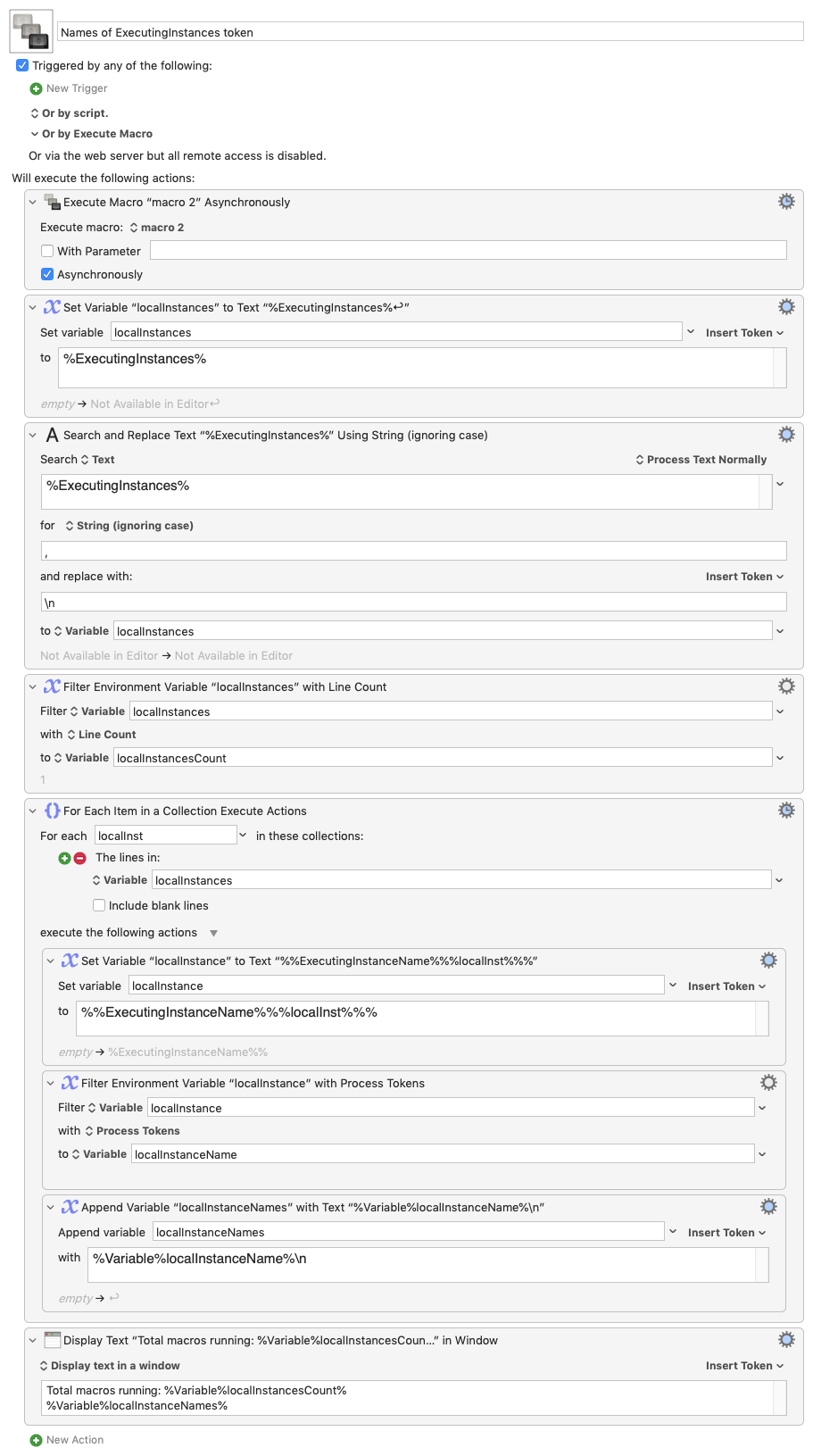
There are some tokens that return the name of the executing macro, but I don't see one that returns a list of all executing macros. So what's the simple solution I'm missing?
Note that this is relatively easy if you just want to check if a certain macro or limited number of macros is running: You just set a global variable at the start of the macro(s), and clear it at the end. Then the other macro checks the value of the global before running.
I'd like a way to do that for any random macro without having to modify 1500 macros :).
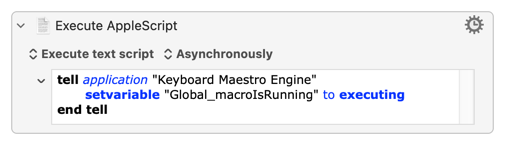
The AppleScript/KME executing will work -- of course it will always be true if you are running the check in a KM macro
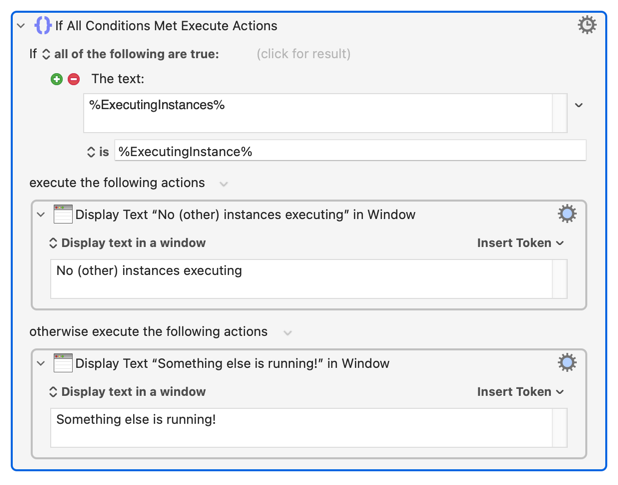
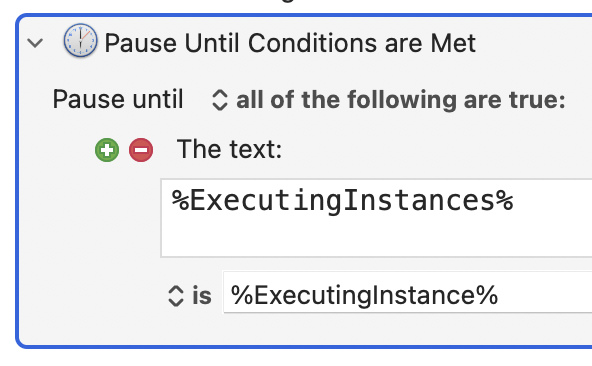
Otherwise, get all currently executing instances and if the list is exactly the instance UUID of the macro you are checking with there are no other instances of any macro executing:
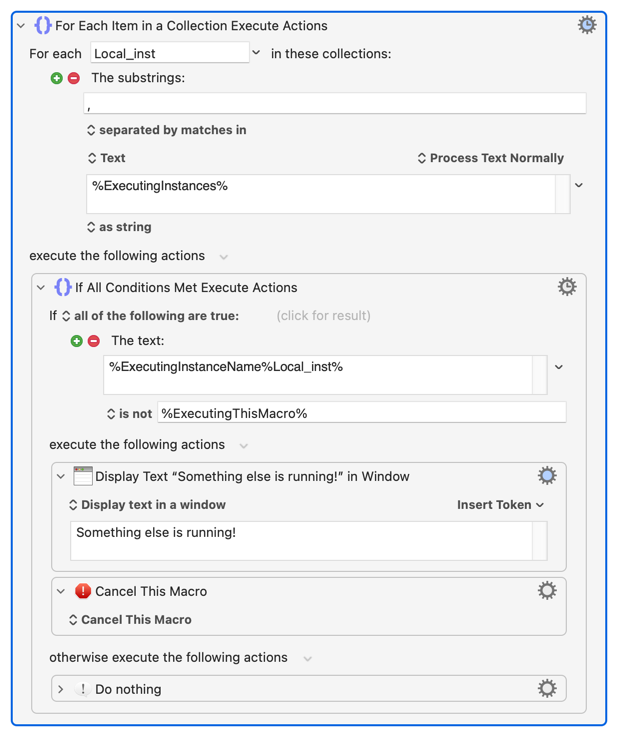
If you don't care about multiple instances of this macro and are only looking if other macros are running you'll need to "For Each: Lines in %ExecutingInstances%", passing each to %ExecutingInstanceName% to compare the name against %ExecutingThisMacro%:
you were a little quicker than me…. Was about to post the same ….
Just a little bit extra to the AS thing @CRLF suggested … if it is a compiled Script inside the Script Directory of the User Folder and triggered from a Macro talking only to Script Menu or FastScripts it might be possible to get false as an answer, that could get written into a global Variable - but only this way since the Macro that triggered this Script has been finished before the script was executed.
I think putting something based on Nige‘s Suggestion into a Loop - to put your Macro on hold until it’s the only Macro which is running at that time makes this even more interesting.
You could compare your desired running instance to all Instances and check if the desired instance is the only one and proceed only then, otherwise just wait until the instances list has only one line.
Thanks for all the suggestions—in the end, I went with @Nige_S' solution, though in a Pause Until action, as I do want my macro to execute as soon as practical.