Here is a tip for users who write loops with certain kinds of conditions:
If you have a loop that loops whenever a conditions is met, just make sure that if you use a condition like this one:
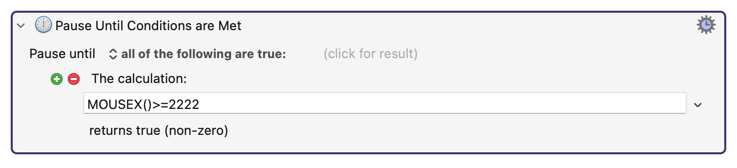
...you turn off the "Reduce CPU Usage" flag found in the cogwheel. If you don't turn off that flag, the condition requires extra time to perform its calculation, and moving a mouse as a signal to continue generally does not give enough time to detect that condition.
In this case I wanted my macro to loop every time the user moved the mouse towards the right edge of the screen, but this code was failing because I forgot to turn off the "Reduce CPU Usage" flag which is on by default. (And people move the mouse too fast.) It took me a few hours to realize what was wrong in this code.