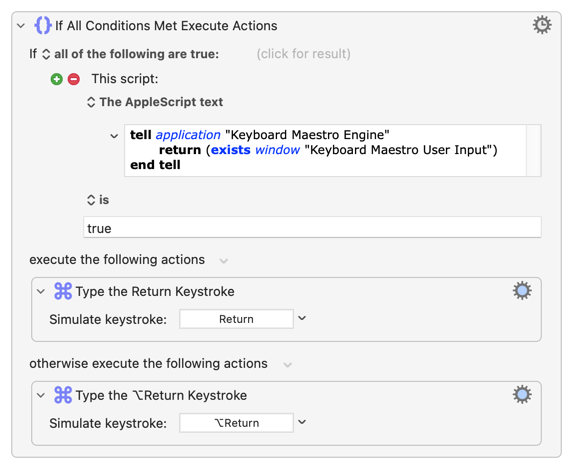
I’m using a macro in Apple Numbers that changes the behavior of the Return key conditionally based on whether a cell is in text edit mode or not. When no cells are being edited, the Edit>Delete menu item is enabled, and the Return macro fires the Return key. (If Edit>Delete is disabled, the macro fires the Option-Return key.)
The problem comes when I call a KM User Input window. When the KM Window appears, the Edit>Delete menu item disables, and then pressing return fires Option-Return which doesn’t press the OK button of the KM window.
The fix seemed easy, just look for the OK button – except that none of the button methods worked for me. I also tried using Window Name and an applescript I found here that senses the KM window – none of them detected the KM User Input window.
There has to be a way to detect the KM User Input Window so I can set the Return key to click the OK button.
Problem is that the Prompt is a a Keyboard Maestro Engine window and Engine is a background-only app, so difficult to spot/manipulate with "normal" KM Actions.
Same problem -- KM can only see/press buttons in the frontmost app, and the KM Engine (which "owns" the prompt) is never the frontmost app.
What you can usually do is send a Return keystroke directly to the Engine:
You can't normally do that since the Engine won't be listed as a running app you can target and won't be visible in "Send to Other..." dialog. The trick is to make an alias of the Engine (I've made mine in the Applications folder) and select that.
To make the alias:
Open a Finder window
⇧⌘G or select "Go to Folder..." from the Go menu
Paste in /Applications/Keyboard Maestro.app/Contents/MacOS/
Hit Return
⌥⌘-drag the Keyboard Maestro Engine icon to you Applications folder
You could give that a go and see if the simulated Return acts normally instead of triggering your Return-replacing macro.