
espanso is a free text replacement (text expansion) app that is available for Windows, macOS and Linux. Recently I have installed MX Linux on my 2014 MacBook Pro (and used Claude Code to create a beautiful macOS UI to make it look like macOS and -- more importantly -- use the same keyboard shortcuts (Cmd+C, etc.) as macOS).
Since my Mac text replacement app TextExpander 5 isn't available for MX Linux, I looked into espanso. I put the abbreviations file "base.yml" in my free Dropbox (I downgraded from 2 TB to 2 GB  ) so that I can use the same abbreviations on MX too.
I find that espanso expands more reliably in Wire, Signal and WhatsApp.
Then I had my 500+ abbreviations converted from TextExpander to espanso, and now I'm ready to migrate to espanso. For the abbreviations part, that is. I'll have to create Keyboard Maestro menu bar macros for the log in items, etc. But that's work for another day.
Add espanso abbreviation.kmmacros (1.9 KB)
espanso_add.py.zip (3.7 KB)
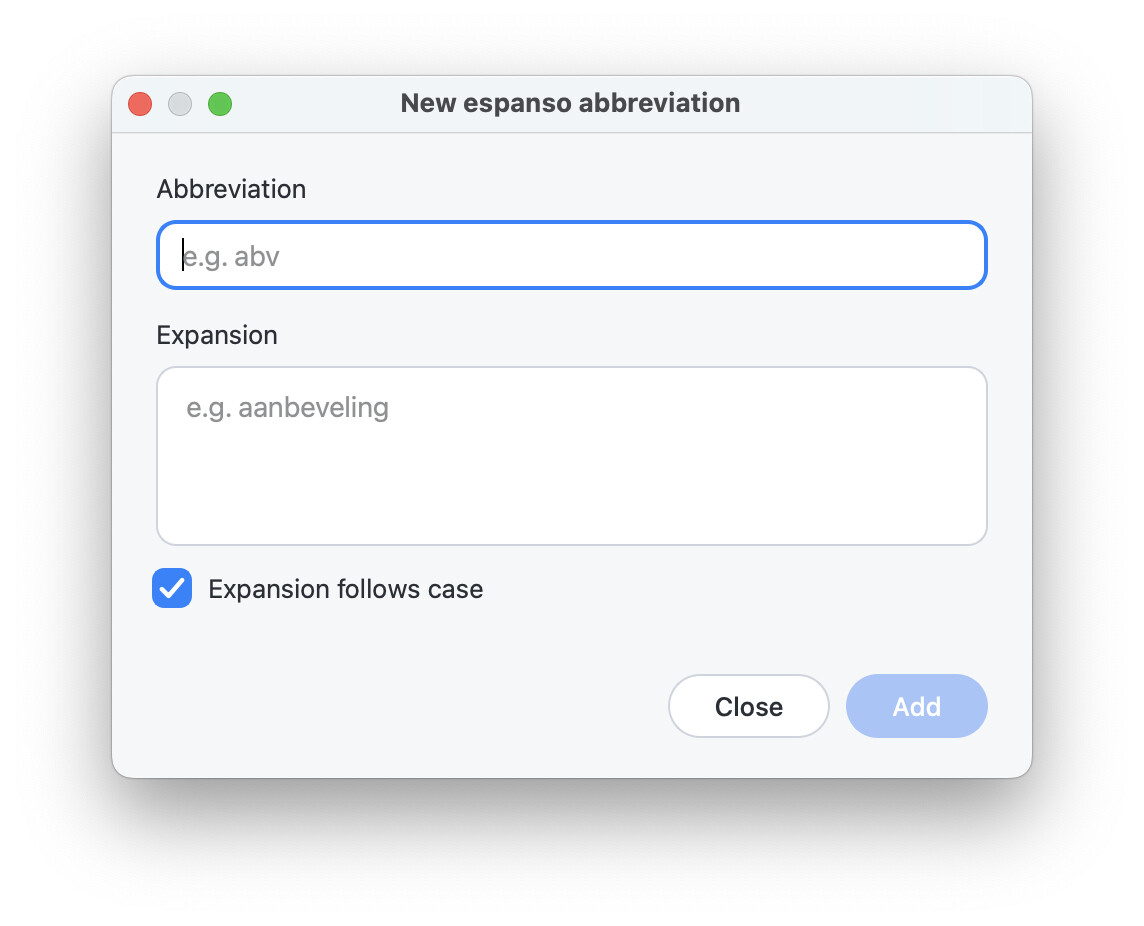
A small PyQt6 dialog that adds a new abbreviation (trigger) to espanso's
match/base.yml, in alphabetical order, without editing YAML by hand.
Requirements
- Python 3
- PyQt6 (
pip3 install PyQt6) - PyYAML is optional; when installed, the file is checked as valid YAML before saving.
Starting it
python3 espanso_add.py               # finds match/base.yml next to the script
python3 espanso_add.py path/to/base.yml
It works on macOS and on Linux (MX Linux), as the script and config are shared
through Dropbox.
The dialog
┌──────────── New espanso abbreviation ────────────┐
│ Abbreviation                                     │
│ ( e.g. abv                                     ) │
│                                                  │
│ Expansion                                        │
│ ( e.g. aanbeveling                             ) │
│ (                                              ) │
│                                                  │
│ [✓] Expansion follows case                       │
│ Added “abv” → “aanbeveling”                      │
│                                 ( Close ) ( Add )│
└──────────────────────────────────────────────────┘
| Element | What it does |
|---|---|
| Abbreviation | What you type to trigger the expansion. Spaces aren't allowed. |
| Expansion | The text it expands to. It can span several lines, and line breaks are kept. Tab moves to the next field. |
| Expansion follows case | On by default. abv → aanbeveling, Abv → Aanbeveling, ABV → AANBEVELING (espanso propagate_case: true). When it's on, the abbreviation is saved in lowercase, because espanso needs that for case-following. Turn it off to always insert the expansion exactly as typed. |
| Status line | Shows the entry that was just saved, and says when the abbreviation was lowercased. |
| Add (blue) | Saves the entry. It's greyed out until both fields are filled. Return in the abbreviation field also adds. After adding, the fields are cleared so you can enter the next one. |
| Close | Closes the dialog (also Esc). |
What gets written
Each entry goes into the # ---- TextExpander: Abbreviations group section of
match/base.yml, at its alphabetical position (ignoring case):
  - trigger: "abv"
    replace: "aanbeveling"
    word: true
    propagate_case: true
word: truemakes the abbreviation expand only as a whole word, after a
space or punctuation, so short triggers don't fire inside other words.- If the abbreviation already exists, the dialog shows the current entry and
asks whether to replace it. - The rest of
base.yml, including comments and other snippets, is left as it
was. The file is written in one step, so it can't end up half-written. - espanso reloads
base.ymlautomatically. The new abbreviation works straight away.
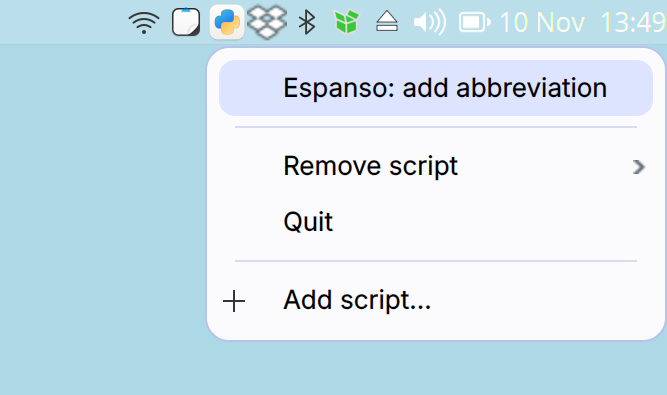
The script to add the dialog calling script to the menu bar of MX Linux is here:
script-tray.zip (6.3 KB)
Here's some extra info:
I asked ChatGPT:
Coming from TextExpander 5 on Mac, I installed espanso on Sequoia (and MX Linux). I don’t like the fact that it doesn’t eat the trailing space after expansion.

Nor do I like the fact that one press of the backspace key reverses the expansion process.

I’d be grateful for instructions on how to make espanso eat the trailing space after expansion and make backspace delete the last character of the expanded string.
1. Disable Backspace-to-Undo
Espanso has a built-in feature that reverses an expansion when you press Backspace immediately afterwards.
Fortunately, this is configurable.
Open the file:
- macOS:
~/Library/Application Support/espanso/config/default.yml - MX Linux:
~/.config/espanso/config/default.yml
Add the following line:
yaml
undo_backspace: false
Add this to the list to disable the look-up keyboard shortcut:
search_shortcut: off
(I use Option+Space for Spotlight.)
 .