Is it possible for a dictionary key to contain text with tabs?
Tabs are replaced with spaces, as is the %Tab% token, and \t is treated as a literal "\t"
My goal is for the text value of a given key to include tabs when retrieved using the %Dictionary% token. I supposed I could use a random character in place of a tab and then replace it after getting the key's value, but is it possible for the key itself to retain tabs within text?
I see what happened.
At some point in my testing, I mistakenly started using an HTML prompt to display the values instead of a display text action. So the tabs were ignored in HTML.
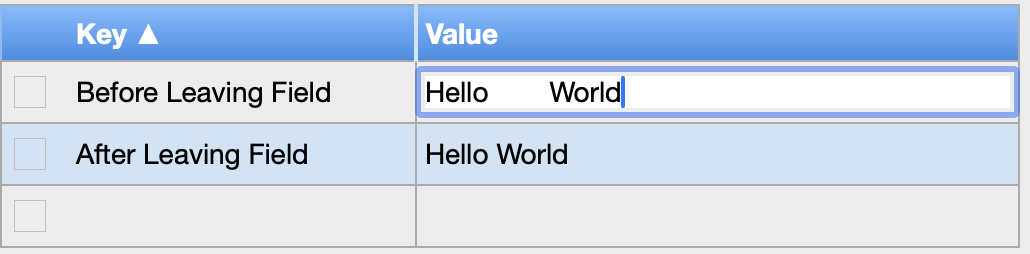
I was also using your Variable Inspector Prompt because it's so handy for quickly changing dictionary key values. I would paste text containing a tab into a Value field in VIP, and as soon as I would leave the field, it would update and the tab would look like a space:
Going back now and looking at the JSON, I can see the tabs are stored as \t and show up just fine in the display text action.
In short, it was an HTML thing and user error.
That's funny, because before I posted my response, I did pretty-much exactly what you did. I used VIP to show the value, and no tab (I don't think, anyway). So instead of using VIP to check the value, I used KM to copy the dictionary value to the clipboard, and pasted it in to BBEdit. When I turned on "Show Invisibles", I saw the tab.
The only reason I was that diligent was because I couldn't imagine a scenario where Peter would have not stored the string just as it was given to the dictionary.
In any case, it's funny we went through similar steps!
I had another thought. In VIP, when looking at the dictionary, click the button to show it as JSON. You'll see the tab there. I guess you learn something every day, even if you wrote the code!
 That's what I did here:
I have gotten a lot of mileage out of that tool. Thanks, Dan!