Did you only try the hotkeys inside the builder? I think they only work when you're actually executing the prompt.
I tried them both in the builder and in the actual prompt with no luck.
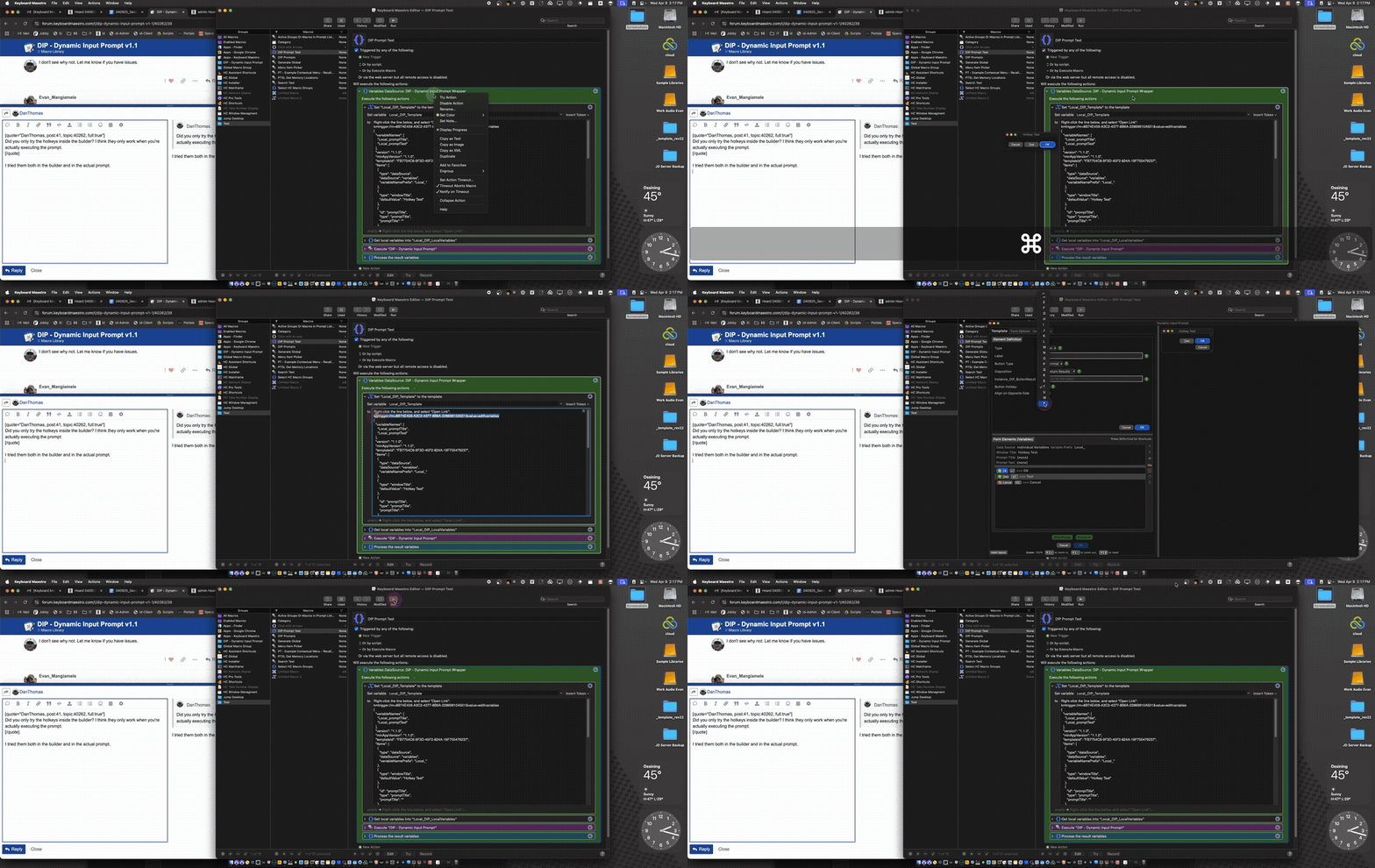
The only thing I can think of is that you already have shortcuts for those keys. Is that possible?
Just checked and that doesn't seem to be the case, at least if you are referring to macros with the specific hotkeys assigned. I'll work around it and revert to use KM prompts for stuff I really need hotkeys for, you've already been so generous with your time and I definitely don't want to pester you!
Do you have any input controls? I just found a bug where if an input control isn't focused, the hotkey won't work. An easy fix. Let me know if this is the issue.
This is amazing Dan and you have been at this for awhile. I am so glad I saw this post I almost missed it. I really just need to go through everything that is a first post from you as a baseline. Three amazing macro groups I found from you today. I don't even think it is fair to call this and so many of your macros "macros" since they are full on enhancements to Keyboard Maestro and more like a plug-in or add on!
Thank you very much for making a video as well, super helpful!
2 Likes
Ah! That's it. The 2 macros and the test macro i was trying it on have no input controls, when i add an input control and focus it, the hotkeys work.
Awesome! Fixing it right now. I have somewhere to be shortly, but I'll get a fix out early tomorrow morning, if not later tonight.
2 Likes
New version v1.1.1 (see first post). Fixed an issue with hotkeys not working.
3 Likes
I didn't find a radio button option, where you pick one and the others get de-selected. Did you add one and I've just missed it?
Something I've often wanted as it's quicker/clearer than a pick-list, but had to write custom HTML prompts just to get.
No, you didn't miss it. I'll think about it - I'd like to add it, but I'm not sure if it'll be easy or hard.  I'll let you know.
2 Likes
3 posts were split to a new topic: IDEs - VS Code vs Cursor
New version 1.2.0. This adds support for radio buttons.

See the top post for more details, and download instructions.
8 Likes
Fantastic!
1 Like
@DanThomas First, thank you and let me tell you that what you've created is great. I appreciate the time you've put in and the time you'll save us creating the GUIs...
My question is (and please excuse my ignorance): should I install the initial version 1.0 to be able to use the macro and then upgrade to this version? Because installing version 1.2.0 doesn't open the template window to create the GUI.
Thanks in advance, Dan (I'm Spanish and my English isn't good)
Version 1.2 should work by itself. What steps are you following to open the window?
Hi Dan, thanks for responding so quickly...
I copied everything I extracted from the V1.2.0 zip file to my personal library (Document/KM Macros) as explained in the video (which, by the way, was very helpful),
but when I select and open "kmtrigger://m=8B74E459-A3C2-4377-8B6A-22869610A501&value=edit|variables", the folder where "DIP _selectedTemplateVariableUtil.jxa" is located is selected, and the window to select the resource location reappears because it can't find it.
I'm attaching a screenshot to see if it can help explain my situation.
Thanks in advance, Dan
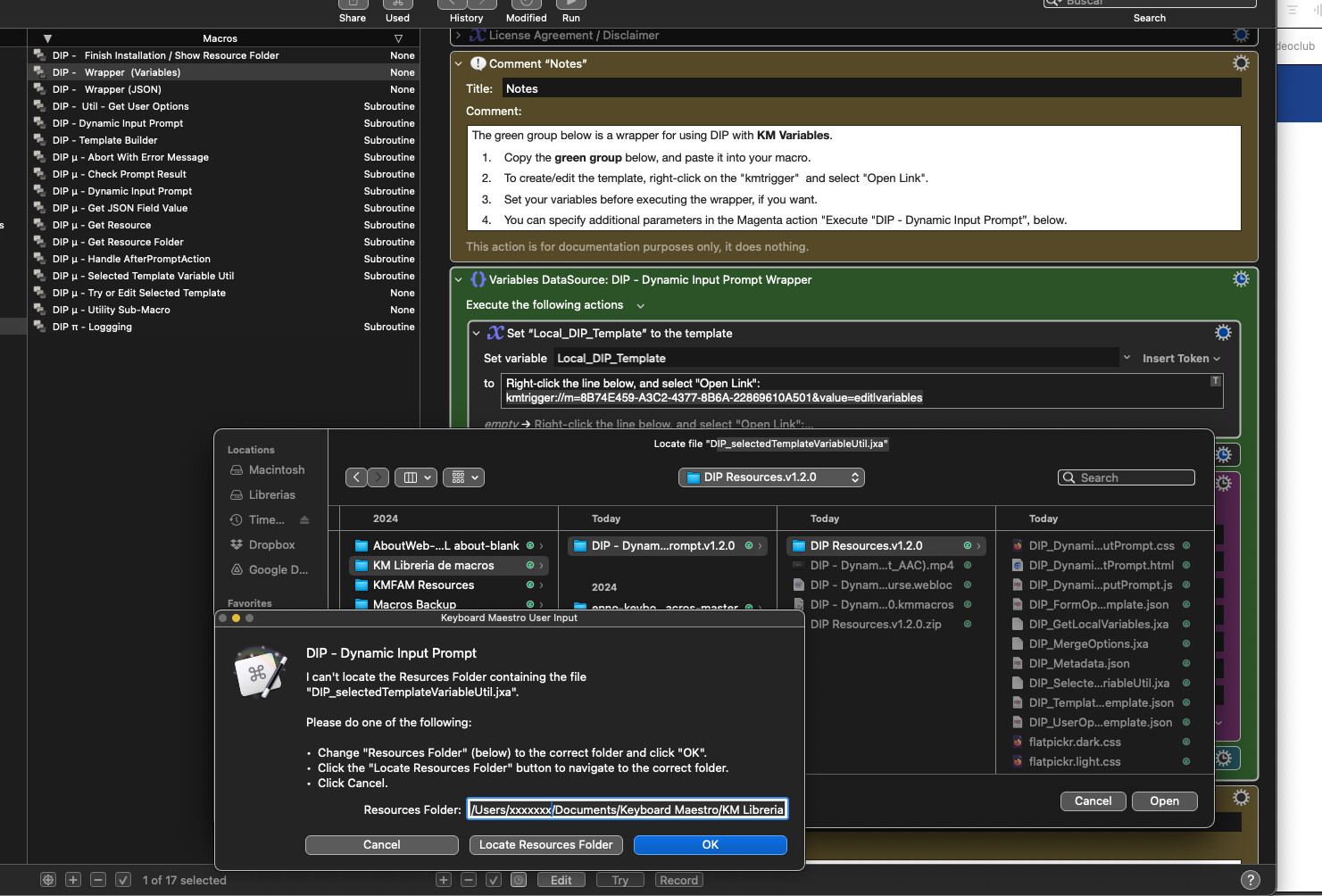
It looks to me like you just haven't entered the correct folder name.
Thank you for this,
Very useful for someone like me who has little to no coding knowledge/skills!=
I was just wondering if/how I would make the following adjustments:
- Rectangular box around radio buttons: How could I remove these boxes completely or have them extend further to enclose all the options (example issue in purple)
- Radio button columns: Is there a way to format the template so the columns holding the radio buttons in each question line up down the page? (Example in Blue)
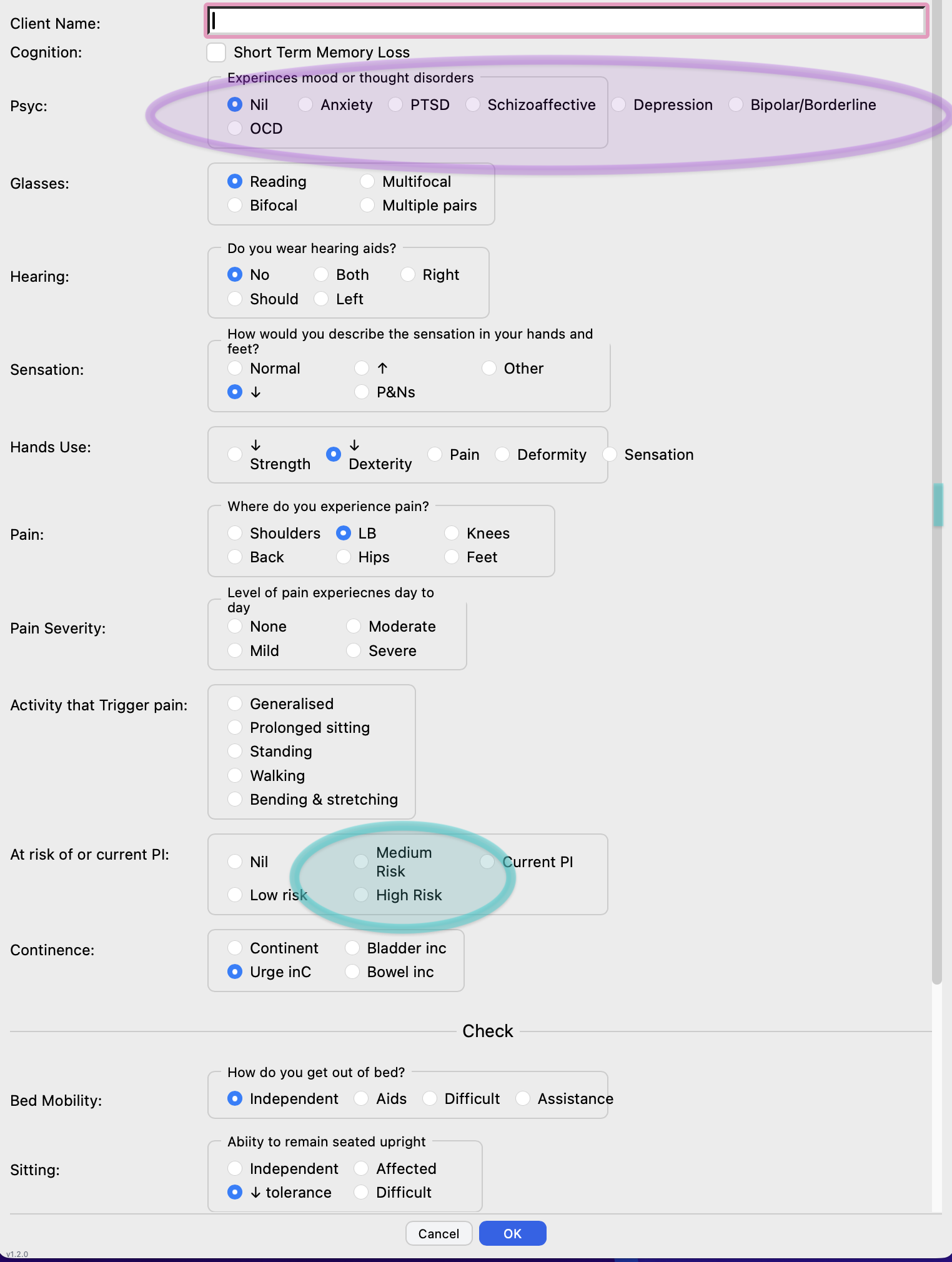
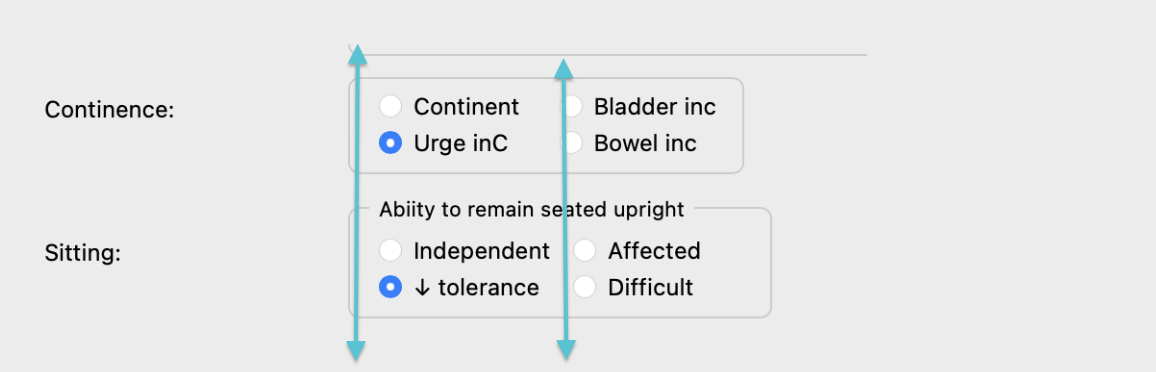
Thank you again!!!
Is it possible to make the buttons larger and make the ‘bezel’ around the input field smaller