Probably, but I’m not going to spend the time on it. Sorry.
Wow, I can’t believe I missed this! This looks like it will solve a lot of wishlist items for my HTML prompts that I just don’t have the time to learn how to do. Can’t wait to check it out. Thank you very much @DanThomas
1 Like
Hi @DanThomas a few questions'/wishlist items after getting into it:
- can we provide a default value for radio button selection via variable, like we can provide the list of radio button items via variable?
- can we provide placeholder text via variable? (to have line breaks, etc)
- can we arrange check boxes in rows and columns, like radio buttons?
ok, i’m back to the grindstone, thanks again!
Honestly, I don’t remember. I suspect the answer is yes, at least for some of the questions. But see if you can figure it out.
1 Like
Wow, Dan, incredible–thank you!
Edit: even learned a new efficiency coming across the little instruction “Right-click the line below, and select "Open Link":” in DIP - Wrapper (JSON)
-


@DanThomas this is an amazing set of macros, and I have quite a few macros I’d like to implement this into. However, I can’t seem to figure out a way to set a default value for the date option using unix format, calculations or tokens. The native KM prompt allows you to use a calculation, for instance the NOW() calculation to set a default value.
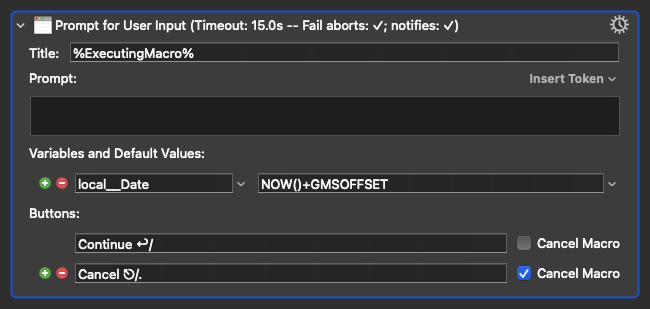
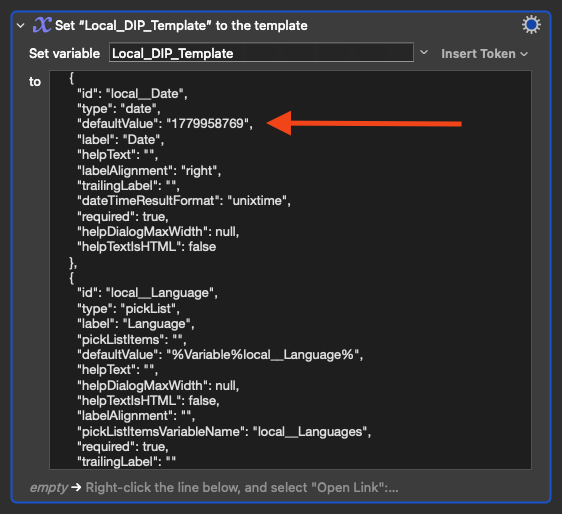
However, the prompt builder doesn’t appear to allow a default value for the Date type, and even if I manually add a line to the JSON with an integer, it doesn’t interpret it correctly.
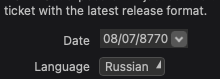
I also tried using the following token, %ICUDateTimeFor%NOW()%MM/dd/yyyy%, but that didn’t work either, and resulted in a blank date field in the prompt (I see that the variable has the “Process Nothing" option checked, and I’m sure for good reason).
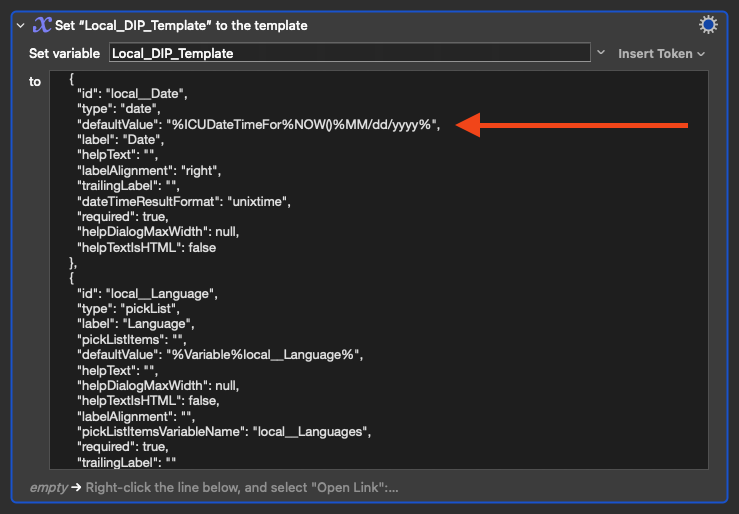
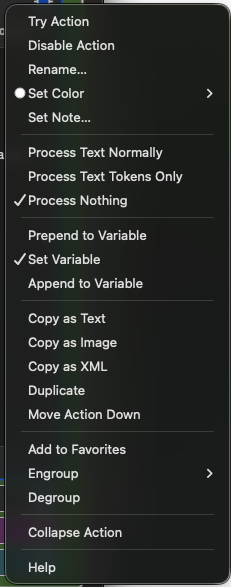
Is there a way to set a default value for the date field, or is that something that could be implemented in the future? Perhaps I am overlooking something obvious. I watched the YouTube video but at times was distracted with other things so perhaps it’s even explained there, and if so, my apologies.
Thanks again for this amazing set of macros!
Try pre-populating the date variable (in Unixtime) before spawning the dialog:
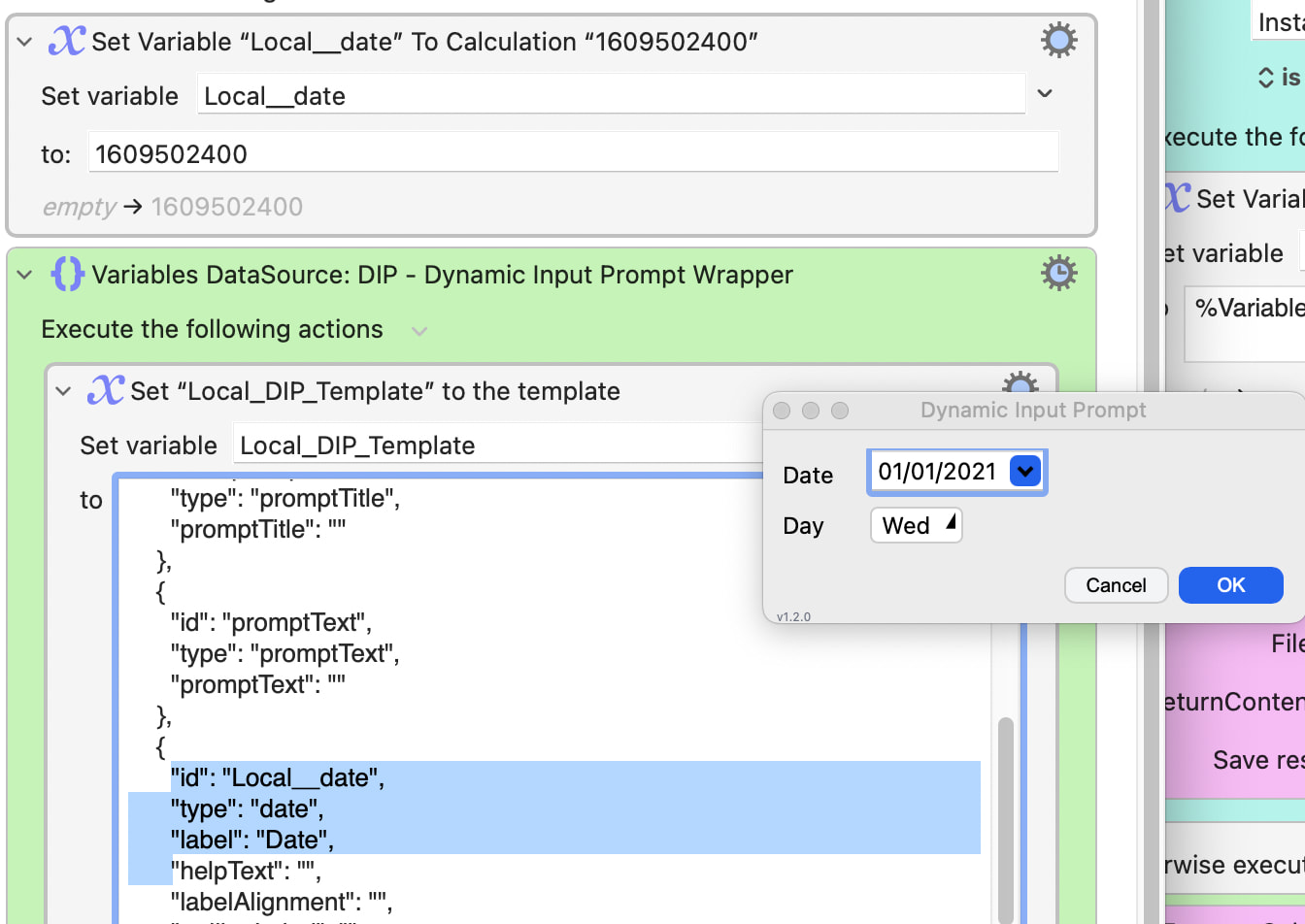
There is no defaultValue for the Date type in the JSON, looks like it always defaults to "today" unless populated by an already-exiting variable.
(It may be that you're already doing this, but are looking for a way to do it within the JSON. In which case I'll rapidly back out and leave you to @DanThomas -- this most excellent set of macros is way over my head!)
1 Like
I was able to preset the date by setting the unix time to a the local__Date variable, and leaving the default value empty. It appears the prompt automatically uses the value of the output variable (represented by id in the JSON) as the default value if that variable isn’t empty. Perhaps I misread some of the documentation or something. 
@DanThomas one more question for you... for now 
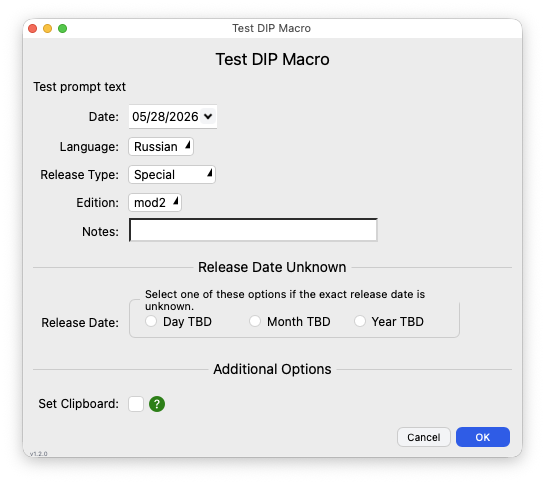
Is there a way to make the drop down menus the same width? You can see here the Language, Release Type and Edition menus are all different widths.
I've been using the excellent DIP for quite a while now.
Now I'd like to localize some dialogs. This works well with the built-in variables “WindowTitle” or “PromptTitle.”
How can I change the labels of the individual fields at runtime? For example, for this checkbox?
{
  "id": "local_vacuum",
  "type": "boolean",
  "label": "Compress the database (vacuum)",
  "defaultValue": false,
  "helpText": "",
  "helpDialogMaxWidth": null,
  "helpTextIsHTML": false,
  "labelAlignment": "",
  "trailingLabel": ""
},
I'm not familiar with the structure of DIP's JSON settings...
But if you're looking to parse and edit a JSON dictionary with a unique id that is in an array (which is what your excerpted sample appears to be), this example using native km might do the trick--provided your JSON is valid.
To parse a JSON array of dictionaries it uses:
- For Each action with Number Collection
- JSONVALUE() function
- JSONValue token
- Set JSON Value action
Using something I keep in my favorites named "For Each JSON Dictionary"--with a couple more sample JSON dictionaries added to your sample--it might look like this with your sample:
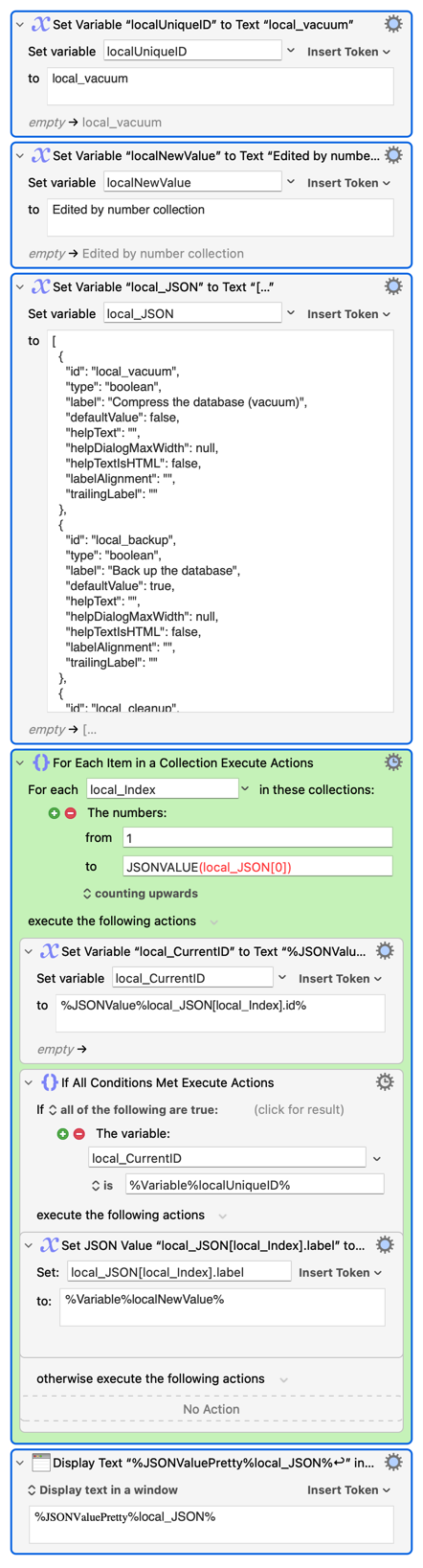
If your dictionary is nested at arbitrary depth, JXA might be easier. With my next to non-existent JXA, something like:
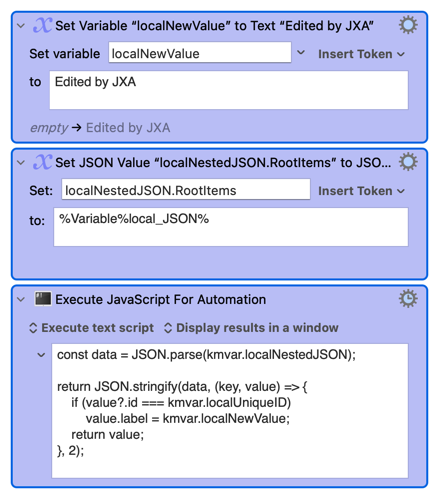
const data = JSON.parse(kmvar.localNestedJSON);

return JSON.stringify(data, (key, value) => {
    if (value?.id === kmvar.localUniqueID)
        value.label = kmvar.localNewValue;
    return value;
}, 2);
No doubt others will know of a better way.
Full example:

Thanks, that seems to work.
I'm not sure if I should modify DanThomas's code in this way.
A simpler approach would apparently be to use variables:
{
"id": "local_vacuum",
"type": "boolean",
"label": "%Variable%local_labelValue%",
"defaultValue": false,
"helpText": "",
"helpDialogMaxWidth": null,
"helpTextIsHTML": false,
"labelAlignment": "",
"trailingLabel": ""
},
Ha! Much, much simpler! 
If it works, why not? 
It just looks to be settings, most likely auto-generated. If it's now static, you've found the perfect way to make it dynamic. 
There's no problem modifying the file - it either works or doesn't. Just keep the original.
As far as using variables like "%Variable%local_labelValue%", I think that's kind-of ideal, and very creative. You could even try entering that text in the DIP Template Builder and see what happens.
Thanks!