Is there a way to disable the Opt+F1 quick macro feature? The shortcut interferes with one shortcut I use all the time in another app. I cannot find any reference to the feature other than there’s another macro to record a macro for it.
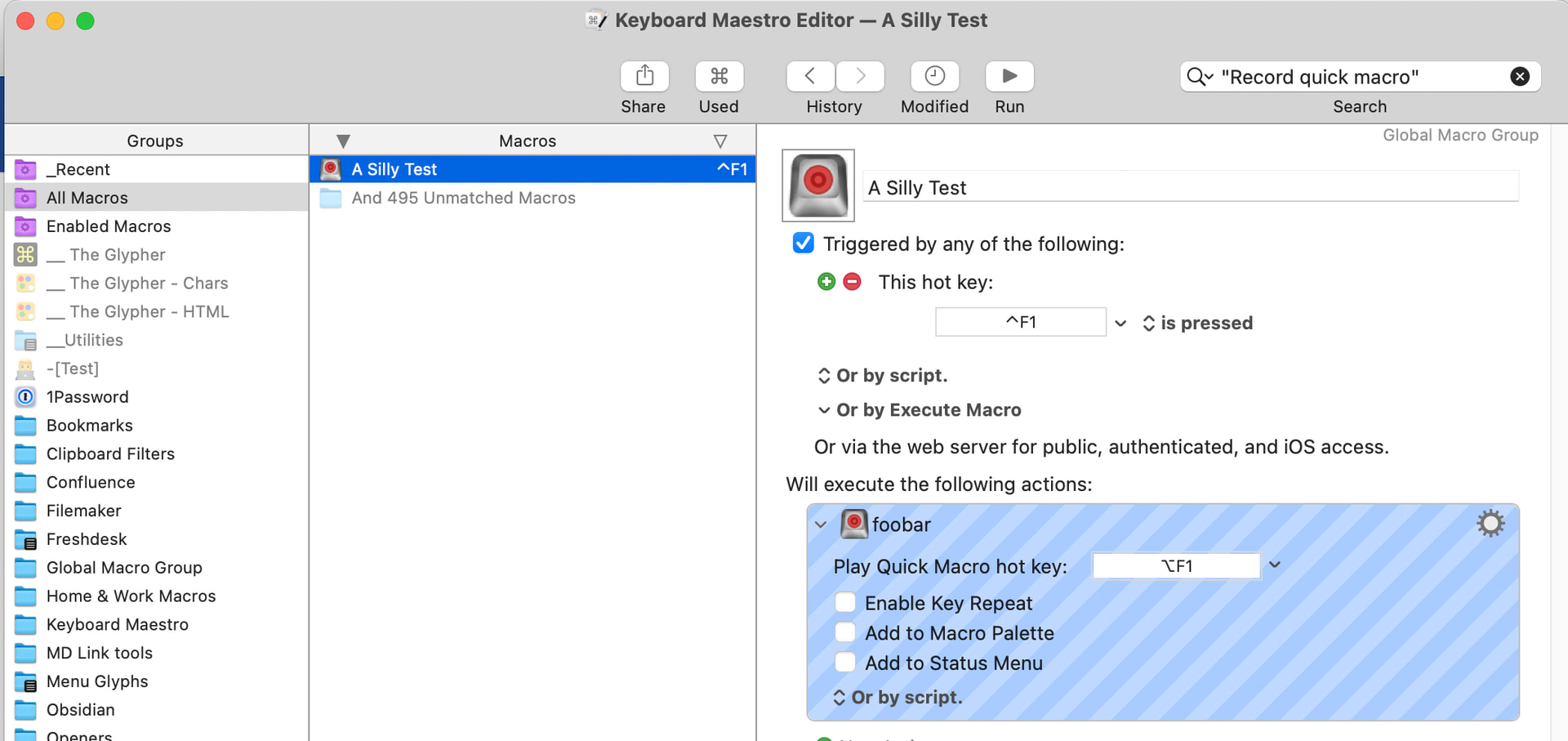
Find the macro that contains the "Record Quick Macro" Action with the ⌥F1 playback hot key and disable it.
The quickest way is to go to the KM Editor, select the "All Macros" Smart Group, then search for "Record Quick Macro" (include the quotes) -- that'll find the macro(s) containing the Action even if they or the Action have been renamed.
Except playback doesn't count towards last used and, since the recording trigger hot key base can be different to the playback's, we don't know that OP knows what the recording trigger is.
My first thought was to do as you described, as I would in other cases, only to find it didn't work -- that's why I went the more involved route.