Final edit 2025-08-31. I now use a much better method that filters out the nagging before the notification stage. If you need the details, just let me know.
Edit 2025-07-31. V1.0 has been substituted. Some defaults for pause have been tweaked and a stray tag in the alert box has been removed.
Edit 2025-07-27. V. 0.81 has been substituted. It fixes bugs in the section “Check for non-Sequoia MacOS updates”.
Edit 2025-07-26. The latest version has been substituted here. See the reply below about version “0.8” for details. Also I have removed previous edits to this post that were about previous updates, to aid readability.
If you still use MacOS Sonoma, you might think that you have good reasons for doing so (e.g. software compatibility, hardware compatibility or wishing to avoid some breaking changes), but Apple insists that you must upgrade to macOS Sequoia without further delay and that you need to “Discover new features to unlock your productivity and creativity on Mac”.
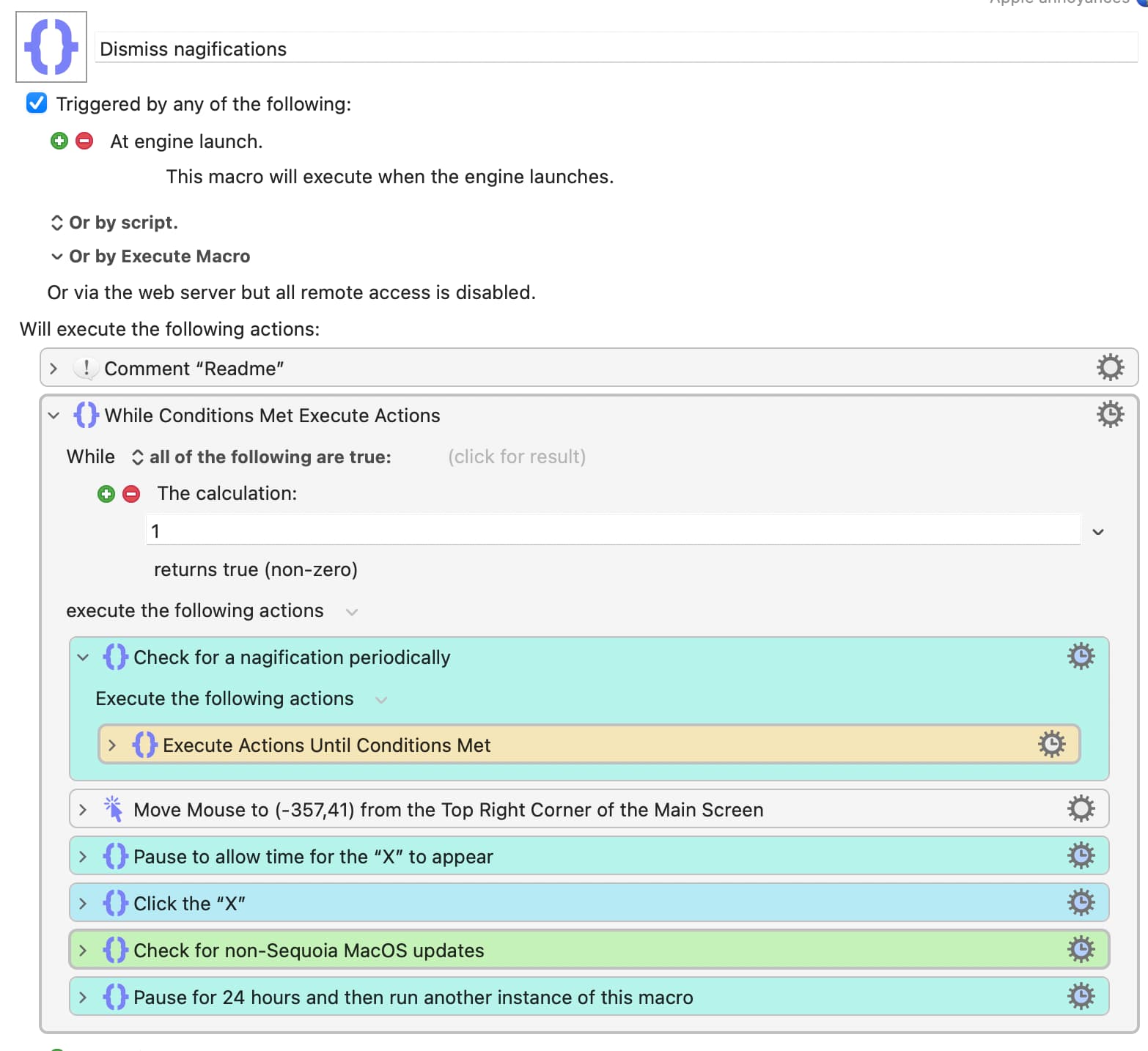
Here is a macro that checks for the appearance of the nagging notifications about Sequoia.
The macro is triggered at engine launch and continues running. To avoid unnecessary work by the Mac:
(1) Instead of using Pause Until for the loop, the macro uses an Until loop containing a Pause[1] set to 1 minute.
(2) Once the notification has been dismissed, the macro will pause for 24 hours before calling (a new instance of) the same macro before terminating.
I have updated the first post with version 0.8 (nominally!), 2025-07-24. This version has the following changes.
• Notifications are now monitored using OCR, for greatly increased reliability over image recognition.
• A check is performed to see if there are any new updates that do not mention “Sequoia". The hope is that this will pass on news of updates that the user might actually want, such as security updates. Regard this as an experimental feature.
• The macro is now called “Dismiss nagifications”. Rename it as you wish, of course, but be sure to remove any previous version from your active macros.
Be sure that you know what you are doing before running this macro and use it at your own risk.
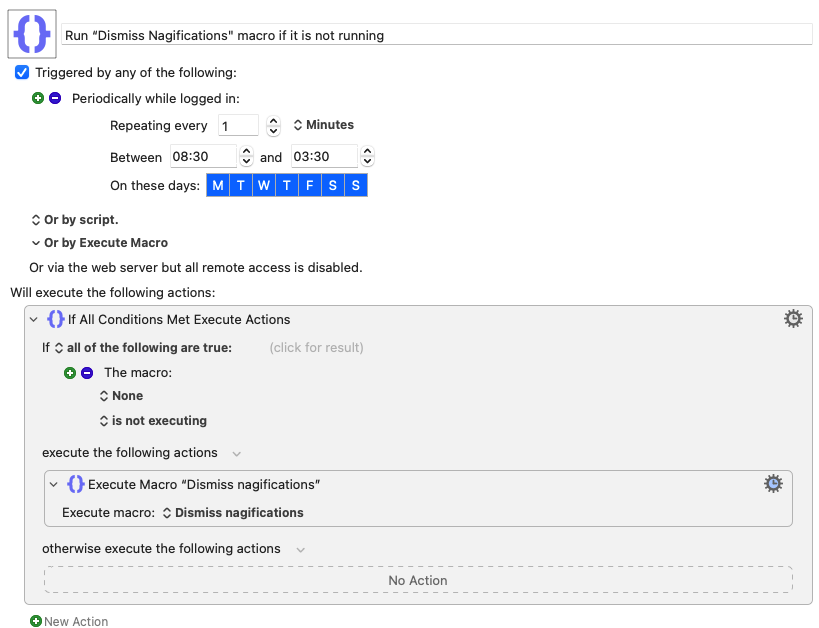
I find that the macro works very reliably now—that is, while it is running. For some reason, although the running instance of the macro should call another instance of the macro before completing, I sometimes find that no instance of the macro is running, which means that those pesky nagifications are not being monitored. I think I shall get around that for now by setting up a little macro that is triggered by a periodic trigger and which relaunches this macro if it is not running.
V. 1.0 has been substituted in the OP. On my Mac, the frequency of nagging notifications about Sequoia has reached a pathological level and I have therefore reduced the delay before the macro resumes checking for nagifications before launching another instance to resume frequent checking for notifications. You can of course change the value as necessary (and I expect I shall have to again).
The only other change is the removal of a stray HTML tag in the alert box about non-Sequoia updates. I am pleased to note, by the way, that that system appears to work well.