I downloaded this macro/app and it works, on Big Sur no less, this is great, thank you @mattgemmell! @veramilo I wanted the 12 hr style too, enough to spend (too much, albeit fun) time learning how. At the time of writing this, I tweaked the file calendar.html to get a 12 hr style.
TL;DR My slightly edited version of the calendar.html to display time in 12 hr style:
calendar.html.zip (2.1 KB)
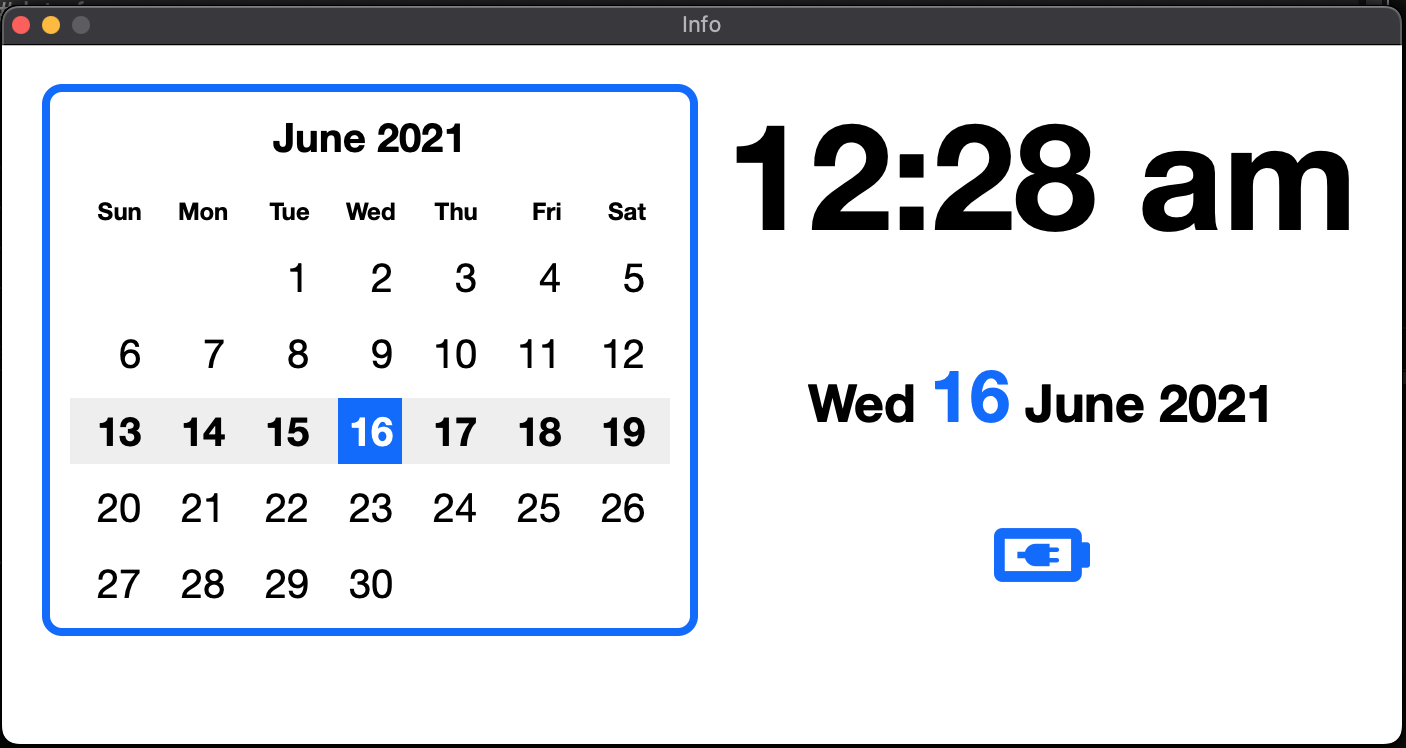
If you would like to make the changes yourself or customize further, these are the three changes I made ↓.
Tokens are used to set the time (1). To change the clock style to 12hr style, I changed the Token in line 206 from:
%ICUDateTime%HH:mm%
to:
%ICUDateTime%h:mm a%
The space in 'mm a' puts a space after the time and "am/pm". This outgrows the margin and pushes everything down:
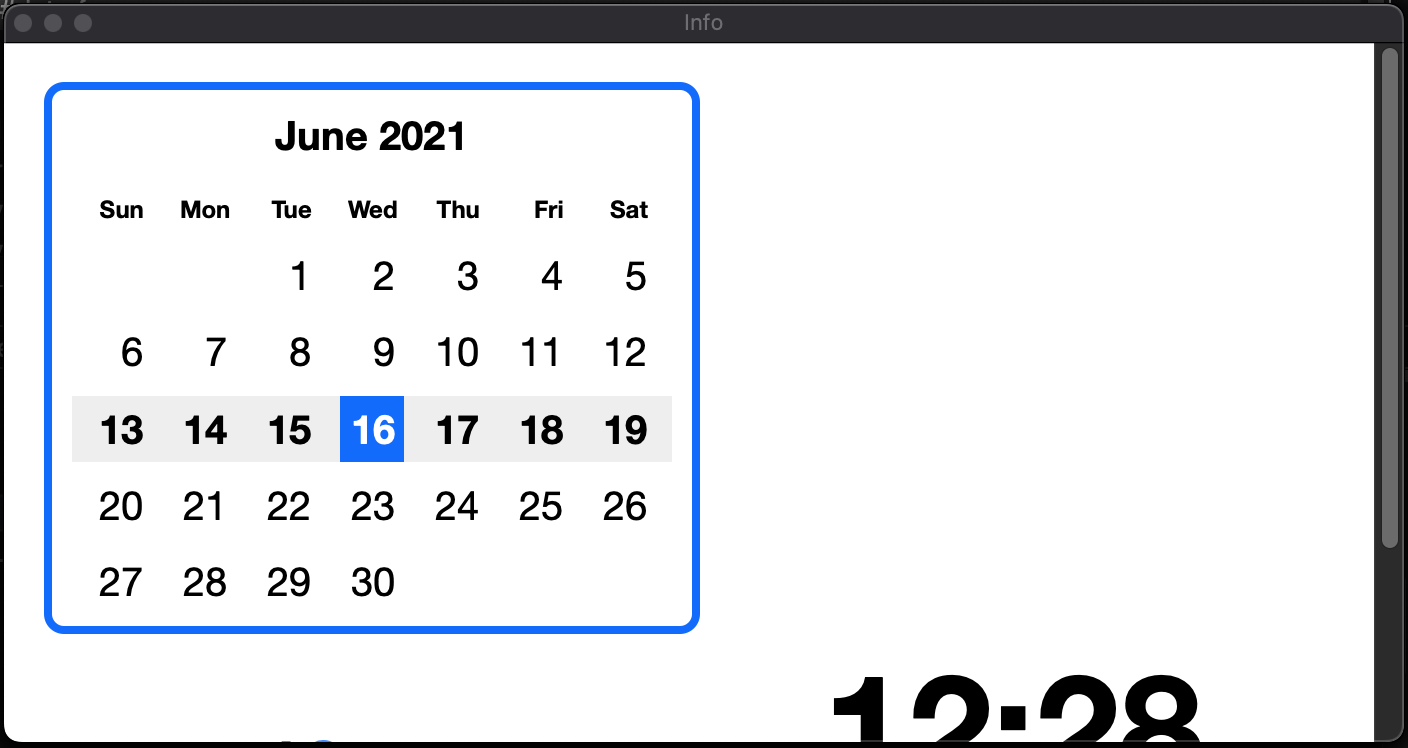
I remedied this by changing the font size: on line 46, changed "4rem" down to "3.7rem." You can of course just get rid of the space.
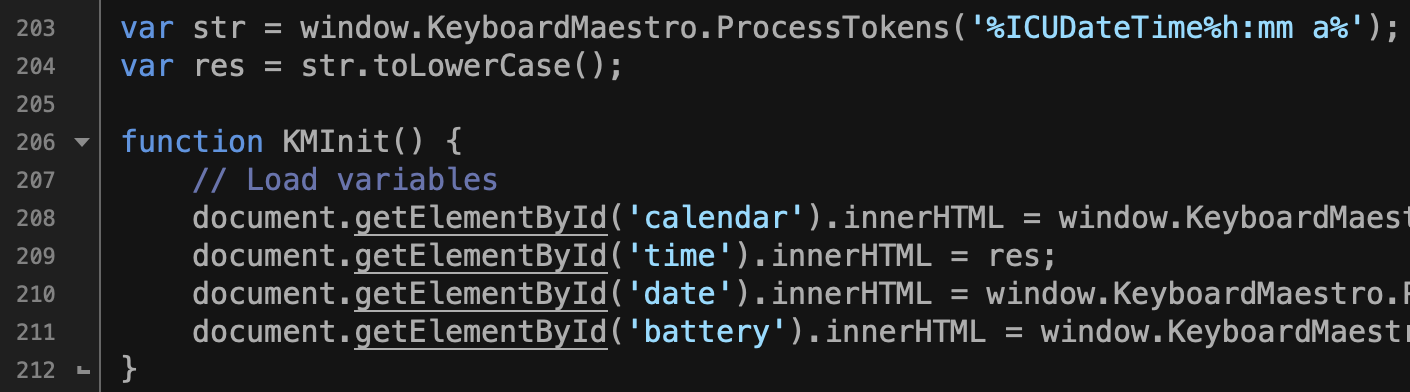
The am/pm displays in uppercase. I preferred lowercase so I added two lines of code, lines 203 & 204 in image below, and substituted variable res to the second half of what is now line 209 (2).
Appendix
Something that tripped me up for a while (because I didn't read the documentation as one should): press Esc. to exit, as ⌘W does not close the macro's pop up window at the time of this posting.
(1) See Keyboards Maestro Wiki's page on Tokens for more info on Tokens.
(2) See W3school' page on String toLowerCase() for more info on lines 203 & 204.
*See mattgemmell.com for the micro :).
*@JMichaelTX has a version that shows seconds which you should check out :).
*I am new to posting, lmk suggestions for posting better :O.