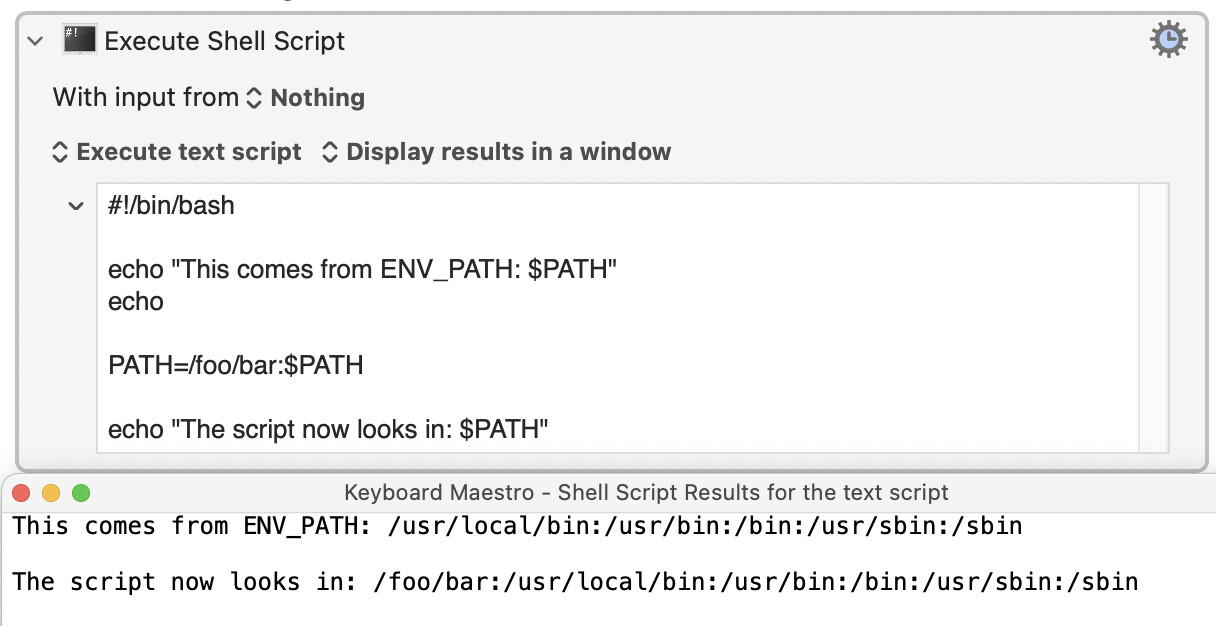
I have several macros that run Execute Shell as an inline bash shell script “with input” from several KM variables. (These macros don’t call an executable external shell script; the script is inline).
I always precede this with a declaration of “Set ENV_PATH” to “/usr/bin:/bin:/usr/sbin:/sbin:/opt/homebrew/bin” and of course, I begin the shell script with #!bin/bash
I’m working with Claude AI to create a more advanced script and Claude seems to think that KM does not access the .bash_profile when running an inline script. Indeed, if we don’t declare a $PATH to a library explicitly in the script, KM doesn’t find it.
Apparently, we seem to have to declare a $PATH to a library inside the script even though this $PATH is explicit in my .bash_profile.
So I have a bunch of questions:
Does KM access or not access the .bash_profile paths in an inline ‘Execute Shell’
Does KM use “Set ENV_PATH” in an inline Execute Shell Script if it precedes the actual script of a macro. If not, is there a better way for KM to access the $PATH in .bash_profile?
3. I haven’t been doing this, but in should I also include the ENV_PATH variable in the “with input from variables”. Would that solve the problem?
Would calling an external executable script be better than running the script inline?
Would a “paste in Terminal” instead of execute script solve the issue?
Not unless you tell it to, as @nutilius has noted. Whether you should or not is another matter, as you'd be loading a lot of probably unnecessary cruft.
You don't need to do that unless you're in the habit of changing/deleting KM's Global, persistent, ENV_PATH variable. You might also want to start with the Homebrew path -- I'd assume you'd want brew-installed utilities to be used if there was a name clash, so it should come before the "standard" paths.
What's the actual problem you are trying to solve? You can always set environment variables as needed in your scripts rather than risk side effects from loading them globally:
While it may work for specific cases, the idea of interactive mode is that you set up a bunch of things appropriate to you using it manually, things like syntax coloring and styling options, and reporting extraneous information, etc, that are unlikely to helpful and may be actively harmful to scripted execution which is why it is not enabled by bash by default when run as a script.
As described in the Execute a Shell Script action, you can set the global Keyboard Maestro variable ENV_PATH if you want to include specific paths, but in reality you are likely better off being specific about the path of your script, and if the path is necessary to the proper running of the script, to include it in the script.
Otherwise you will likely one day make some incidental change to your .bash_profile (eg to report free disk space) and find your macros stop working.
The question was about executing .bash_profile and the only one way to execute it is using „-l”, but it doesn’t mean that it is best solution (of course isn’t).
In my practice when I need to setup some special settings I create dedicated script for that and optionally „sourcing” it in .bash_profile (or .zshrc or .zshenv or .shrc - it depends).
In many cases not only PATH is modified in such scripts, but also plenty of different things (f.ex. default java settings, database profile etc.)
But of course I fully agree with you, that setup -l in each instance of shell running in KM is bad idea. What is interesting macOS by default runs /bin/sh, which in practice is the same binary what zsh, but called with the name sh (argument 0 of the running process) behave as much as possible like old Bourne shell)
While can you invoke zsh in sh-emulation mode, macOS's sh is actually bash in sh-emulation (even if zsh is your default interactive shell).
So the default KM "Execute a Shell Script" environment is a non-interactive, non-login, bash-pretending-to-be-sh, shell. At which point my brain gives up...
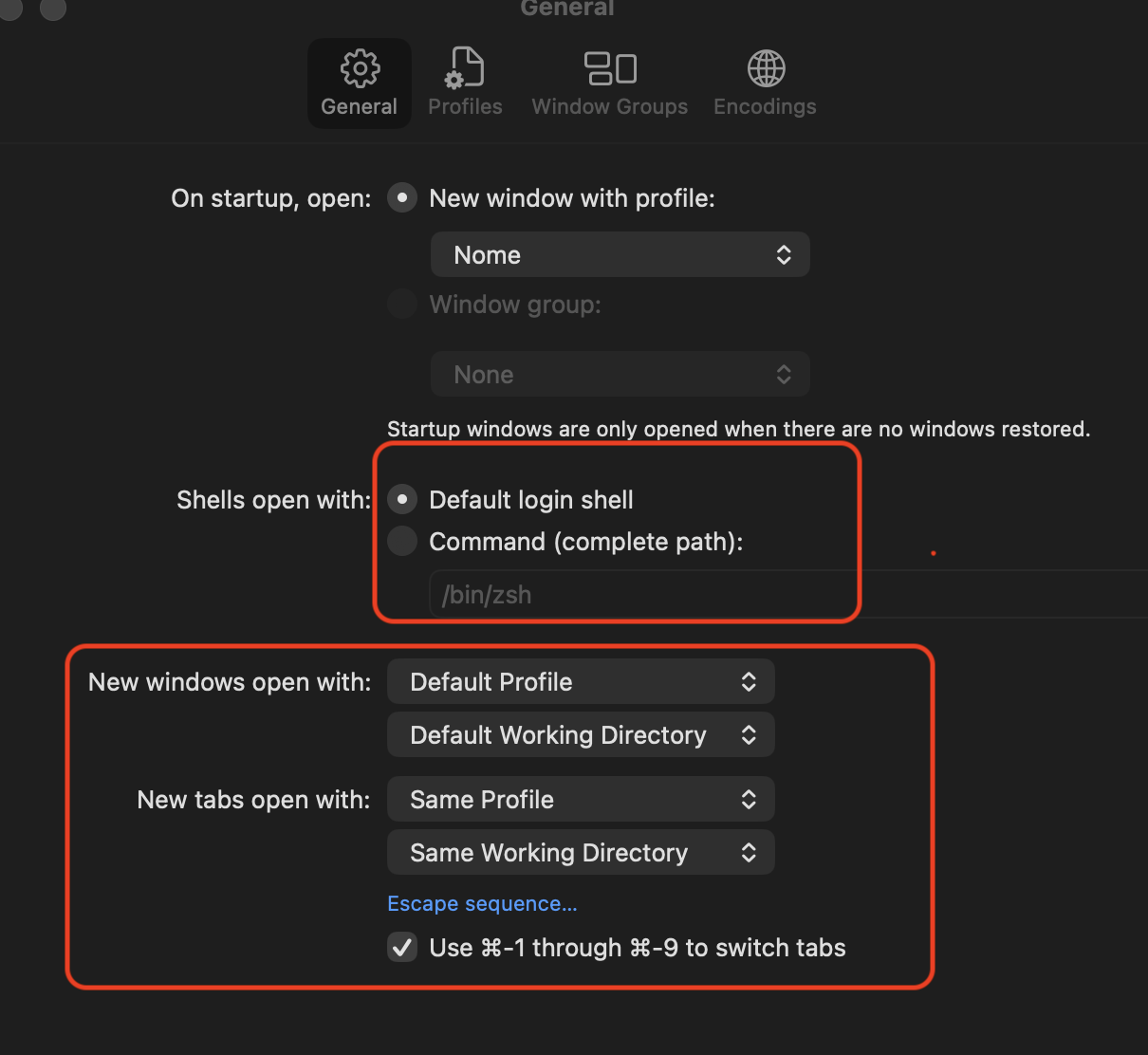
For those still playing along at home -- be careful of your interwebz sources when looking up shell stuff. macOS is not *nix, even if based on one. For example, every new tab or window in Terminal is a new interactive login shell while an Ubuntu Terminal tab or window is an interactive non-login shell -- which is why you'll often find instructions like "Now add this to your ~/.bashrc file..." that simply don't work on a Mac.
I don’t use Ubuntu, but from Debian it also depends on settings. I even setup screen program as default shell and also other programs in Terminal emulator. Yes - you can run terminal emulator nor running shell - as long as as stdin, stdout and stderr have valid stream od data accepted by terminal.
Of course, anyone who knows enough to decide to change from the defaults will know all about which dot files are sourced when and why by their preferred shell.
Similarly with Terminal -- if you're going to change from the default login shell you'll know what to do to set the environment correctly.
My point still stands for the majority of Mac users. The Mac may be *nix-based but there are differences to bear in mind when following generic *nix posts about shell setup. Most *nix advice will expect you to have, well, logged in with your login shell and to be using a non-login shell after that -- the opposite to the way our default Terminal works.
I see what you mean. I added the -l flag to some other scripts that had previously worked and for some reason, they failed. Removing the -l flag brought them back to life. Thank you Peter, and to everyone who replied.
Yes, better is to look at what the script actually needs and ensure you provide that, rather then -I or sourcing .bash_profile or other such files.
Usually it is only the PATH, occasionally it is a few other environment variables, generally they can be set in either the corresponding ENV_ variables in Keyboard Maestro, or in the script itself (which is often better for clarity).
Although, obviously, this is Keyboard Maestro, and whatever works for you and doesn't cause you problems in the future is the best solution. There is not necessarily (or even generally) only one right way of doing things.