Is there a way to have the script ignore the window title? I'm trying to click on some elements of the Obsidian window, but I've noticed that the title of the window contained in the resulting script contains the note name and the application version; this means that the macro will not work as soon as I select another note and of course it will not work either when the app will be updated. I tried to delete the line containing the window name and the macro seems to work now, but I'm wondering if there is another more correct way.
I've updated it to include a new checkbox:
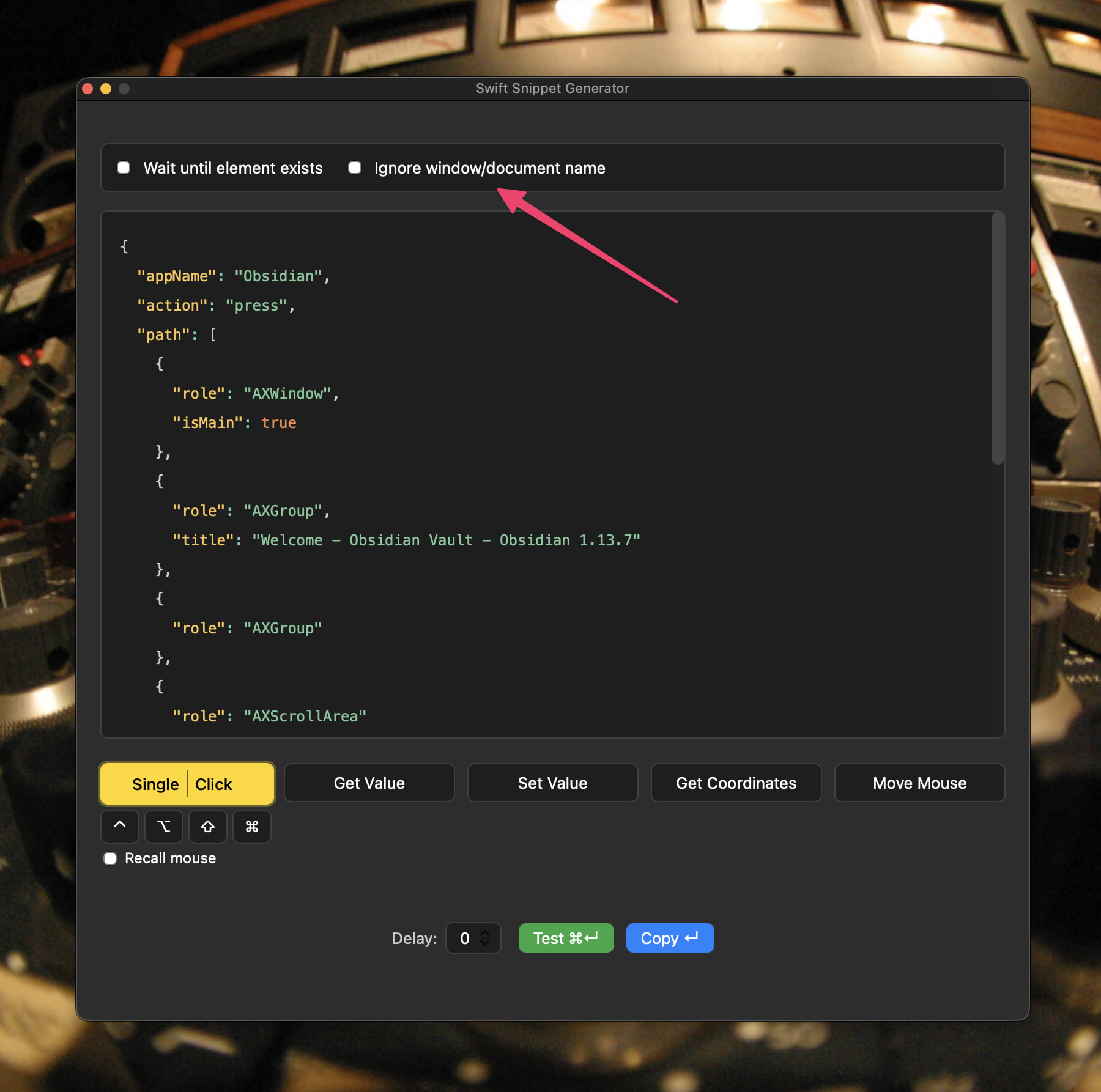
Let me know how you get on. You'll need to update the plugin and macro.
Thanks a lot! I'll try tomorrow and let you know
1 Like
I tried to download the new version, but when I drag the zip file onto the keyboard maestro dock icon I get the error "imported action is invalid"
If I instead drag the version I downloaded yesterday it works okay so maybe there's something wrong with the zip file. I downloaded it two times just to be sure and of course I deleted the version in the library folder before dragging it on the keyboard maestro dock icon. For the moment I rolled back to the previous version
Oooops, my bad. I zipped the wrong thing! Try again now.
It works! Thank you so much again!
1 Like
Update:
Added a helper tool (at the bottom of the original post) that combines multiple Run Swift Snippet actions into one.
1 Like