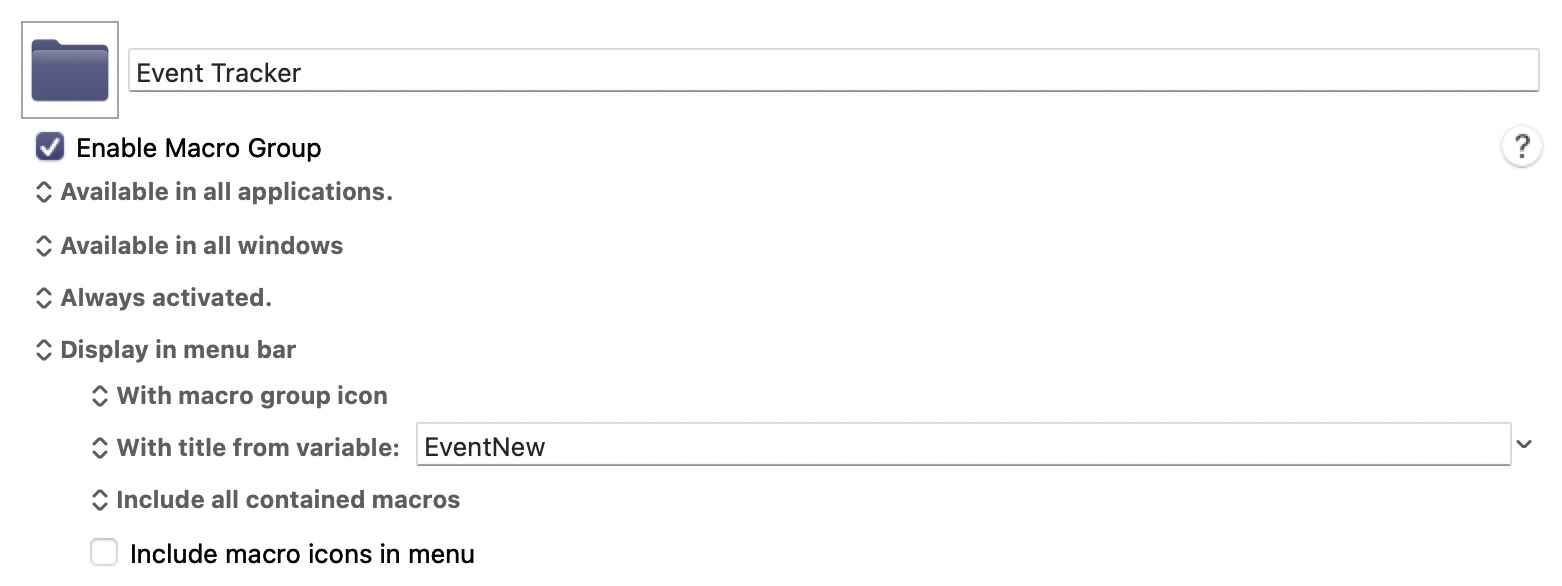
The other day I was trying to figure out how to use Keyboard Maestro to fetch all the names in the Apple Menu under “Recent Items”. It turns out that this is far more difficult than I expected, and may require different solutions under different versions of macOS. So I decided to create my own solution. And in doing so my efforts morphed into an “Event Tracker.” This group of four short macros will track 17 different kinds of events, and place each event, as it happens, on your system menu. So for example, as I type this message, at the top of my screen I see this:

In the example above, you can see in the system menu the word “Trigger”, which is a short name for the trigger called “the focused window title changes” followed by the exact title of the current window.
Here’s another example:

In the example above, this is what you see when you attach a new USB device, in this case the name of my mouse. (“Attached” is the short name for the trigger, “when any USB device is attached.”)
Here is an example of what you see if you mount a volume.

Of course, there are also options for clearing the log, and display the last 25 entires in the log, or displaying the entire log.
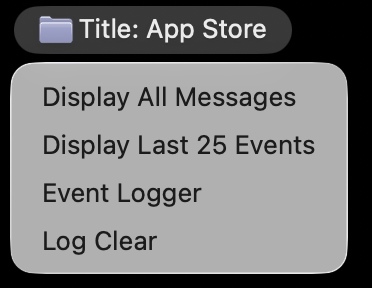
The “log” file that I’m referring to is not the official KM log file, it’s a KM dictionary. The reason I do this is because I want my log to be much smaller than the KM log file, and I accomplish this by logging only the timestamp of the last occurrence of any given event. For example, if you launch a specific app, it will record only the last time that you launched that app. Or if you mount a volume, it will record only the last time that you mounted that specific volume. For my purposes, that’s all I ever need.
As I’m running this I am seeing that over 90% of the triggers that are recoded are triggers that are based on “when the focused window’s title changes.” Perhaps it’s not important to record this, so if you don’t need this feature, you can just remove the trigger for that. That will reduce your dictionary size.
It uses one global variable, EventNew, which is needed for the KM Engine to place the event’s details into the Apple Menu Bar. And it needs a Dictionary, which goes by the name EventLog.
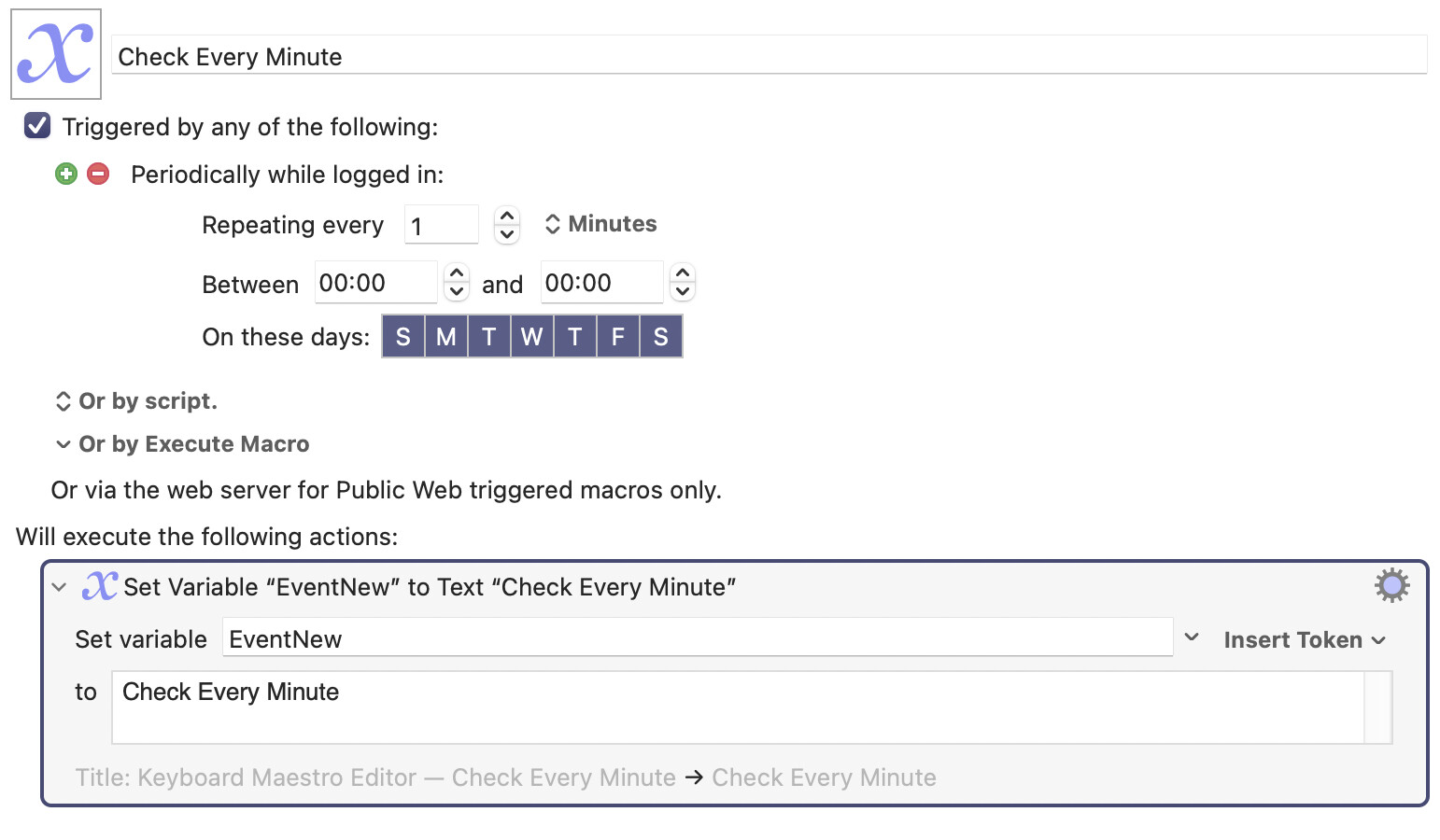
This utility gives the user insight into what triggers KM is actually processing in real time. I found only about 17 triggers that are amenable to this technique. There are another 20 triggers which simply don’t make sense to track in this way. However if you have macros that are triggered by other sources, like the periodic trigger, you can just set the variable EventNew inside those macros to make your macros compatible with this utility. Like this:
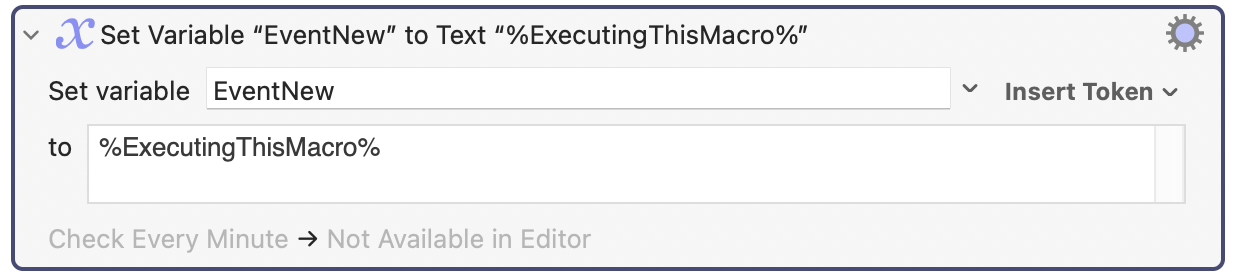
Doing this gives you an alternative to the KM Debugger, because you can track which macros are triggering even without opening the debugger. That is, as long as you start each of your macros with a Set Variable action that contains the details you want to display. Here is what you put at the top of each macro that you have, if you want this utility to place the name of your macro on the Apple Menu Bar every time you trigger it:
I hope you enjoy this utility. In summary, it’s a trigger monitor which records and displays triggers on your screen as they happen. I’ve been using it for 24 hours and it’s pretty sweet.
Event Logger Macro Group (v11.0.4)
Event Logger.kmmacros (14 KB)