Because I use multiple monitors, it is time consuming to manually move my mouse over to other applications when I activate them, using either the cmd-tab app switcher or launching them with Alfred or Spotlight or something like that. I want my cursor to jump to the center of the app but NOT when I manually click on the app because if I’m clicking on it, I don’t want it to move the mouse away from where I clicked. Any ideas? Thanks!
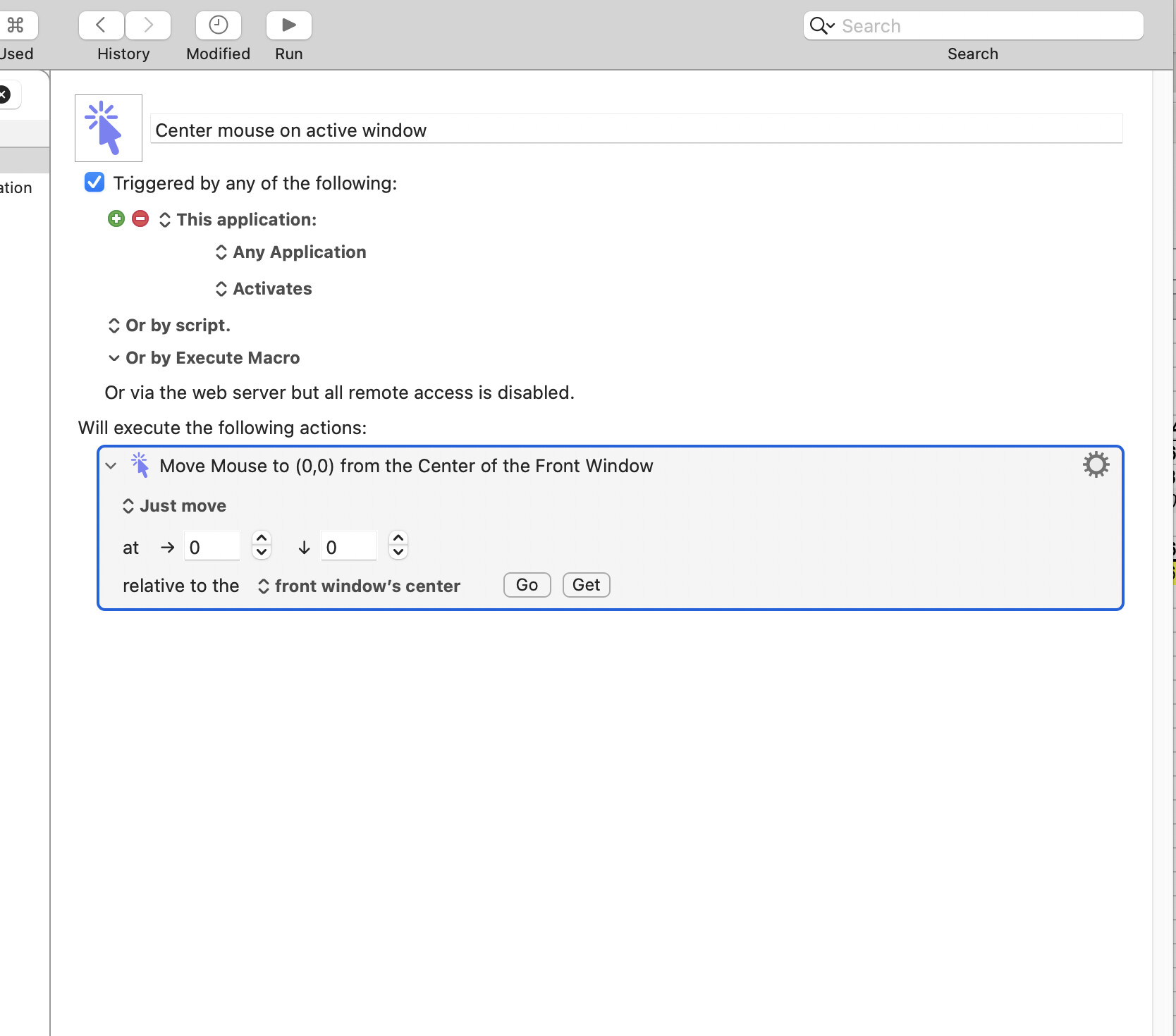
Interesting. I don't think the fact that you have multiple monitors has anything to do with the issue. It may depend on how you activate the apps. You said, "or something like that" but I may need to know exactly what you mean by "or something like that" in order to provide a solution. If I provide you with a solution, it may work with "CMD-TAB" but I don't have Alfred so I can't test that. And I don't know what "or something like that" really means so I can't test that either.
the multiple monitors just means that there is a bigger distance between where my cursor currently is and a place on the other side of my total display space than if I was using one small monitor…
For “something like that”, I was just trying to explain that I DON’T want the action to take place if I directly click on an app window to activate it but under any other circumstance I would want it to take place… Does that make sense? I was mentioning the various ways (other than clicking on an app) that I often launch/switch to apps in case the approach was to make the action happen if I USED one of those instead of stop the action from happening by clicking.
I think I have a solution. I'm testing it now. I'm not 100% certain it will work yet, but it appears to be working.
My solution appears to be working, but it may be dependent upon things like the speed of your Mac, or whether you have GUI animations turned on. In other words, it could be finicky. You may have to test it and modify it a little to make it work on your Mac. I'll upload it shortly.
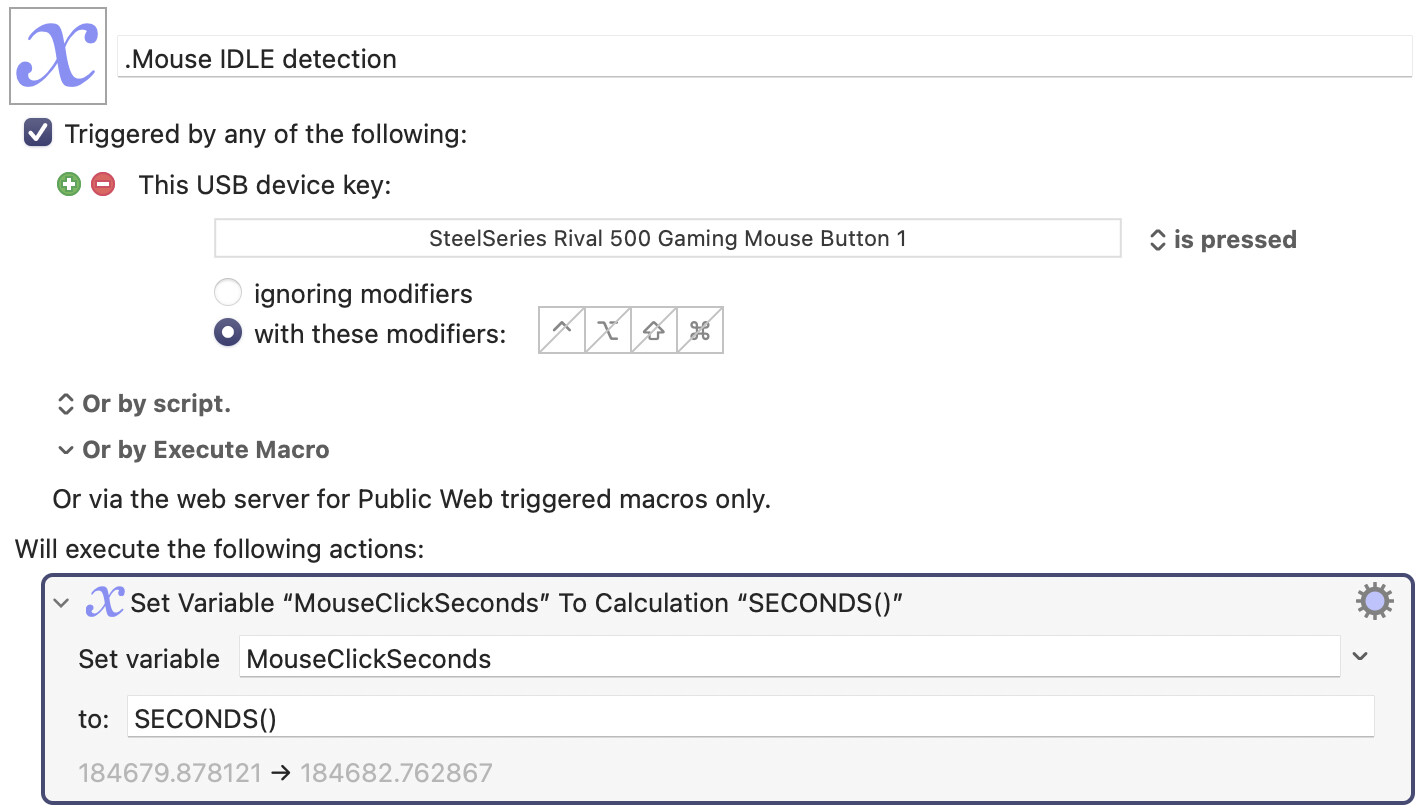
Since you are going to have to modify these macros, and since they are so incredibly short, I'll just upload screenshots rather than the macros themselves. The first macro you need is the following, which simply records the time that you click your primary mouse button. It does nothing else. You will need to modify it to include your own mouse button in the trigger... And you can give the macro whatever name you want.
The second macro is simply an IF statement that centres the mouse only if the amount of time since the last click is greater that 0.2 seconds. You may have to experiment with the value "0.2" as it may depend on your system's speed, or your macOS animation settings. But 0.2 seems to work for me.
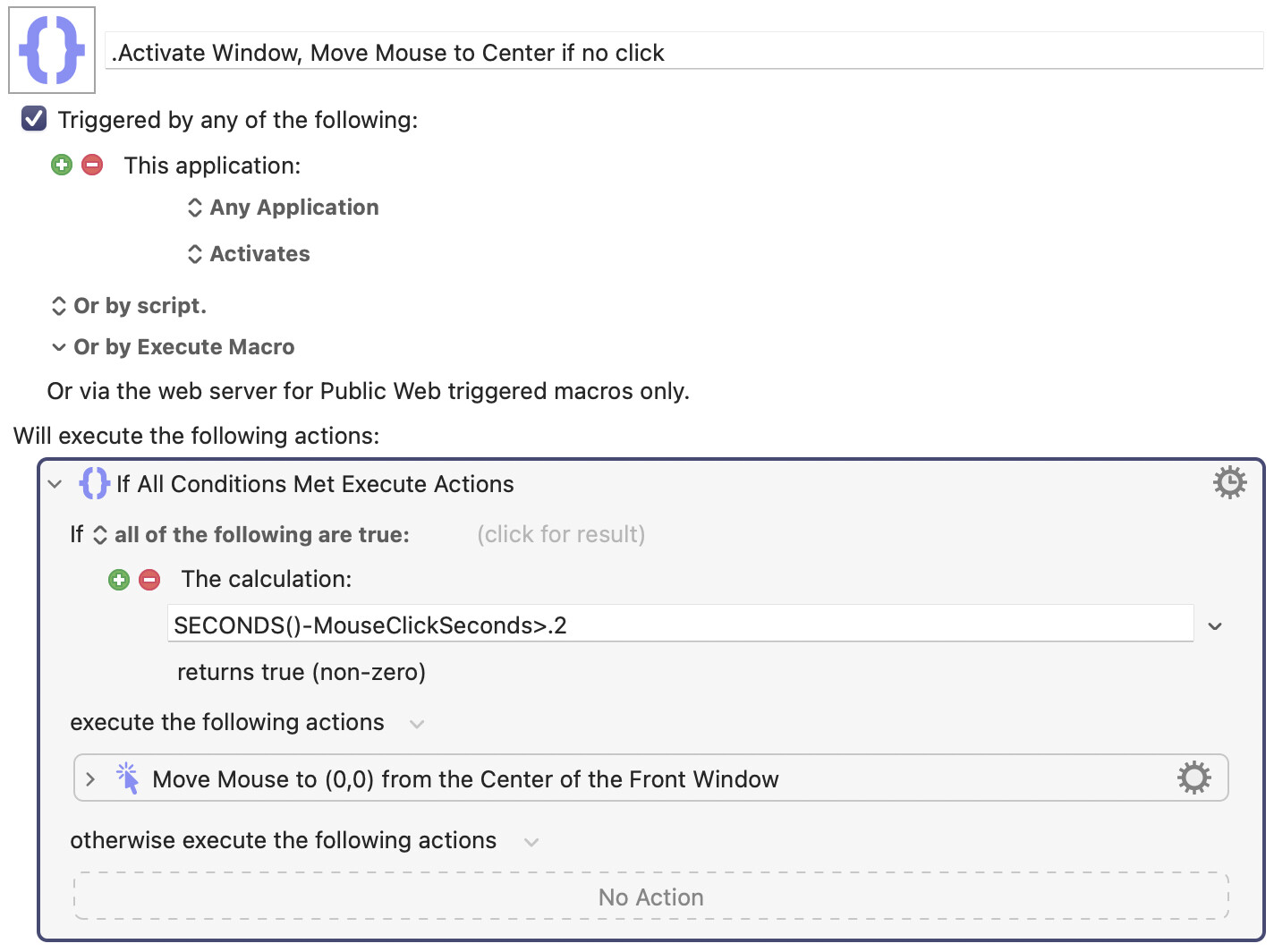
However bear in mind there is a very small problem. When you activate an app, that doesn't mean that the app has any open windows. Sometimes an app can be active without any windows! And in that case, my second macro will centre the mouse on the window whose app is frontmost. This is a subtle problem, and I'm not sure if it will bother you or not. We may need to have a discussion about this, if you aren't sure about dealing with active apps with hidden windows. It may be possible to improve my macro to handle that case, but I don't know what you want to do in that case.
You may have to test this macro on each of your "other applications". It's entirely possible that some applications are "slow to draw their windows" when activated, which could result in my macro moving the mouse to the wrong location. It seemed to work for the three or four apps I tested, but you will have to do your own testing.
It's also possible that if macOS is under a heavy load for some reason, macOS could fail to draw the window quickly enough to allow my macro to work. Right now my Mac is under a heavy load, and I think one of my tests failed because macOS was sluggish to redraw the window.
Amazing! Y’all are so smart. So far, this is working great. Thank you for your help!
You are welcome. I'm glad it worked. But as I said, it might be finicky and you may have to tinker with "0.2" to make it work better, and you may have to find out which value works best for your Mac, or even possibly change some of your Mac's settings to make it work better. I came up with the value "0.2" using some experiments on my own Mac, and your results may differ.
P.S. Your request was actually quite an interesting one. I enjoyed working on it.
1 Like