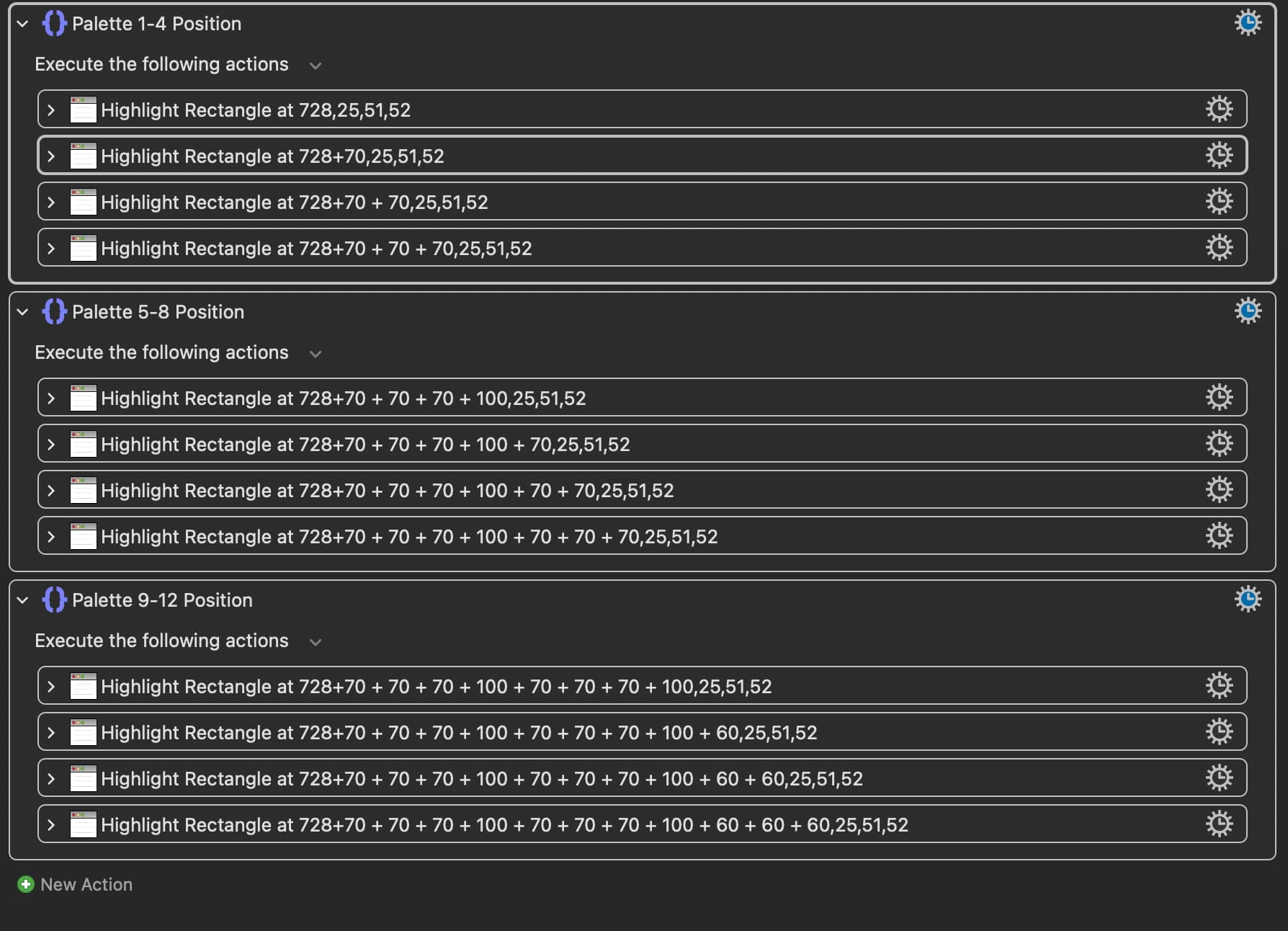
This macro highlights multiple areas on the screen sequentially using the “highlight location” actions, but I want them to all show up at the same time! Is that possible??
Also, any way to save the position of a palette and have it show up at that exact location the next time you activate the palette? (even if you have moved it to a different location previously)
The Highlight action does not have an option for running asynchronously. If it had, you'd still at the very least get a 1 millisecond delay between each highlight.
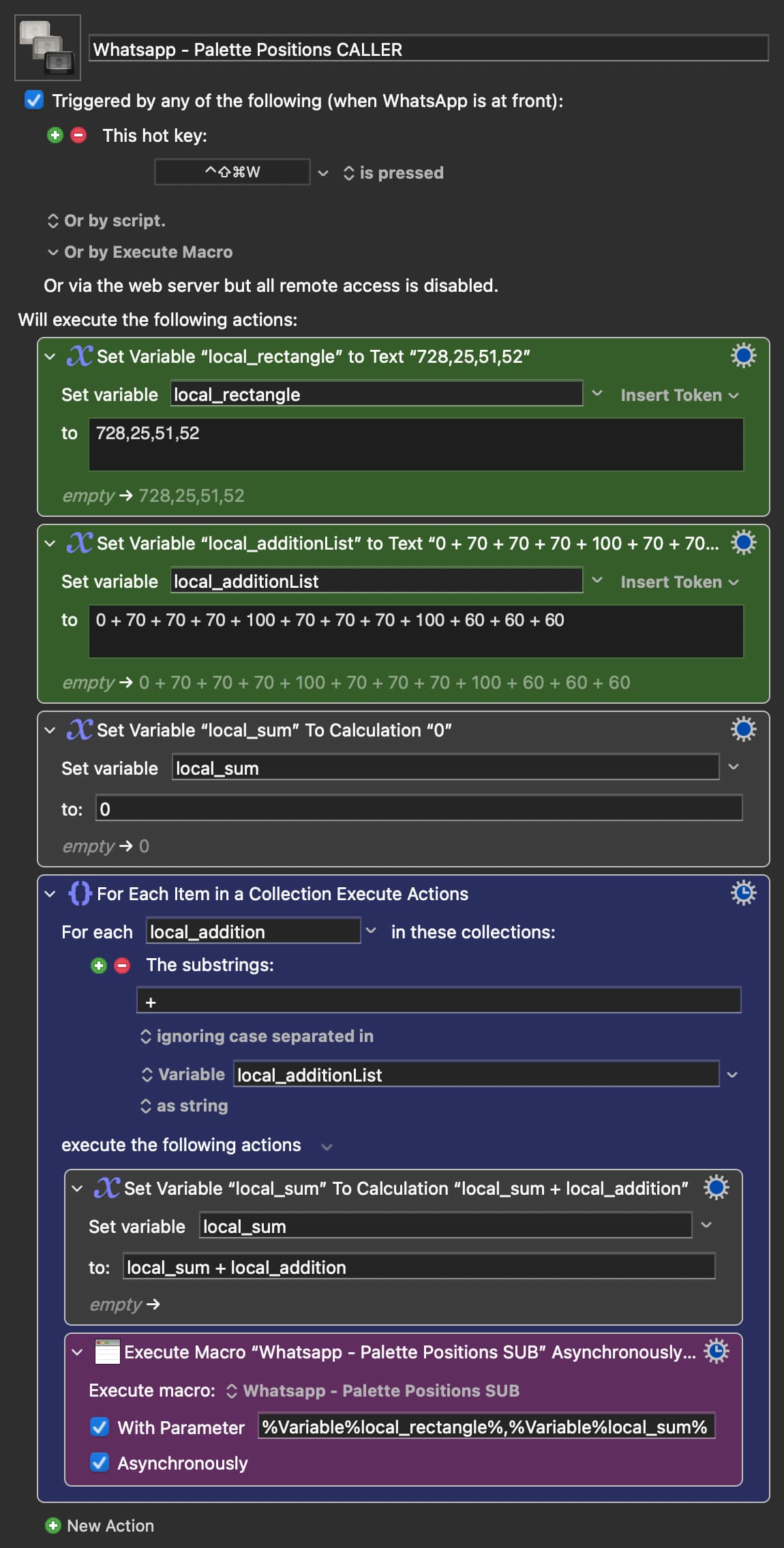
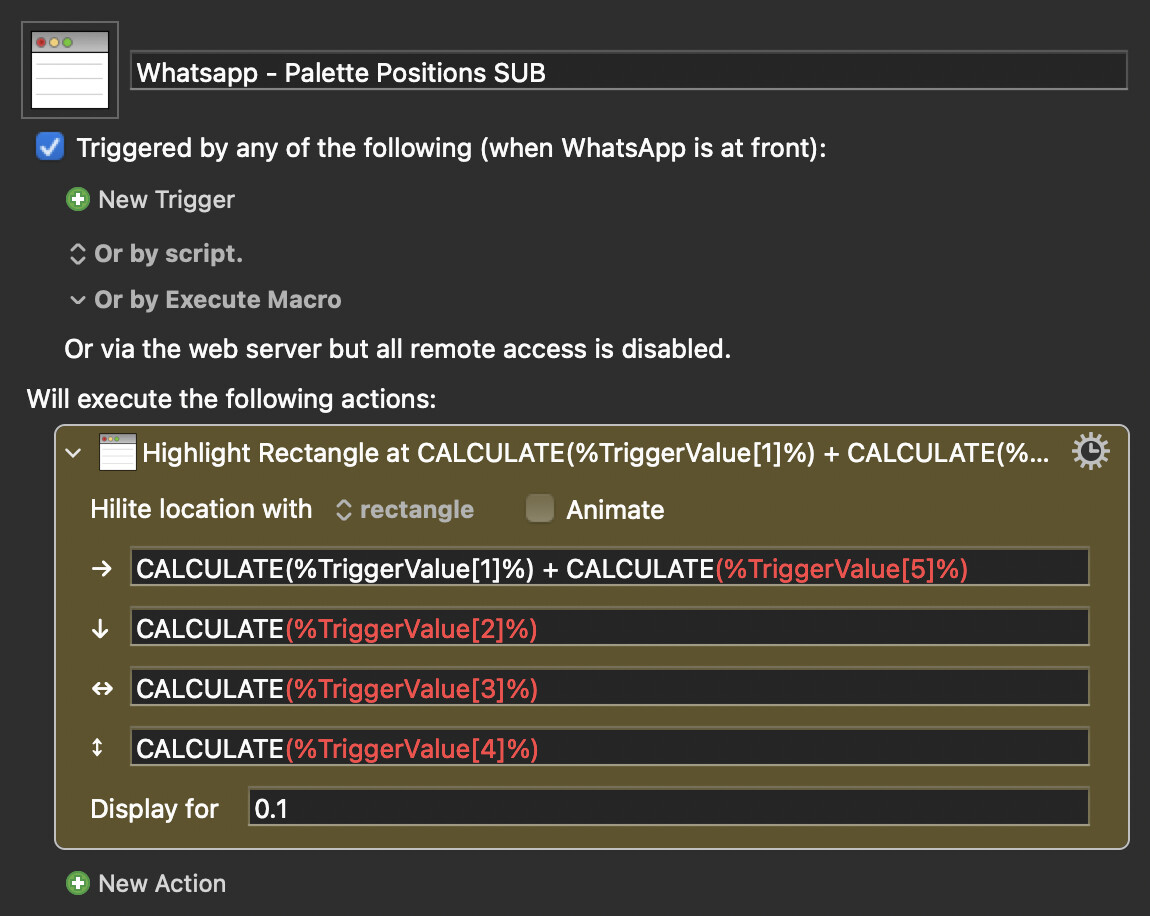
The best workaround I have for you is running the Highlight action through an asynchronously run sub-macro. Something like how I've demonstrated below. The way I've set it up here it does add about 6.5 milliseconds between each highlight (here on my system):
EDIT (a minute later): I just realized that there is a way to do all of the rectangles simultaneously. And that is, instead of using the Highlight action, use a Custom HTML action with a transparent window to draw them all at the same time. I just wrote and uploaded a macro that does a very similar thing a couple of days ago, so I know it's possible.