How can I execute an action only if a preceding shell script action returns true (“1”)?
You can either:
Save your shell script "result" to a variable then test that:
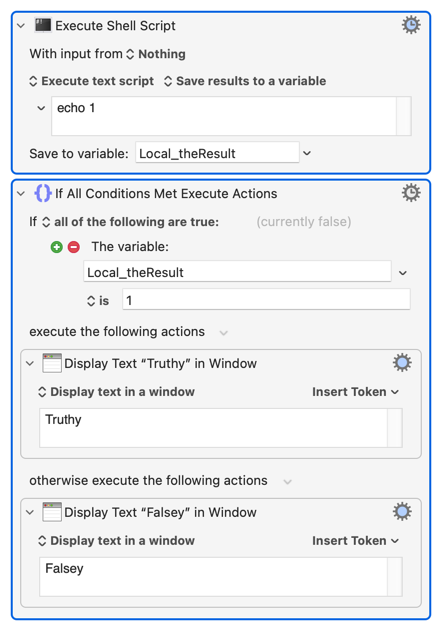
...or run the script within the "If" Action:
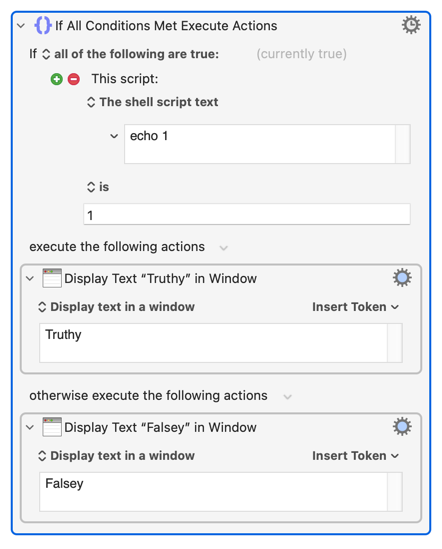
The above assumes that you mean the returned output of your shell script. If you mean exit status you can test that directly:
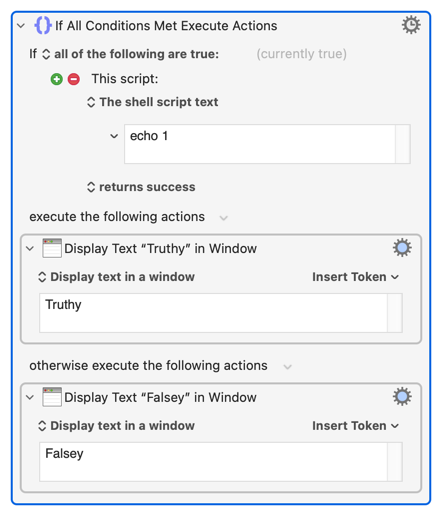
...but check what the returned value means. Most utilities return 0 on success and that is what the KM Action assumes, but some -- grep being the most obvious example -- behave otherwise.
3 Likes
I had success with the second of your examples (“returned output”), nesting some conditional results (“If All Conditions Met Execute Actions’), as the shell script outputs three possible output values.
Thanks very much for your assistance.
1 Like
UNIX processes – and the shell that is spawned to execute a script is such a UNIX process – don’t actually “return” a value (unless you output text to a file descriptor or file and define the term “return” that way), but they exit with a numeric exit code, of which 0 means “true” and anything else means some system oder process specific kind of “false”. The parent process – perhaps some subsystem of the KM engine – collects this exit code when the spawned process ends and usually acts on it in some appropriate way or allows you to define what actions should be taken. This is the core business of KM, so I would really be surprised if there was no way to refer to the exit code of a shell script.
Keyboard Maestro processes the output of scripts (either the STDOUT or STDOUT+STDERR). If the script fails (exit code non-zero), the action fails.
In the Script condition, you can act based on the output or the exist status.
1 Like
The macro that I used is depicted in this screenshot:
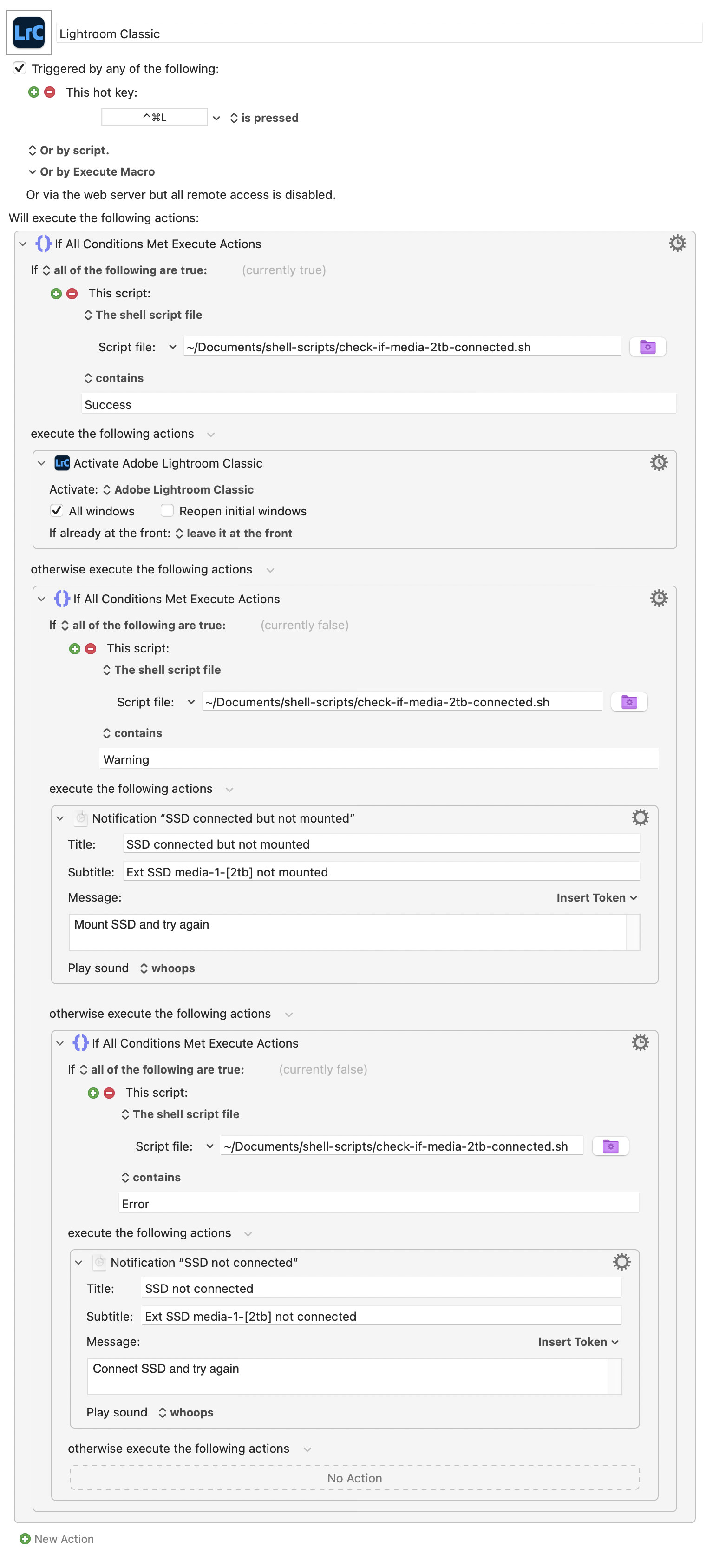
The shell script it uses (“check-if-media-2tb-connected.sh”) is:
#!/bin/bash
TARGET_UUID="05E62BF0-2461-4EE7-B8E2-6FB08E58EE14"
MOUNT_STATUS=$(diskutil info "$TARGET_UUID" 2>/dev/null | awk -F': ' '/Mounted/ {print $2}' | xargs)
if [ "$MOUNT_STATUS" = "Yes" ]; then
echo "Success: Drive with UUID '$TARGET_UUID' is fully mounted."
exit 0
elif diskutil info "$TARGET_UUID" &>/dev/null; then
echo "Warning: Drive is connected, but NOT mounted."
exit 1
else
echo "Error: Drive is completely disconnected."
exit 2
fi
I’d say a shell script can be said to ‘return’ true, false, or any other value echoed from it. In this case the macro keys off returned specific text values (“Warning” and “Error”).
There may well be other ways to implement it, but it works, and saves me from launching Lightroom if its SSD isn’t connected!