Feature Request - The clipboard history window - MAKE SEARCH BOX AUTO FOCUS

As I user that using ONLY the keyboard (Hi… this is why I bought it), I want to be able to choose clipped text quickly.
For that pressing CTRL+SHIFT+V (openning the clipboard switcher), and start typing, for searching.
Will be VERY helpfull.

Thank you very much. Sorry for all the UPPER CASE words, just I’m very excited for using this app on suggest a new feature.
And VERY annoying for people who don't want to search, and just want to arrow-down and hit Return to paste an entry.

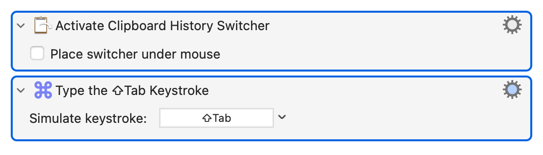
But you can easily do what you want by editing the "Activate Clipboard History Switcher" macro -- just pop a "Type a Keystroke: ⇧Tab" at the end, to activate the Search box:

3 Likes

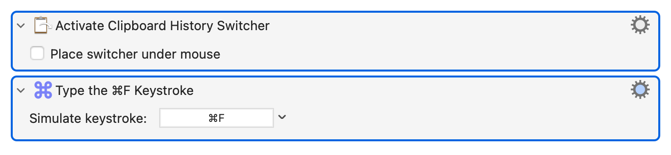
Add a Command-F to your Activate Clipboard History Switcher macro.

3 Likes