Obviously missing something.
Can you tell me where I am going wrong?
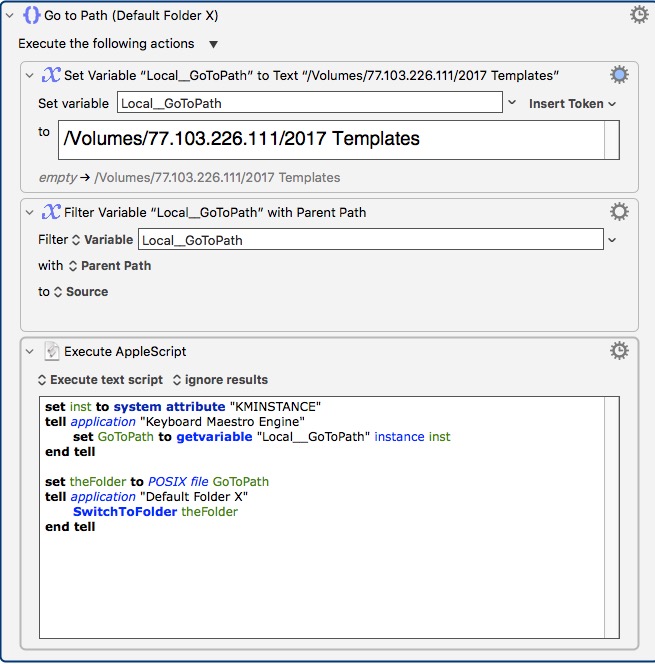
Assume once set up I can duplicate the macro,
Replace /2017 Templates,
Rename macro,
Add to palette of macros.
Thanks
Michael
Obviously missing something.
Can you tell me where I am going wrong?
Assume once set up I can duplicate the macro,
Replace /2017 Templates,
Rename macro,
Add to palette of macros.
Thanks
Michael
Hey forum members,
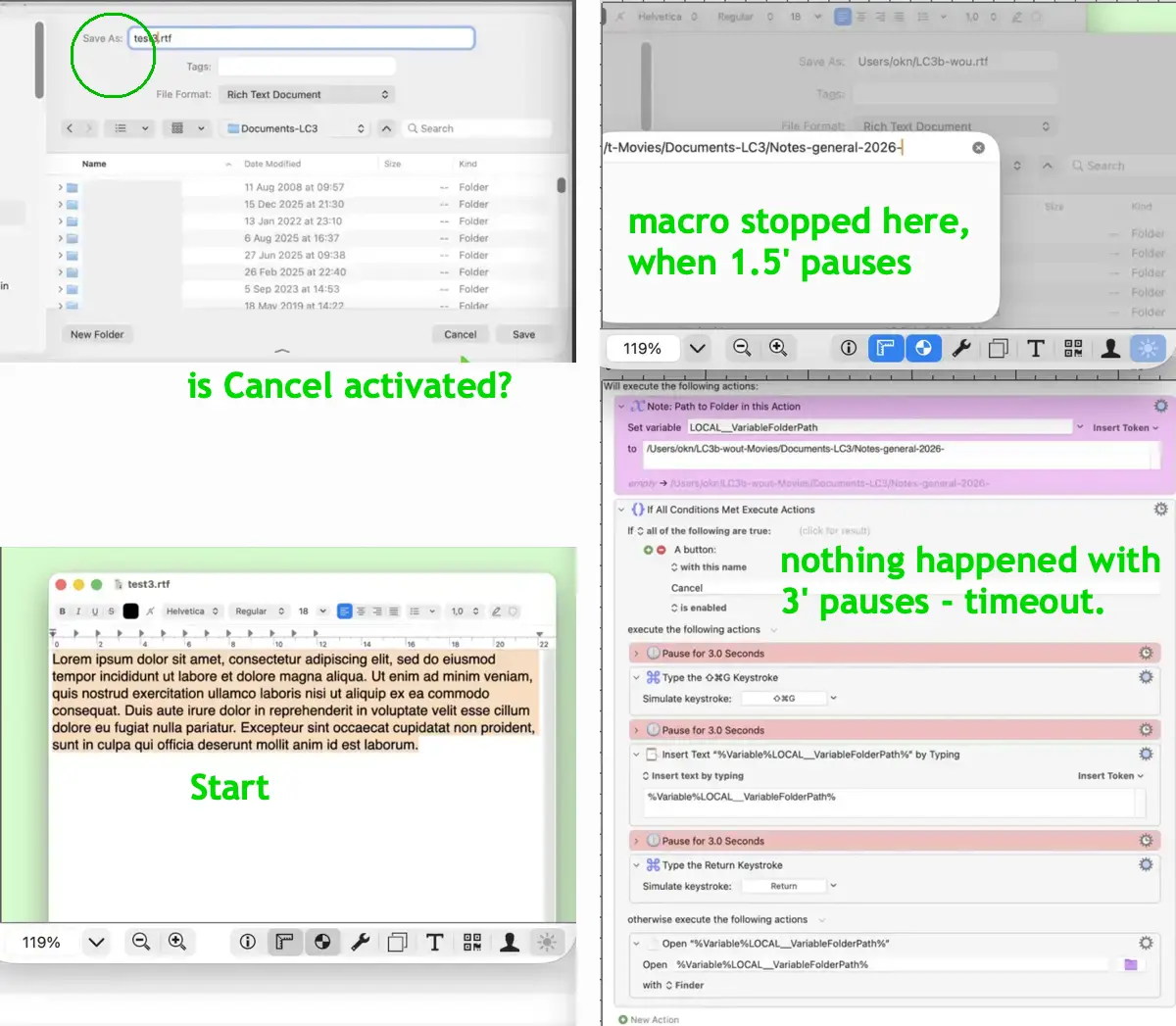
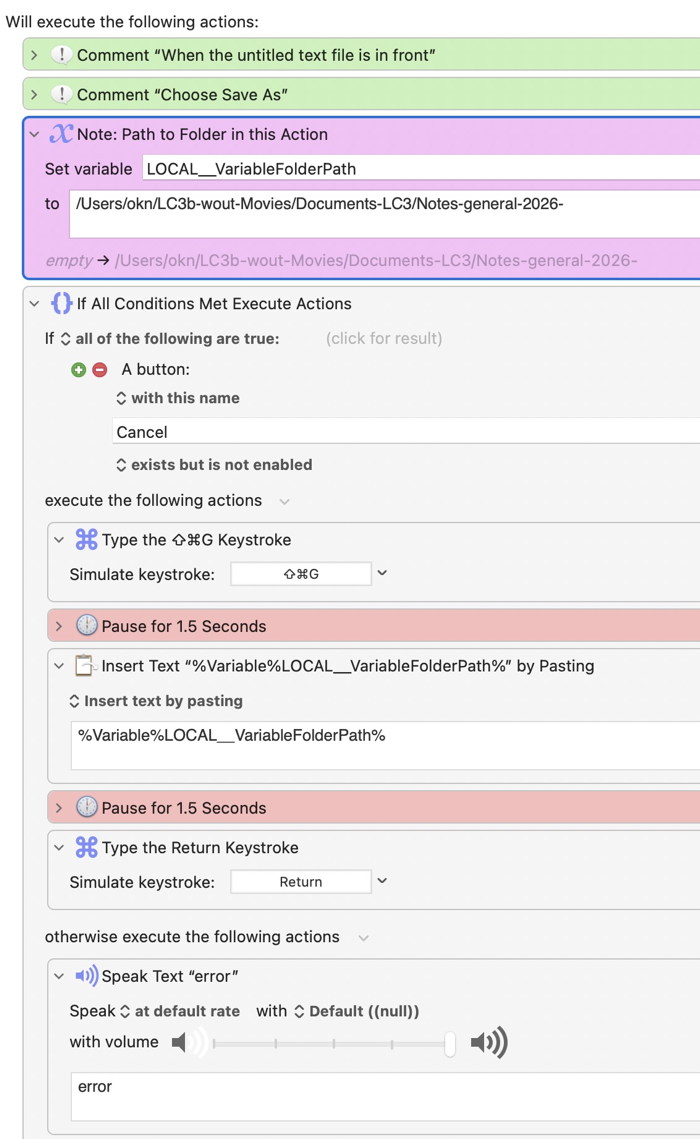
What I get is ”otherwise execute the following actions” at the end of the macro.
For a new file (which needs ⌘ S not SAVE AS)…?, but I don't get "a button with this name Cancel is enabled."
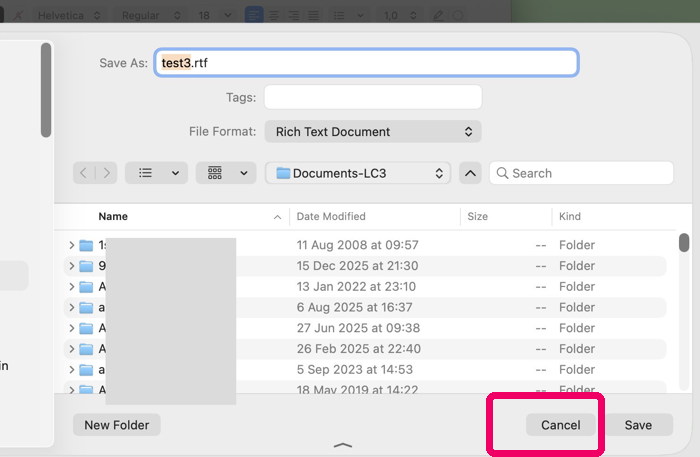
The Cancel button remains grey, not blue.
Therefore in the TextEdit file interface, the intended folder doesn't come up, only a formerly used one (nothing happens).
So I'm not sure what's going here, if you could point at the problem…
/
best regards,
OmarKN
Happy to try and help.
Please give a few more details (the MacOS version you are using and some screenshots of your Macro and the save dialog with the buttons you are seeing). This is quite a long thread with various Macros and techniques being mentioned and the last post before yours was over three years ago.
Okay, it looks like you might be basing the Go To Folder part of your Macro on the example Macro I uploaded.
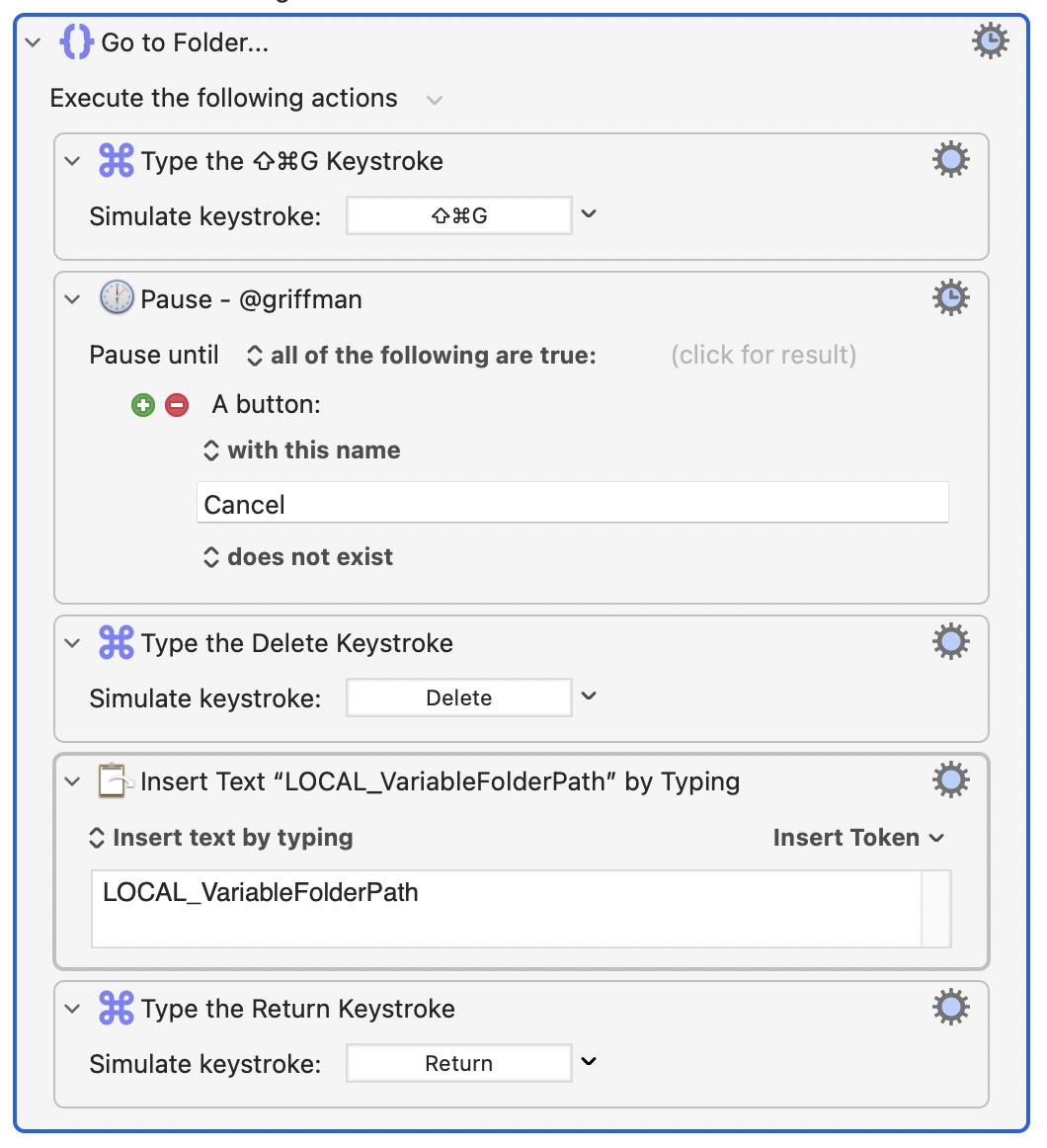
For that section of your Macro, try this instead (it works for me and I am on macOS Tahoe)
GoTo.kmactions (2.6 KB)
I have nothing timely to add here, but I'll note that from around OS X 10.4–10.6 users could customize Open/Save dialogs with application-specific Sidebar folders. It was a helpful feature, though there may have only been four of us who knew of it. It got broken in 10.7 (I submitted feedback in 2012) and this went unfixed for years, to the point that I forgot to check if this had been fixed when I upgraded to macOS 15 Sequoia. Only seeing this thread did I check, and the capability has been removed.
I'm calling this macro when the untitled file is in front of me.
When some (text)files always should be saved in a dedicated folder, how to simplify this process,
and I don't know why it doesn't work here, when you are on Tahoe, too.
The Go To module does NOT come up,
The shortcut for "Go to Folder" is ⇧⌘G (it is not ⌃ ⌥ ⌘ G)
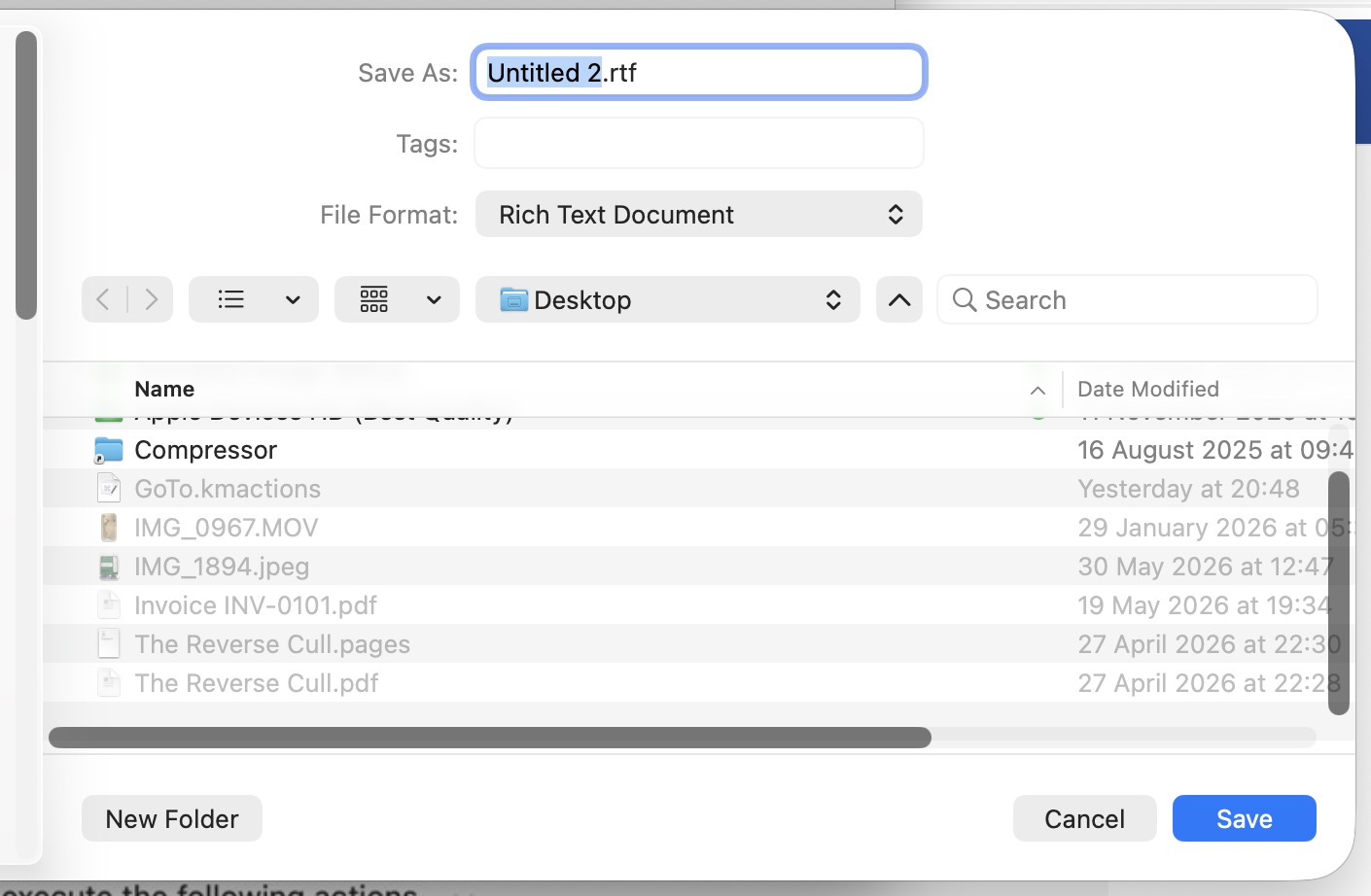
And yes, it can be called when not in the Finder. Put your Macro aside for the moment and from Text Edit, save a file. The Save dialog will open.
Now press ⇧⌘G and the Go to Folder will pop up. You can delete the current path and type in a new path.
Test that this works before carrying on with the automated Macro version you are working on. If it doesn't work something else is going on.
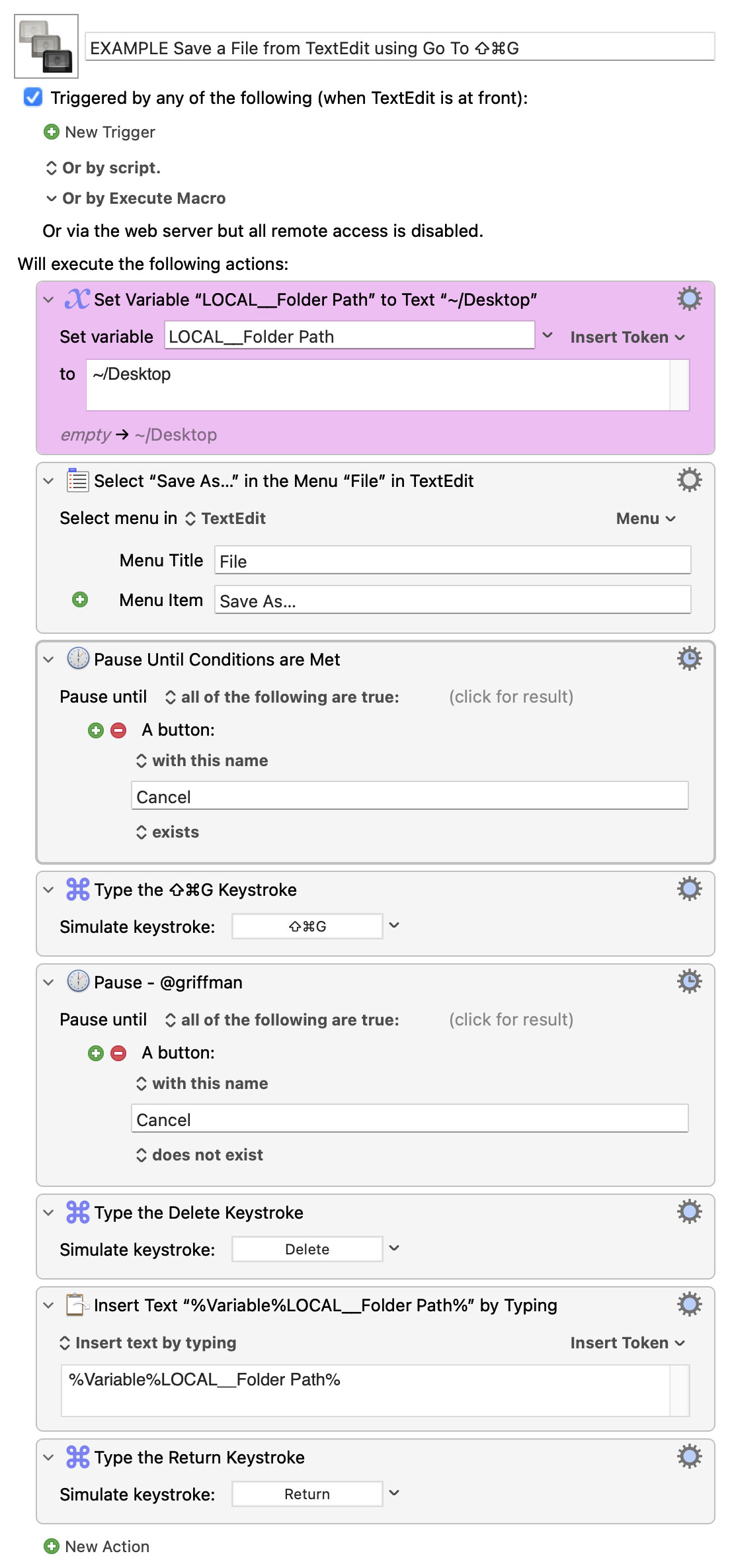
Assuming it does work, here is a Macro that saves a File to a specific location with TextEdit (in this example, the Desktop). See if this works for you (and then you can adapt to the exact task you are trying to achieve).
EXAMPLE Save a File from TextEdit using Go To ⇧⌘G.kmmacros (29.5 KB)
The moment this step has been done
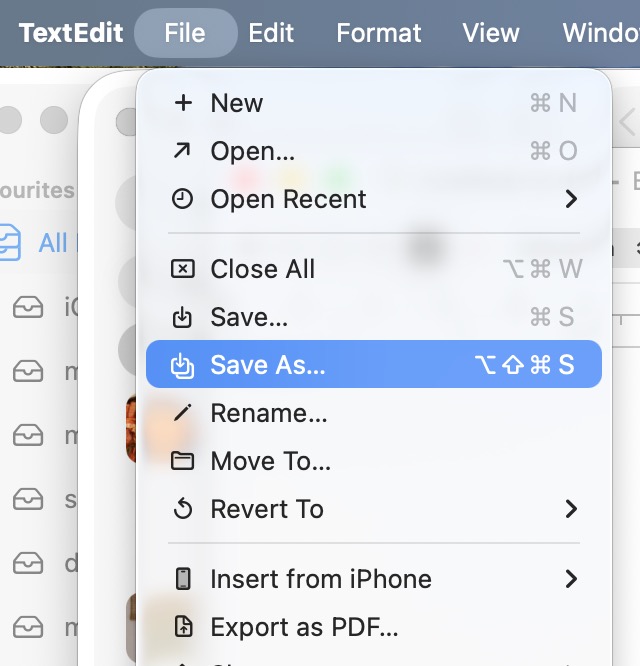
Select "Save As..." in the Menu "File" in TextEdit
there is an error pling.
So, TextEdit is not allowing you to "Save As..."
Can you try it manually?
Make a new document in TextEdit.
Click on the File Menu.
Hold down the Option Key (to show the hidden 'Save As..." Menu Item)
Does that work for you? If it does not then there might be something else going on.
9 times out of 10 that's because you've typed in the menu name and put in three periods when it should be an ellipsis. Don't type into that Action unless you have to -- use the "Menu" picker to the right, under the "Options" button, to correctly set both menu item and target application.
You should not be using an "If..." here.
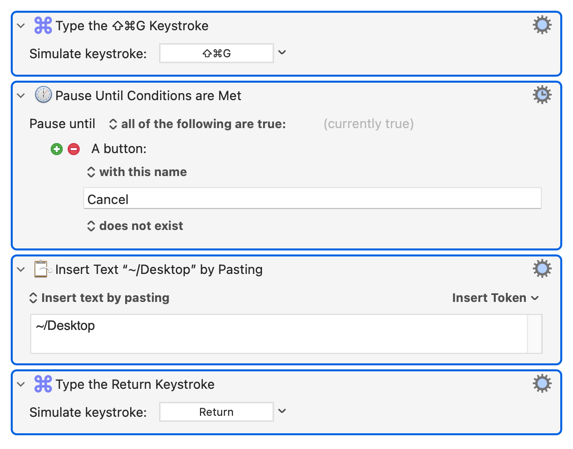
You use a "Pause Until..." Action so that your macro waits for the "Save As..." dialog to appear before doing the next Action. You then have to "Pause Until.." the Cancel button doesn't exist to wait until the "Go to..." dialog appears.
If, as it appears, you are triggering this macro after you have already opened the "Save As.." dialog then you only need that second "Pause Until...":
Yes, it works.
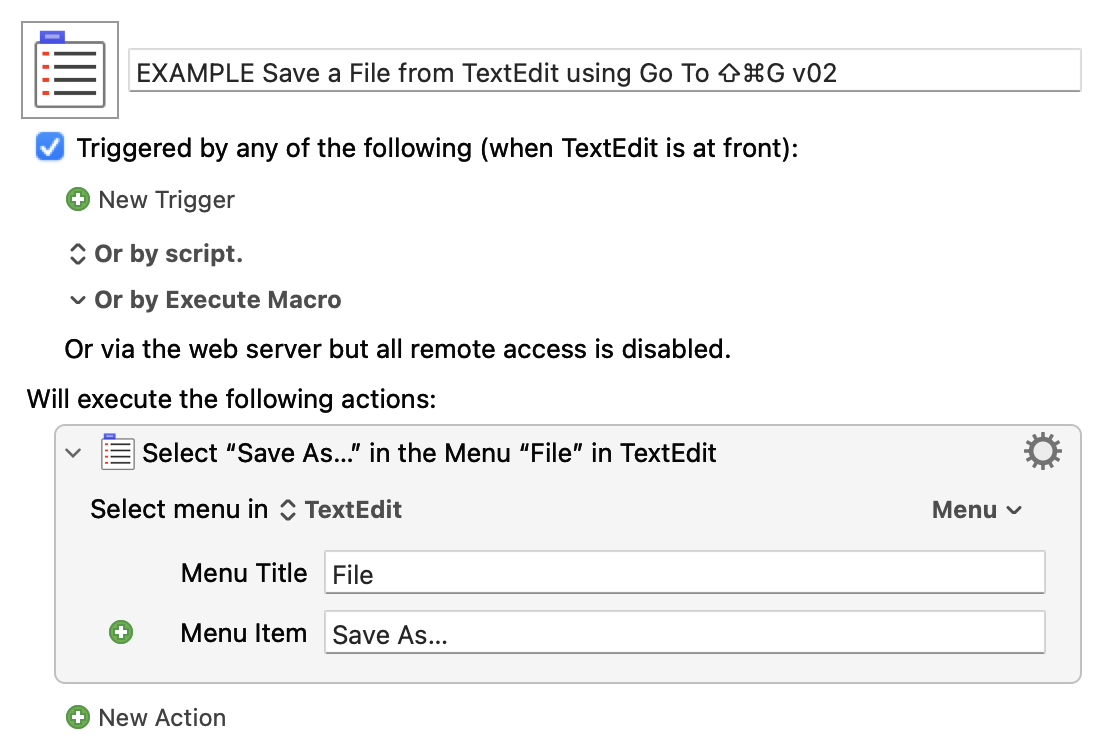
Great. So, it works manually. But the below does not work?
EXAMPLE Save a File from TextEdit using Go To ⇧⌘G v02.kmmacros (26.1 KB)
Yes, it opens up the Save As… dialogue.
This did work, once! (although with a pling)
Thereafter, twice, it didn't.
→ So where to add the pause,
The macro should fire the ⇧⌘G, but is there enough time for it.
Maybe, also better to use the complete macro, so a PAUSE could be added before the ⇧⌘G ?!
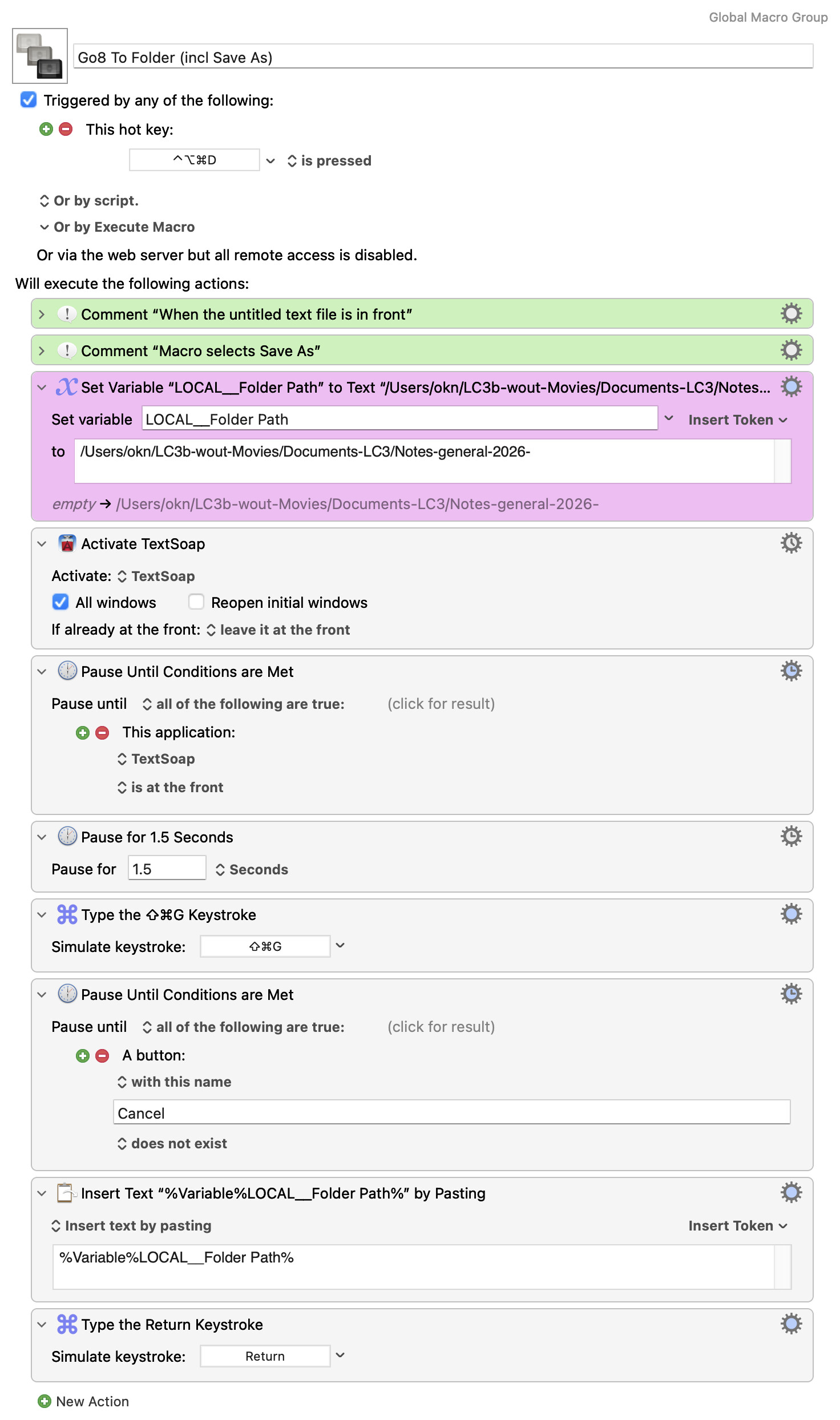
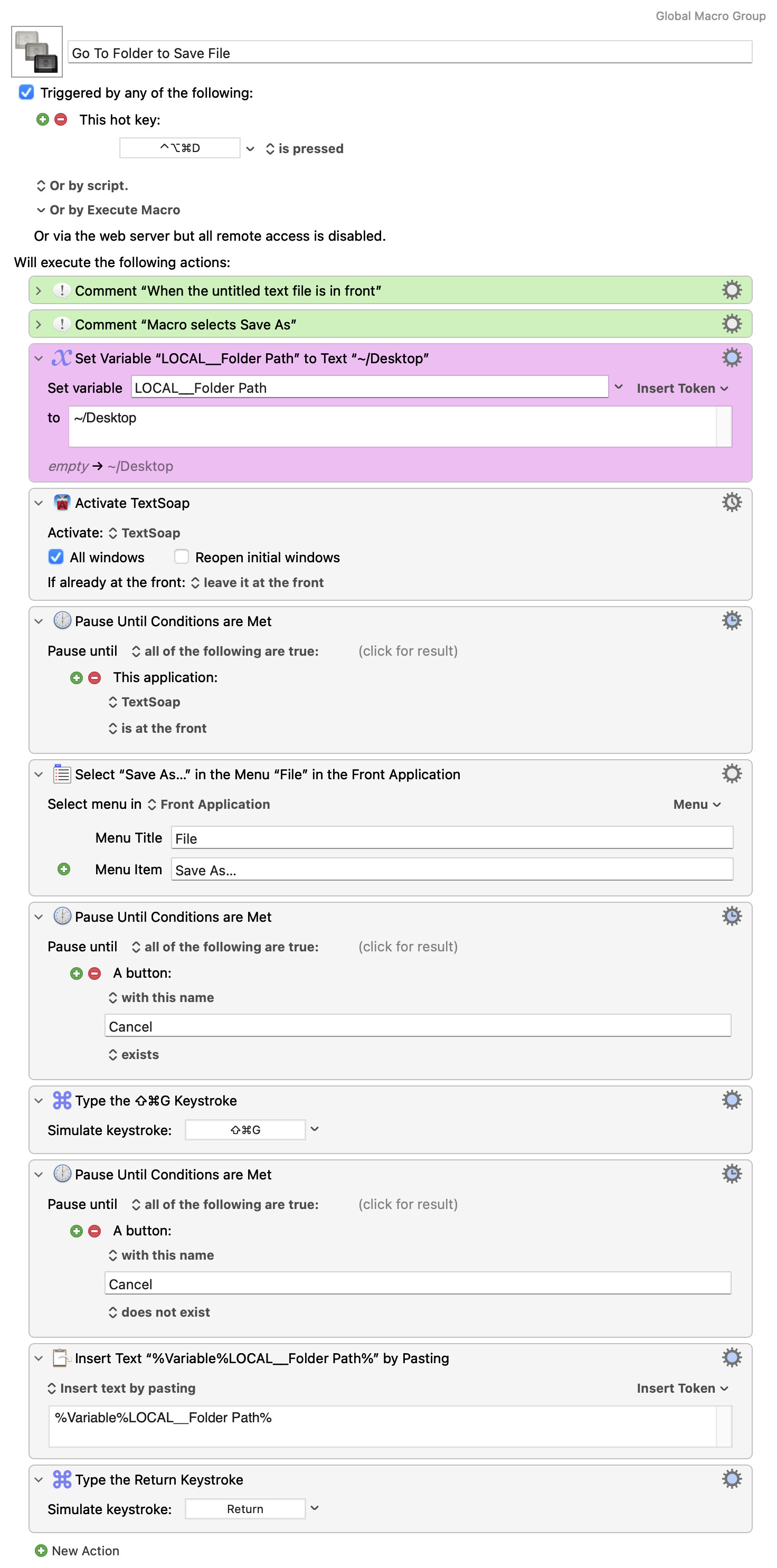
All it does, it inserts the %Variable%LOCAL__Folder Path% into the open text file. (it's the one-but-last action).
No GoTo Module to be seen.
You've called the macro "...(incl Save As)" but haven't included the steps that open the "Save As..." dialog. Put those in (see @Zabobon's example) between the "Activate" and "Simulate Keystroke" Actions.
⇧⌘GReturnIt is exactly that 
Remember that we are querying the active UI element. Using TextEdit as a proxy for TextSoap...
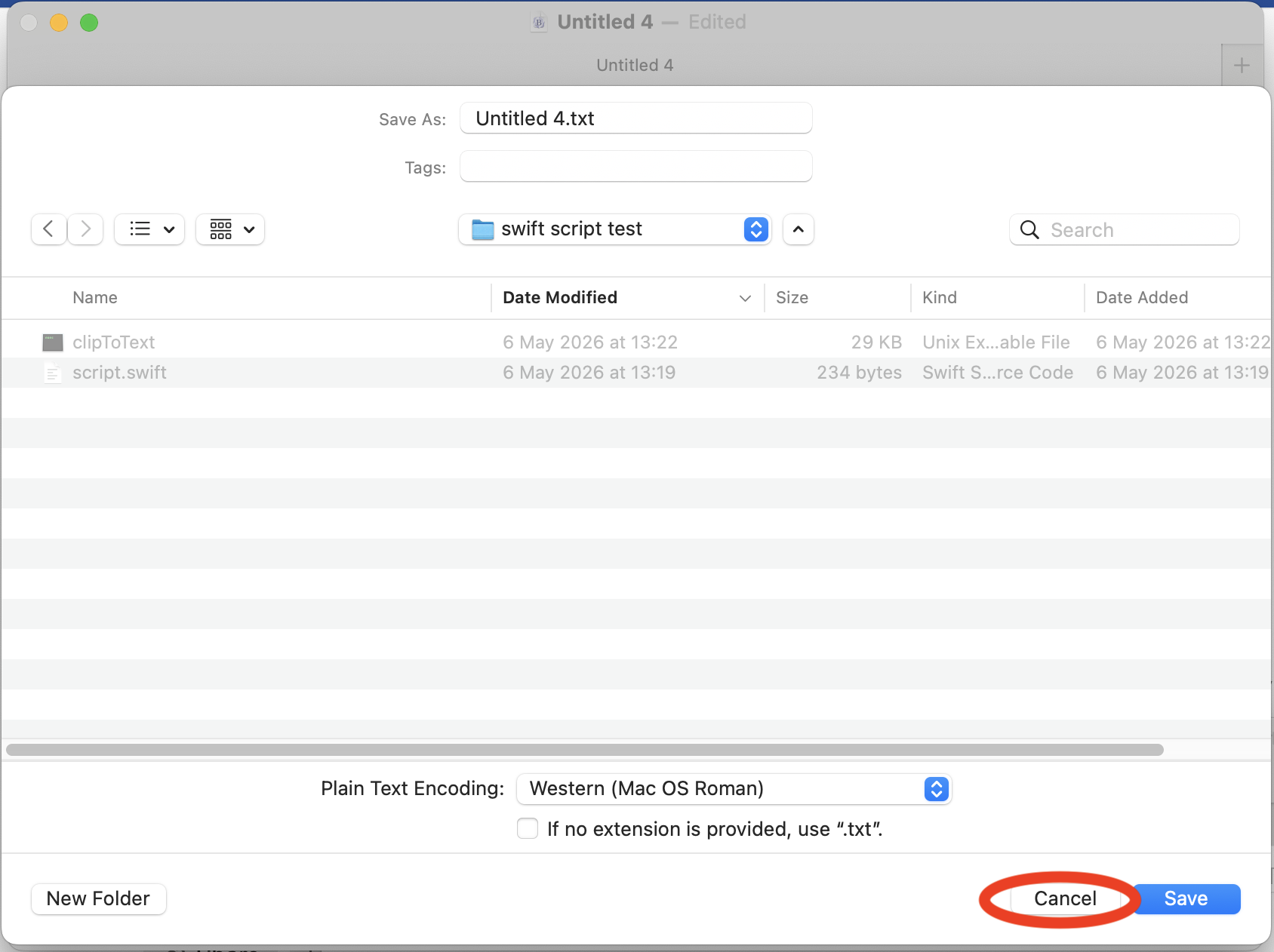
We start with:
We want to wait until the "Save As..." dialog is active, so we wait for the answer to "Does the frontmost UI element have a 'Cancel' button?" to be "Yes":
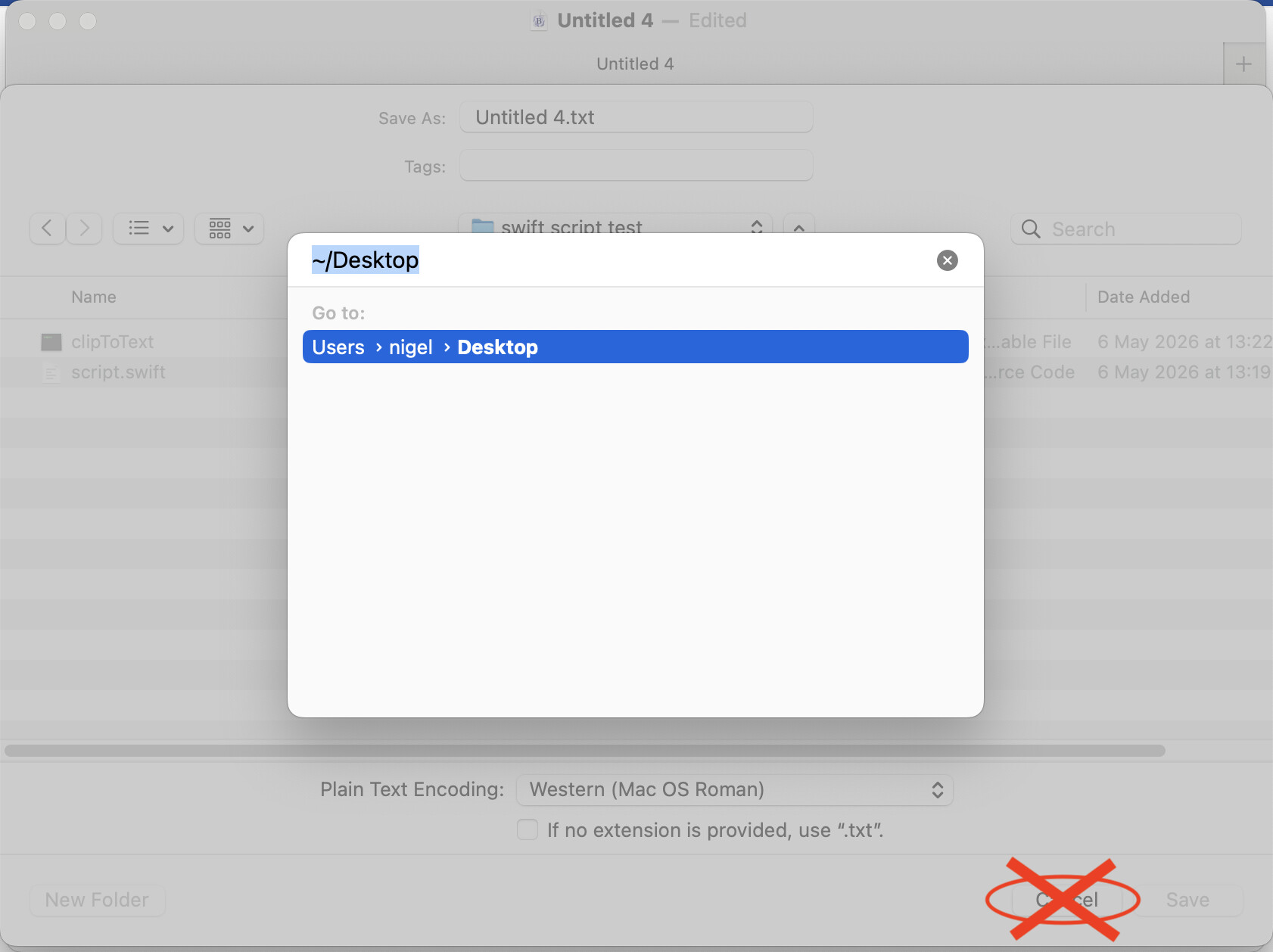
The we open the "Go to..." dialog and wait for that to be active -- that dialog doesn't have a Cancel button, and when it is active we can no longer "see" the button on the dialog behind:
...and that's why the second "Pause Until" is for "the 'Cancel' button does not exist".
Does that make sense now?
Yes, very much so, a big thank you!
This is the very useful Go Folder macro, when you need to store textfiles (of certain kind or content) in the same folder, without much clicking and searching through the Finder structure.
Go To Folder to Save File.kmmacros (7.1 KB)
or
Find a Specific Folder on "Save" Window