Find a Specific Folder on "Save" Window

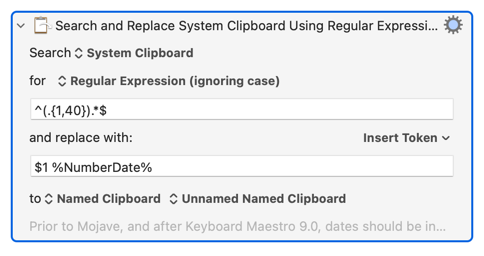
This was intended as an update to use the first line as Filename + Date

However it doesn't work, and the Regex with the Date is probably wrong.

3c Go To Folder to Save File - with first line as Filename + Date.kmmacros (14 KB)


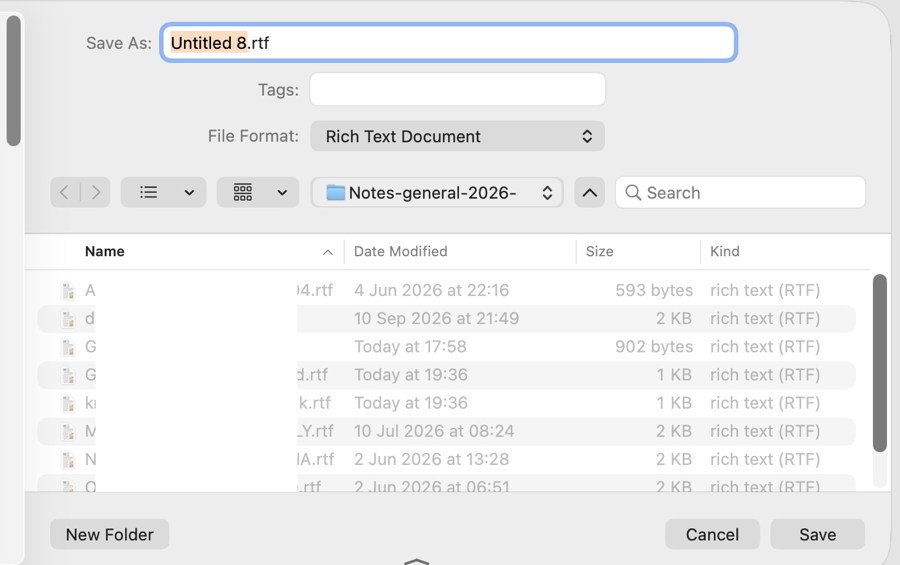
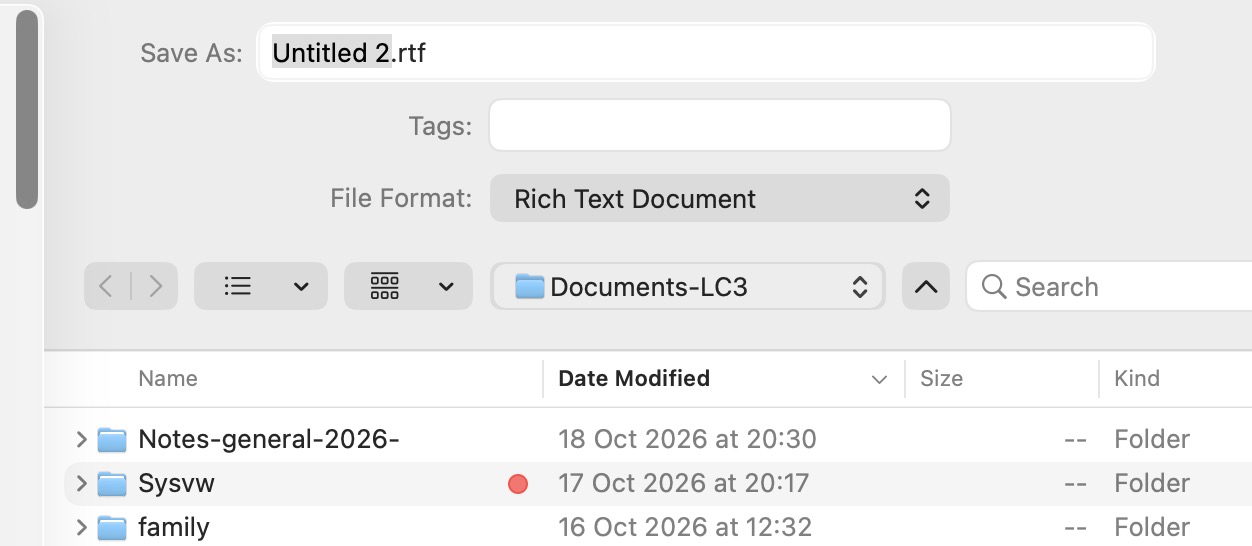
This is the finder window to be precise

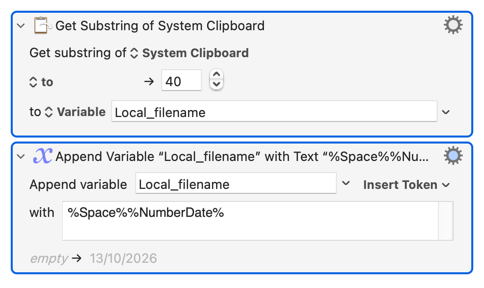
There's a couple of problems -- as written you are going to replace the first (up to) 40 characters of the Clipboard text with the literal ^.{,40} and then the date in numeric format, keeping the rest of the text as-is.

To do what you want with a search-and-replace you need to match the entire Clipboard contents, "capture" the first 40 characters, and use that "capture group" in your replacement:

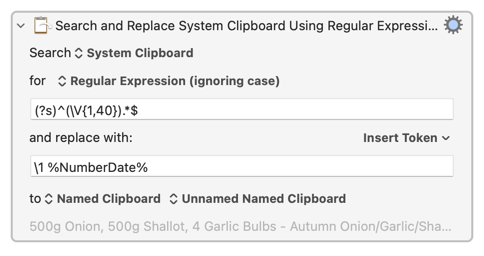
(Either $1 or \1 can be used for "the first capture group".)

That will still break if your Clipboard contains any end-of-line characters because . does match those by default. So a better pattern would be to turn on ". matches EOL" with (?s), match up to 40 non-new line characters as a capture group, then match everything else:

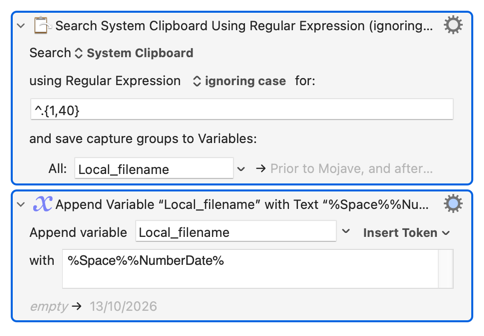
It isn't very efficient to do this with a regex S'n'R -- better to grab the first 40 characters then append the date with either:

...or, even better:

Though this is one of those case where "more efficient" doesn't mean "faster to execute", because you are adding a millisecond with the extra action.

Use the regex search version if the contents of the Clipboard might ever have a Return character in those first 40 -- the regex . won't match that so you will never get a (problematic) Return in your new filename, but you could if you use the substring method.

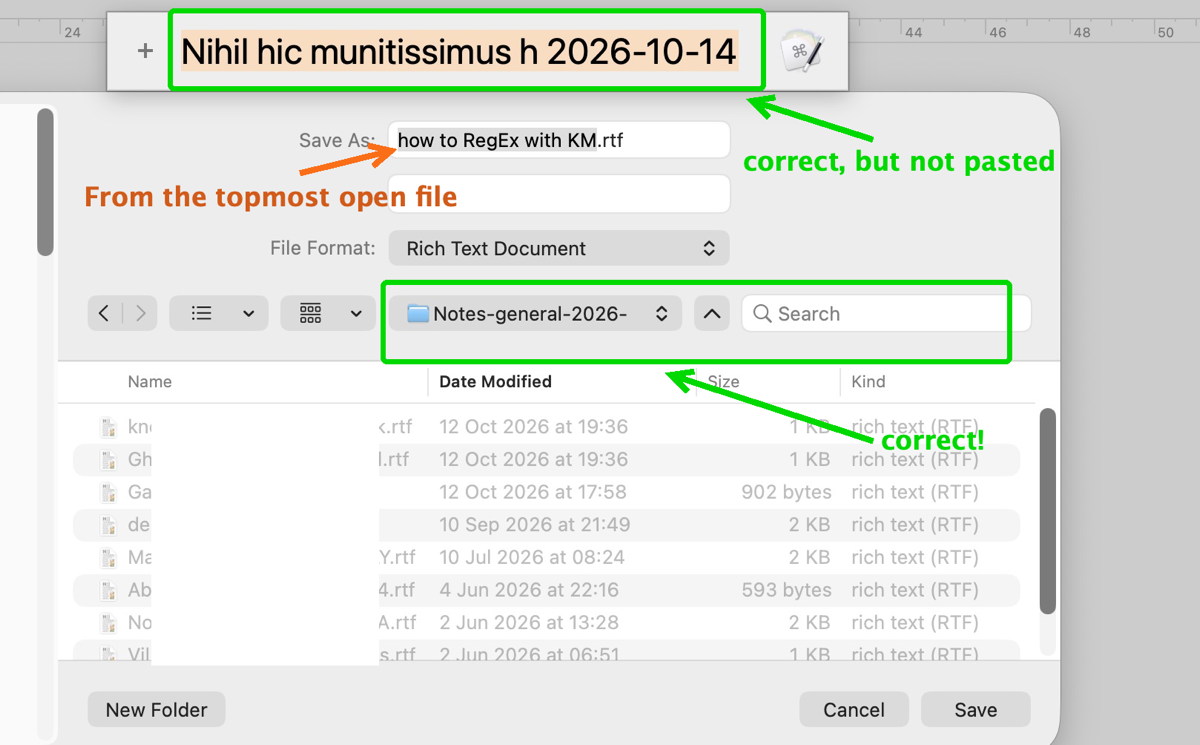
There are still some problems:

  • the file name (Substring_TTL) is not pasted

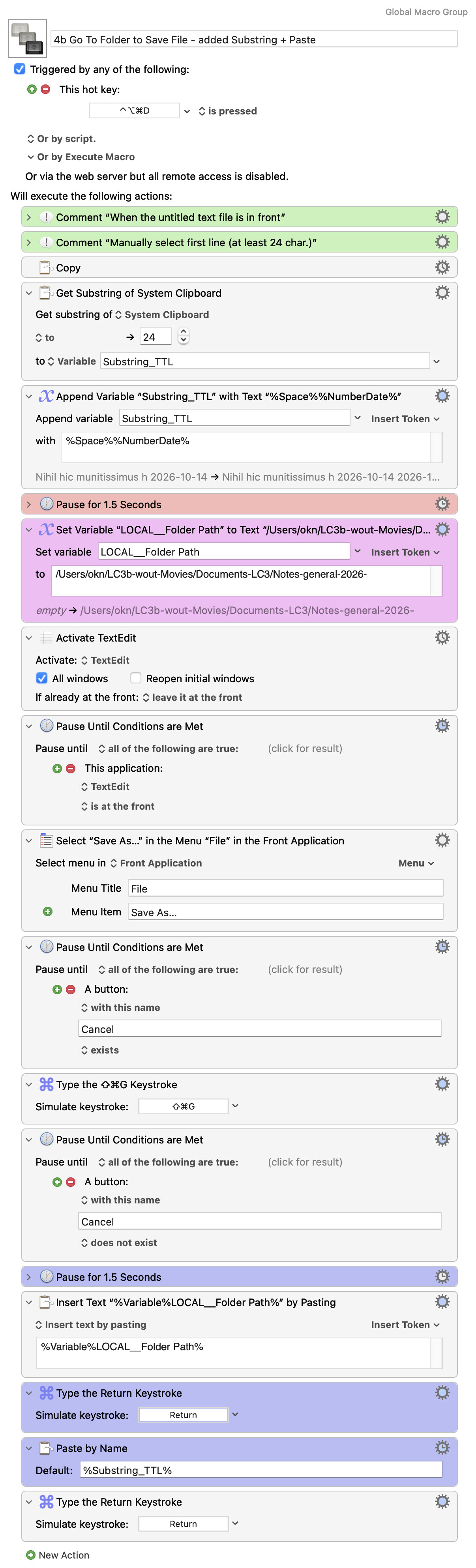
At the end of the macro the added actions are in purple.

4b Go To Folder to Save File - added Substring + Paste.kmmacros (9.9 KB)

Probably because the "Paste by Name" Action Pastes from a Named Clipboard, which you are referencing via %Substring_TTL% and so doesn't exist.

Try the "Insert Text by Pasting" Action instead.

Yes, this made it work: "Insert Text by Pasting".

Also very interesting note 42 regarding RegEx for the 1st line of a text.

Thank you, excellent.

/okn

2 questions

1.)

This macro 19 is obviously a subroutine, and I'd like to use it instead of "Go to Folder" ⇧⌘G,

but what is the meaning of "Import from URL must be editing a macro"?

This macro uses Default Folder X, alright.

2.)

After the download, I searched in KM for "go to path" in "All Macros" but nothing found.

In my KM setup there are about 60 groups.

Would be good to try it, as I also have problems with "Go to Folder" (⇧⌘G)

(Yesterday ok, today not.)

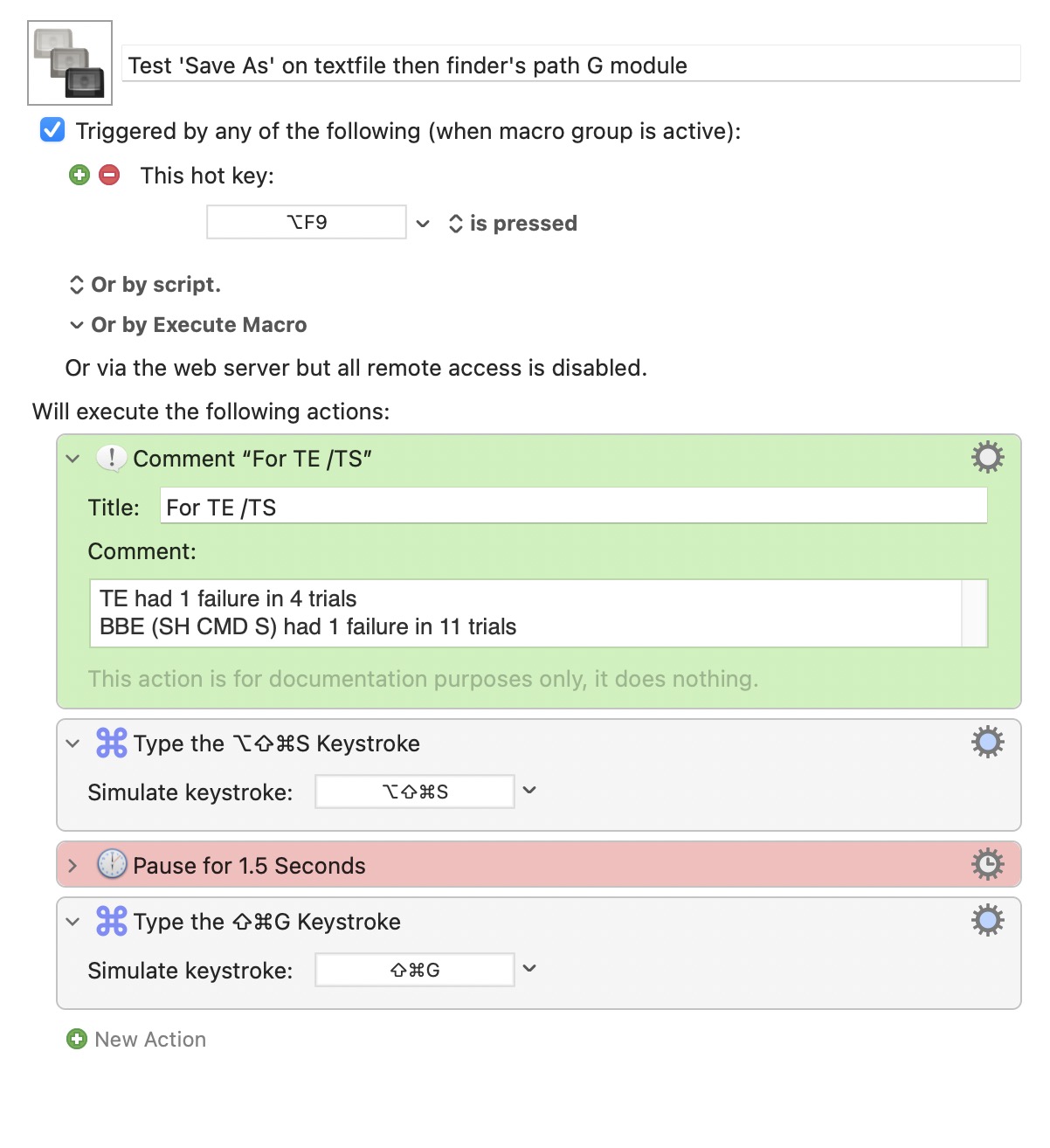
I ran a test with 4 trials with "Go to Folder" (⇧⌘G) with 3 out of 4 failures!

Also:

See below the macro I'm using with @Nige_S assistance (the macro still needed the "Insert Text by Pasting" Action) - posts 44 and 43)

It's an action, so you need to have a macro open when you attempt to import it.

I tried this macro in Golden Gate, same hot key, changed the first one to Command-Shift-S for Save As in BBEdit and it worked every time.

So I am not sure what else is going on, but it seems to work fine in my testing.

Here on Tahoe,

tested with BBEdit: 11 trials: 10 ok, 1 failed.

Failed how? The Save As... dialog didn't appear, it did but the Go To... dialog didn't appear, something else?

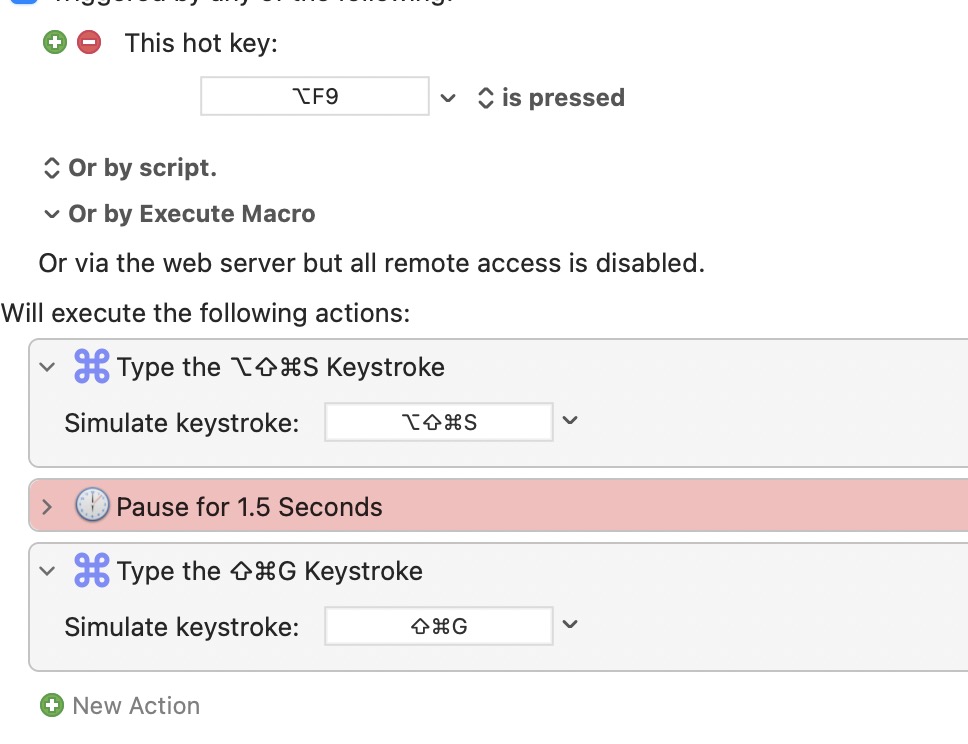
With this test macro most of the times only the first step is executed and the “file name area” is not selected, as it should be with normal ⌥⇧⌘ S (for TextEdit).

After a reboot, I tried 4 more times and it worked twice and twice it didn’t, so that's bad enough.

  1. The test macro aborts here, that's why I added a pause 1.5sec without success.
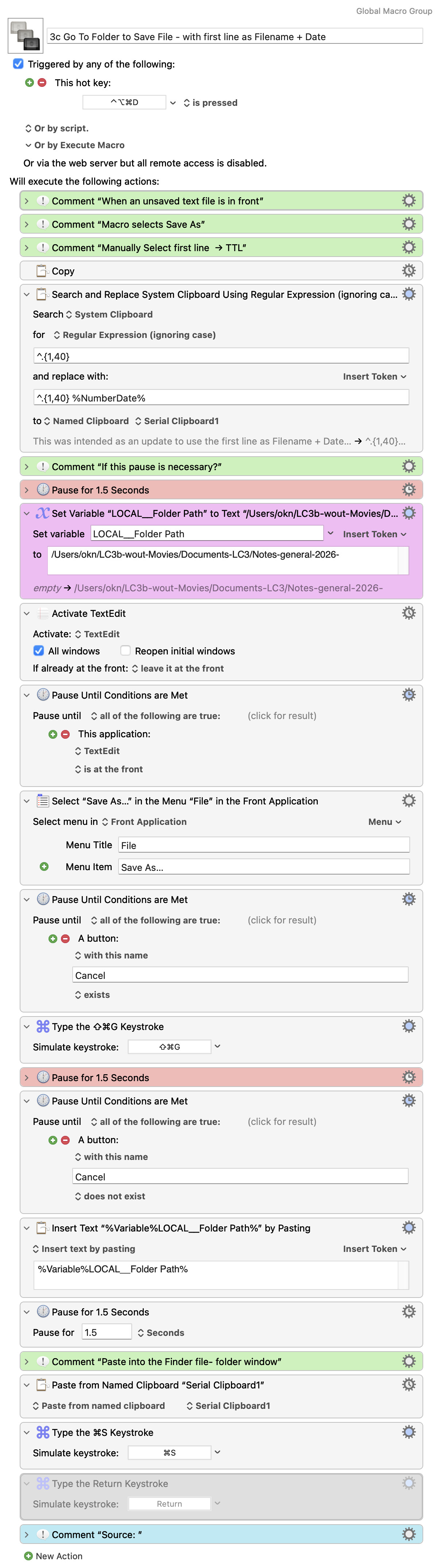
On Tahoe, KM 11.1.1
/
best regards,
OmarKN

Yes it works, manually no problem.