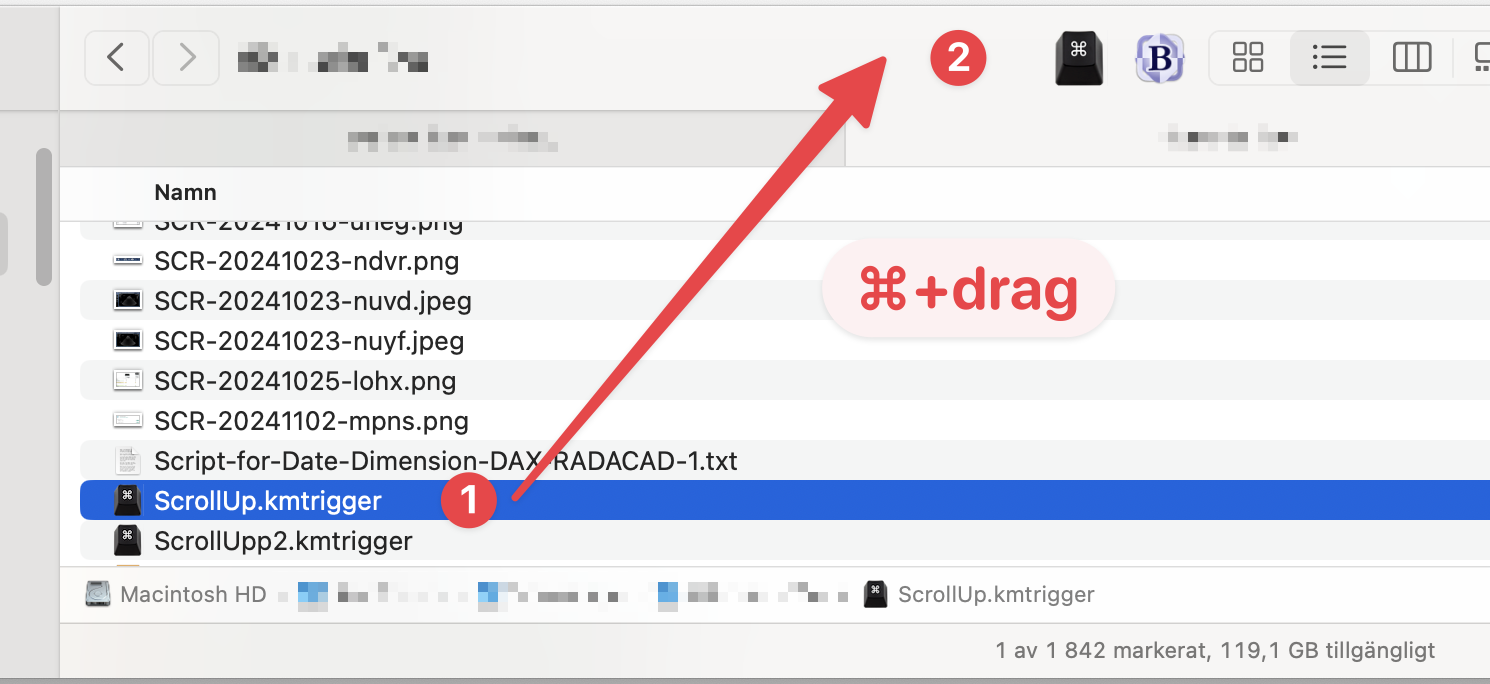
When changing sort order I often findmyself somewhere else than at the top.
To remedy this i created a trigger file that I can click:
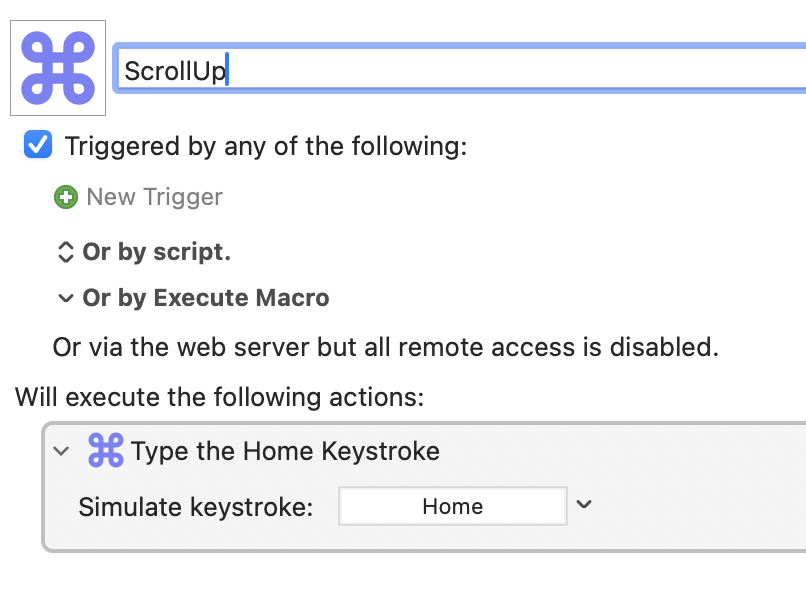
File..Export...Export Trigger file...
Then press ⌘ and drag the trigger file to the top of Finder.
When changing sort order I often findmyself somewhere else than at the top.
To remedy this i created a trigger file that I can click:
File..Export...Export Trigger file...
Then press ⌘ and drag the trigger file to the top of Finder.
Just FYI, the native macOS keyboard shortcut for the Home key is Fn←.
The End key, which can be used to scroll to the bottom of the file list in Finder, is Fn→.
I would also mention the native shortcuts ⌥↑ and ⌥↓ that move your selection to the top-most and bottom-most items, respectively. Using Home and End in Finder always trips me up because I use the keyboard to navigate, so typing Home/End and then arrow in any direction just takes me back to where I was; ⌥-up-and-down replaced the Home and End keys for me in Finder pretty immediately when I first made the switch to Mac.
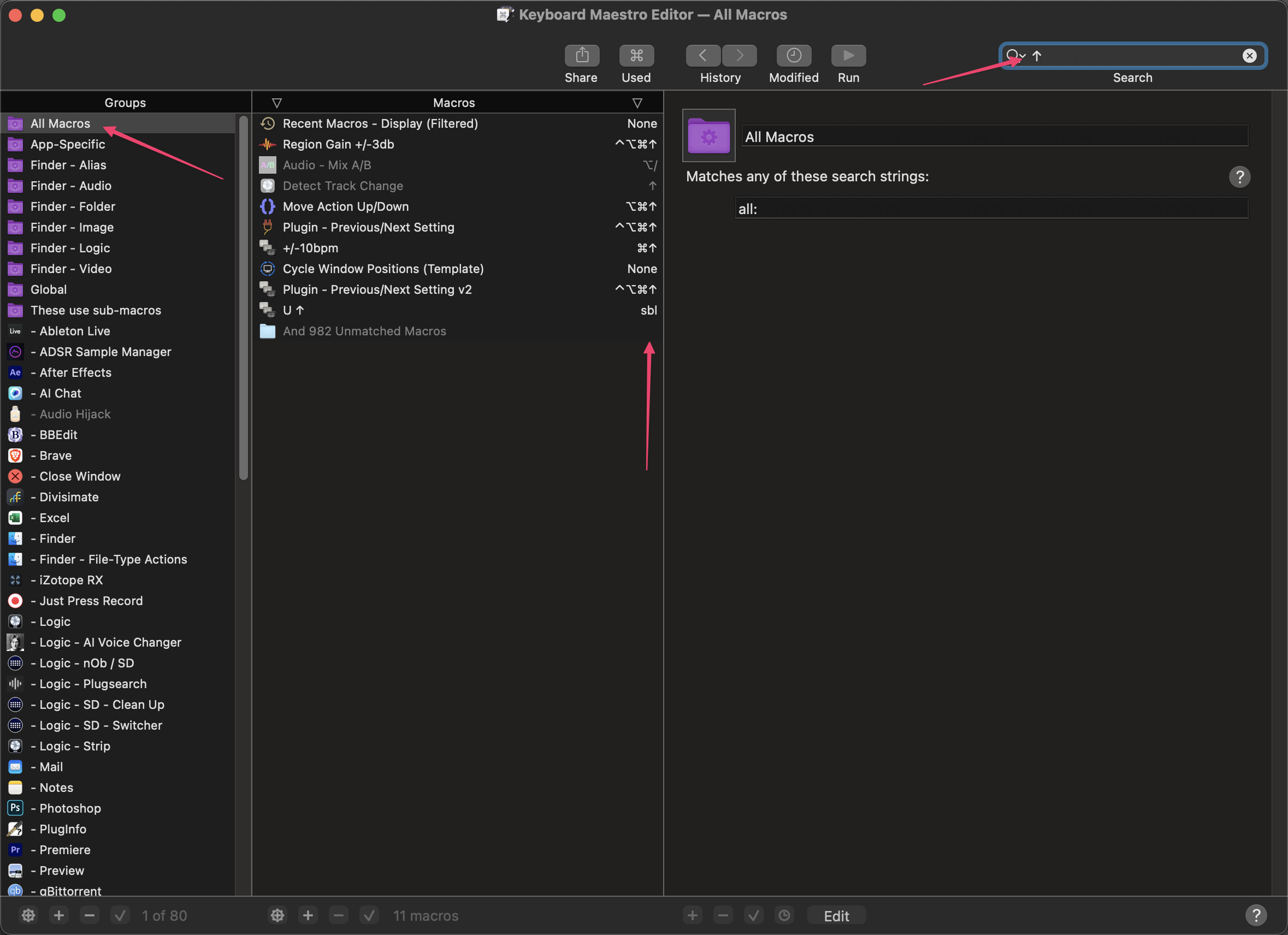
Just to add on to this for people who don't already know about these keyboard shortcuts: They move to the top or bottom of a list. So any application that supports the built-in shortcuts will have these available. List view in a Finder window? They'll work. The Macro Groups or the Macros in the Keyboard Maestro Editor? These shortcuts apply. You're somewhere in the middle of the Mail inbox? No problem. There are loads of places these two shortcuts can be helpful.
Interesting. For some reason, ⌥↑ and ⌥↓ open a seemingly random folder in a new Finder window for me. I wonder if you have different shortcuts set in macOS Keyboard Prefs? I'm on Sequoia, in case that makes a difference.
I'm also on Sequoia, but I've been using these shortcuts since my first Mac on Mavericks. I had a browse through my keyboard shortcuts but don't see where these are assigned. Do you perhaps have an old macro that has usurped them?
Nothing of the sort back here on Mojave and I've been using the shortcuts at least as long as hemicyon. Like I said, the shortcuts should work anywhere that supports OS defaults, like in the KM Editor.
Hello Neil 
Maybe you should see for yourself if you’ve set these two in DFX‘s Settings…
Maybe you’ve set and forgot about them…
Greetings from Germany 
Tobias
Curious. And also slightly worrying; I rely so heavily on this system shortcut, I don't know what I'd do if it suddenly started performing a different action. I've had a bit of search but have so far only been able to find one other report of behaviour similar to how you described and absolutely nothing about what could have caused the behaviour to change or how to fix it. 
This is slightly off-topic, but the Fn key (a.k.a. Globe key) has many functions that are clearly described in this excellent MacMost video:
The Mac FN (Globe) Key: Everything It Can Do
See time 7:20 for the Fn + arrow keys features mentioned by @noisneil.
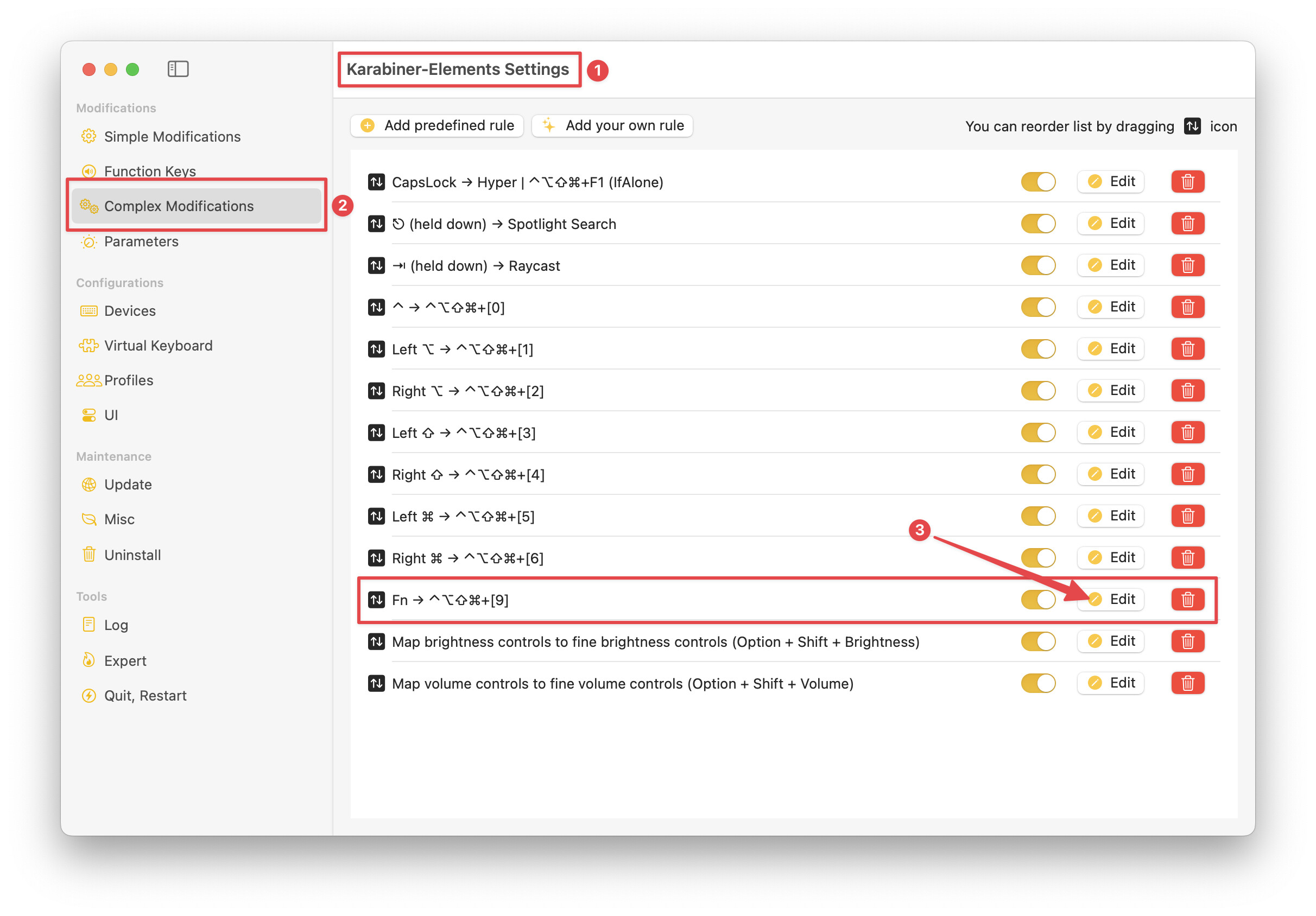
Using Karabiner Elements via a Complex Modification I've added another feature to the Fn key: if it is pressed alone, i.e., without any other key, it sends ⌃⌥⇧⌘ + Keypad 9.
{
    "description": "Fn → ⌃⌥⇧⌘+[9]",
    "manipulators": [
        {
            "from": {
                "key_code": "fn",
                "modifiers": { "optional": ["any"] }
            },
            "parameters": {
                "basic.to_if_alone_timeout_milliseconds": 250,
                "basic.to_if_held_down_threshold_milliseconds": 250
            },
            "to": [
                {
                    "key_code": "fn",
                    "lazy": true
                }
            ],
            "to_if_alone": [
                {
                    "key_code": "keypad_9",
                    "modifiers": ["left_shift", "left_option", "left_control", "left_command"]
                }
            ],
            "to_if_held_down": [{ "key_code": "fn" }],
            "type": "basic"
        }
    ]
}
I've use ⌃⌥⇧⌘ + Keypad 9 as my scratch hot key, meaning that I temporarily assign it to the macro that I'm developing. (Since I often trigger finished macros from Keyboard Maestro palettes, many of my finished macros do not have dedicated hot key triggers.)
With this temporary assignment, I can easily trigger the macro I'm developing with a simple tap of the Fn key.
On a related note, if you refer to the above screenshot, you'll see that I have configured similar alone functions for all of the keyboard modifier keys. For most of those, I use those alone presses to trigger Keyboard Maestro palettes. For more information, refer to this post.
Yes, that was it! Thanks!!!