This is slightly off-topic, but the Fn key (a.k.a. Globe key) has many functions that are clearly described in this excellent MacMost video:
The Mac FN (Globe) Key: Everything It Can Do
See time 7:20 for the Fn + arrow keys features mentioned by @noisneil.
Using Karabiner Elements via a Complex Modification I've added another feature to the Fn key: if it is pressed alone, i.e., without any other key, it sends ⌃⌥⇧⌘ + Keypad 9.
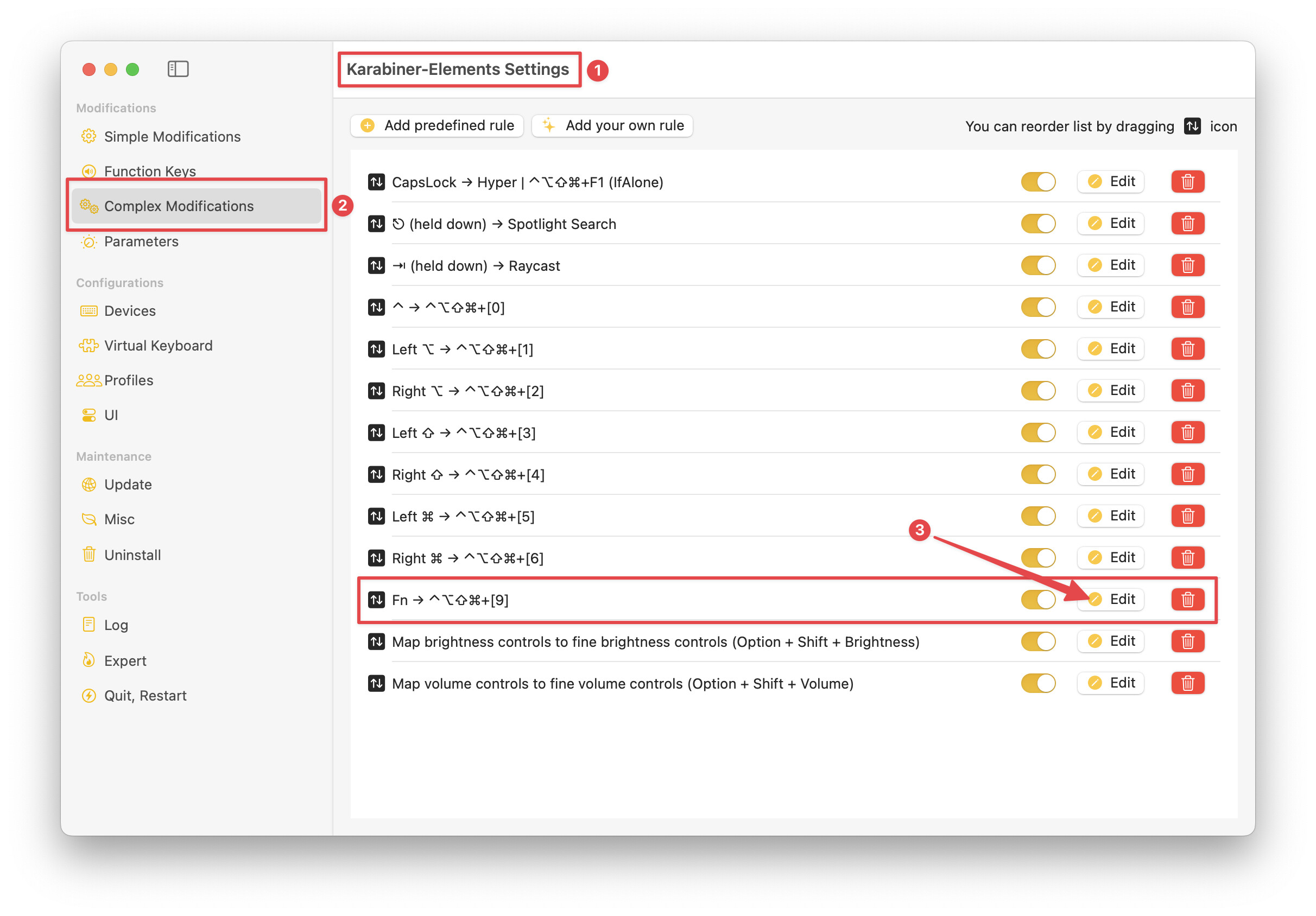
Configuration ( expand / collapse )
{
    "description": "Fn → ⌃⌥⇧⌘+[9]",
    "manipulators": [
        {
            "from": {
                "key_code": "fn",
                "modifiers": { "optional": ["any"] }
            },
            "parameters": {
                "basic.to_if_alone_timeout_milliseconds": 250,
                "basic.to_if_held_down_threshold_milliseconds": 250
            },
            "to": [
                {
                    "key_code": "fn",
                    "lazy": true
                }
            ],
            "to_if_alone": [
                {
                    "key_code": "keypad_9",
                    "modifiers": ["left_shift", "left_option", "left_control", "left_command"]
                }
            ],
            "to_if_held_down": [{ "key_code": "fn" }],
            "type": "basic"
        }
    ]
}
I've use ⌃⌥⇧⌘ + Keypad 9 as my scratch hot key, meaning that I temporarily assign it to the macro that I'm developing. (Since I often trigger finished macros from Keyboard Maestro palettes, many of my finished macros do not have dedicated hot key triggers.)
With this temporary assignment, I can easily trigger the macro I'm developing with a simple tap of the Fn key.
On a related note, if you refer to the above screenshot, you'll see that I have configured similar alone functions for all of the keyboard modifier keys. For most of those, I use those alone presses to trigger Keyboard Maestro palettes. For more information, refer to this post.