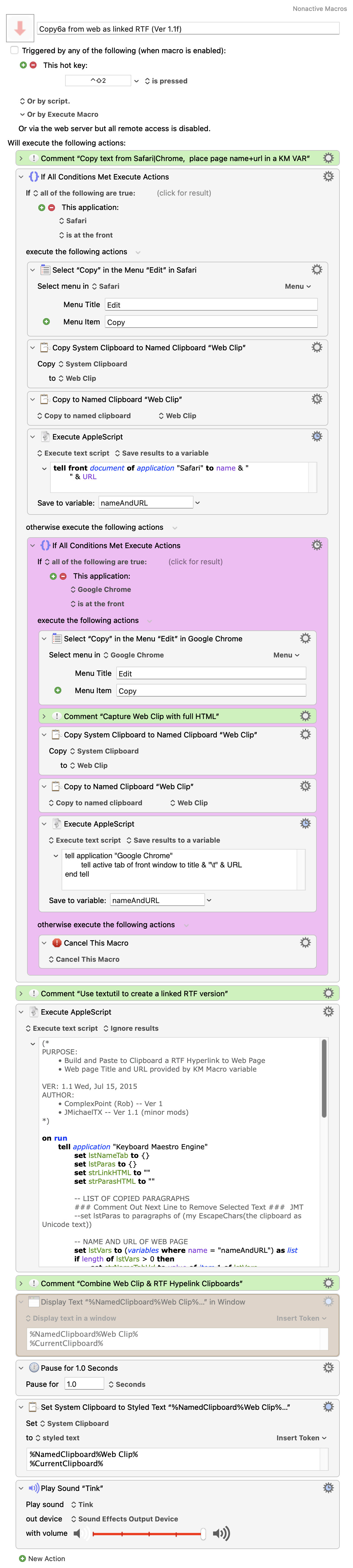
This macro below (Copy6a) works as expected, except for the minor detail of (1.) diacritics and special characters and (2.) the international date.
diacritics and special characters, what is wrong here?
	-- ENCODE DIACRITICS AND SPECIAL CHARACTERS
	set lstChars to characters of strEncoded
	repeat with i from 1 to length of lstChars
		set lngCode to id of item i of lstChars
		if lngCode > 127 then set item i of lstChars to ("&#" & lngCode as string) & ";"
	end repeat
	lstChars as Unicode text
end EscapeChars
That's the easier bit -- the script uses the date shell command, so set that to the formatting you want.
Change the line
set strDate to do shell script "date '+%b %d, %Y'"
to
set strDate to do shell script "date '+%Y-%m-%d'"
For the diacrits and special characters -- that routine isn't used in the script as written, the line that calls it is commented out:
		-- LIST OF COPIED PARAGRAPHS
		### Comment Out Next Line to Remove Selected Text ###  JMT
		-- set lstParas to paragraphs of (my EscapeChars(the clipboard as Unicode text))
...and only applies to the System Clipboard contents, not the page title.
Honestly, I don't think this macro is worth fixing and it will be quicker for you to start from scratch, stealing useful bits from the original (like the RTF conversion). I'm wondering if it was written before some newer tokens were introduced -- why are the URL and page title being got by script and not token, for example?
You need to get the body text by Copying, to retain formatting.
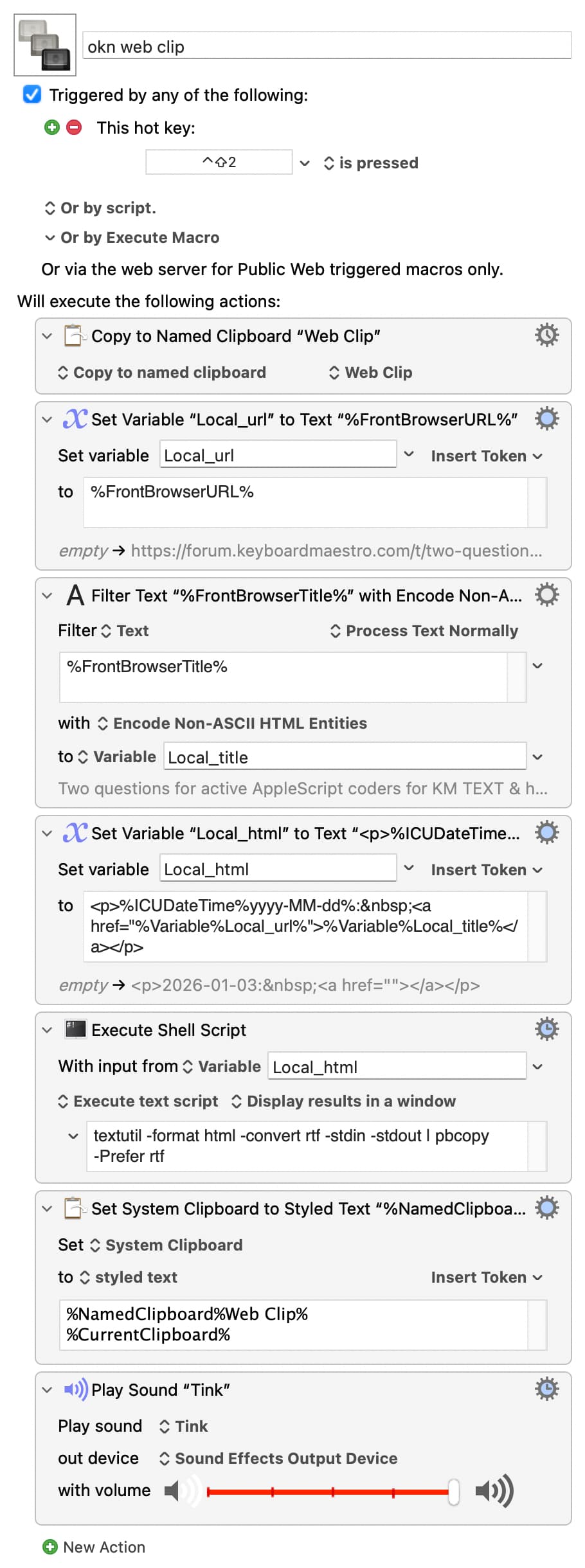
You can use tokens to get the URL and page title. You can put the title through a "Filter: Encode" Action (possibly "Encode with Numeric Entities") to encode the special characters, then combine the two into an HTML link. Format that, along with your date, using HTML tags.
It's then that HTML you pass to textutil to convert to RTF, which you then combine with your previously-Copied body text.
Almost all of that can be done with "normal" KM Actions -- the AppleScript just needs to take in the combined HTML and spit out the RTF.
Here's a quick knock-up -- since the only scripting is what's required to convert the date/link block from HTML to RTF, with everything else being "normal" KMActions, you should find this easier to customise:
Well, this macro is a feast!
Not only is it half as long as the old one (2015), it doesn't rely on the AppleScript, it uses a Shell Script, and uses all these new (new to me) KM actions and tokens, and allows for diacritics in non-latin pagetitles.
And it works.