I'm running into an issue with the %FrontBrowserURL% token (and presumably related front-browser tokens) on macOS 26.4 and 26.4.1 (did not try before on older releases):
Setup:
macOS 26.4.1, MacBook Pro M5
Keyboard Maestro 11.0.4
Safari (also tested with Chrome Canary)
Symptom: When a macro uses %FrontBrowserURL%, I get the following error notification:
Set Variable to Front Browser Field failed to get value of field %FrontBrowserURL% in macro "…" (while executing Set Variable "local_URL" to Front Browser Field "%FrontBrowserURL%")
What I've already tried (no effect):
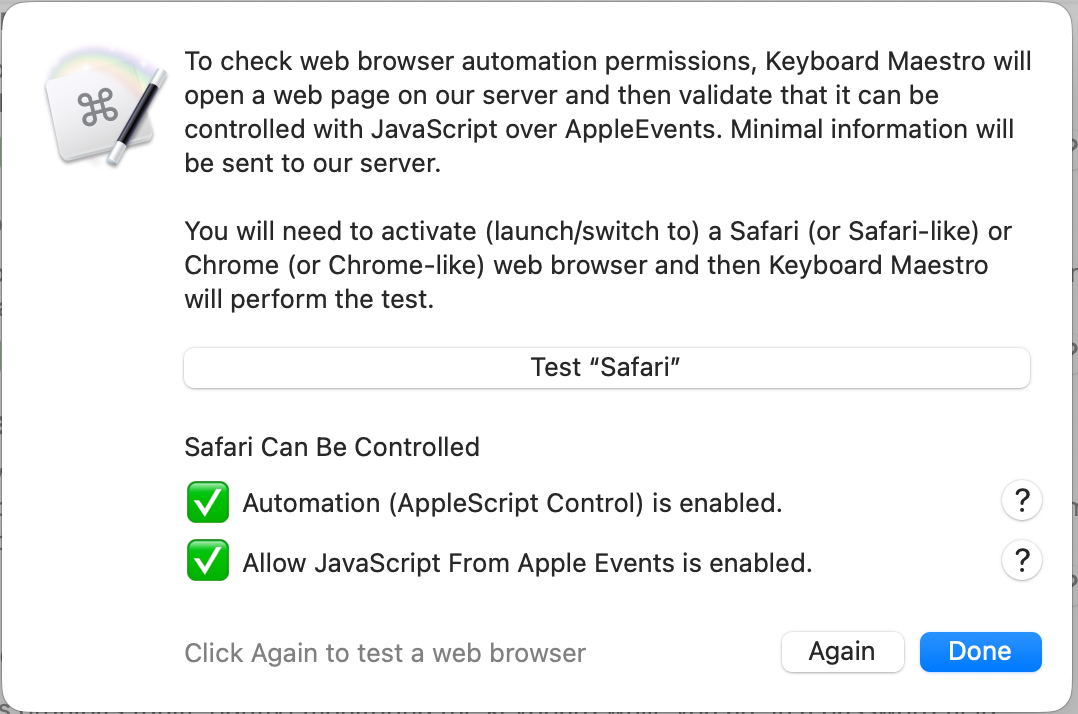
Safari → Developer Settings → "Allow remote automation" and "Allow JavaScript from Apple Events" are both enabled
Keyboard Maestro has Safari automation permission in System Settings → Privacy & Security → Automation
sudo tccutil reset AppleEvents + restart of Keyboard Maestro Engine
Reinstalled Keyboard Maestro over the existing install
codesign --verify passes for both the app itself and the Engine
Error occurred first on 26.4, later updated macOS to 26.4.1
What works: An Execute AppleScript action with:
tell application "Safari"
    return URL of front document
end tell
returns the URL reliably. So AppleScript access to Safari itself is fine — the issue seems to be specific to how the %FrontBrowserURL% token resolves internally on macOS 26.
Notably, KM Engine never appears in the Automation permissions list in System Settings, only "Keyboard Maestro" itself does. No permission prompt for the Engine ever triggers, even after a full TCC reset.
Automation is fine, at least it matches my setup. No idea why it's not working for you. You might try an Accessibility reset, though those are a royal PitA to set up everything again.
The SafariURL token is basically just an AppleScript with some fluff and something like:
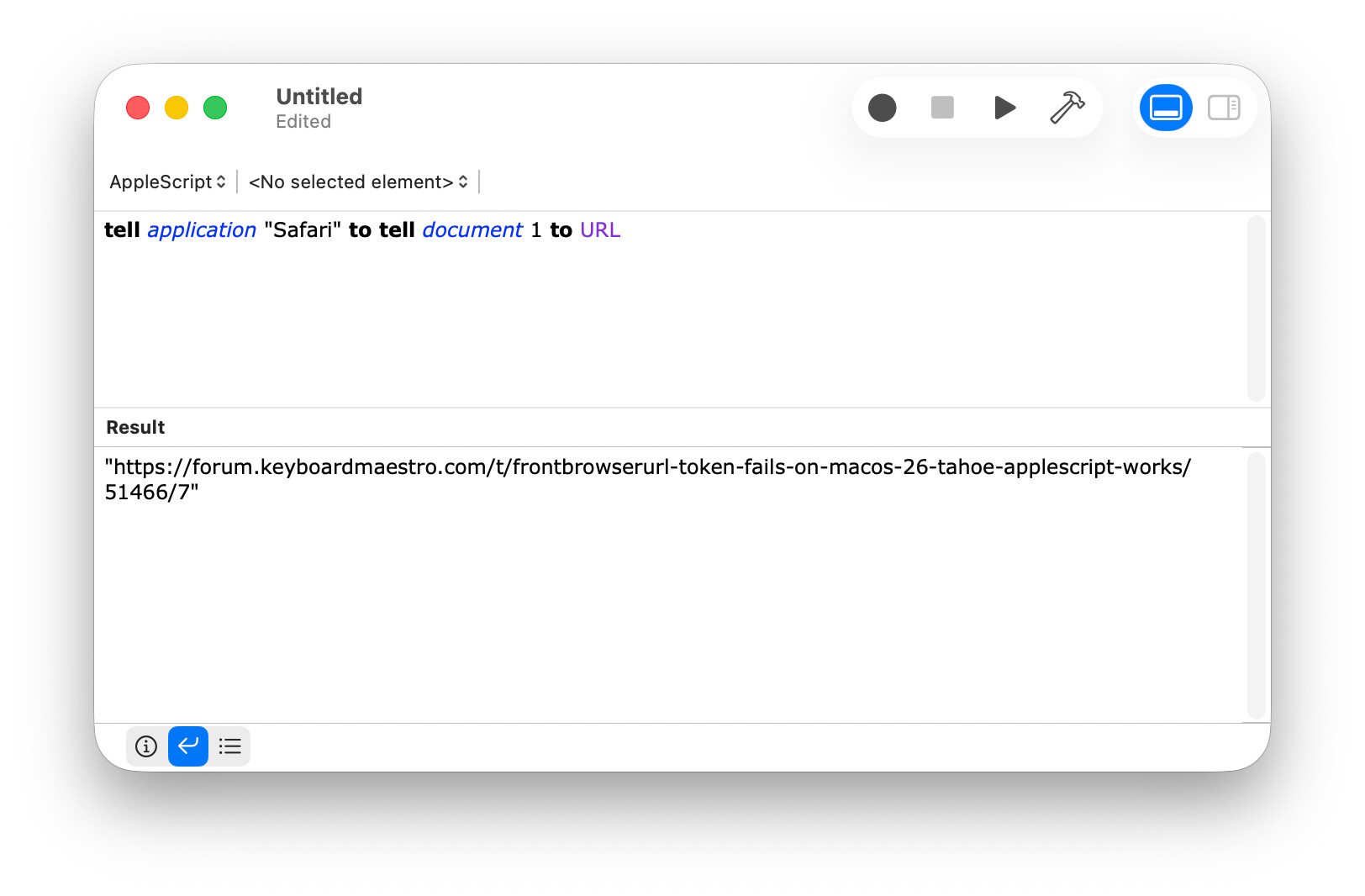
tell application "Safari" to tell document 1 to URL
Does that AppleScript work from Script Editor?
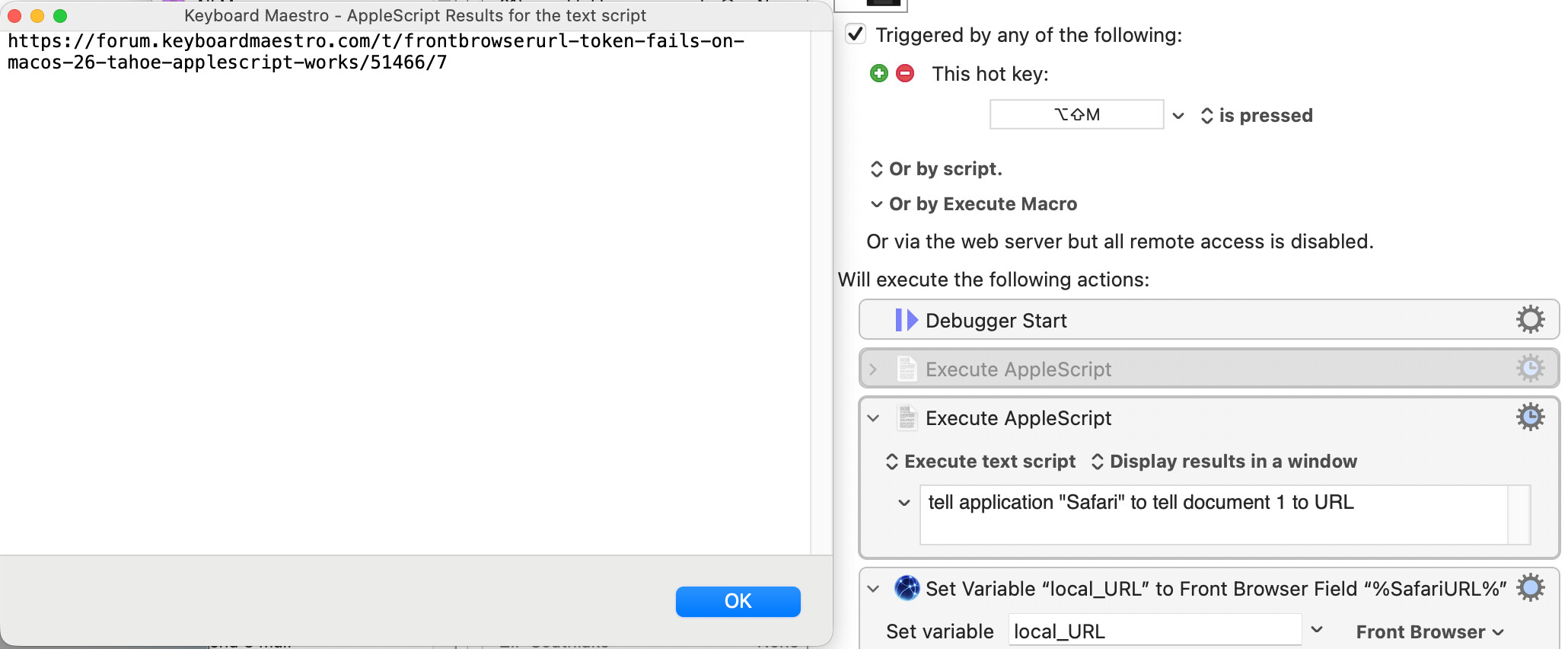
Does it work from Execute an AppleScript action? Make sure the action is configured to report errors and make sure Notifications are enabled for the Keyboard Maestro Engine and/or check the Engine.log file.
Do they both execute instantly? There is a limit on token response time of 0.9 seconds.
At this point, I would consider just restarting your Mac (especially if you upgraded recently as I always recommend restarting after an upgrade). It may be there is some sort of weird issue going on that is pointless to try to debug.
Other than that, there are debug flags you could turn on the see the AppleScript being executed in the log and perhaps that would indicate the issue.
\~/z/I/i/c/configs ❱ defaults read com.stairways.keyboardmaestro.engine AppleScriptSafariBundleID
2026-05-05 10:17:48.051 defaults\[70348:5288238\]
The domain/default pair of (com.stairways.keyboardmaestro.engine, AppleScriptSafariBundleID) does not exist
~/D/F/i/H/V/M/_final ❱ tail -f ~/Library/Logs/'Keyboard Maestro'/Engine.log
2026-06-09 20:03:50 Engine Quitting
2026-06-09 20:10:07 Engine Starting 11.0.4
2026-06-09 20:10:07 Old engine details remains a running process Running Engine Details/1250
2026-06-09 20:10:08 Invalid Plug In Action with Name Snap Palette to Front Window
Last message repeated 18 times
2026-06-09 20:24:57 Engine Quitting
2026-06-09 20:25:00 Debugging level set to ' WebBrowserAction '
2026-06-09 20:25:00 Engine Starting 11.0.4
2026-06-09 20:25:01 Old engine details remains a running process Running Engine Details/1250
2026-06-09 20:25:01 Invalid Plug In Action with Name Snap Palette to Front Window


Last message repeated 12 times
2026-06-09 20:25:30 Execute macro “email addy” from trigger The Hot Key ⌥⇧M is pressed
2026-06-09 20:25:39 script is [tell application id "com.apple.Safari"
 if it is running then
 tell document 1
 URL
 end tell
 else
 "Not Running"
 end if

 end tell
]
2026-06-09 20:25:39 script is [tell application id "com.apple.Safari"
 if it is running then
 tell document 1


			set r to do JavaScript "'GOOD:' + https://forum.keyboardmaestro.com/t/frontbrowserurl-token-fails-on-macos-26-tahoe-applescript-works/51466/9.value"
			try
				if r is missing value then
					set r to ""
				end if
			on error errMsg
				set r to ""
			end try


 end tell
 else


			set r to "Not Running"


 end if
 r

 end tell
]
2026-06-09 20:25:39 Action 15859862 failed: Set Variable to Front Browser Field failed to get value of field %SafariURL%
2026-06-09 20:25:39 Set Variable to Front Browser Field failed to get value of field %SafariURL% in macro “email addy” (while executing Set Variable “local_URL” to Front Browser Field “%SafariURL%”).
2026-06-09 20:25:42 Action 15859863 failed: Search Regular Expression failed to match ^http?://(?:[a-zA-Z0-9.-_]+\.)([a-z0-9-_]+)\.([a-z]+)/?
2026-06-09 20:25:42 Search Regular Expression failed to match ^http?://(?:[a-zA-Z0-9.-_]+\.)([a-z0-9-_]+)\.([a-z]+)/?. Macro “email addy” cancelled (while executing Search Environment Variable “local_url” Using Regular Expression (ignoring case)).
2026-06-09 20:25:39 Action 15859862 failed: Set Variable to Front Browser Field failed to get value of field %SafariURL%
                                            -----------------------------------
...and I've underscored the Action name.
Unless you've manually renamed the Action, you're using the wrong one -- you can't evaluate the %SafariURL% text token in that Action's text field, and if you could the derived field would almost certainly not exist.
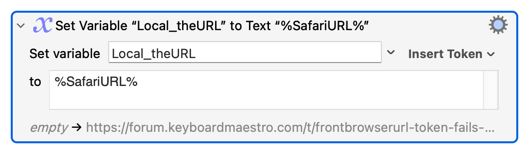
You just need the normal "Set Variable" Action, using the text token:
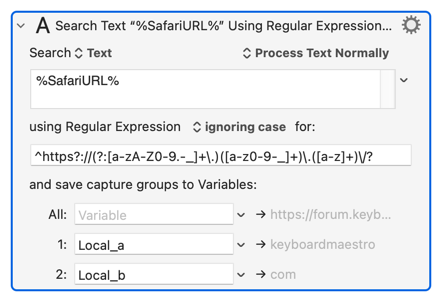
It looks like the next thing your macro does is extract parts of the URL. If you don't want the complete URL you can skip the "out it in a variable" step, because "Search using Regular Expression" can use the Token:
Also, I think your regex is wrong. You start with ^http?:// -- "a string that starts with h then t then t and then an optional p. I suspect you definitely want the p but an optional s, so: ^https?://
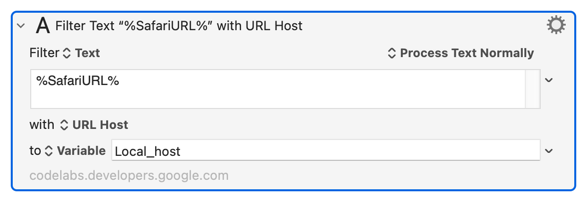
It may, depending on what you are doing, be logically wrong too. You seem to be extracting the top-level and second-level domains from the URL. Meaningful for something like www.google.com, but less useful for www.bbc.co.uk and similar!
Regex: Yeah I noticed my mistake after the Variable got filled. I’m a regex “fanboy” since many years, and there are tons of improvements over my inital one (\w instead of A-Za-z to just name one). Now I optimized it down to (with some help of chatgpt tbh):
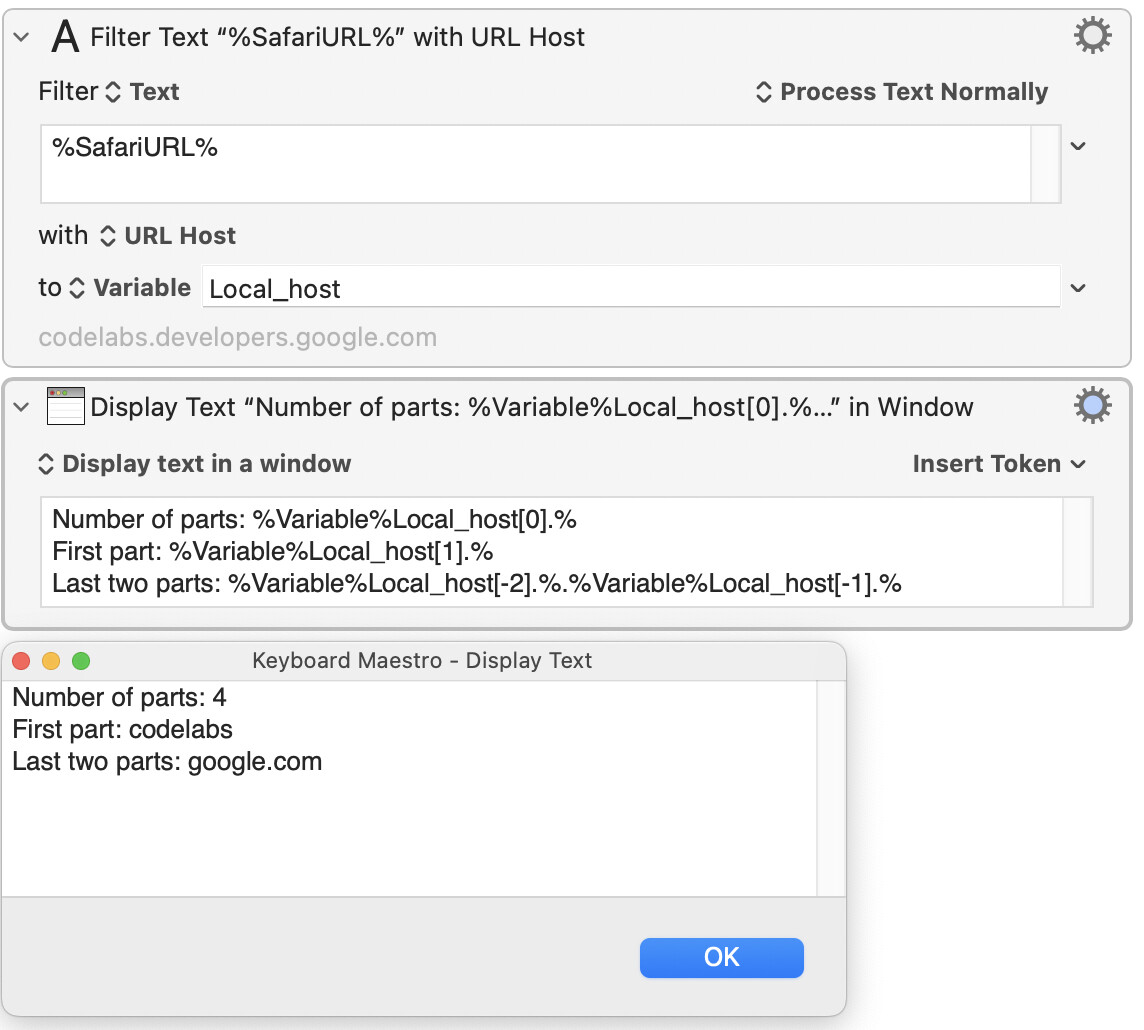
(Demoing that your item delimiter can be any string and is put between the ] and % -- our string is . -- and that there's "1-based" indexing of the elements, the 0th element holds the number of elements, and you can count from the end of the array by using negative indices.)
You may not need this for what you're doing now -- you may only ever need the second part of the FQDN, regardless of the number of parts, but keep it in your back pocket for later
 Kidding, just did it, same.