Certainly not – nothing is less XYZ than experimentation, which is the only way of knowing anything at all 
The slight adjustment below seems to work.
The trick, I think, is just using a global (non-local) variable name for the derived JS source snippet.
As KMEngine.doScript() creates its own private local instance, it can read global variables, but can't obtain values of local variables of another instance (e.g. the calling instance, or enclosing macro).
RUN JS from KM variable in browser.kmmacros (4.5 KB)
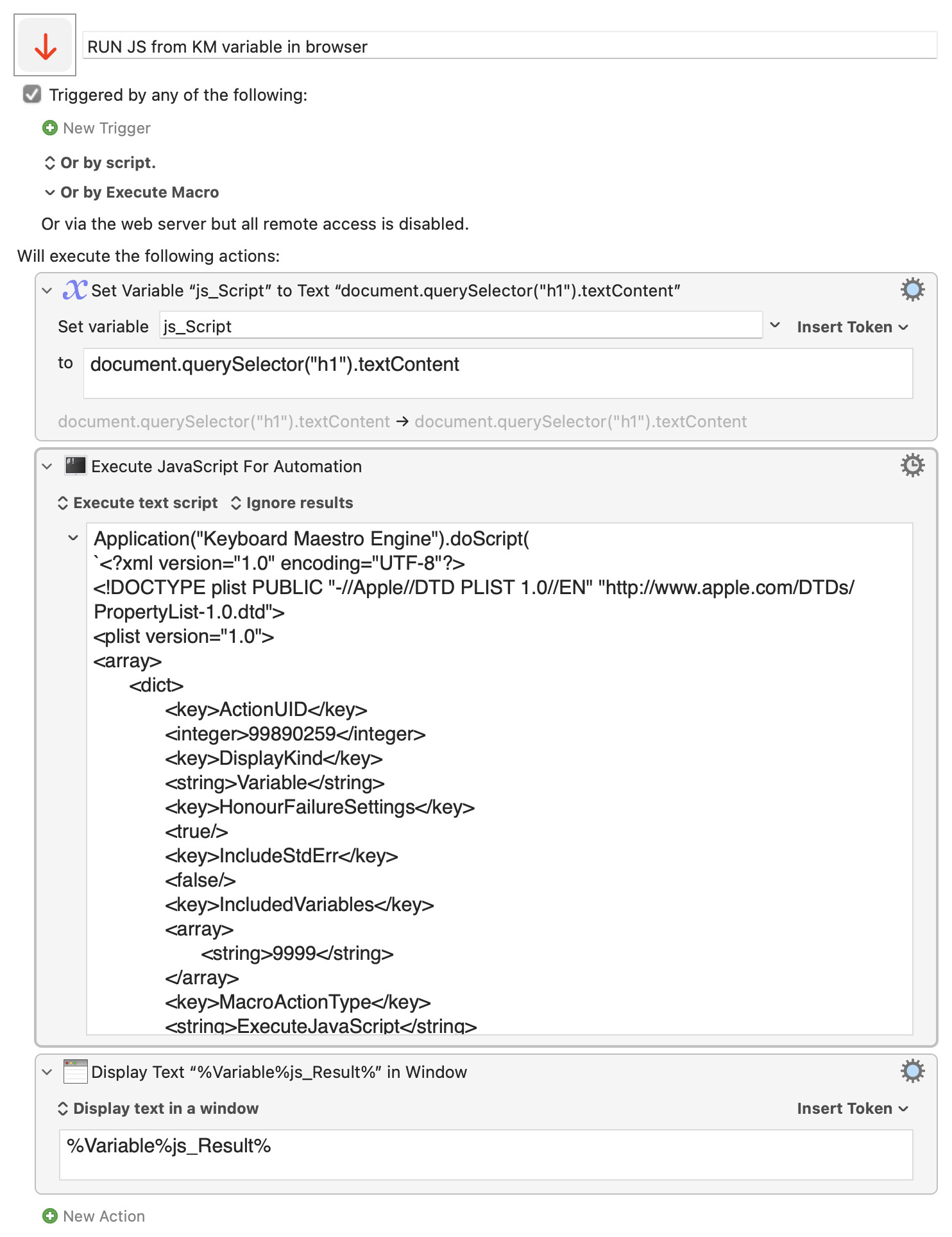
Expand disclosure triangle to view JS source
Application("Keyboard Maestro Engine").doScript(
`<?xml version="1.0" encoding="UTF-8"?>
<!DOCTYPE plist PUBLIC "-//Apple//DTD PLIST 1.0//EN" "http://www.apple.com/DTDs/PropertyList-1.0.dtd">
<plist version="1.0">
<array>
	<dict>
		<key>ActionUID</key>
		<integer>99890259</integer>
		<key>DisplayKind</key>
		<string>Variable</string>
		<key>HonourFailureSettings</key>
		<true/>
		<key>IncludeStdErr</key>
		<false/>
		<key>IncludedVariables</key>
		<array>
			<string>9999</string>
		</array>
		<key>MacroActionType</key>
		<string>ExecuteJavaScript</string>
		<key>Path</key>
		<string></string>
		<key>Text</key>
		<string>return ${kmvar.js_Script}</string>
		<key>TimeOutAbortsMacro</key>
		<true/>
		<key>TrimResults</key>
		<true/>
		<key>TrimResultsNew</key>
		<true/>
		<key>UseModernSyntax</key>
		<true/>
		<key>UseText</key>
		<true/>
		<key>Variable</key>
		<string>js_Result</string>
		<key>WebBrowser</key>
		<string>Front Browser</string>
	</dict>
</array>
</plist>
`)

