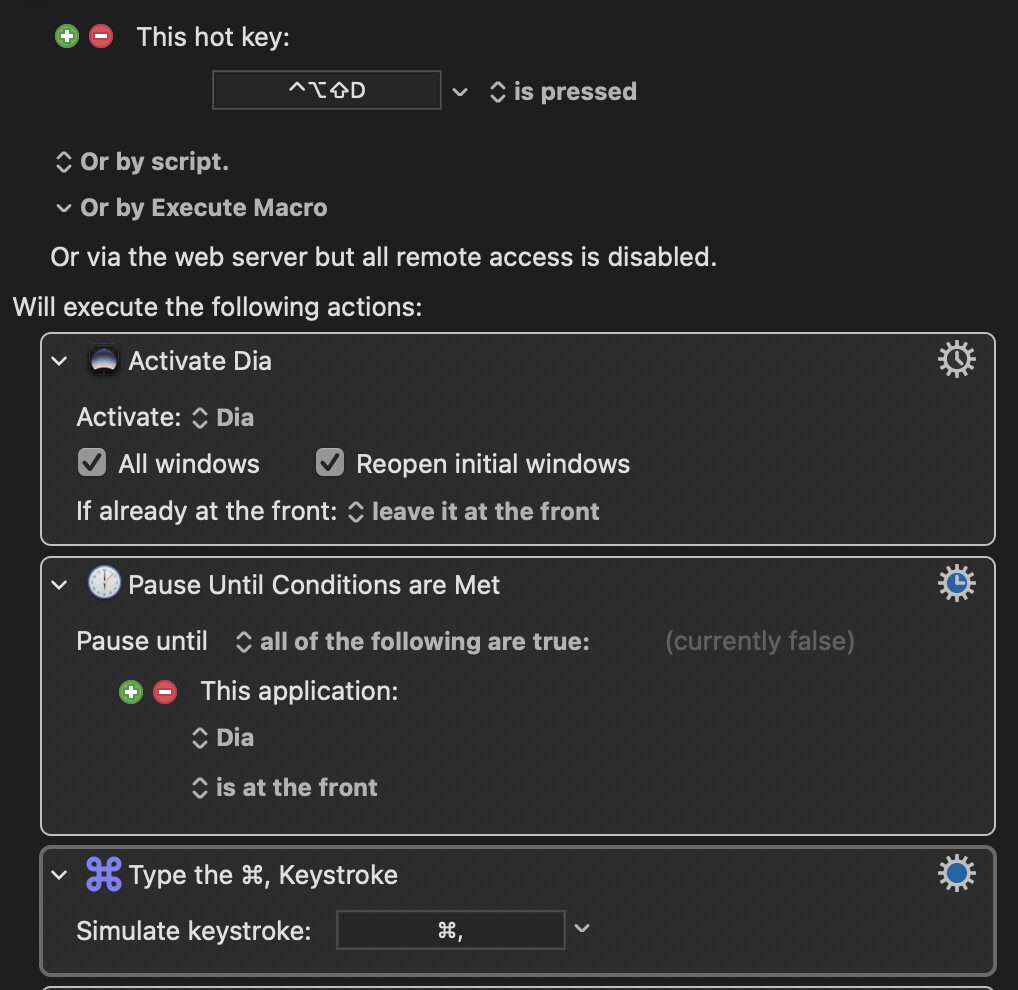
Been digging to find why my macro doesn't pause until an application is active and at the front. My macro is part of a larger AppleScript that launches a sequence of applications and then performs some action on them.
Am I missing something?
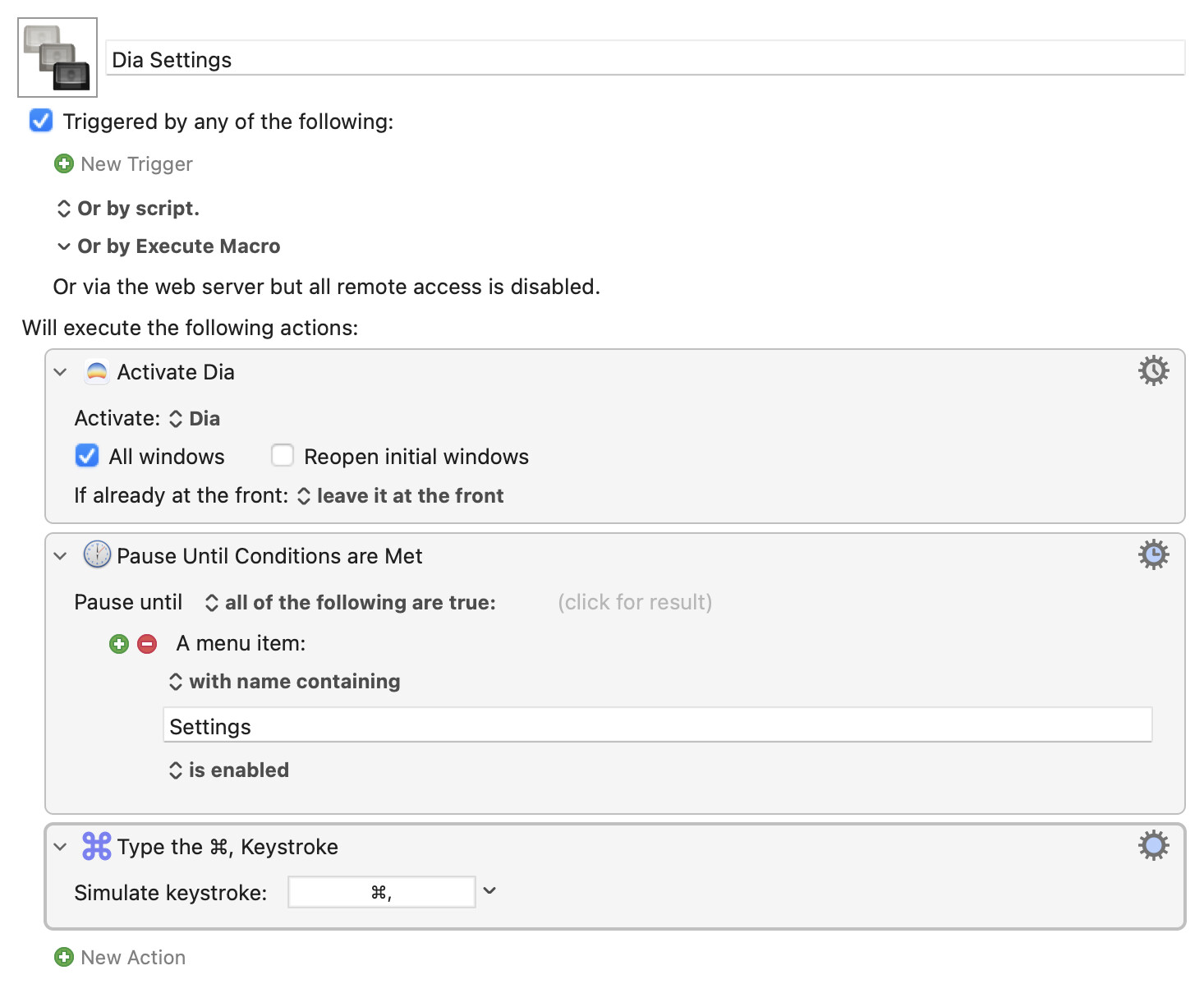
Try changing your Pause Until to match a Menu item containing "Settings" -- that works.
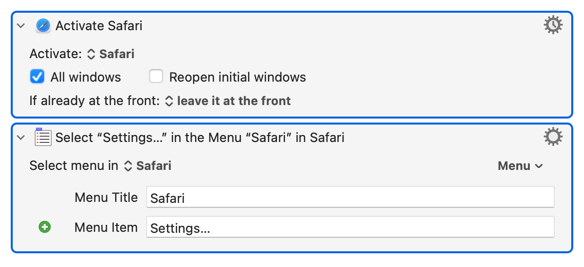
You might be able to skip the pause altogether. Instead of using a keystroke to open Dia's settings, try the menu item. Even if Dia is slow to come to the front it should arrive with its Settings open.
These target Safari -- adjust to suit for Dia, and don't forget to target Dia in the second Action:
The Activate a Specific Application action will iteself pause until the application is at the front.
That said, being at the front does not necessarily mean the application is ready to accept keystrokes - for example if the application builds its menus, and you've launched it and its at the front, then the Command=, may not do anything.
So I would guess the reason the pause is not pausing is because at the completion of the Activate application, the app is at the front and so the pause immediately completes as well. Then the key is simulated, and whatever happens after that happens.
Thanks. Is the solution to add a check to confirm that the menu item exists?
That's what I did. I checked for the Settings menu to be enabled before calling it. But I wasn't convinced you want to adjust the application's settings every invocation so I left it that. But checking for an application's particular menu item to be enabled is a good way to pause until the application is ready for you to do something.
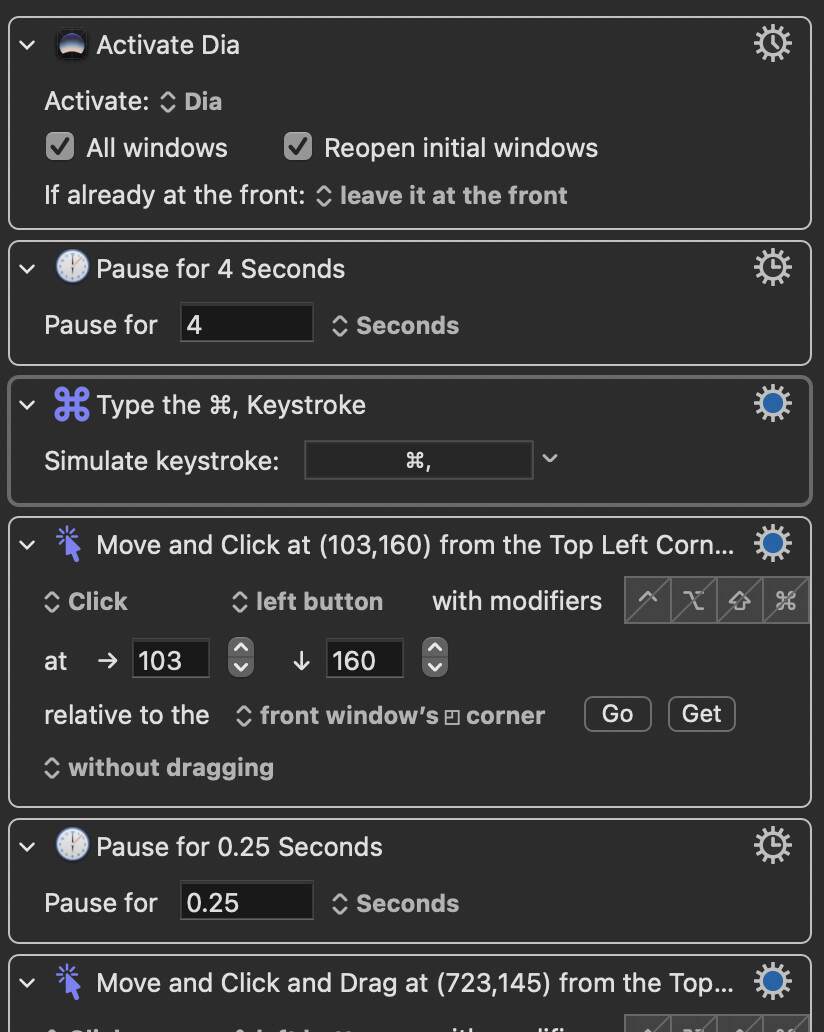
I'm trying to change a setting in an app's (Dia web browser) settings that isn't accessible programatically. When I activate the app and it launches, I can't get KM to wait until its Settings are available so I can do some auto mousing/clicking. I can add a 4-5 second delay, but that doesn't seem reliable. I've tried waiting until the Settings… menu is available, but selecting that often doesn't bring the app's settings window to the front.
It doesn't look like you tried my solution. Which does, in fact, do what you want.
I tried that in previous attempts and couldn't get it to work for me. The keyboard shortcut was the most reliable option.
Here's the code that I suggested and tested:
Dia Settings Macro (v11.1.1)
Dia Settings.kmmacros (3.1 KB)