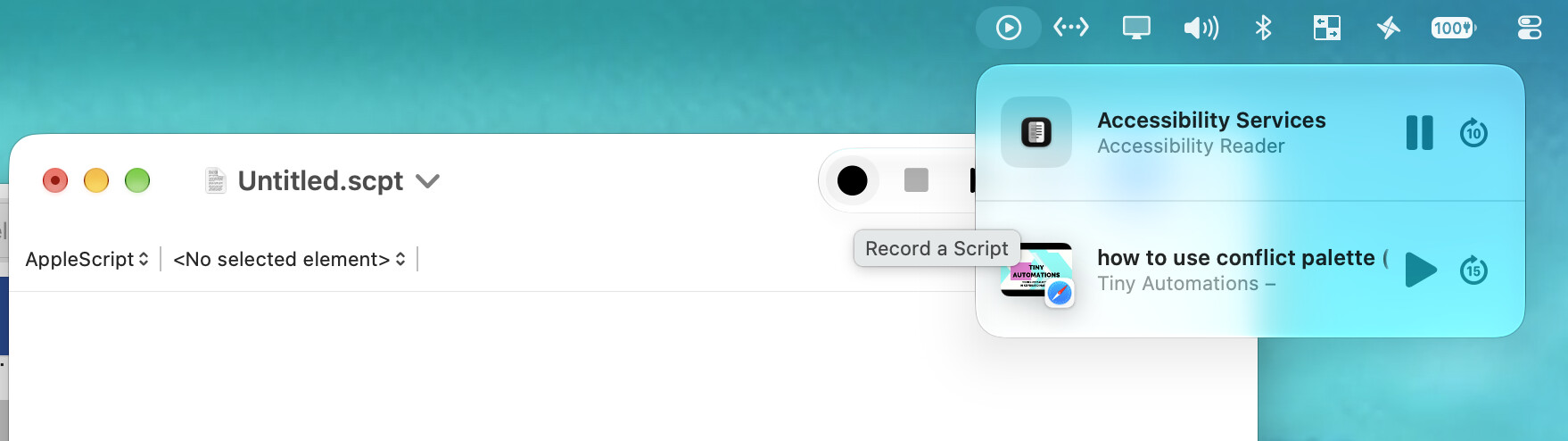
Issues: I have a non-static/movng background wallpaper, so the icon changes its background color; therefore, my attempt to make the macro is not responding.
Plus, would want to specify like pause/play the first option, p/p the second option, and so on,
It was working nicely with the specifics within each found image like "best" rather than "unique" but again, the background color changes, so not as reliable
It's actually "Now Playing" you need to target, not "Sound", and you can do that with an AppleScript. You first need to pop the menu, after which the first item's play/pause is button 1. the second item's is button 3, the third button 5, and so on.
So to toggle item 1:
tell application "System Events"
	tell process "Control Centre"
		tell menu bar 1
			tell item 1 of (get every menu bar item whose description is "Now Playing")
				click
			end tell
		end tell
		tell group 1 of window 1
			click button 1
		end tell
	end tell
end tell
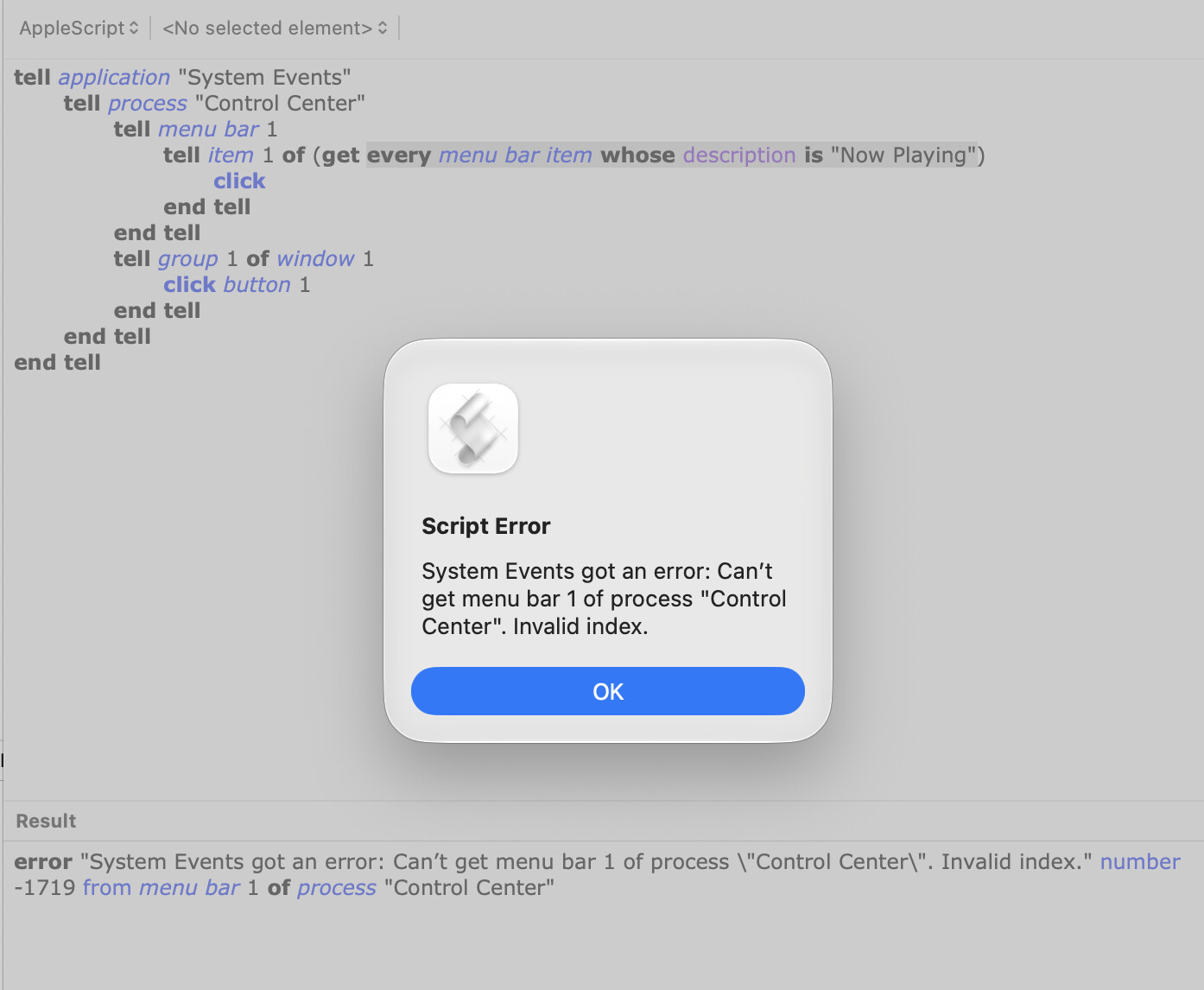
(You may have to change line 2 from "Centre" to Center", depending on your language settings.)
How do you want to choose which of the items you want to toggle? A different macro for each and maybe use the Conflict Palette so you only need one hot key? One macro with multiple triggers, one for each item? One macro and a prompt to pick the item? Something else?
You are right. Whoops, my bad, it is indeed "Now playing"
I was trying to make the apple script within the macro but I'm wondering why is it not highlighting its words (?) (forgive me, i'm new to applescript, so idk which parts are which to make the macro work).
That means your script won't compile, generally because of a syntax error.
In this case you've got an extra tell application "System Events" at the top of the script. Delete that and the blank lines after it and you'll be fine.
Before going any further -- how will you know which item in the menu to toggle without opening the menu to find out which item to toggle? I rarely use that menu bar item, so I might be missing something obvious!
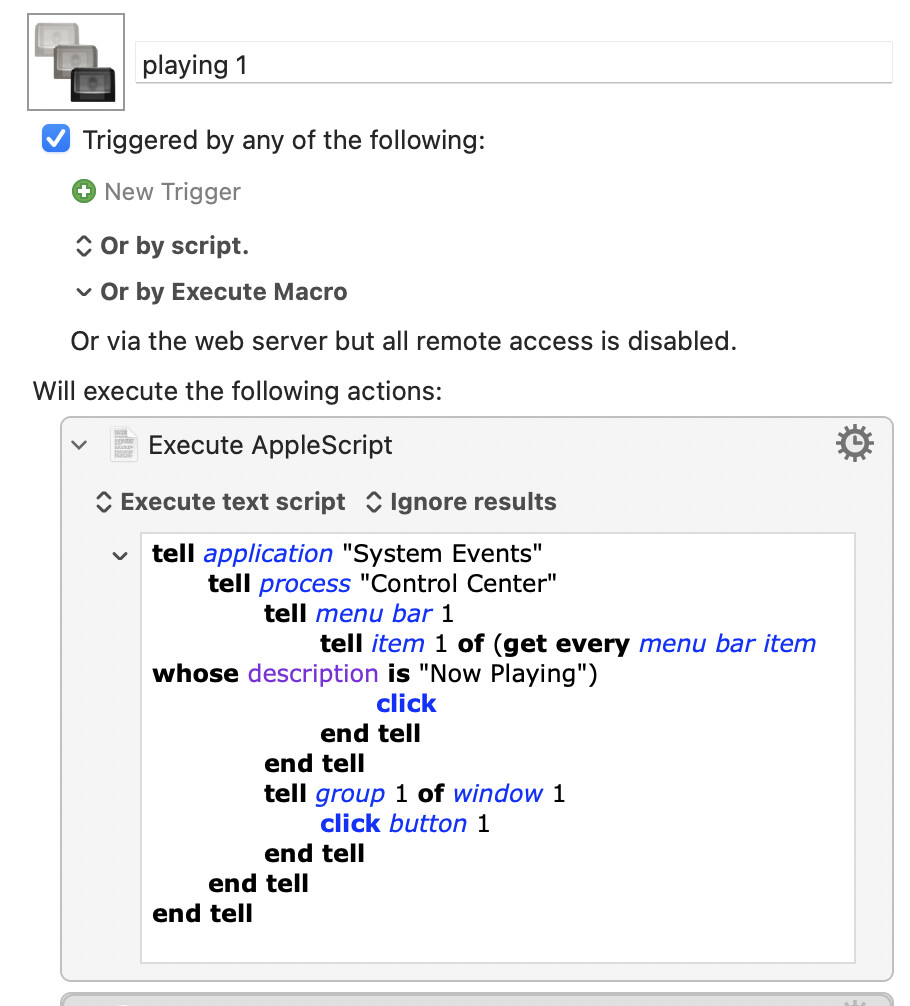
Finally was able to research some more and make the apple script highlight within keyboard maestro! Is this correct? (Tho a little lost on how to toggle it as whenever playing the macro, nothing happens).
I had to copy and paste to try it, but whenever I try to record with apple script, nothing happens (?). I'm on golden gate and already allowed apple script - Device Control and Data Access in Setttings.


 Is this correct?
  (Tho a little lost on how to toggle it as whenever playing the macro, nothing happens).