Heya!
Framework: In MacOS -> Keyboard has its universal shorcut for dictate, mine is set up to press the globe button twice. Here:

I tried to set it up this macro to add text onto preview whenever reading pdfs but the keystroke to trigger the dictate shorcut somehow is not working.
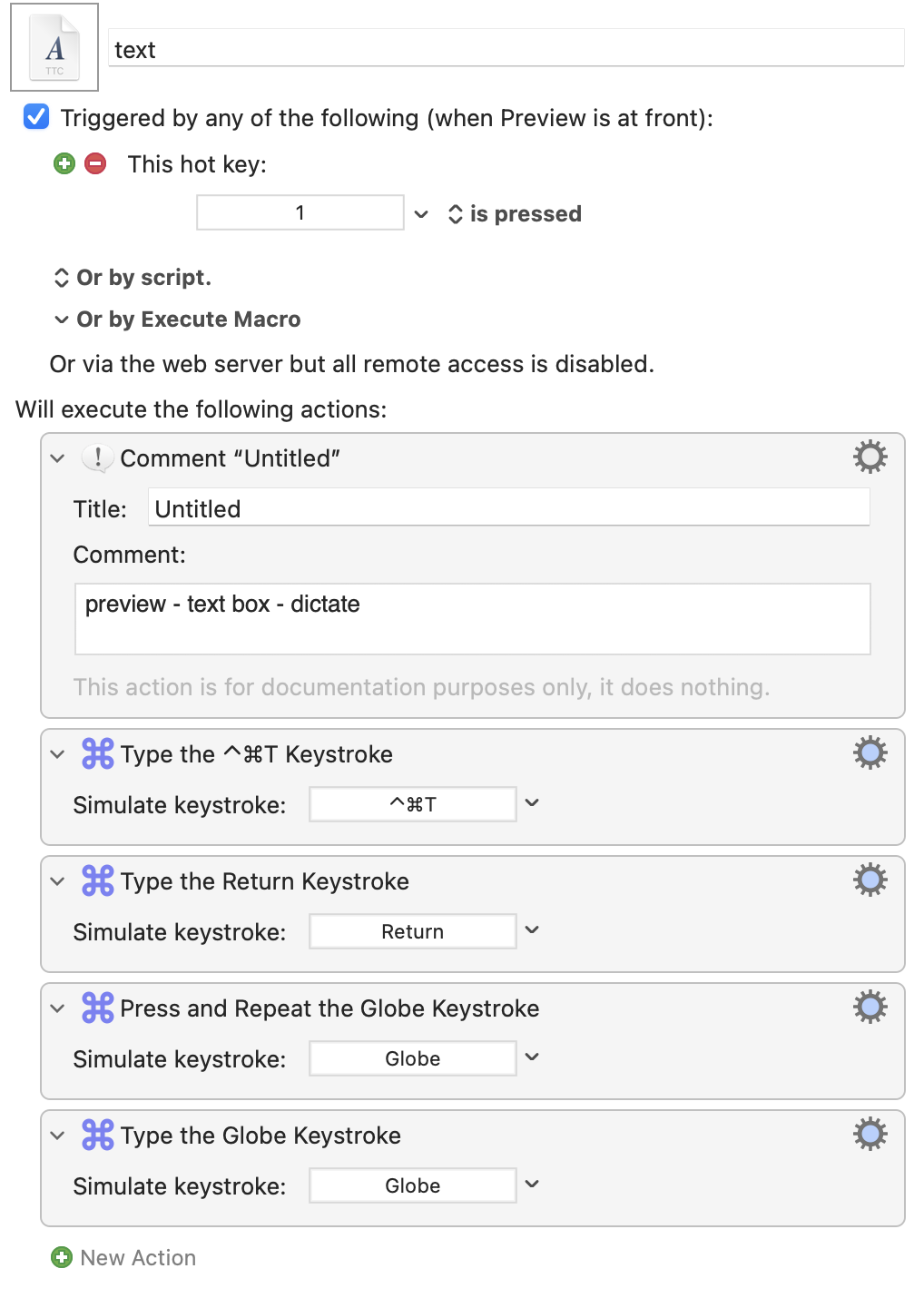
Macro-previous attempt:
- As you can see, I added the globe keystroke twice but it does not activate dictation
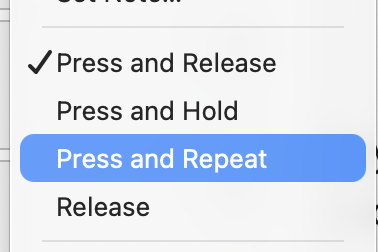
- I tried the other option of press and repeat within that keystroke action, but no luck still.
Preview has its own keyboard shortcut for dictation, set to Fn-D by default. Have you tried that one?
Also, it's a generally terrible idea to use single typed-keys as hot key triggers; use a modifier of some sort so you don't accidentally type into an app.
-rob.
1 Like
Heya! Tried the fn-d within Preview. Dictation did not come up, maybe it is my version of MacOS?
Tahoe 26.4.1
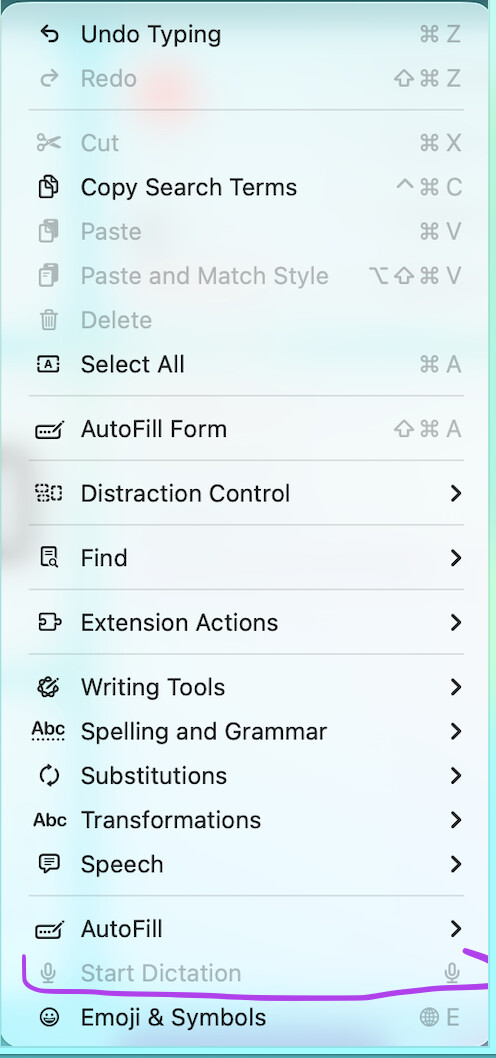
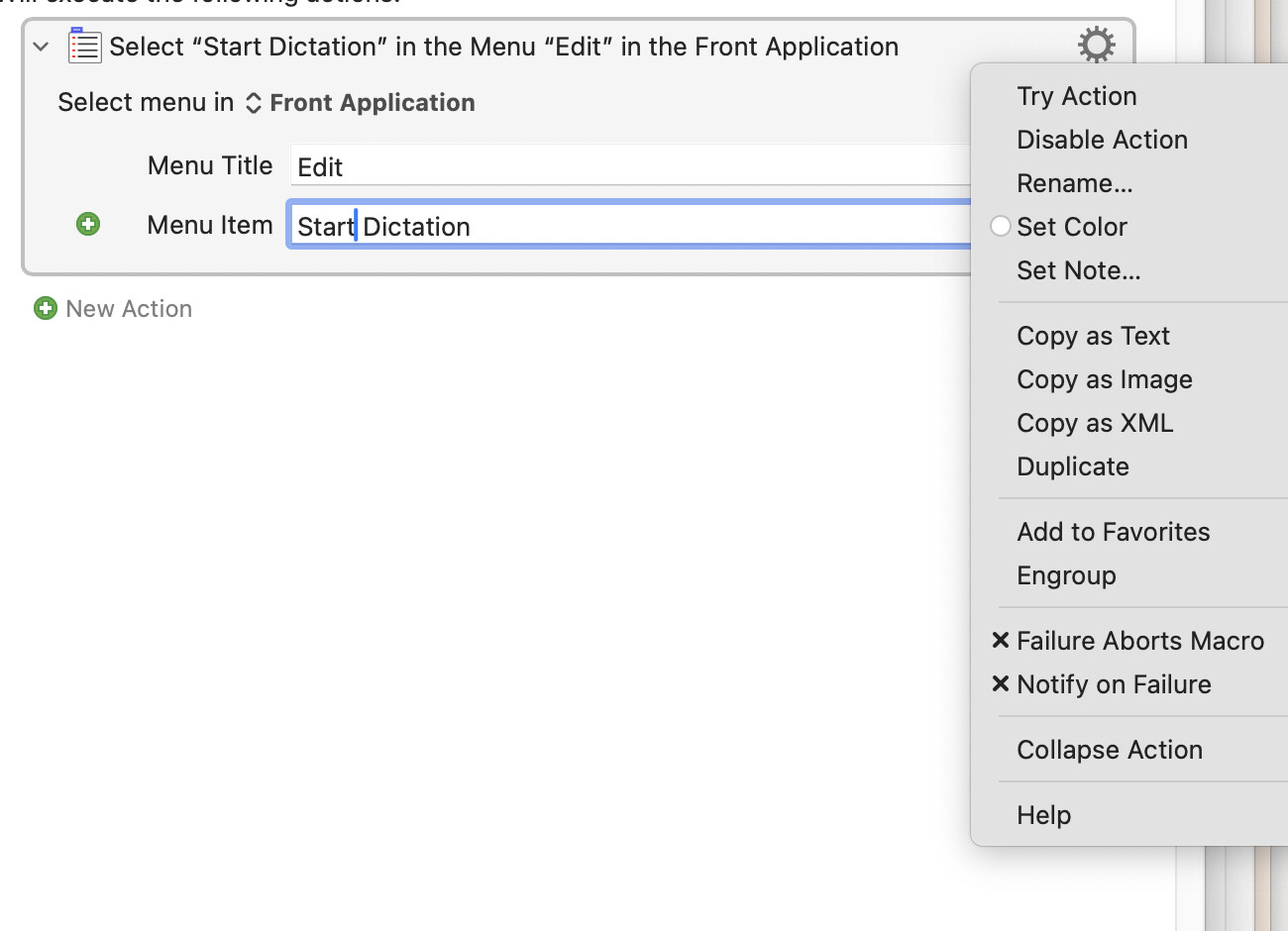
I'm on Tahoe 26.5.2, but that shouldn't matter. I don't have a mic, though, so I can't actually test it. Does your app show a shortcut next to Edit > Start Dictation?
-rob.
Heya! Looks like the shorcut within my preview app is the "dictate icon" => F5
Tried to set it within the macro but it shows me this
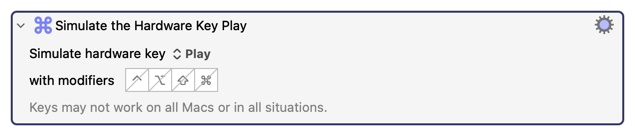
I believe the difference is that KM can detect, but not generate, “hardware keys”. In order to generate a hardware key you need to use the KM action “Simulate Hardware Key” but oddly, the Globe key is not in the list of 20 keys that KM can generate. Here’s an example of the hardware simulation action:
The problem is that Apple's security sandbox explicitly blocks software from generating virtual hardware events for the standalone Globe/Fn key. It’s a security feature by Apple, specifically so that nobody can redefine what that key does.
1 Like
Thank you for the info.
After the input within this thread, I handled it for a much easier way.
Within the settings -> dictation, there is a way to make your own shortcut, here:
Just added that to the last action stroke in the macro, and it works!
Note: Wanted to use the double press globe shortcut as I lowkey have a lot of shortcuts already set for my keyboard (so the options are decreasing). I thought the globe key would help on such. oh boy, looks like not.
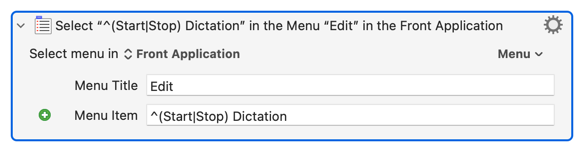
You could set the System Settings.. "Dictation" shortcut back to its default and instead:
...which will work in any Mac app with a "Start Dictation" or "Stop Dictation" in its Edit menu.
As written it is a toggle, making it easy to turn Dictation on and off with the same hot key. For your macro you may want to limit it to only "Start Dictation", turning errors off:
...so you don't turn it off if you run your macro and it is already on! (You'll have the same issue with your customised keyboard shortcut, which is why using the menu item is probably a better choice for this.)
1 Like