My company uses project numbers as the beginning of the folder name for a given project folder, for example:
/Volumes/Projects/2024/24123 - Project Name/
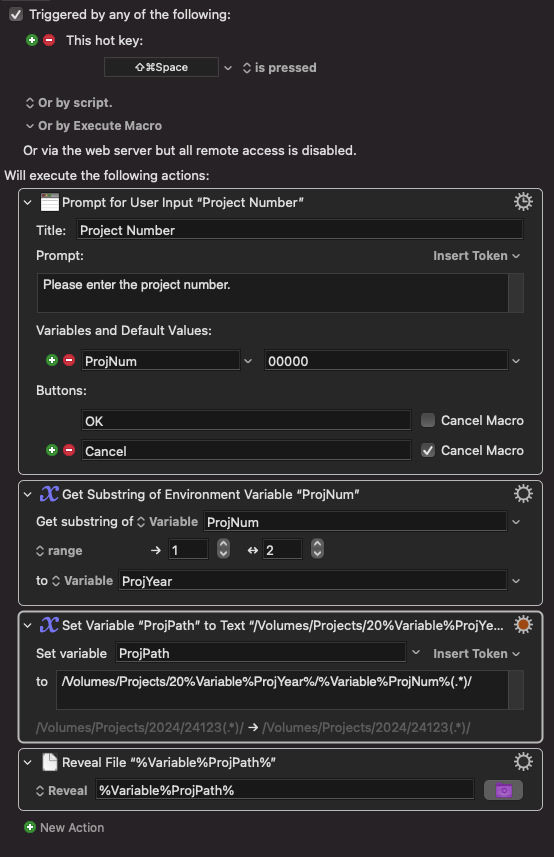
I want to make a Macro to input the 5-digit number and automagically open the folder, but the Project Name prevents it from opening since the path is not an exact match (the name is obviously always different).
I’m sure this is possible with RegEx but I am as novice as it gets with that. Here is what I’ve tried:
/Volumes/Projects/2024/24123(.*)/
Am I getting the regex wrong or is this not possible with the “Reveal File” action? Is there a better way to do this?
Clarifications:
I have another Macro to convert windows paths to mac paths, and it is able to open any path like this just fine. But in that case the path name is fixed with no regex.
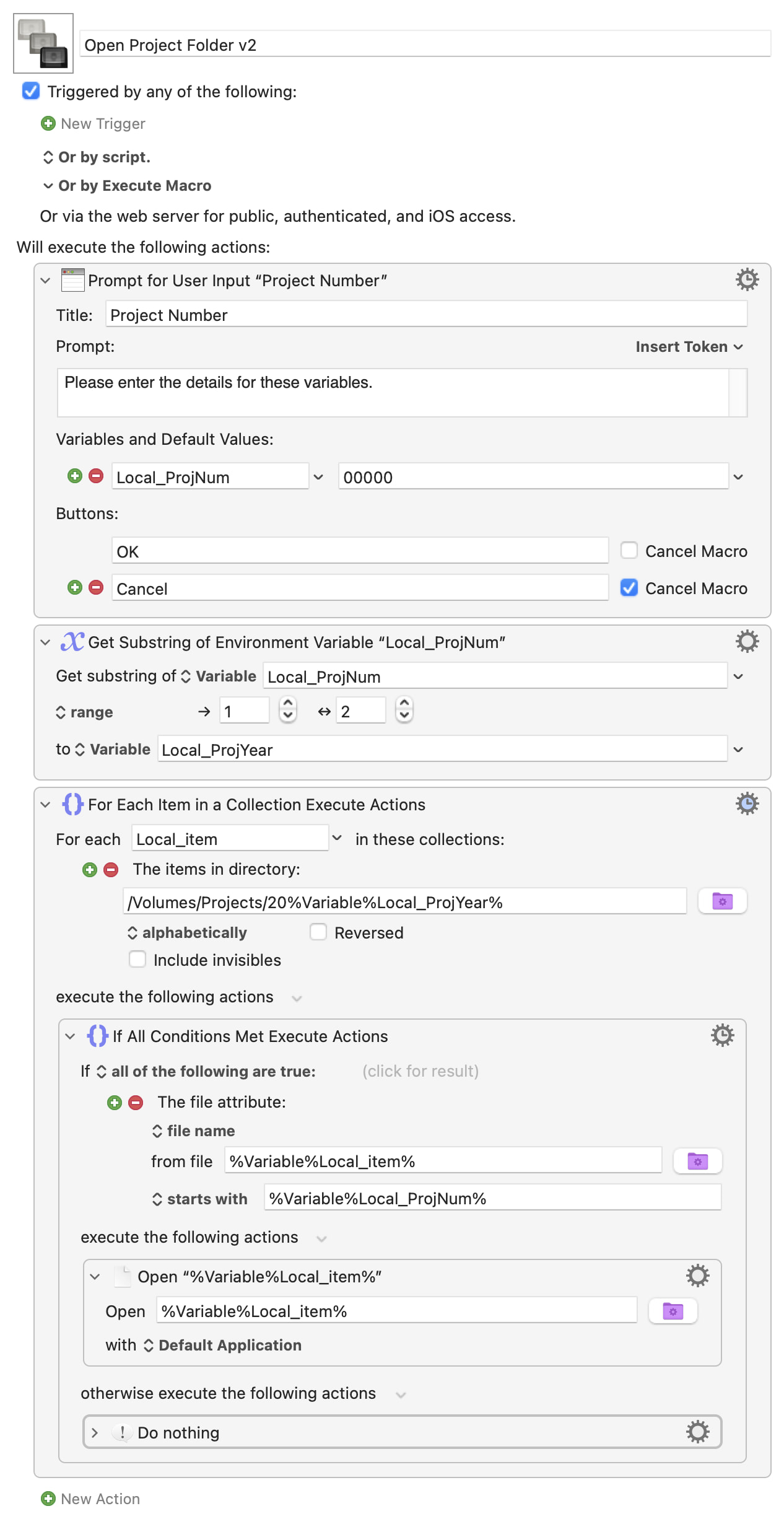
You can't use a regex in KM "Reveal File" Action -- the path has to be "complete". You could do it by listing all the folders in the "year" folder and searching that to get the full name, but that's way too much work
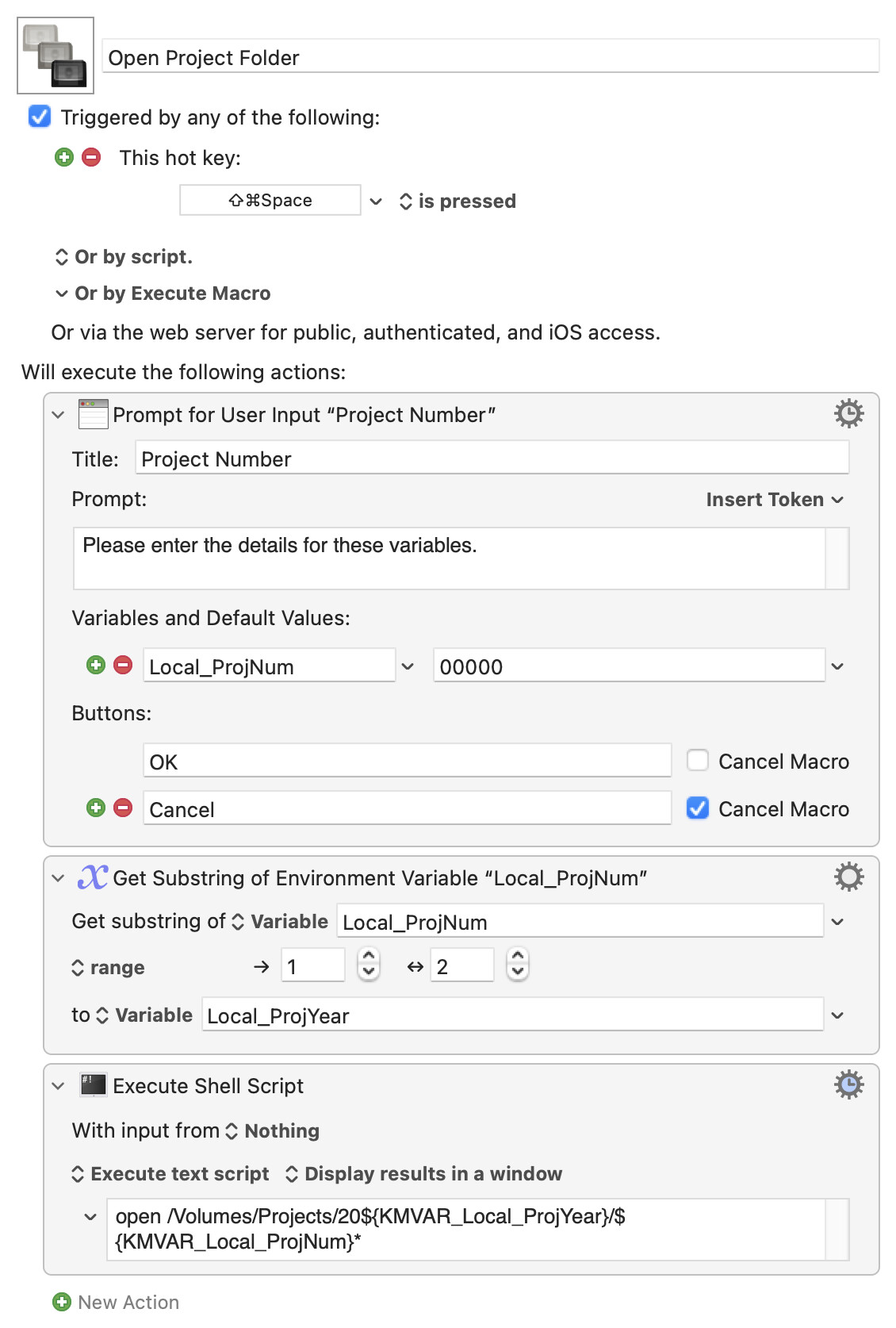
Because project numbers are unique 5-digit numbers this is very easy to do with shell "globbing" -- you open every folder that starts with that number and, since there's only one, you'll get the one you want! And you do that from a KM "Execute a Shell Script" Action:
So it seems that the “open” command in a shell script is able to do the “globbing” you mentioned, but the KM action is not, right? I was expecting it to be more complicated. But if it’s that easy I'll remember it for next time
It's the shell that does the globbing, getting the set of matching paths and then passing those to the open command. So if you have a folder on your Desktop called "Test" that contains folders "A" and "B" and issue the command
open ~/Desktop/Test/*
...then the shell builds a list of matching items:
~/Desktop/Test/A ~/Desktop/Test/B
then passes that to the open command
open ~/Desktop/Test/A ~/Desktop/Test/B
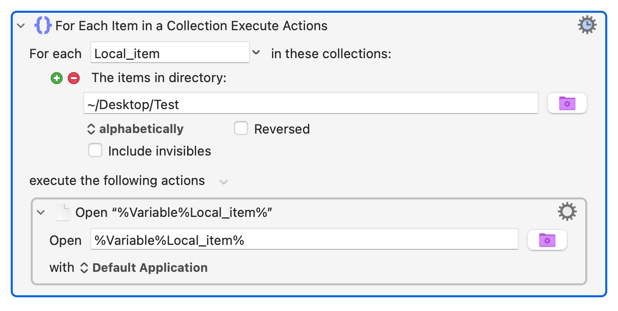
You can't do that in a "path" field of a KM Action, but you can achieve the same with a "For Each" Action: