Help with subroutines / Urls / Mail and Safari

I have two macros. Each one collects the URLs from the Mail and Safari apps and saves the result to the variable "Local__UrlList". The "UrlLists" are then processed further using actions such as Display, File Write, File Append, and so on. There are so many combinations that I’m slowly losing track of them. That’s why I’d like to use the “Execute Macro” or “Execute Subroutine” actions, so that when I want to make a change, I only have to do it once instead of many times. I've tried "Execute Macro" and "Execute Subroutine"... But neither ChatGPT nor Claude Chat can help me find a solution. (At least, I don’t understand what they want...) Basically, I want to call a macro that first collects the links (using Execute Subroutine?) and then processes the links (again using Execute Subroutine?). The actual macro should consist only of “subroutines.” Maybe someone can help me?

safari file_write.kmmacros (2.4 KB)

mail display .kmmacros (3.7 KB)

I'm not sure subroutines/sub macros is the best approach here. As described, you only need one macro for the whole thing and you'll only have one copy of each Action, all in the same macro for easy editing.

If you split your workflow by function:

  1. Get list of URLs
  2. Put list of URLs somewhere

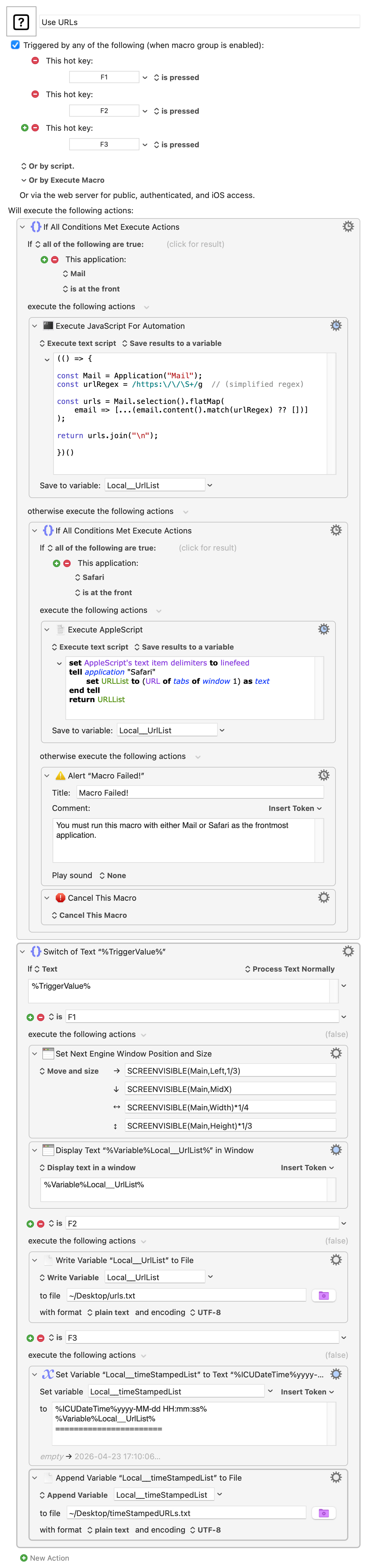
...you'll see that you can determine the first part by the active app and the second by the choice you make -- I've used Fn hot key Triggers to signal the output method:

Use URLs.kmmacros (11.3 KB)

Image

You could can include many output-specific Actions in each Case block, or if you've list processing that should be applied before all your outputs you can put it between the "If" and "Switch/Case" Actions.

You could use subroutines/sub macros but you'll have to write

  • 2 input subs
  • As many output subs as you want output methods
  • 1 "calling" macro for each combination of input/output

...which would be 11 macros to replicate the single macro above.

I you do want to go the subs route then it will help to know what it is you will be changing that makes

...something to worry about. If it is the paths to files you write out to, for example, then a better first step would be to make those variables instead of hard-coding them -- that would allow you to use a Global across all your macros (only one thing to change) or pass paths by Instance variable or parameter to your subs.

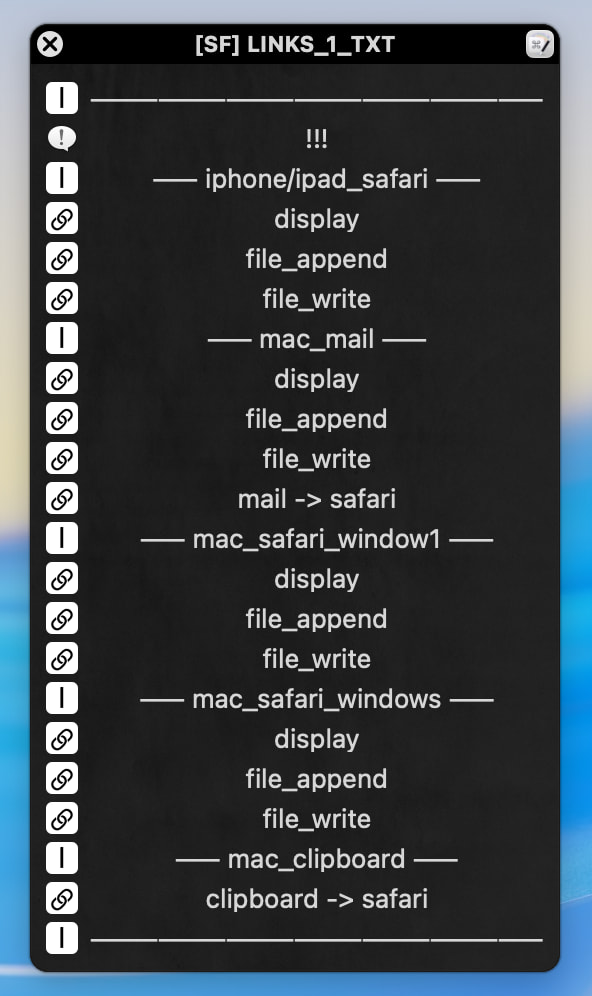
Unfortunately, it's not that simple... I had "simplified" the situation. There are many more options, especially not just "Write / Append File" with a single file extension, but with .txt and .md... I use Links a lot and very often. I asked Claude and it gave me some images, but I didn't get any results with the first subroutine, which is why I opened this thread in the first place...

I thought that in my case, a subroutine would be the best solution... and with one working example, I could figure out the rest on my own...

OK -- so you are using a Palette to run these, which is Important Information. It means you need a macro for each entry (unless you drastically change your workflow -- bleurgh!) and can't use a single macro and trigger detection*.

There are still many ways to break this up, and one way would be to have

  • Your "calling" macros
  • A macro to extract Mail URLs, returning a list
  • A macro to extract Safari URLs, returning a list
  • A macro for each of your output options

So sub macros or subroutines? In brief:

  • A sub macro can accept zero or one parameter (though that can be structured data containing many values) and cannot return data unless you use a shared (Instance or Global) variable. It can be run synchronously or asynchronously (and then won't have access to Instance variables)
  • A subroutine can have zero, one or many named parameters (named means they are easier for you to use) and can return one value (though that can, again, be structured data). It can also access Instance and Global variables, and can only be executed synchronously

(There's more about variables and especially their scope on this Wiki page.)

You can use either here -- since we're demoing, let's use both :wink:

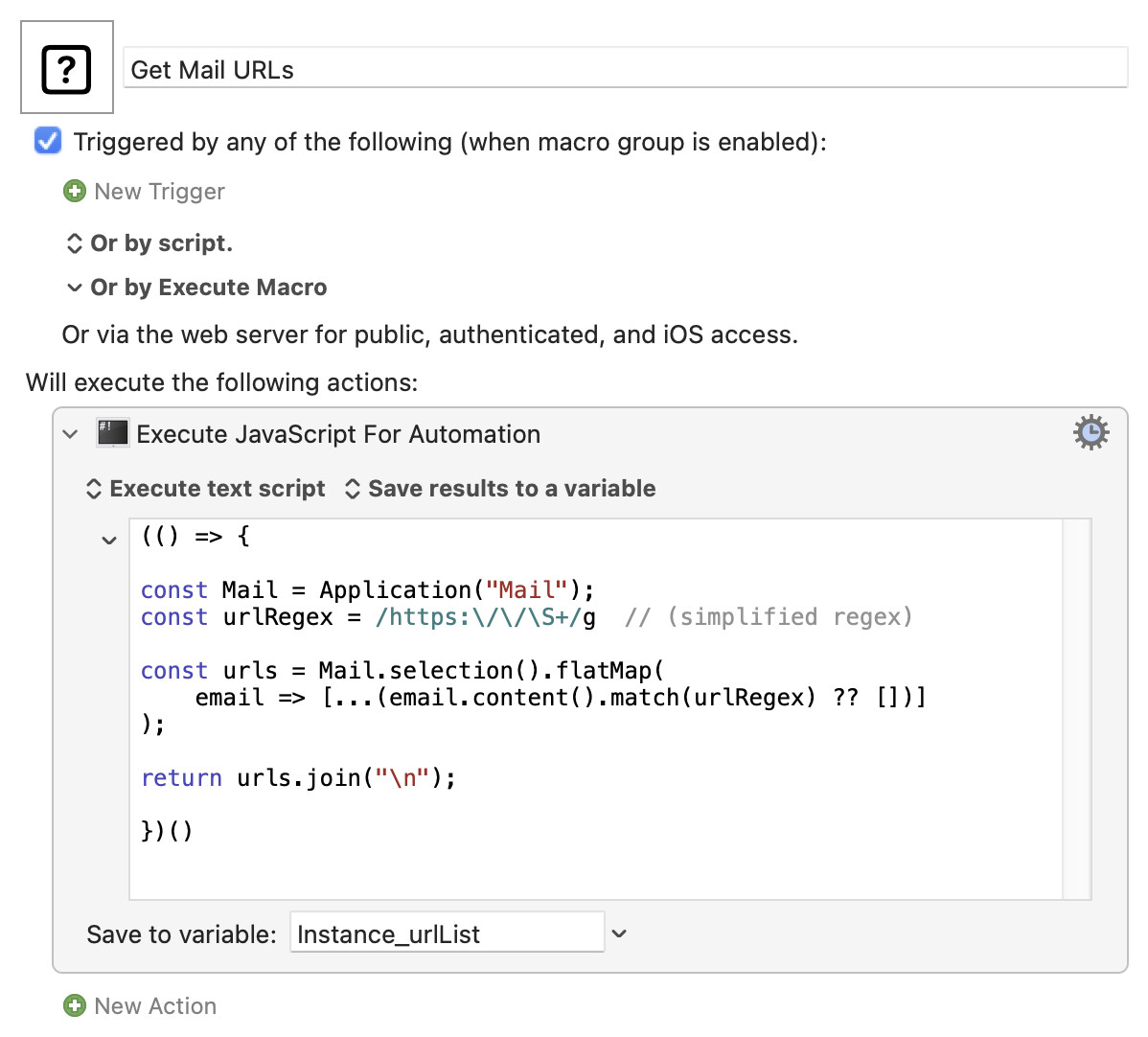
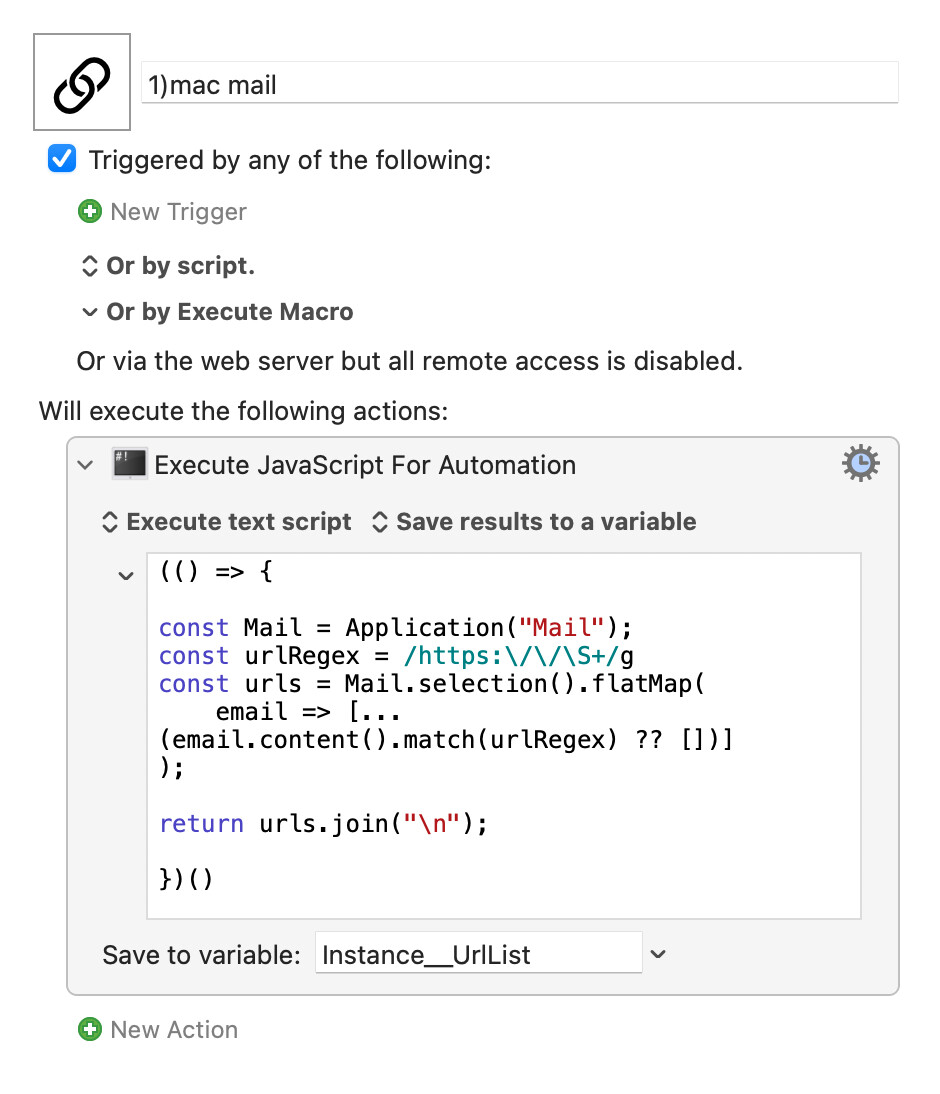
We'll use sub macros for getting the URL list, passing the result back via an Instance variable. So, for Mail:

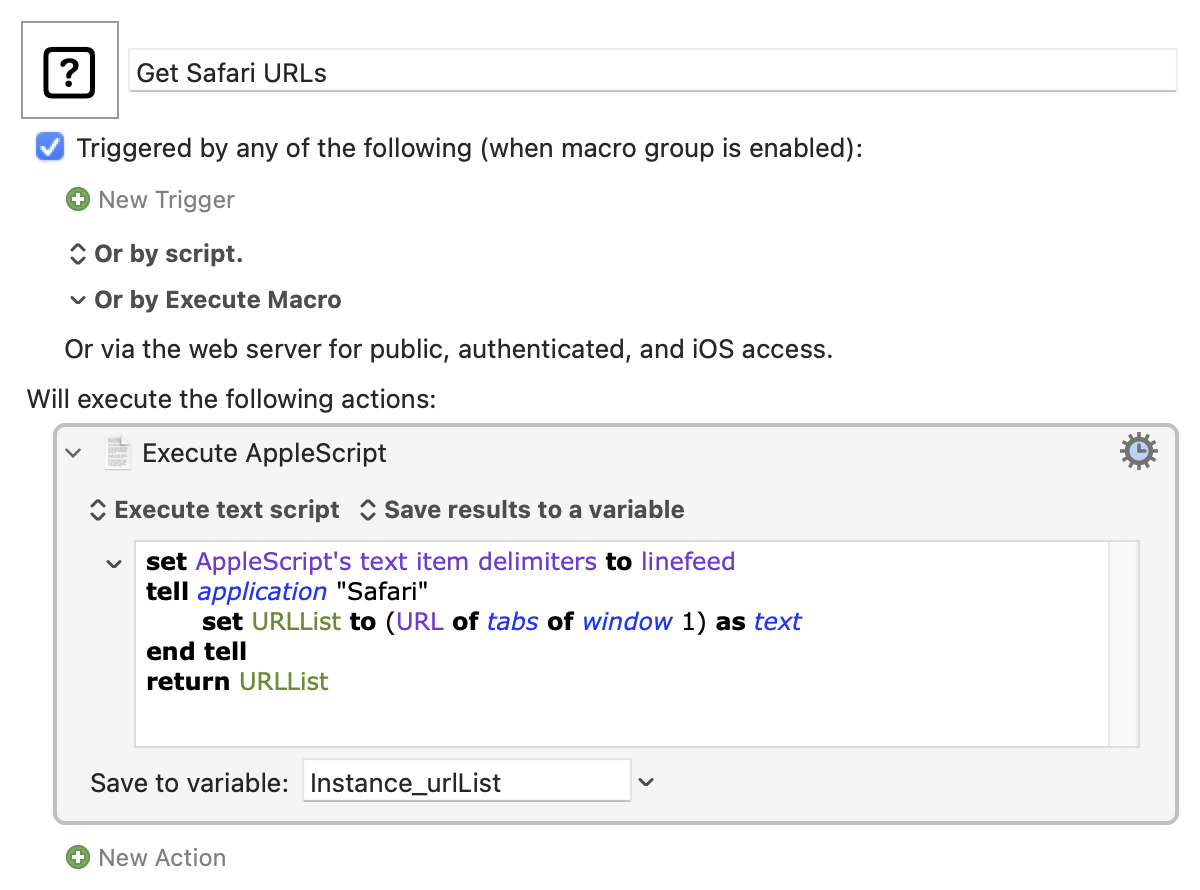
...and for Safari:

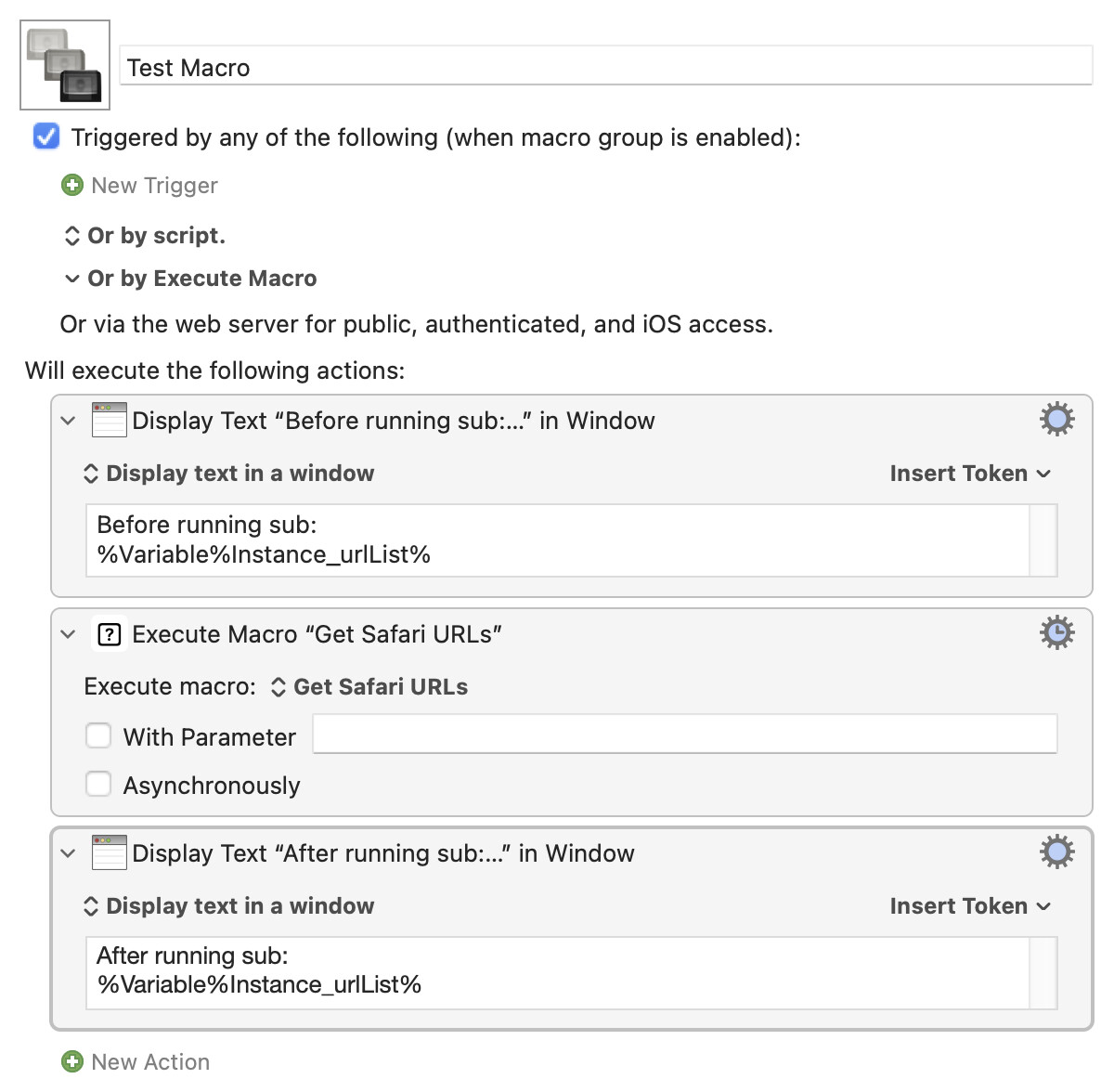
And we can easily test those -- Safari test shown below. Note that you must use the same variable name as in your subs, and we're doing to display the variable's value twice to prove that is first empty and then has values.

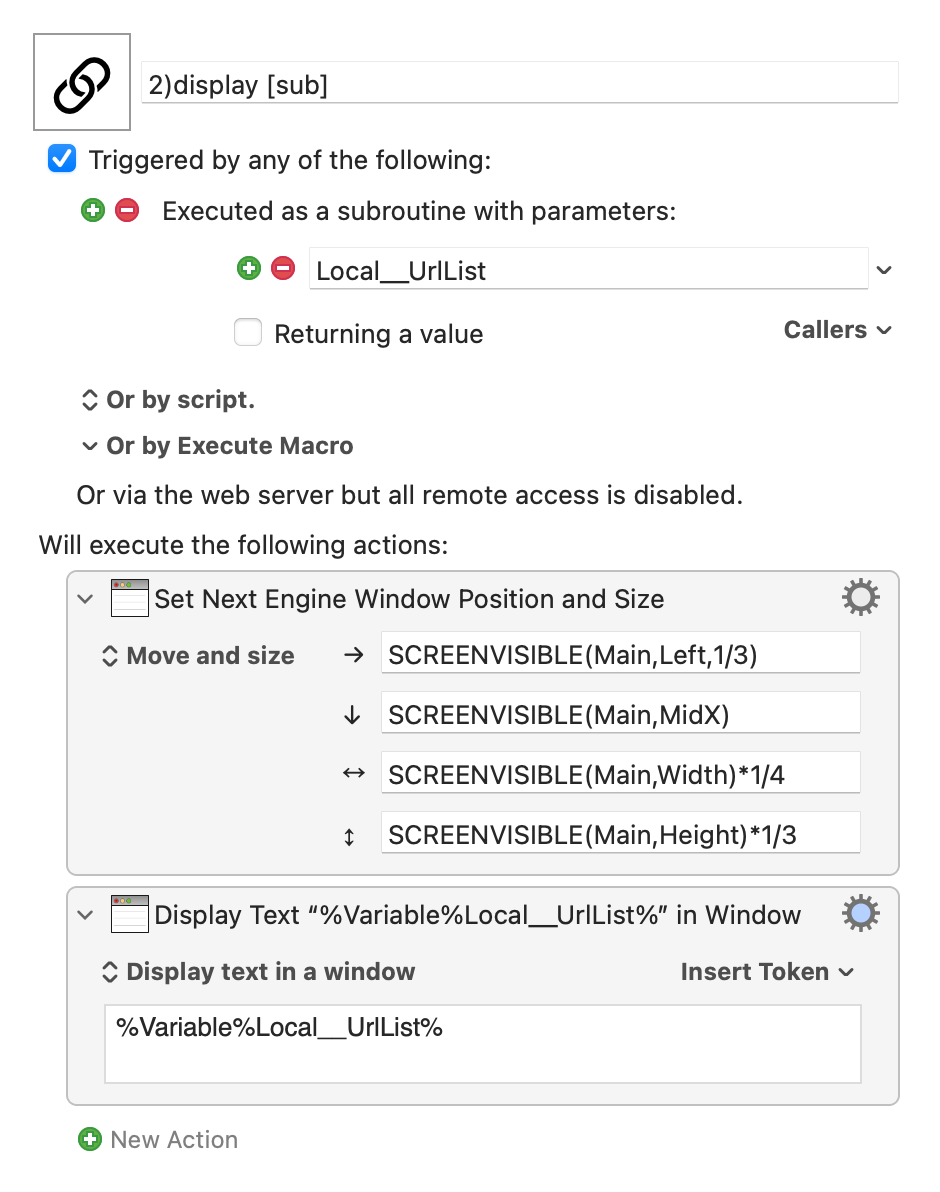
For the "output" macros we'll use subroutines. That's because we're going to get cute and pass in multiple options for some, and that's easier using the subroutines' labelled parameters.

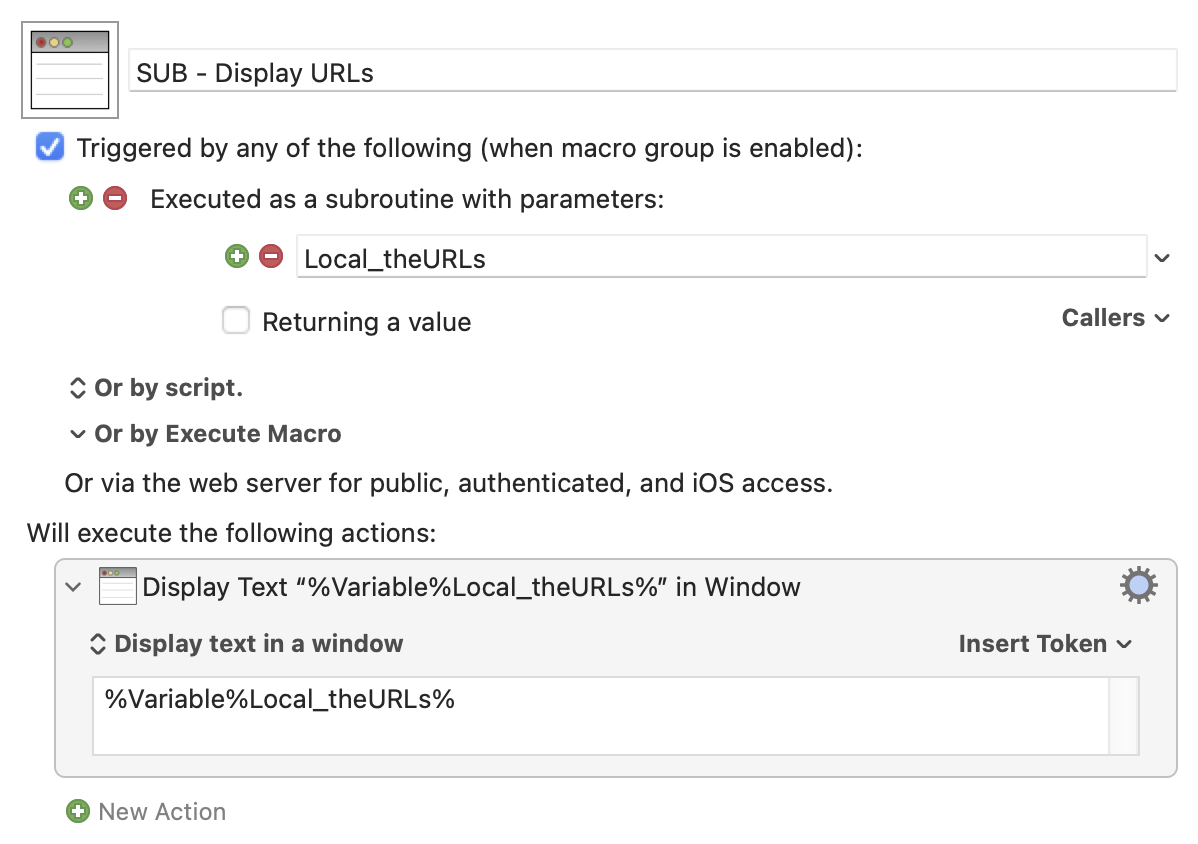
Display is easy:

Note that the subroutine doesn't care what's data is passed to it, it'll just display it regardless.

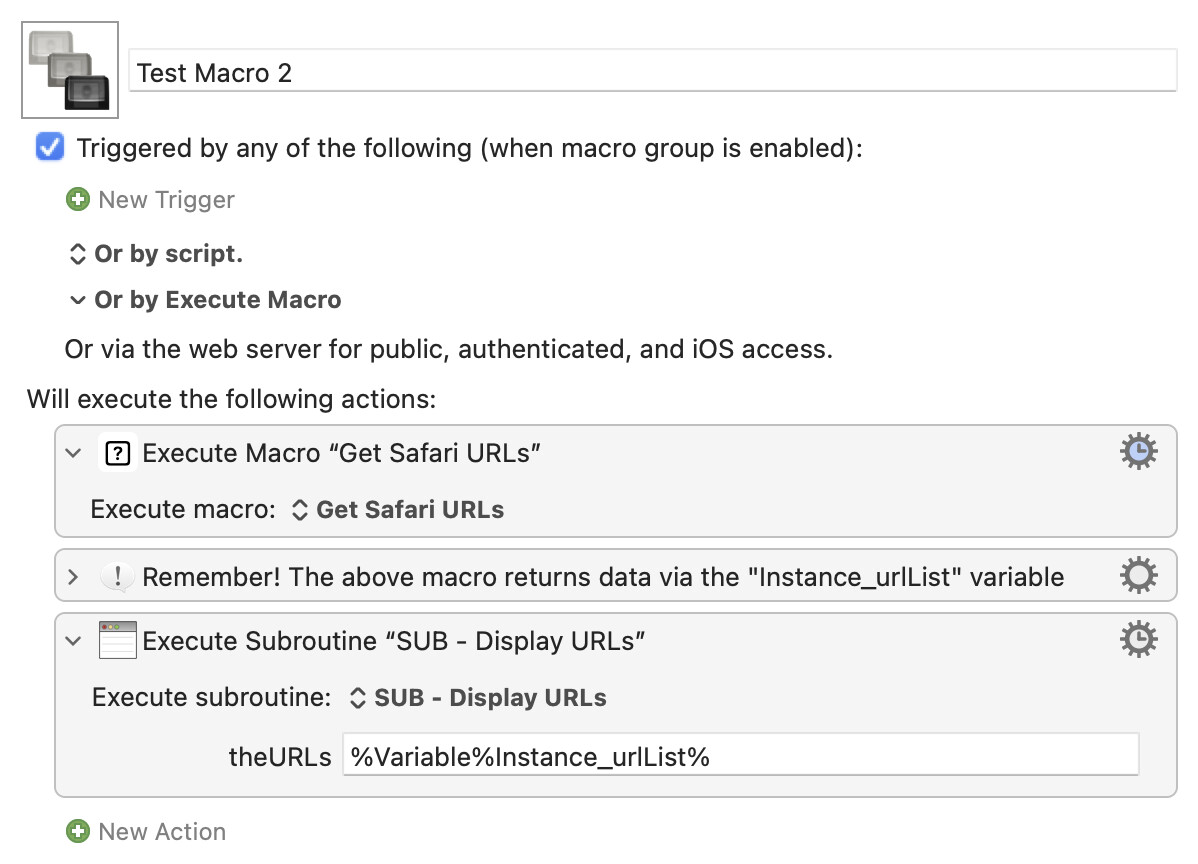
And we can quickly test that:

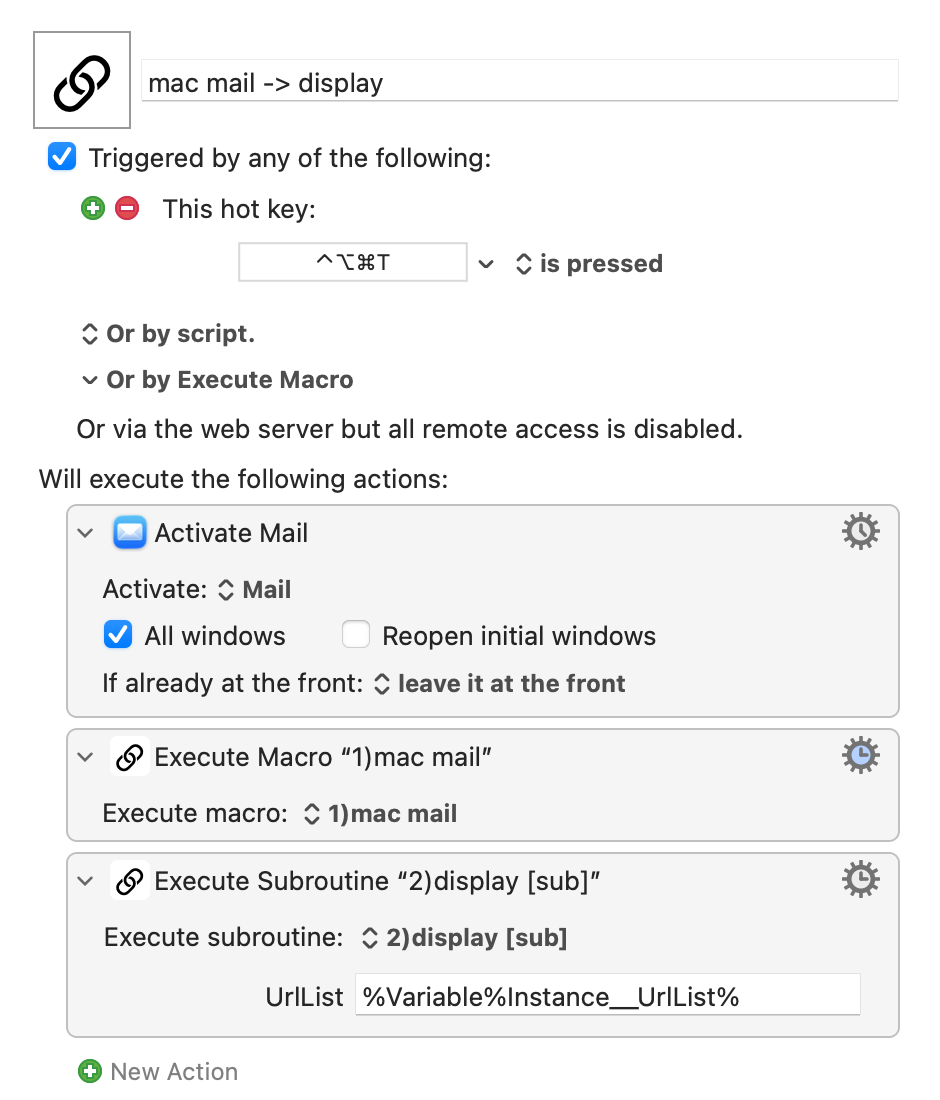
Notice how we have to use the correctly-named Instance variable, as set in the sub macro, to pass the data to the subroutine. But the subroutine routine doesn't care "internally" -- the data passed to it is stored in Local_theURLs and that's the variable it uses.

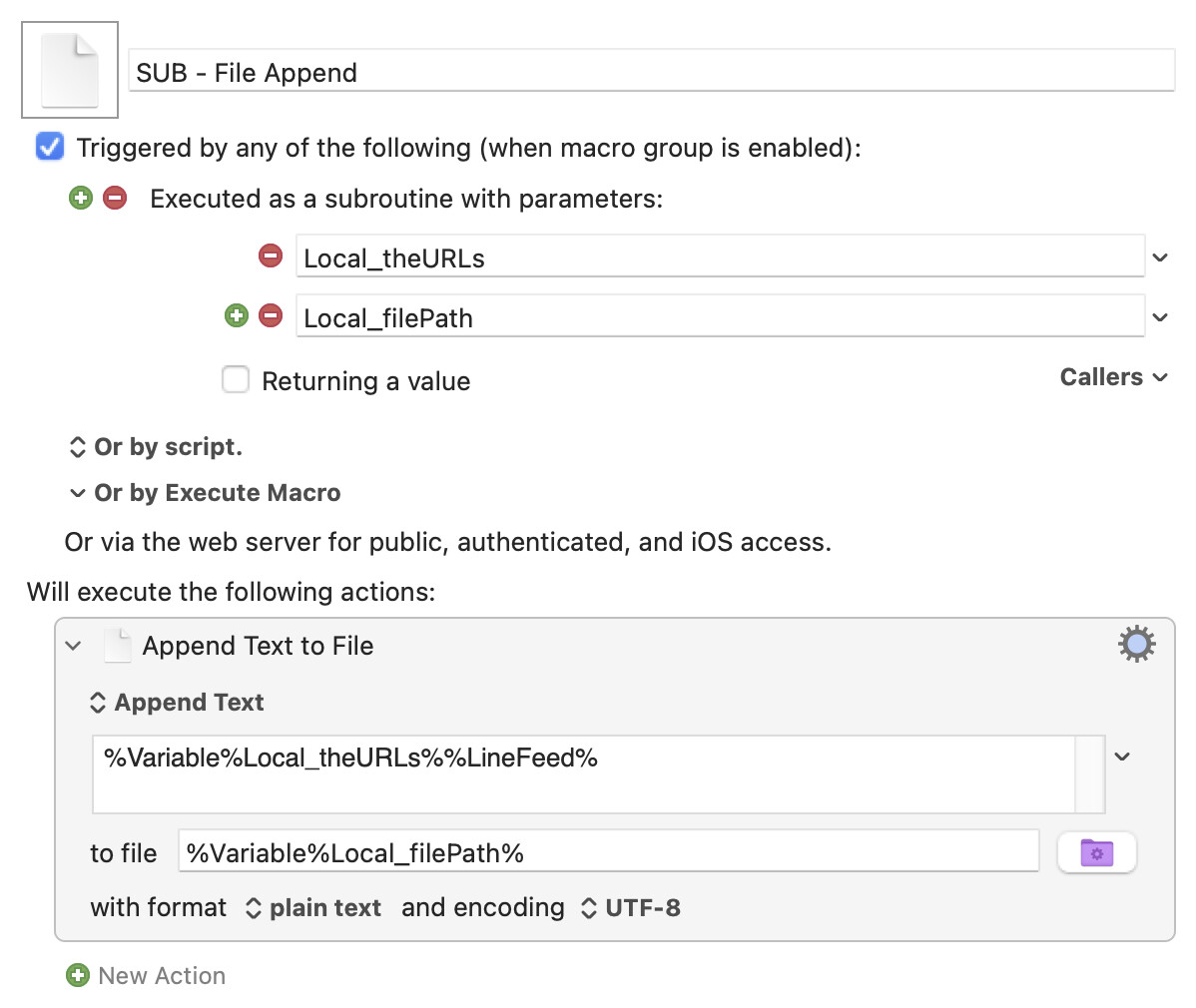
For file appending we'll pass in both the URL list and the path to the file we want to append to:

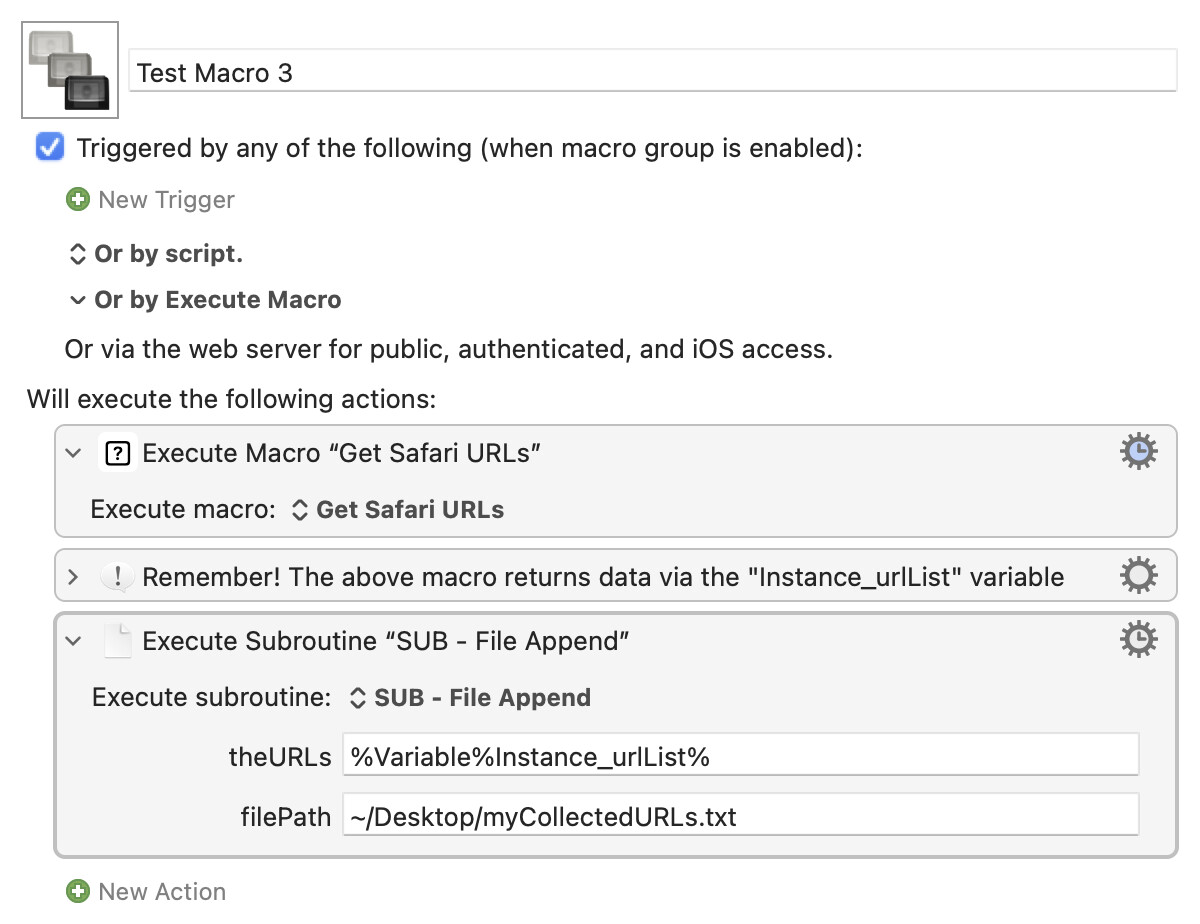
...and this time our test macro will need to pass two arguments:

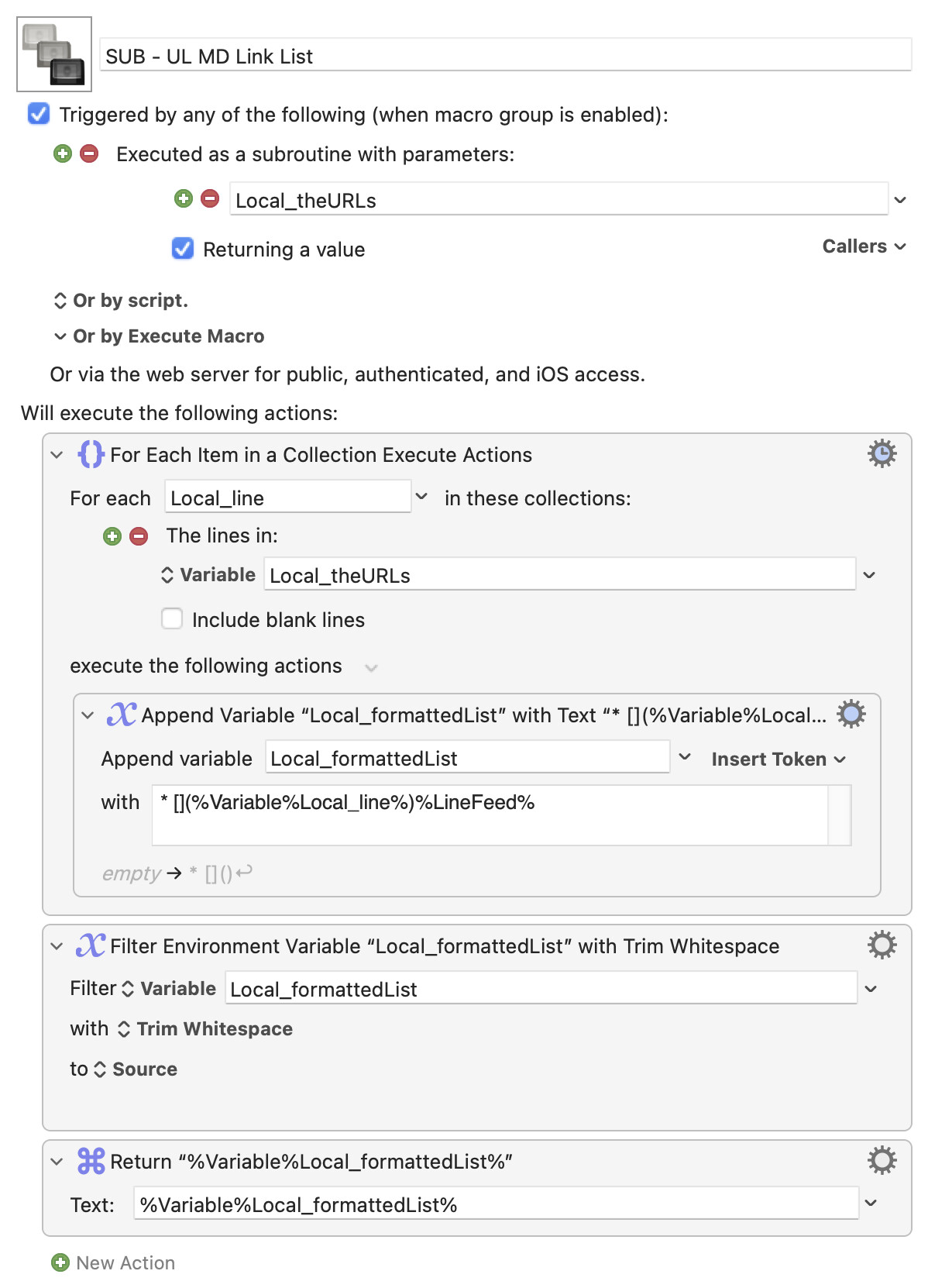
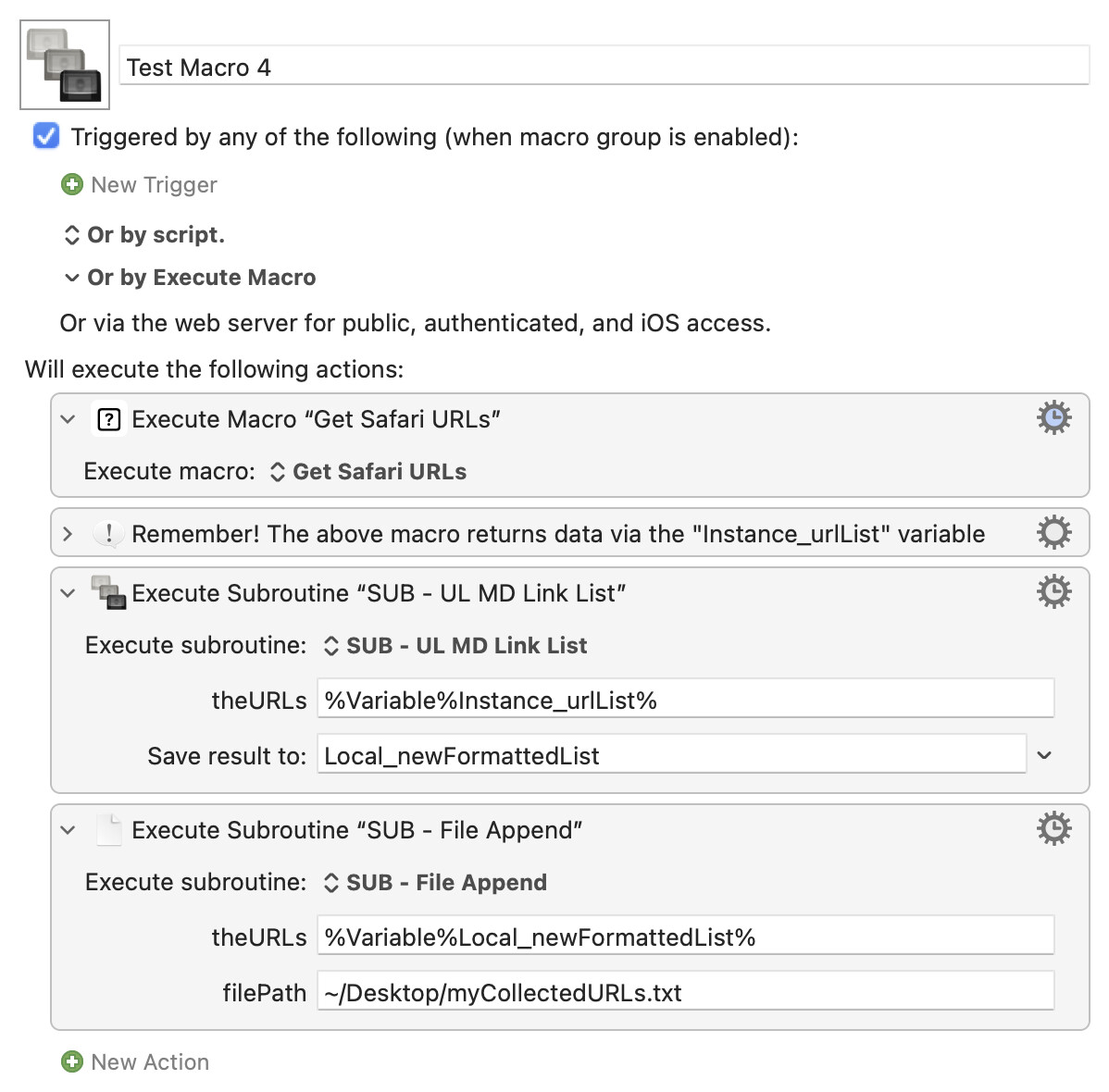
Which just leaves subroutines that return data. Nothing obvious leaps out from your list, so how about one that formats the URLs as an unordered list of links in Markdown, ready for you to add link text manually, passing it back so you can append it to the text file:

(Note the ticked "Returning a value" option and the "Return" Action at the end.)

Which we can use like so:

Hopefully that'll give you some ideas about how you can use sub macros and subroutines across your other macros. I've probably not explained some concepts particularly well, so if you've any questions just ask!

All the macros from above:
Subs Demo Macros.kmmacros (21.1 KB)

* Not actually true. You could put your getters and all your different output options into a single macro as before, then build your palette with aliases to that macro which passed the appropriate option choices by parameter. But that's possibly even more confusing, and not so generally useful.
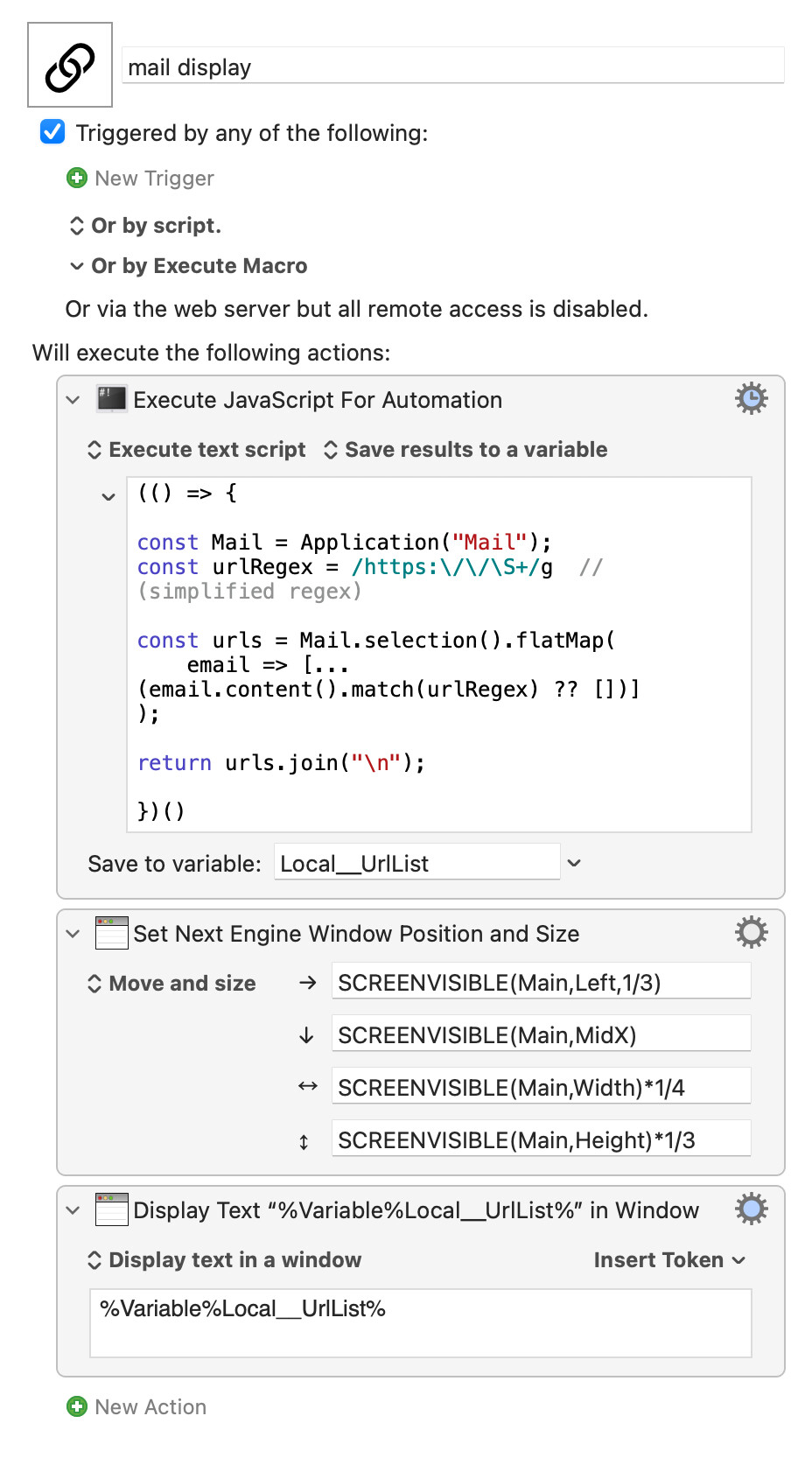
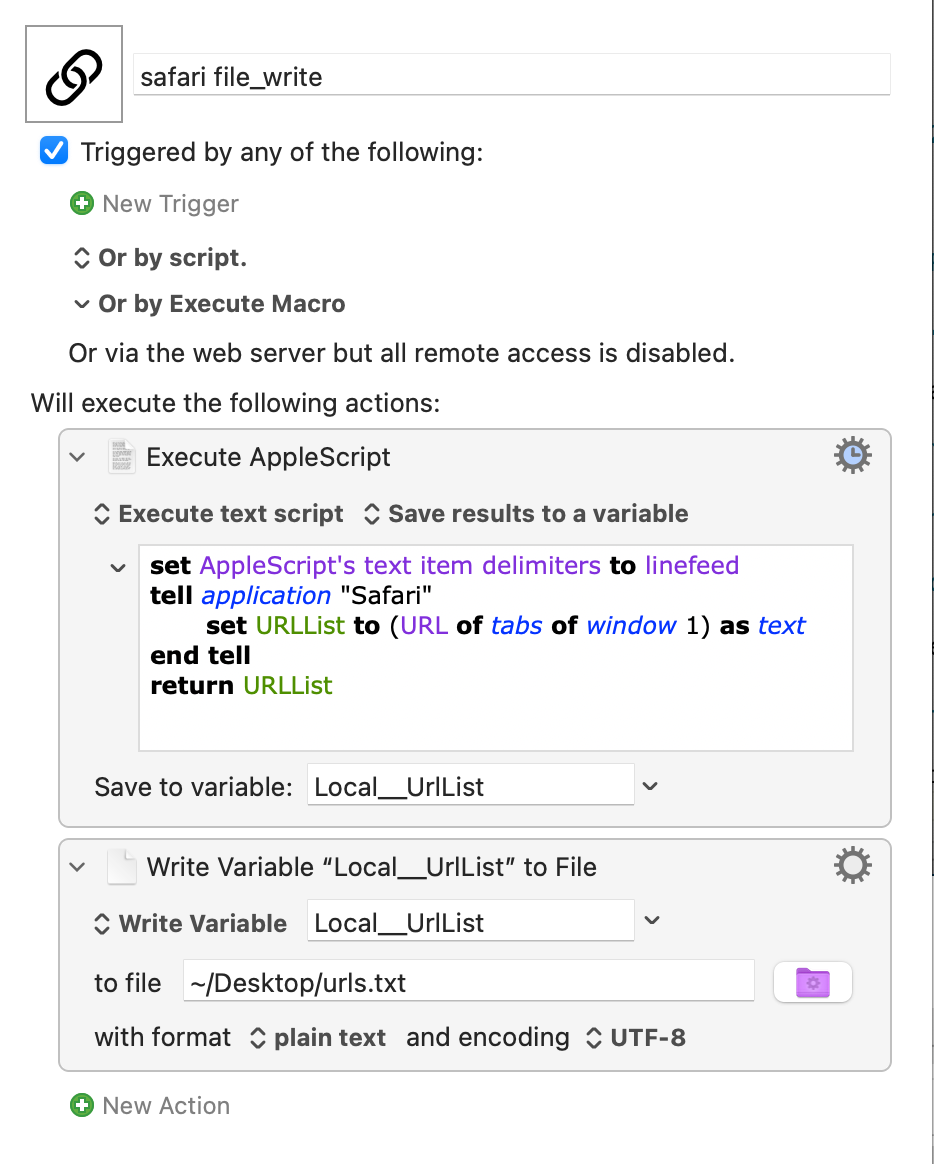
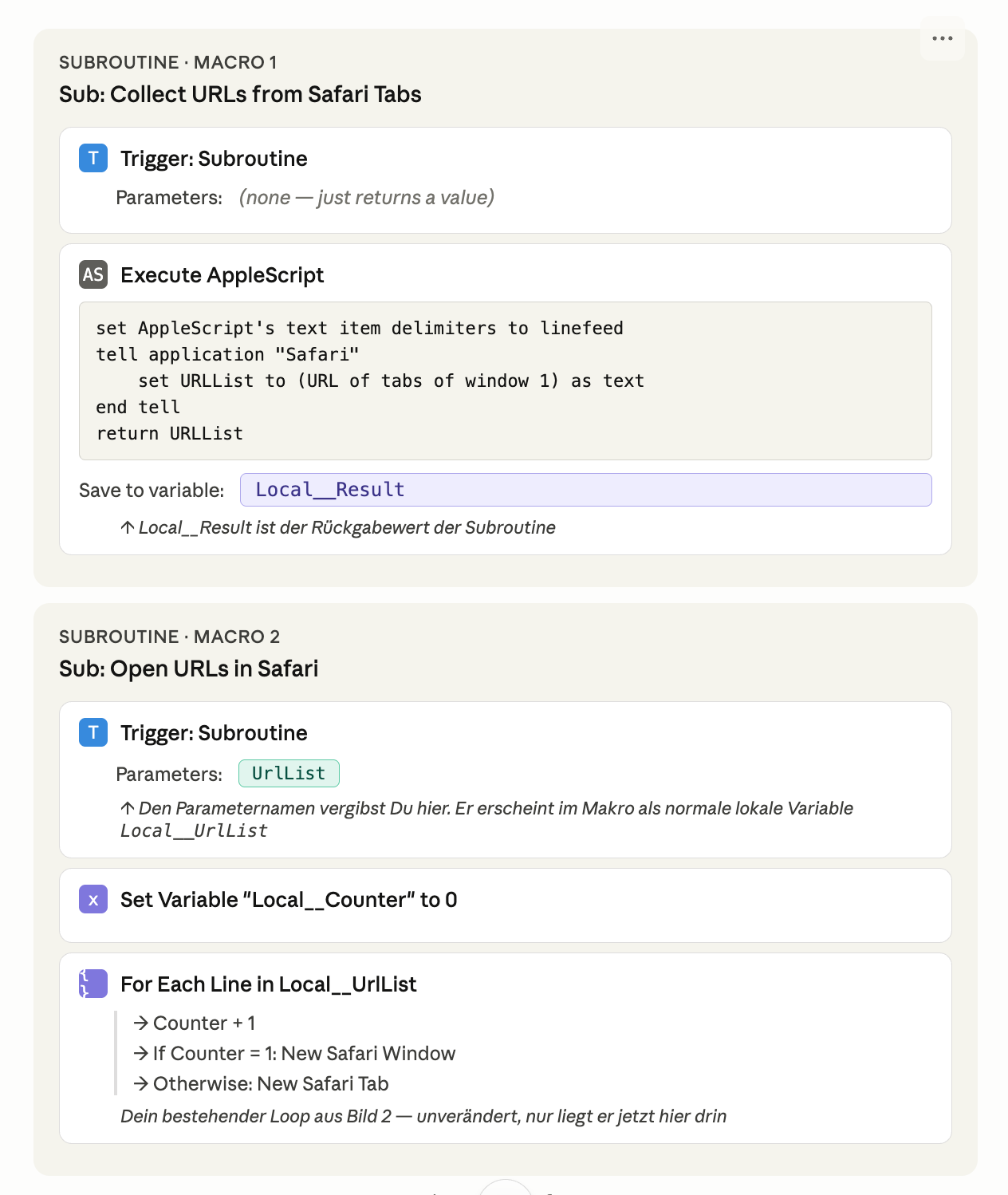
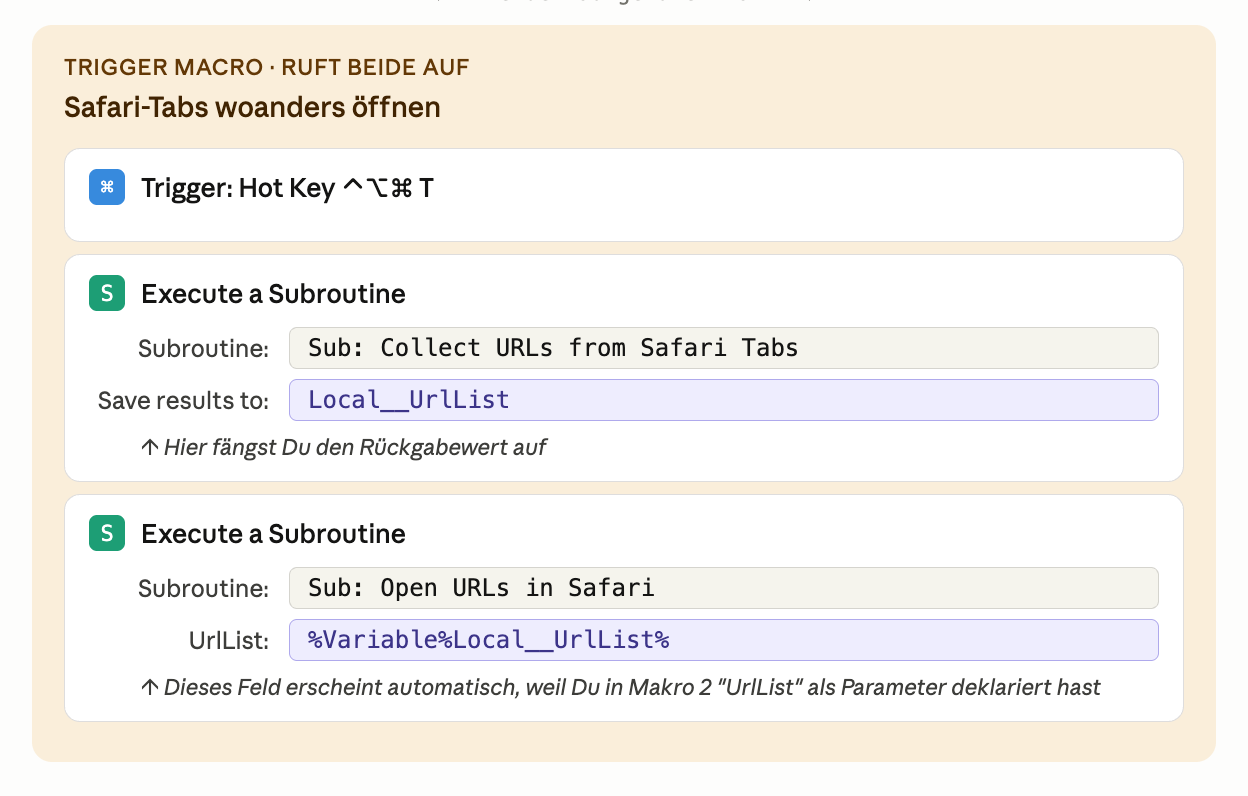
Thank you so much for the detailed explanation! I've set everything up again and it's working better than ever... I now have nine "submacros" and six "subroutines" that I can combine perfectly. The problem was that I didn’t know how to fill the fields. Local__UrlList and Instance__UrlList solved the problem. I’m attaching three more images so everyone can see how it works. This is exactly what I was looking for, but couldn’t find...