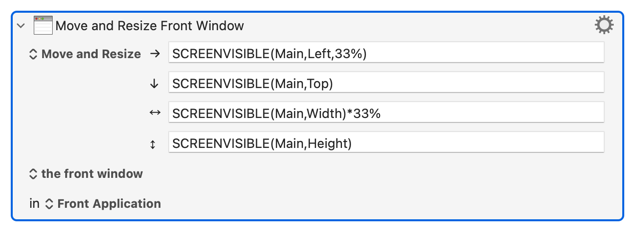
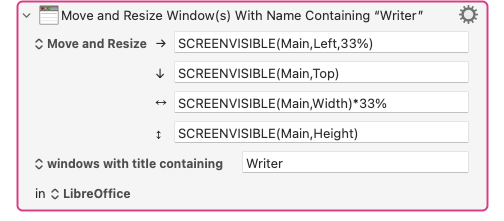
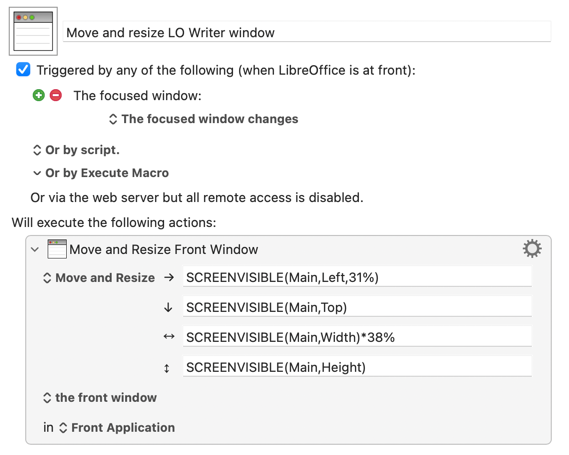
I want the Writer window to open at one-third of my iMac’s screen width and the full available screen height, centred horizontally, while the Dock is hidden (my default setting).
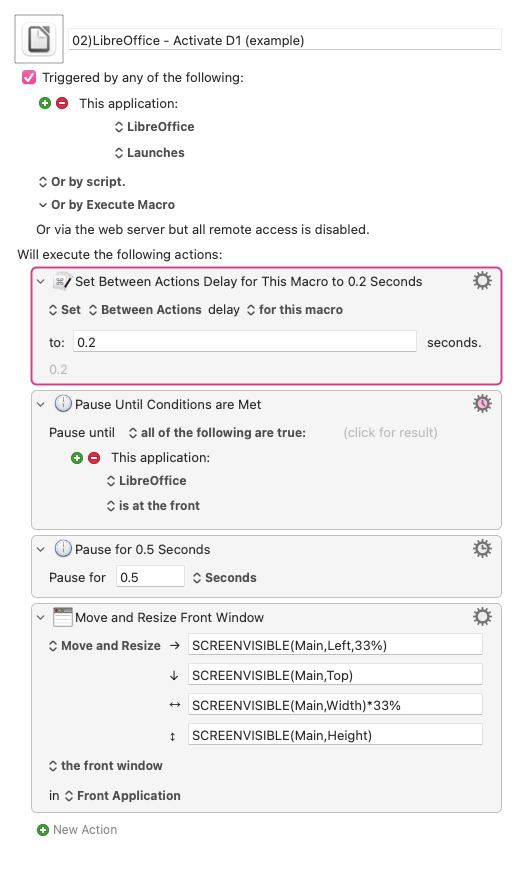
This should happen whenever I launch Writer, whether it opens with a new, empty document or I open an existing .odt file by double-clicking it in Finder.
Is there a way to achieve this automatically, ideally without having to resize or reposition the window manually each time?
Then the trigger just needs to be whenever you want this to happen.
So a macro group that is specific to LibreOffice Writer, and then triggers for Focused Window trigger. Probably the focussed window changes would be sufficient. But if you find cases where it is not happening and you want it to, then you can add other triggers, potentially a manual trigger to catch extra unusual cases.
The Dock will be hidden if you have "Automatically hide and show the Dock" turned on in System Settings and your pointer is outside the Dock's activation area.
Are you saying you want to turn on auto-hide as part of the macro because you normally have the Dock showing all the time?
The pointer position part is just a "Move Mouse" Action using any absolute coordinates outside the activation area.
I’m doing a similar thing, minus dock hiding (and with added moving-to-Space) actions. If I understand right, the issue is that the dock hide/show shortcut is to enable/disable Dock hiding entirely, rather than just hiding the dock?
In which case, I’m wondering if a simple ‘Pause for x seconds’ action before resizing the window would work for you?
You’d probably want to set up a Switch/Case action for the resize actions if so, though. (I can’t test this part, as my LibreOffice doesn’t show app names in the window (?!), but it should work.)
Then it "should just work". SCREENVISIBLE(Main,Height) ignores the presence of the Dock when the Dock is set to auto-hide, expanding the window "behind" the Dock so it extends from the menubar to the bottom of the screen.
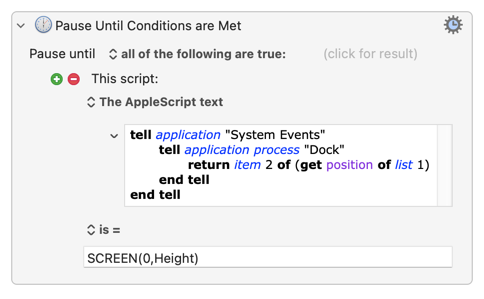
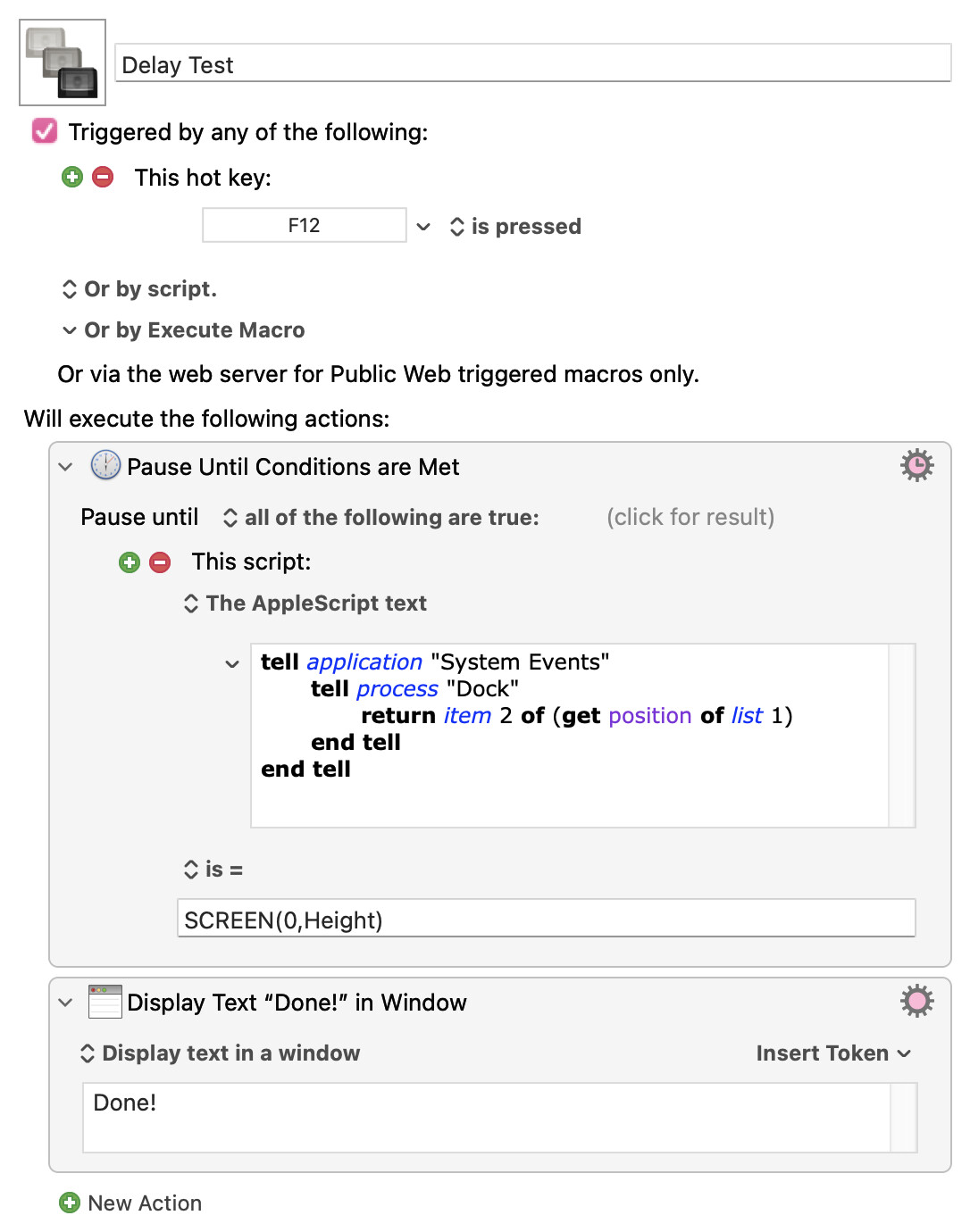
If LibreOffice isn't playing nice and you have to wait until the Dock is hidden again, pop in a "Pause Until" -- @lbdm, I'd be interested to know if this works for you:
list 1 is a somewhat hidden property of the Dock, containing the coordinates of the top-left corner. When the Dock is hidden the y coordinate -- item 2 of the list -- is the bottom-edge of the screen, same value as the screen's height.
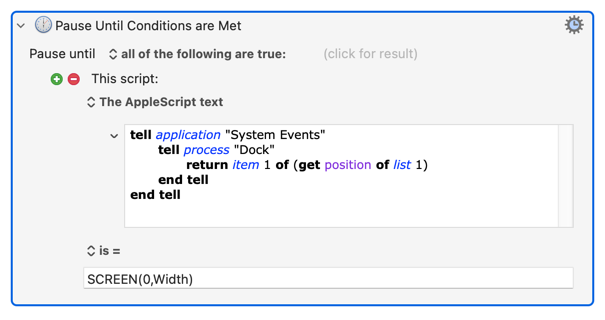
You could do similar if you're a "Dock to the right side" person -- use item 1, which will be SCREEN(0,Width) when the Dock is hidden.
I concur, the first part does just work - although adding in the AppleScript makes the macro hang for me. That said, I'm on Tahoe so maybe that's why. But it does seem like it shouldn't be needed!
Working fine here on both Sequoia and Golden Gate, so I'm not sure why Tahoe would have an issue. I don't use Spaces, though.
You could try running the following demo -- if you execute it when the pointer is over (and so revealing) the Dock it should pause until you mouse off the Dock when the macro will then pop the "Display Text":
Just tried the macro. Works if the dock is positioned on bottom; doesn't work if dock is positioned to left or right sides of screen. (Also doesn't work if SCREEN(0,Height) is changed to SCREEN(0,Width).)
That said, as @ALYB is the one with their dock hidden (and I generally don't have my dock hidden), it's more important that it works for them rather than me
Remember, the coordinates are the current top-left corner of the Dock -- it's the x coordinate of a right-side Dock that changes, the y of a bottom-edge Dock.
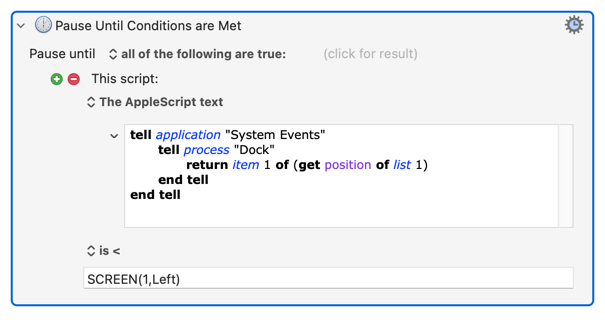
Which is why I thought a left-edge Dock would be difficult -- how can the left edge of something jammed to the left change? But it turns out that the Dock doesn't "expand" from it's hidden position, it slides in -- so a hidden left-edge Dock's left edge is beyond the edge of the screen.
So for my current display arrangement, Main display on the right and the Dock on the left-edge of the left display:
So I've found out that a) it is possible, in fact it's easy, and b) the Dock on the left does my head in even more than the Dock on the right... Every day's a learning day!
Hopefully @ALYB can combine your (excellent) AppleScript sleuthing and my (as ever) bodged-together trigger-on-launch window resizing to get something that works for them