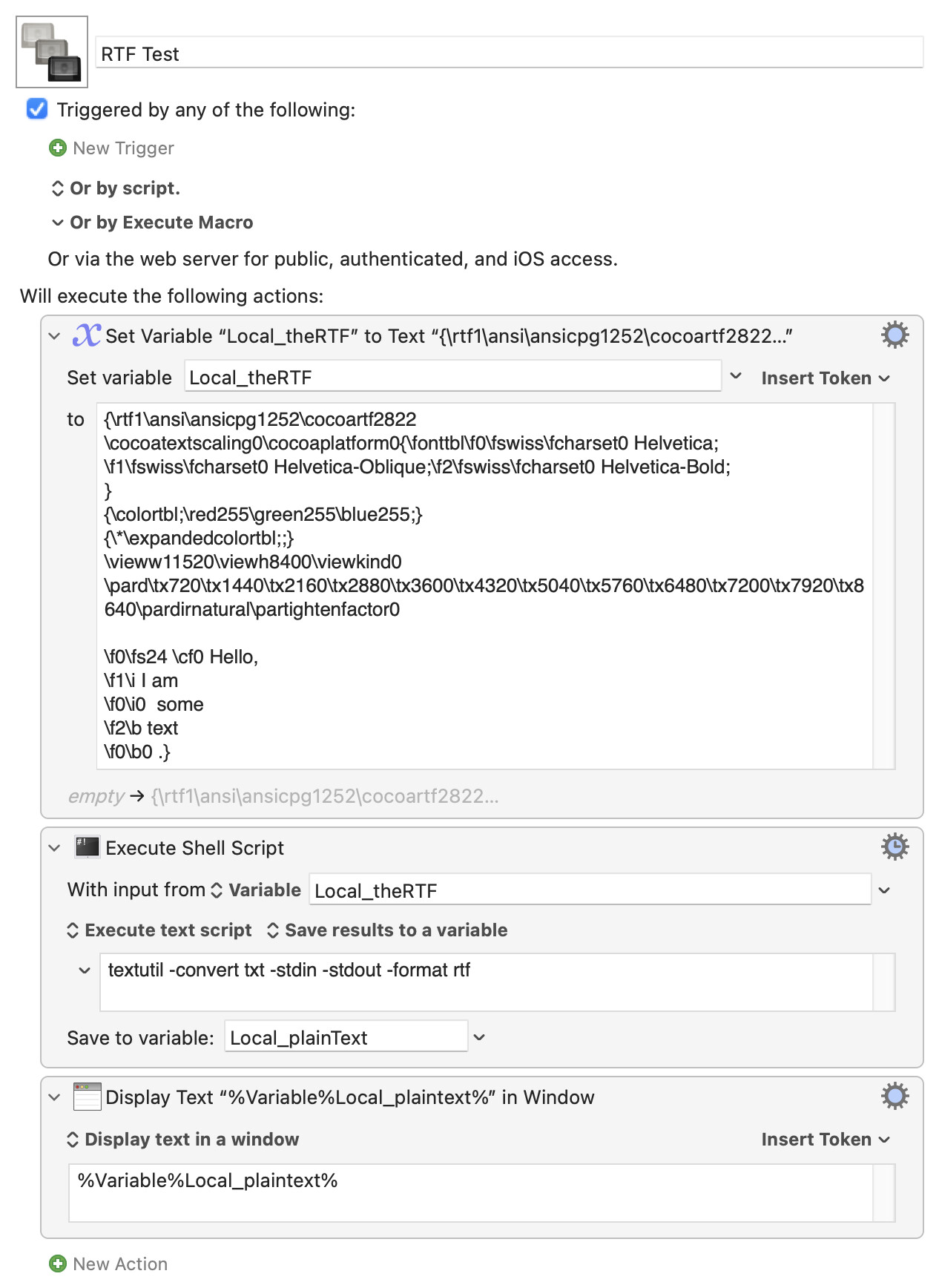
I have "raw RTF text" stored in a KM variable. There should be at least 5 ways to convert that to simple text by stripping out the style information. I can get only one of these ways to work:
Save the data to a file and use the textutil command to convert it to plain text (this works)
Use the KM action "set clipboard to styled text" and specifying the raw RTF variable in it (doesn't work, do I misunderstand what this action does?)
Use AppleScript to read a raw text RTF value from the clipboard and adding the RTF flavour to it (but Applescript's "set rtfData to the clipboard; set the clipboard to {rtf:rtfData}" doesn't work)
Use the Execute Swift Script action in KM (AppleScript seems better, so I didn't test this.)
Use pbcopy and pbpaste. It should be possible, I think, to use the former to convert the raw RTF data to RTF data that goes into the clipboard, and then convert the RTF to plain text data using pbpaste, but I can't get it to work. I may not understand it very well.
As I said, I got option 1 to work, but it uses a lot of file I/O so I'd prefer to get one of the other options working. So I've done a lot of research into this, but I can get only one method to work.
I think the problem is that most of these require the text in your variable to first be interpreted as RTF, and that's not happening except when you are writing out to file and then "reopening".
Method 1 is going to be the simplest and quickest anyway, I think -- you don't have to write to file so I/O shouldn't be an issue (at least, no more than any other method!):
I think this is a combination of the filter (interprets the text as RTF, converts to styled text) and the variable (RTF becomes plain text). If, instead, you filter to the Clipboard then display that you'll see styled text.
A subtle difference, but may matter in some workflows
For those not in the know I think the shell version is more readable, the main question being "Does that convertfromtxt to the format rtf, or totxt from rtf?". It requires no knowledge of ObjC, nor of the implicit conversion in the filter/variable method.
For speed, the filter method wins hands down. 100 conversions of the RTF of the entire Single Page KM Manual -- 834,032 characters -- happens in 0.6 of a second, even on my clunky old iMac! That compares to 18s for the shell and 21.5s for the ObjC versions -- external environment instantiation costs rear their ugly head yet again.
But in real-world use I think they can all be classed as "fast enough, thank you".
Thanks to both of you. I'll designate one as a solution after I have tested/picked one.
I tested them all. They all work for me. Thanks to both of you. I will now mark one of them as a solution.
The reason behind my question is that macOS Shortcuts sometimes returns text results in the raw RTF format, and I was trying to figure out a way to convert that data to plain text.
You've both got me wondering about something. But since this question should be considered a new topic, I will start a new thread.
IMPORTANT: It took me a half hour to realize that you set manually the flag "Process Nothing" on your Set Variable to Text actions. This is very important, so I'm explaining that now for the record. Without that, the RTF text becomes very damaged.