I tried putting your code in a Keyboard Maestro Custom HTML Prompt action, but the Javascript wasn't working to insert the variable text into the placeholder area. I asked Claude to fix it, and it made some changes, and then the Javascript worked.
The Copy to clipboard button wasn't doing anything for me either, so I removed the button and its related code. In its place, I had Claude add a Done button, which saves the prompt text to a local Keyboard Maestro variable when clicked. The next step of the macro then just sets the clipboard to that variable, and displays a message saying it's done.
You can use this as an example of how to integrate your code into Keyboard Maestro; I'm not saying it's a perfect solution, but it shows how to do the integration.
Download Macro(s): ai prompt builder.kmmacros (21 KB)
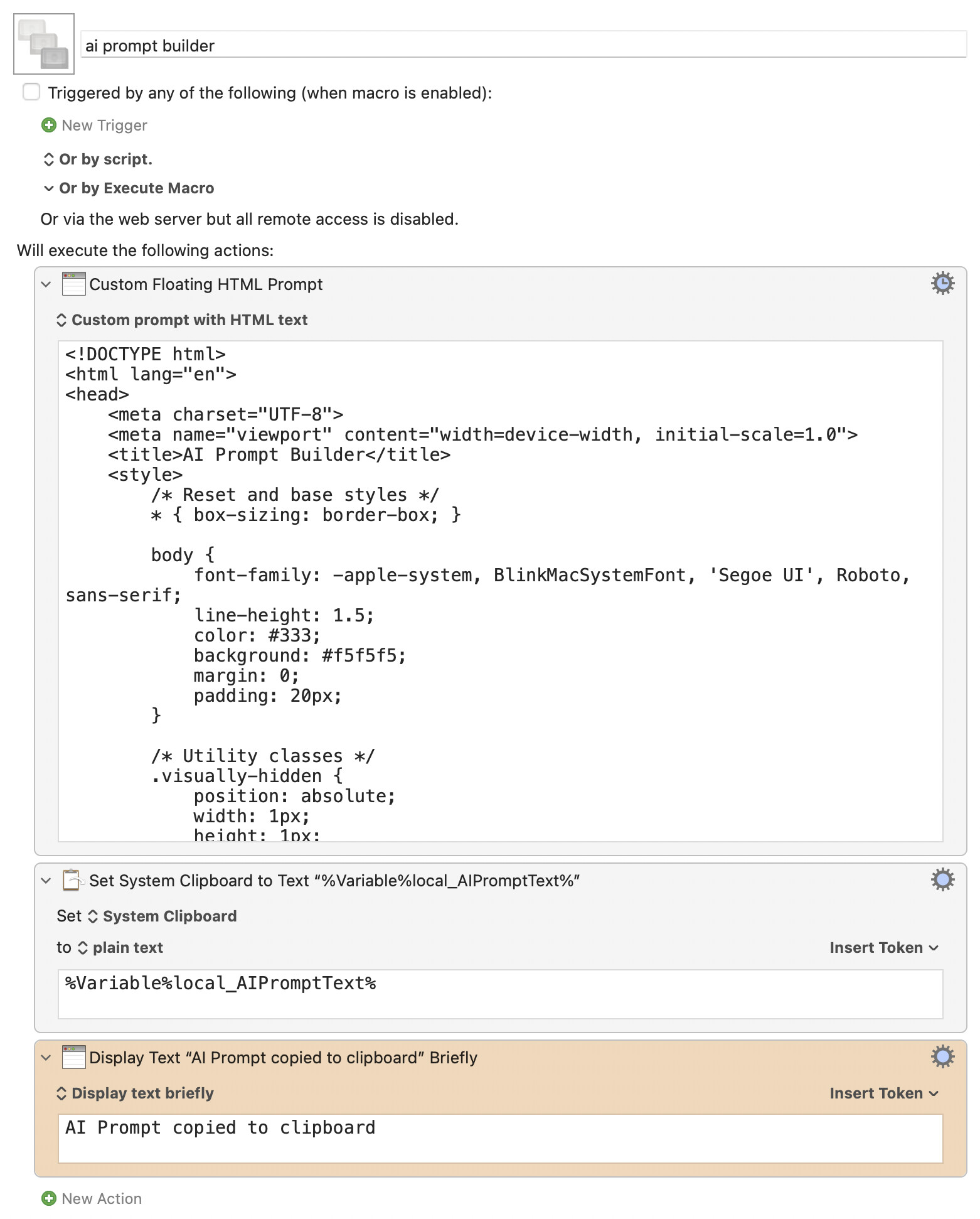
Macro notes
- Macros are always disabled when imported into the Keyboard Maestro Editor.
- The user must ensure the macro is enabled.
- The user must also ensure the macro's parent macro-group is enabled.
System information
- macOS 15.5
- Keyboard Maestro v11.0.4
Hope that helps a bit;
-rob.