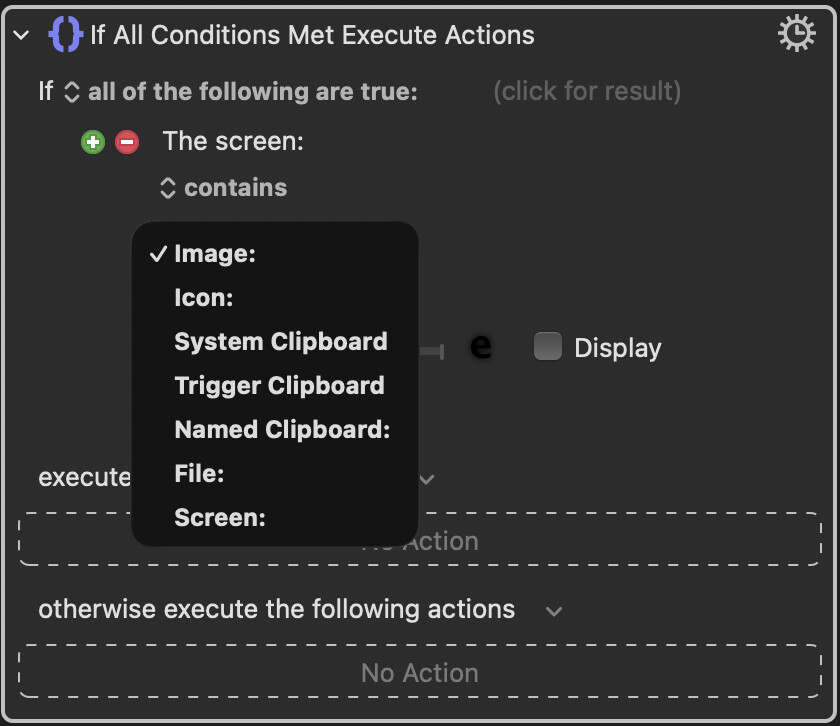
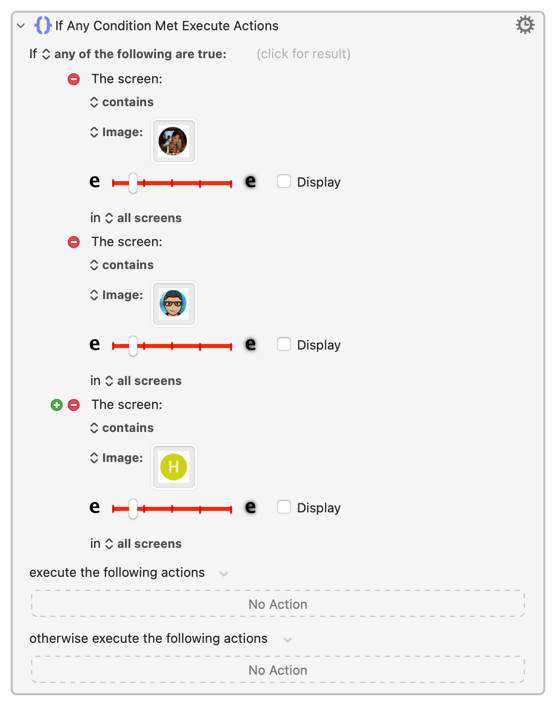
I quite frequently use the ’Screen contains/does not contain’ condition (to make actions depended on what’s on the screen).
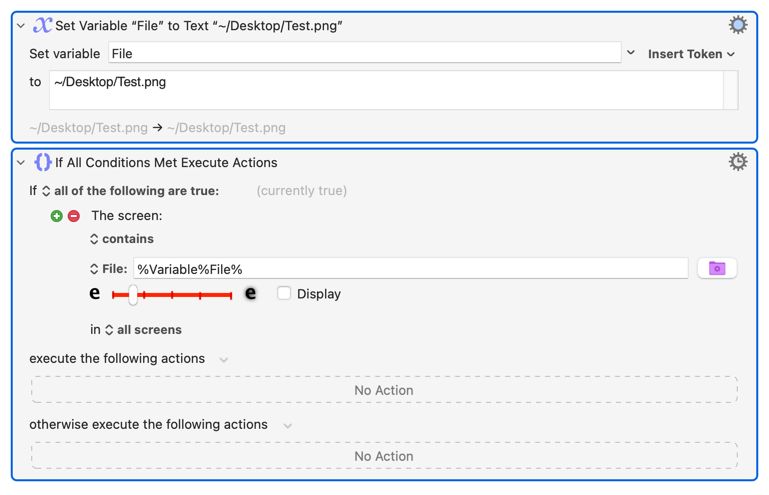
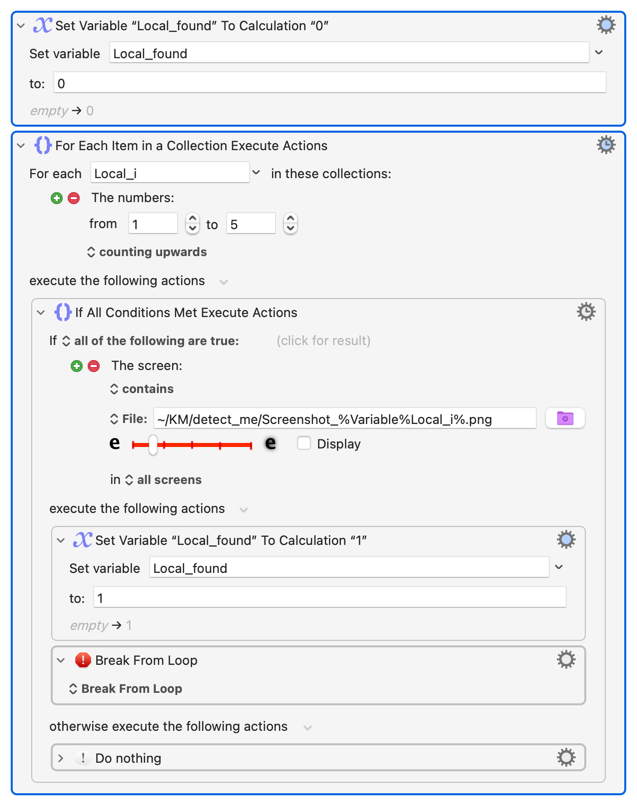
Sometimes I want to check for one of, say, 5 or 6 images. The if then logivce becoems a bit unwieldy. For maintenance it would help a lot if instead of pasting an image in the editor I could say _”Check ‘Screen contains image from file’ at a given file path”_.
Can I do this? And how? - Many thanks for your help in advance.
If it is failing to find the image, it is either because the resulting path is incorrect, or the image in the file is not correct (DPI images or other problems perhaps?).
Neater in the Editor, but will run slower than the previous method. Plus you can't set a different search area or fuzziness for each image, which could cause problems.
Yes, I was thinking it might be easier to maintain image sets in folders (for different resolutions and my two different Macs), but let's see how I go with it.