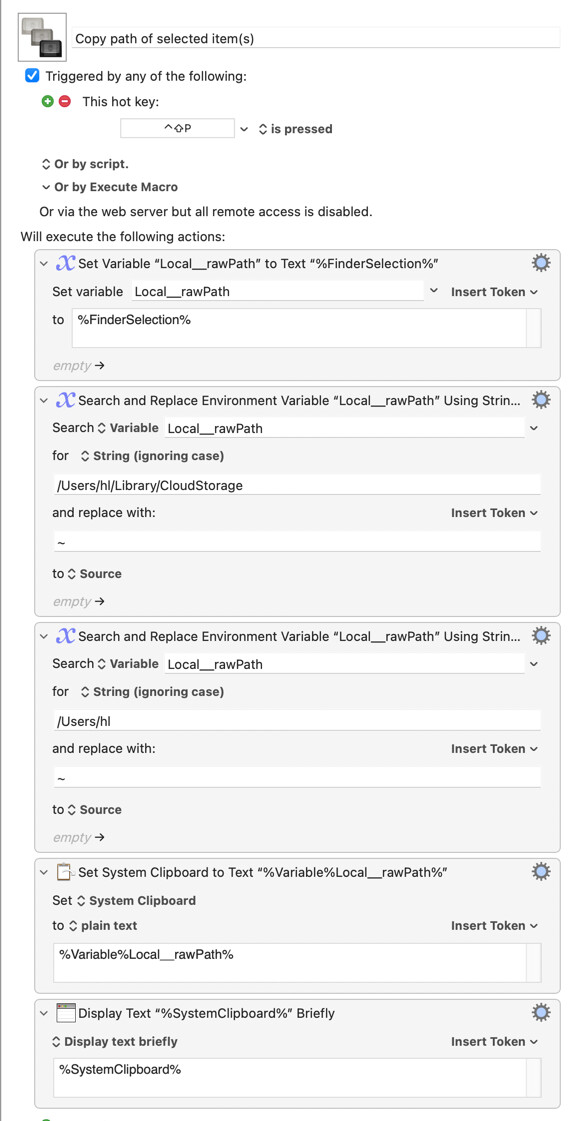
I have this macro to copy and clean up the path of a file selected in the Finder:
Copy path of selected item(s).kmmacros (3.0 KB)
How can I enhance this macro so that I can select multiple files and get the (cleaned) paths on my clipboard?
I have this macro to copy and clean up the path of a file selected in the Finder:
Copy path of selected item(s).kmmacros (3.0 KB)
How can I enhance this macro so that I can select multiple files and get the (cleaned) paths on my clipboard?
I suggest wrapping it in a FOR LOOP where each pass processes one of the files in the Finder selection of files.
I will be starting a meeting shortly and cannot provide you with macro to try / use at this minute but will do so when I return assuming the other very helpful people here have not beat me to it!
I hope this helps!
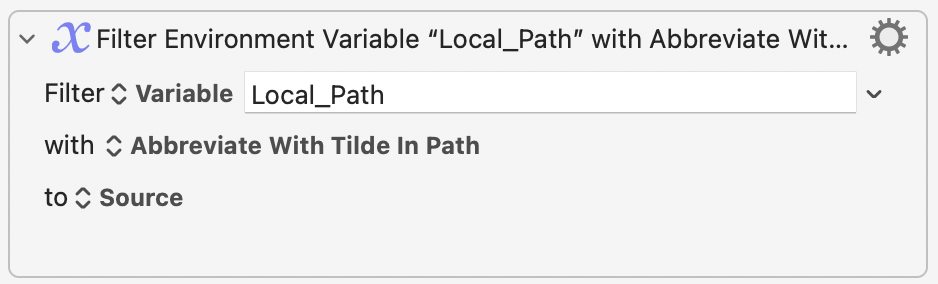
Keyboard Maestro has a built in Filter to get the tilde path from text:
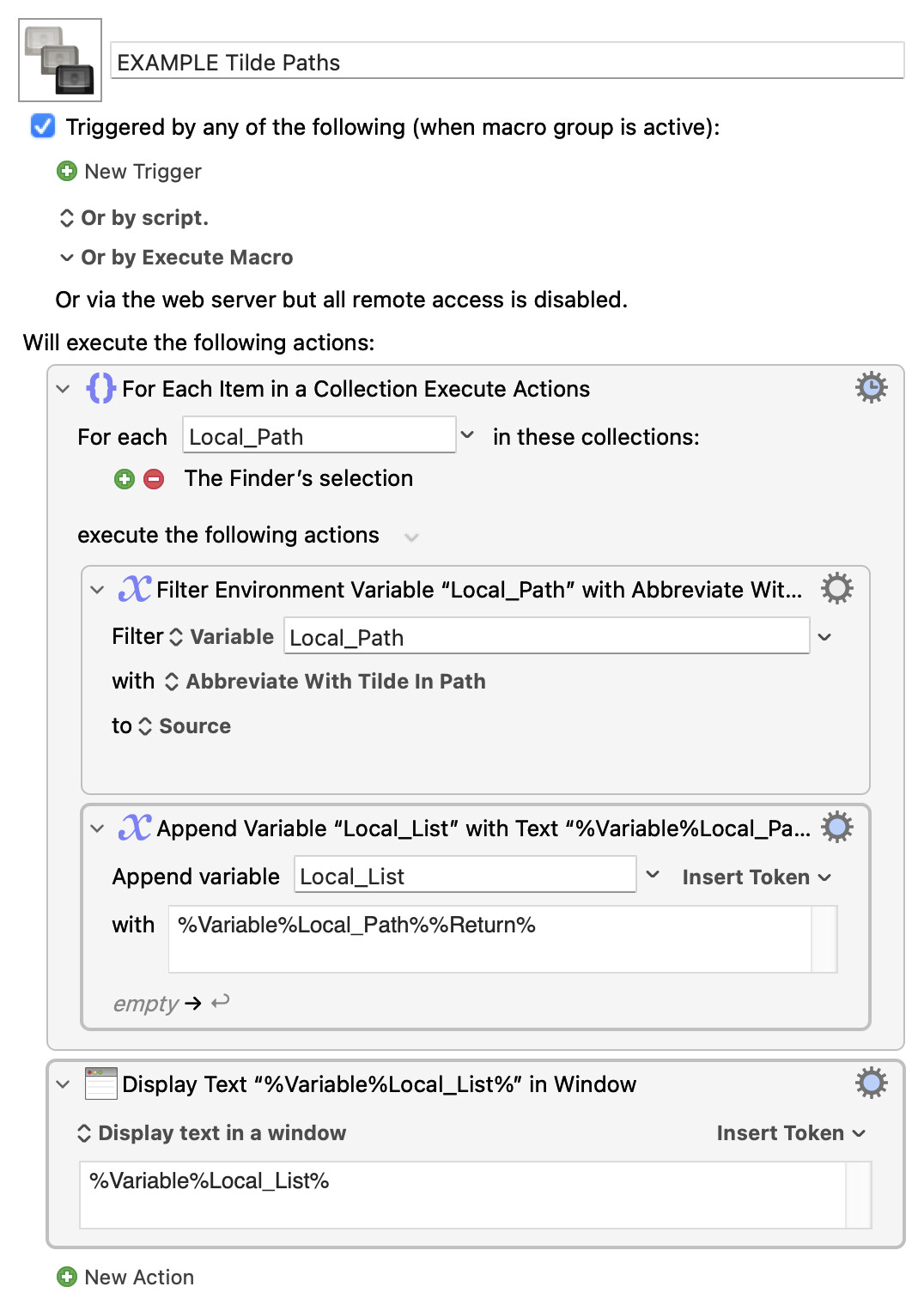
To return a list of multiple selected Finder items as tilde path you could then do what @Joel is suggesting and wrap in a For Each Loop.
EXAMPLE Tilde Paths.kmmacros (4.1 KB)
This is just an aside for the curious. 
#TIL about TILdes: the association of ~ with the home directory stems from “the Lear-Siegler ADM-3A terminal in common use during the 1970s, which happened to have the tilde symbol and the word "Home" (for moving the cursor to the upper left) on the same key.”
For more, see the top answer on this StackExchange page, which includes a photograph of the ADM-3A’s keyboard.
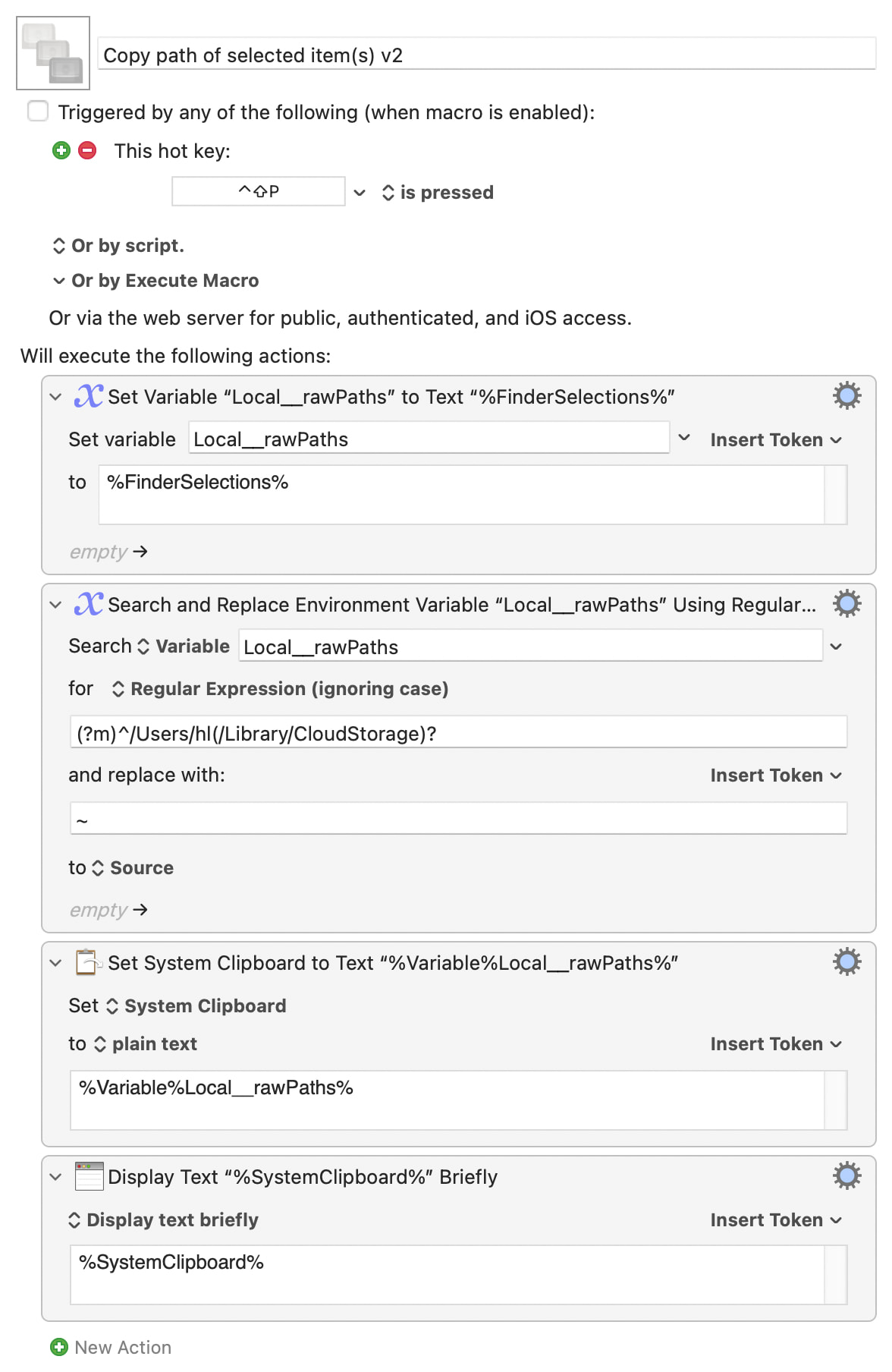
Use the plural form of the Token -- %FinderSelections% -- and do a Regex global search-and-replace to avoid all that nasty "For Each"ing 
Something like: