This thread shows how you can use KM to get an answer to a question using Apple Intelligence.
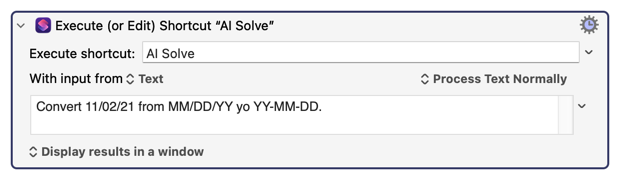
All you need to do, to get an answer, is to use the KM macro to execute a specific Shortcut, placing the text of your question as the input to the shortcut, like this... (You can place ANY QUESTION you want in the input field. Eg, "Who is the president of Mozambique?")
And you also need to create a Shortcut by that name ("AI Solve", in this example) with the following content:
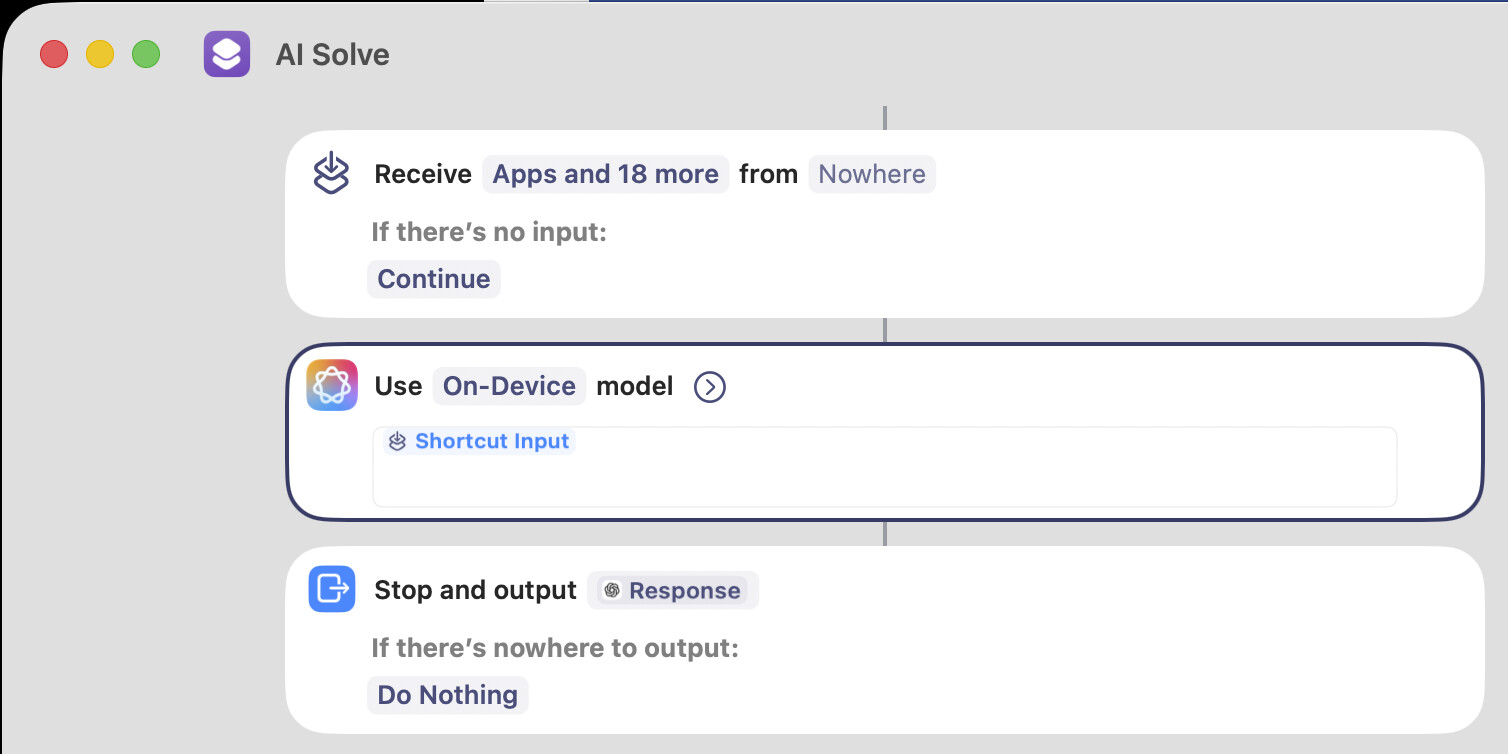
In my example code I used the "On-Device" language model. Of course, your options currently are:
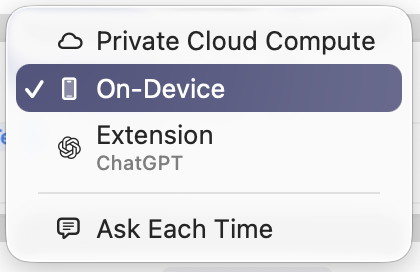
Apple's On-Device model is trained on data from 2023, but has some facts from 2024, so any answers could be out of date. (Eg, who is the Prime Minister of Canada?... will return an old name.) I presume this model allows an infinite number of questions. Im not sure if that's true for the following models.
The Private Cloud Compute model seems to work. It possibly has a more recent model than the On-Device model. But it seems to be at least one year old, so it's not current on the news.
The ChatGPT model works (as long as you call it from KM, as I show above, instead of running it from the Shortcut window, which has the odd problem that it forces you to manually type your question.) I suspect there is a limit to how many times you can call it per day, but I didn't test that yet.
Remember, all models seem to return RTF format, which means to extract the data into your own KM macro, you may have to deal with some text extraction issues. There may be a way to strip the RTF out, using KM, but it may damage the answer, so I'm not going to provide that part of the solution here today.
Clearly more work is needed, but this is a good start. This is a wonderful new feature, and could potentially make KM macros far more powerful. I'm very excited about it. One of my plans is to create a chatbot with it that runs on macOS.
EDIT: there was a typo in my first image above, "yo" instead of "to", but the AI correctly interpreted it anyway! So that's proof that it really works well!
 It's still giving the wrong answer. Even so, the long term future for this feature is bright.