I have a general and a specific question. My general question is:
How do I learn AppleScript that is useful for Keyboard Maestro?
Several on this forum have answered my questions using AppleScript so I’m starting to think AppleScript is the nuts & bolts behind KM. I watched some AppleScript tutorials but soon realized there’s a lot there I don’t need to learn for using it with KM.
My specific question is: how do I find the names of processes like “screencaptureui”?
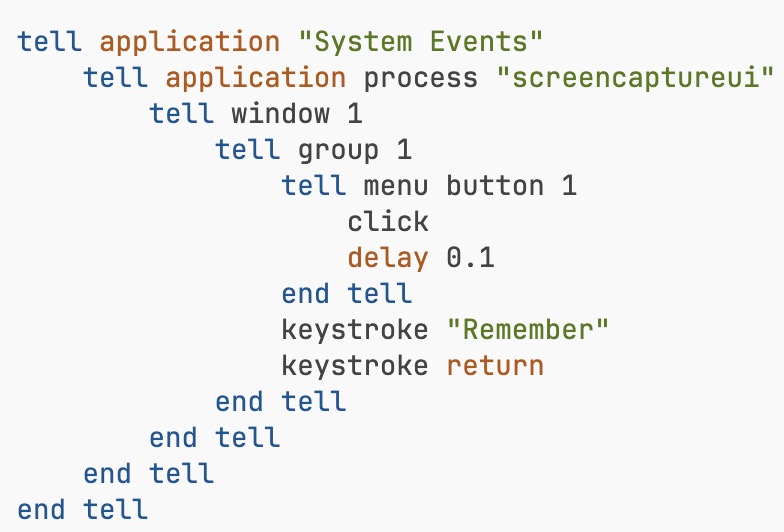
In his solution to one of my questions, @Nige_S posted this code involving “screencaptureui” – but, I couldn’t figure out where he got that process name.
I tried searching for “screencaptureui” in the System Events entry within the Script Editor Dictionary, but couldn’t find it. I tried using Activity Monitor, but only saw a “screencapture” process.
I need to know “screencaptureui” so I can write scripts like this to find what the buttons are called, right? A whole world of control opened up to me once I ran this script, but without “screencaptureui” I never could have gotten to that world.
tell application "System Events"
	tell window 1 of application process "screencaptureui"
		get entire contents
	end tell
end tell
Ask here, web search, play around on your own. (Almost) All parts of AS can be useful in KM, depending on what you are doing -- but we often reach for System Events so we can interact with those parts of an app's UI that "native" KM Actions can't target.
Brute force and luck, I'm afraid
tell application "System Events"
	delay 1
	key code 23 using {command down, shift down}
	delay 5
	return every process whose name contains "screen"
end tell
If "screen" hadn't thrown up any likely suspects I'd have tried "cap". If that didn't work I would have compared the lists of processes with and without Screen Capture running.
A google search would have been quicker, but less fun
Note: screencaptureui is a process that we're sending messages to from System Events, not a property, noun or verb of System Events itself. That's why screencaptureui isn't in the System Events dictionary.
Beware of bias! If you only ask questions on the Forum when you need to go beyond what "native" KM Actions offer, AppleScript will be over-represented.
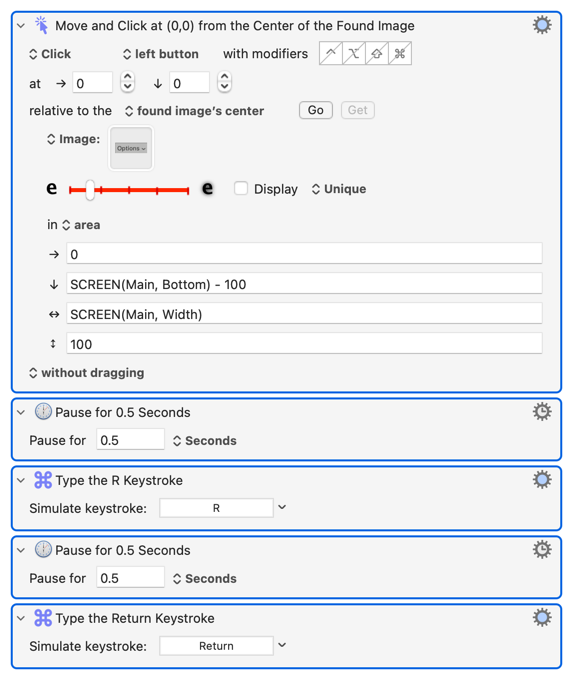
And it wasn't even necessary in this case, just (IMO) easier and possibly more reliable. You could have:
@Nige_S I ran this and then asked chatGTP and found out keycode 23… means ⌘⇧5
Thanks, this is exactly the sort of thing I was looking for. Now I have 3 scripts to help me write scripts, including this one you gave showing what process is running during a keystroke. Guess I’ll start collecting such “helper scripts”
So key code 23 is the 5 key, and we're modifying the "press" of that using {command down, shift down} -- and you can see that AS is easier to read than write.
Key codes are good when you want to simulate key presses, keystroke is when you want to type -- same difference as KM's "Keystroke: 5" and "Insert by Typing: '5' " Actions.