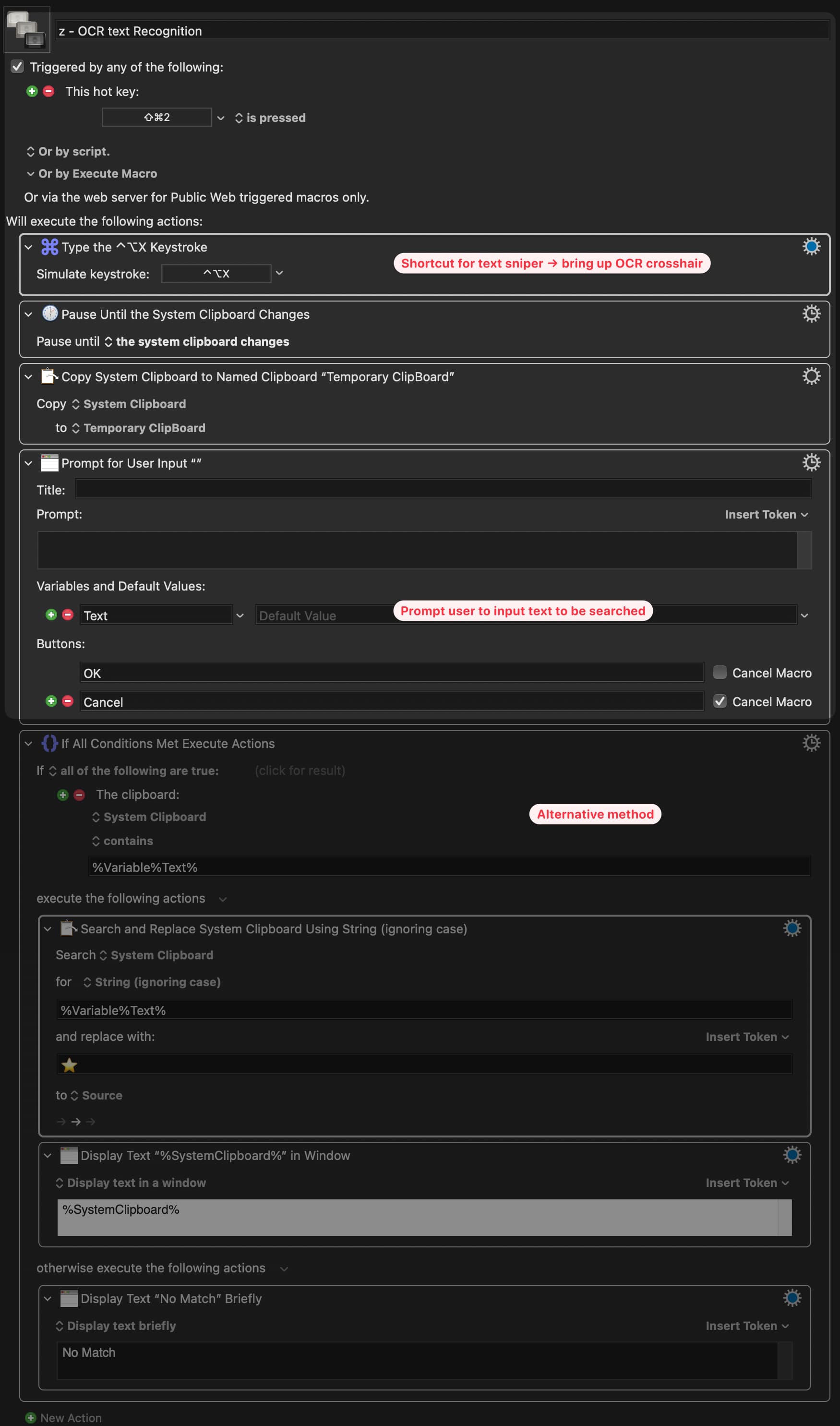
I’d like to integrate KM with another app called Text Snipper (OCR) to
→ 1) capture unhighlightable text
→ 2) input a text I’m looking for to a prompt
→ 3) temporary "highlight" that text in the captured area (much like what happens when you use the “click on found image” action and you checked the “display” box so the area containing that image will light up temporarily for two seconds)
I got the first two parts down. Any idea if the last part is possible with KM? Or if it’s possible to move the cursor to that text at least?
Hm, just fiddled around a little, here are some ideas that might help:
to capture the target area, you could record the mouse click positions by using "pause until Mouse button is pressed/released" and then write the mouse xy to a variable (maybe use a separate macro for this to make sure you only get the last (relevant) clicks/drags). Might be useful if you need to know the area of the screen you captured with Text Sniper.
there is an action highlight location
not sure how to find the text on screen at the moment. Alternatively you could paste your externally OCRed text from the clipboard to a (e.g.) TextEdit Document and Search/highlight there
Does Text Sniper provide any sort of information or visual feedback as to where it found the text? The OCR in KM does not.
Due to the lack of feedback I once wrote a macro called MoveMouseToWord which is on this website at the link below, and it moves the mouse to a specific word on the screen, including unhighlightable text, and I think it contains an option for drawing a box around the found word. You may not like it, but it can show you that it's possible. Just very hard.
Wow, this is quite amazing, downloaded your macro! It looks super complicated! Definitely can't do something like this anytime soon! im going to put this into my list and come back to it when I got more skills.
That's okay. Basically, I'm doing a binary search on the screen for the word. That's because the Apple OCR doesn't tell you WHERE it found a string, but it DOES tell you if the string can be found in a specified area of the screen. So by putting that into a careful loop, I'm able to "find" a string on the screen.