I want to move files from Folder A to Folder B, specifically only those that were added to Folder A within the last 5 minutes.
Why is the following macro not doing that? How to fix? Thx!
File stuff.kmmacros (4.7 KB)
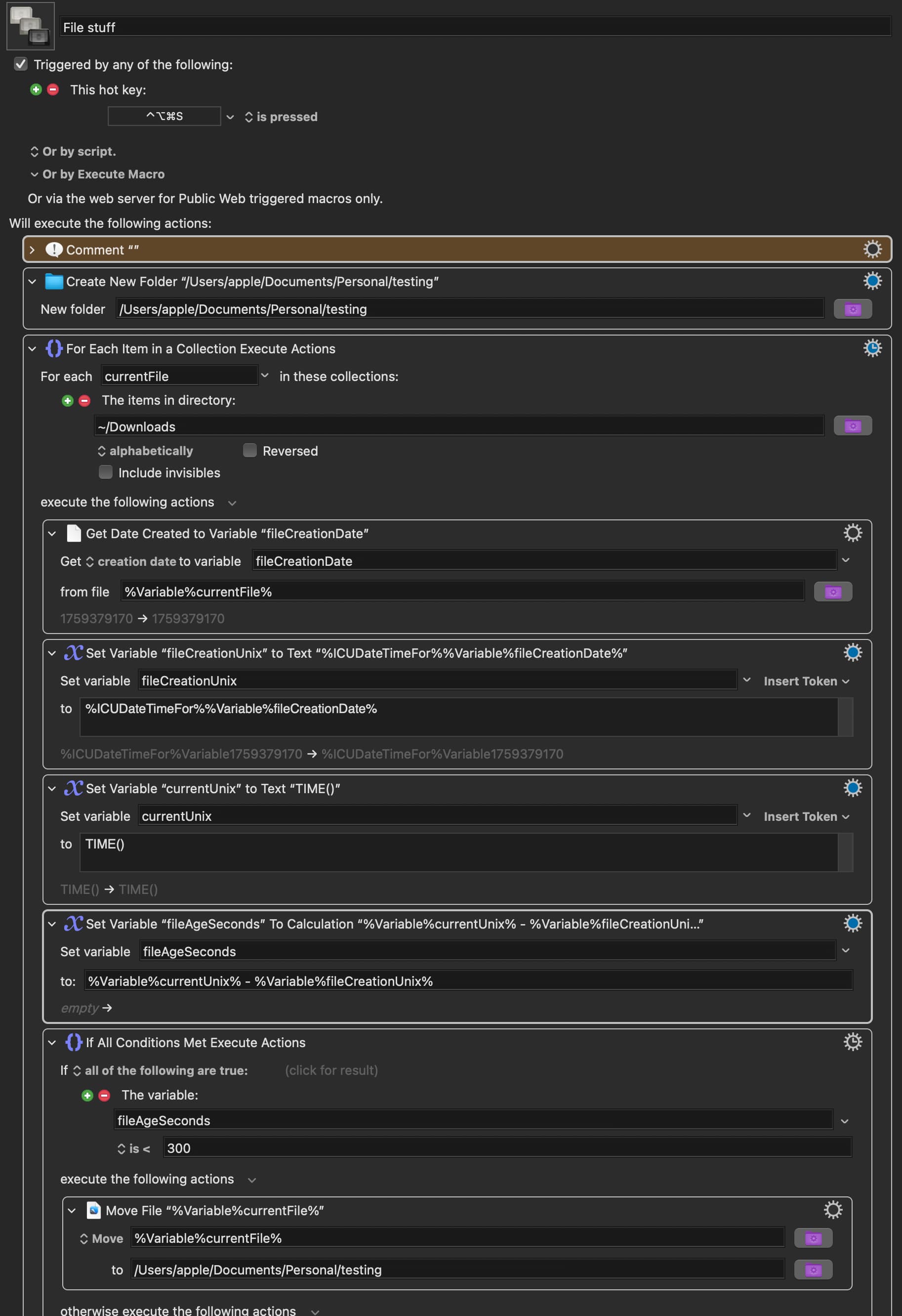
I want to move files from Folder A to Folder B, specifically only those that were added to Folder A within the last 5 minutes.
Why is the following macro not doing that? How to fix? Thx!
File stuff.kmmacros (4.7 KB)
I won't try to fix your macro, because there's a simpler (though not simpler to read) way to get it done, using the shell. I use variations on this all the time in any number of macros. You can replace your entire macro with one Execute Shell Script command:
Note that _NewStuffFolder must already exist. The command first uses find to return a list of files with a modification time within the last five minutes. The -exec flag is then used to run a command on the returned set of files, one by one—the {} is replaced with each found item.
To test constructs like this, use echo first:
find ~/Downloads -type f -mmin -5 -exec echo mv {} ~/Downloads/_NewStuffFolder/ \;
And set the shell script action to output the results in a window. You'll see a list of all the move commands that will be executed. If you're happy it's right, remove the echo.
This is a most basic example, with hardcoded paths; you can change those to "$KMVAR_local_thePath" or whatever references you want. But play around with it, you may find it both solves this problem and is incredibly useful in general—find with -exec lots you do lots of cool stuff fast!
-rob.
For completeness:
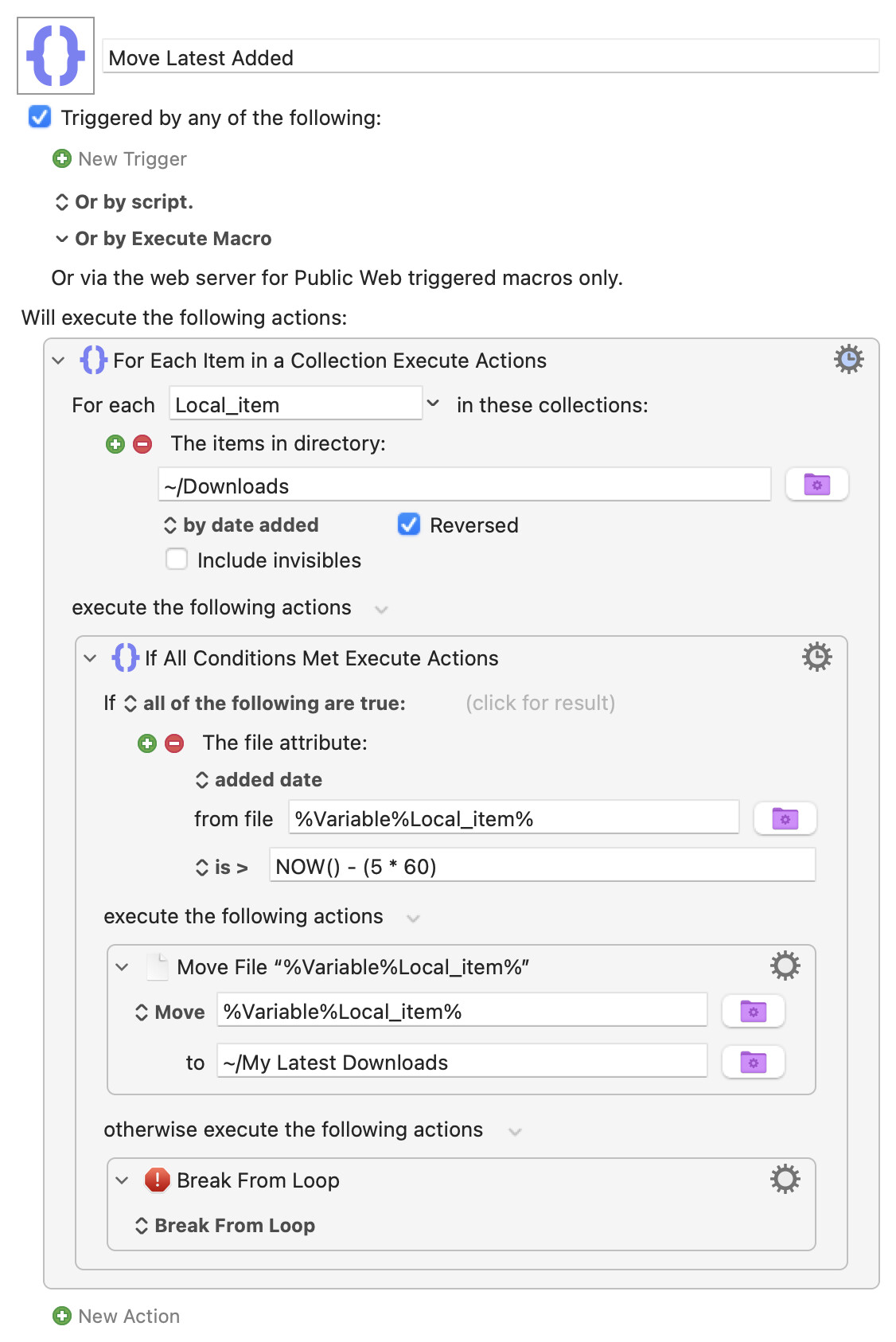
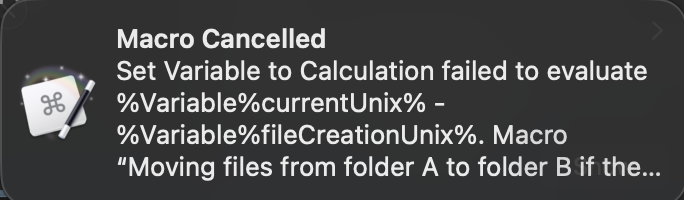
%Variable%currentUnix% is a text token, used in text fields. You’re in a calculation (numeric) field so you should use the form currentUnix (edited as per Airy's correction, below).
Also, consider the difference between “file added” and “file created” – which do you want?
@griffman’s shell script will generally be faster, but this is easy enough with “native” KM actions. Roughly:
Move Latest Added.kmmacros (3.4 KB)
Listing the Collection in reverse order means the latest additions will be first, "Break"ing the loop as soon as the time comparison condition fails means we don't have to process all the older-than-5-minutes files in Downloads.
I must be crazy, because you are never wrong, but I think your final percent marks need to be deleted.
D'oh!
You're right, of course. Mea culpa...
Sorry I replied so late, totally missed your response.
I see I see.
I was trying to create a new folder, then add those files in the “download” folder (which had only been there for less than 5 minutes) to that new folder.
Thank you! This works great!