A recent discussion about passing multiple parameters to a Macro (without using Execute Macro/Subroutine) got me thinking about the different approaches we have available. I wanted to share and discuss a comparison of the three main methods I have used for handling this scenario, plus a bonus method for simple parameter strings.
I would love to hear how others handle this. Efficient data passing is something I am constantly refining in my own macros, so feedback is more than welcome!
SETUP
For the first three methods, we can simulate passing parameters using an AppleScript like this:
DEMO- Receive multiple Parameters.kmmacros (8.4 KB)
Below is a breakdown of how to handle that data inside Keyboard Maestro using three different methods:
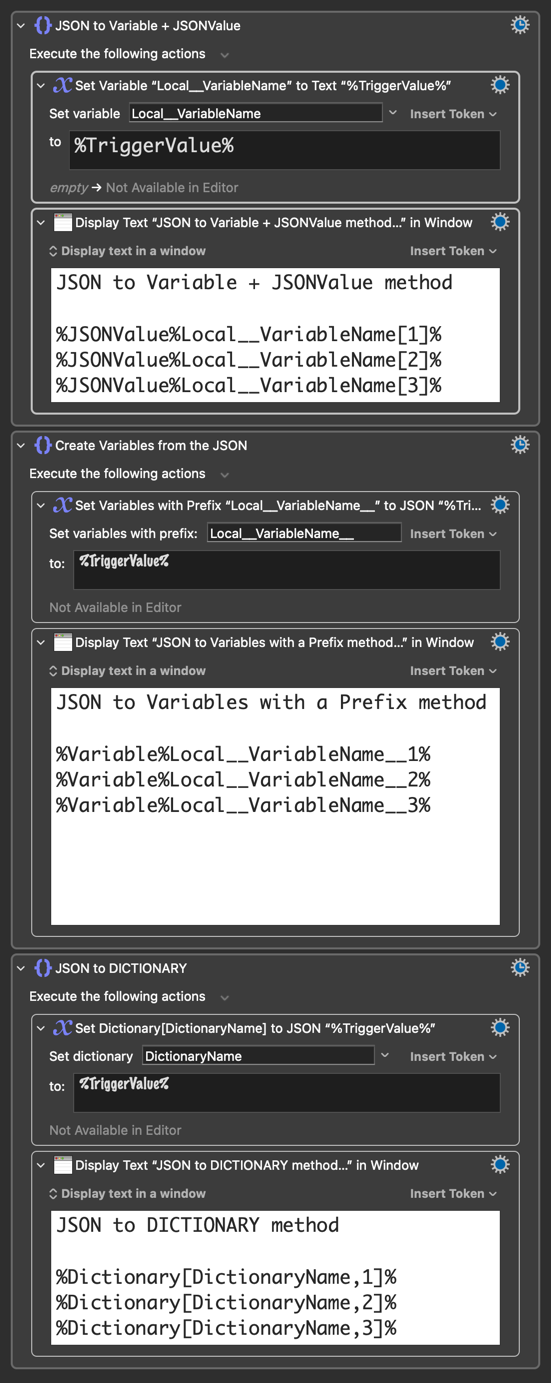
1. The %JSONValue% Token Method
This is generally the cleanest method for modern KM versions (v10+). It parses the JSON on the fly and is easy to use the json path notation.
HOW TO USE:
- Save the %TriggerValue% to a variable (e.g., "
Local__VariableName") - Now you can just use the token %JSONValue% token directly in fields (e.g.,
%JSONValue%Local__VariableName[2]%) and specify the json path to the desired parameter.
SYNTAX:
- Objects:
%JSONValue%Local__VariableName.keyName% - Arrays (1-based index):
%JSONValue%Local__VariableName[1]% - Nested:
%JSONValue%Local__VariableName.user.profile[2].id%
DEMO:
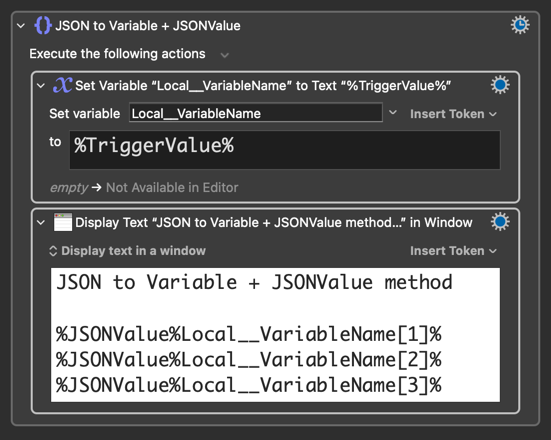
PROS:
Zero variable clutter. No cleanup required. Handles deep nesting easily.
CONS:
IMO, no cons compared to other methods.
2. The "Explode" Method (Set Variables to JSON)
This action flattens the top level of the JSON into individual Keyboard Maestro variables.
HOW TO USE:
- Action: Set Variables to JSON
- Prefix:
Local__VariableName__(you can prefix with anything, all Variable Name Rules apply). - To (Source):
%TriggerValue%
Examples:
- If the JSON is
{"status": "ok","date": "2026-01-01"}, you get%Variable%Local__MyJSON__status% and %Variable%Local__MyJSON__date%. - If the JSON is
["A", "B"], you get%Variable%Local__MyJSON__1% and %Variable%Local__MyJSON__2%.
DEMO:
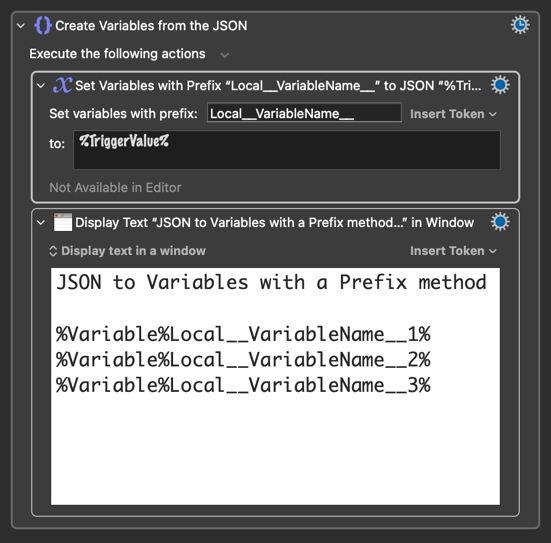
PROS:
Converts data into native KM Variables, allowing you to easily view them in the debugger.
CONS:
It is "shallow" (NESTED objects remain strings). It requires variable management.
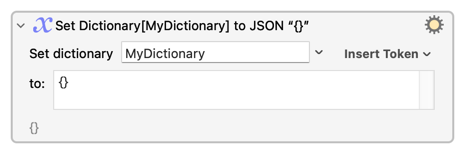
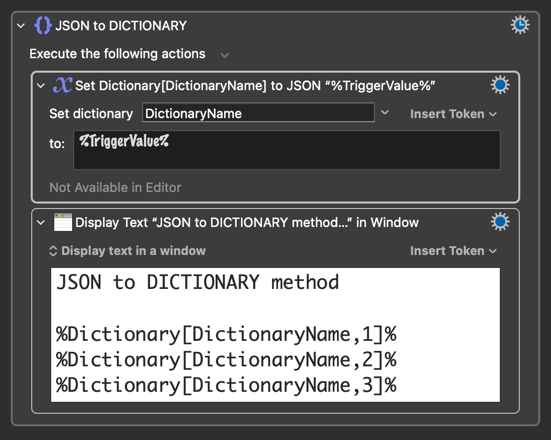
3. The Dictionary Method (Set Dictionary to JSON)
This maps JSON keys to a KM Dictionary. While powerful, it behaves differently than variables regarding storage.
HOW TO USE:
- Action: Set Dictionary to JSON
- Name:
DictionaryName
- Access:
%Dictionary[DictionaryName, keyName]%
Unlike variables, Dictionaries are always global and persistent.
Even if you name your dictionary Local__Data, it does not become local to the macro execution. It simply creates a permanent database entry named "Local__Data".
Thanks @_jims for highlighting @DanThomas’s Variable Inspector Prompt and Dictionary Editor, it makes previewing and editing dictionaries a breeze!
DEMO:
4. Bonus: The "Variable Arrays" (Custom Delimiters) Method
Best for simple, flat data strings where JSON formatting (quotes, brackets) is overkill.
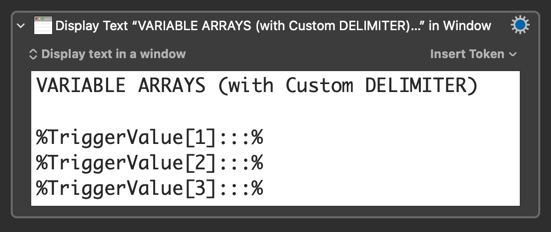
Sometimes you don't need the overhead of JSON. If you just need to pass 2 or 3 values (like Project|Status), you can treat the %TriggerValue% as a custom-delimited array.
How to use:
Construct your trigger string using a unique separator (e.g., |, :::, or •).
Syntax:
%TriggerValue[index]DELIMITER%
DEMO:
Example AppleScript
use AppleScript version "2.4"
use scripting additions


set macroUUID to "2C1D0CCE-97B8-4F07-964F-02F57BB161BB"
set customDelimiter to ":::"

set p1 to "String 1"
set p2 to "String 2"
set p3 to "String 3"


-- 1. Call the function with a list of any size
set paramString to combineParameters({p1, p2, p3})

-- 2. Pass the result to Keyboard Maestro

tell application "Keyboard Maestro Engine"
	do script macroUUID with parameter paramString
end tell

--  HANDLER that COMBINES Parameters
global customDelimiter

on combineParameters(listOfParams)
	-- Save current delimiters to restore them later (good practice)
	set oldDelims to AppleScript's text item delimiters

	-- Set the separator
	set AppleScript's text item delimiters to customDelimiter

	-- Coerce the list to a string; AppleScript uses the delimiter automatically
	set combinedString to listOfParams as text

	-- Restore old delimiters
	set AppleScript's text item delimiters to oldDelims

	return combinedString
end combineParameters
DEMO- [SIMPLE] Receive multiple Parameters.kmmacros (2.3 KB)
Other example:
String passed as parameter: Invoice_1234|Paid|2026-01-01
%TriggerValue[1]|% → "Invoice_1234"
%TriggerValue[2]|% → "Paid"
%TriggerValue[3]|% → "2026-01-01"
PROS:
Extremely lightweight and easy to implement
CONS:
Fragile. If your data contains the delimiter (e.g., a file name with a | in it), the parsing will break.
SUMMARY TABLE
| METHOD | SCOPE | PERSISTENCE | BEST FOR |
|---|---|---|---|
| %JSONValue% | Current Action | None | Quick reads, loops, API responses |
| Set Variables to JSON | Local / Instance / Global | None (if Local / Instance) | Processing simple lists or forms |
| Set Dictionary to JSON | Global | Permanent | Maintaining data between executions and better organize a group of related key/value pairs and access them dynamically. |
| Variable Arrays | Current Action | None | Simple strings |
Please feel free to provide any feedback or additional information you may have!