I wanted to demonstrate here how to make a macro more "robust," by allowing it to detect certain kinds of errors and then take certain actions based on any errors that occur. One of the most common errors that people experience when writing KM macros is that they perform an action but then fail to "test" if the action actually worked. Sometimes that's important.
In a nutshell, this macro demonstrates these techniques by opening a browser, entering a URL, and taking the user to the Login screen. It's not a particularly useful macro, but that's not the point. The point is to see what sort of things can be done to "robustify" a macro (hey, if Shakespeare can make up words, then so can I.)
Not everyone needs robust macros. Some people are perfectly capable of seeing when a macro fails and understanding why it failed and then take the necessary corrective action. My target audience is people who like to make macros less error prone. My methods are examples; there are variations on my techniques that someone else might prefer. But I have used some of these techniques for years and I'm happy with the results.
This group of three macros also includes a basic version of my unpublished macro that notifies me on my Apple Watch if something has gone wrong. You will have to enter your own iCloud ID or phone number to make that work, otherwise it just shows an error message on your screen.
Feel free to ask questions about why I did what I did, and feel free to offer better ways to do the job. And feel free to question if I optimally tackled the issues related to the specific website I chose as an example. You might even find a bug in my code, or a way to improve my code, but that's okay, because this code isn't intended to be run, it's intended as a basis for learning how to robustly your code.
You might even be able point out a couple of places where I failed to fully robustify the task that I performed in this macro. That's okay too. Sometimes robustification is difficult or not worth the effort. In fact, for simple macros, robustification may be completely pointless.
I would like to point out that KM has a feature that can be used to "robustify" code, which is the timeout value that can be placed on actions. I don't really like using that feature, because it hides important functionality inside the cogwheel of actions, so for this demonstration I used a method that makes everything visible. If you really want to, you can use the Timeout features instead, but for my purposes today that would be obfuscating my ideas. I wanted my ideas to be readable in my macro.
My reasons for all my techniques will not be apparent upon first reading, so I might have to answer a few questions. For example, people are likely to ask, "Why are you using Try actions when an If action is clearer." I look forward to questions like that, because I have good answers behind some of my techniques.
Sample Robust Code - open Browser, load a site, try to login Macro (v11.0.4)
Sample Robust Code - open Browser- load a site- try to login.kmmacros (76 KB)
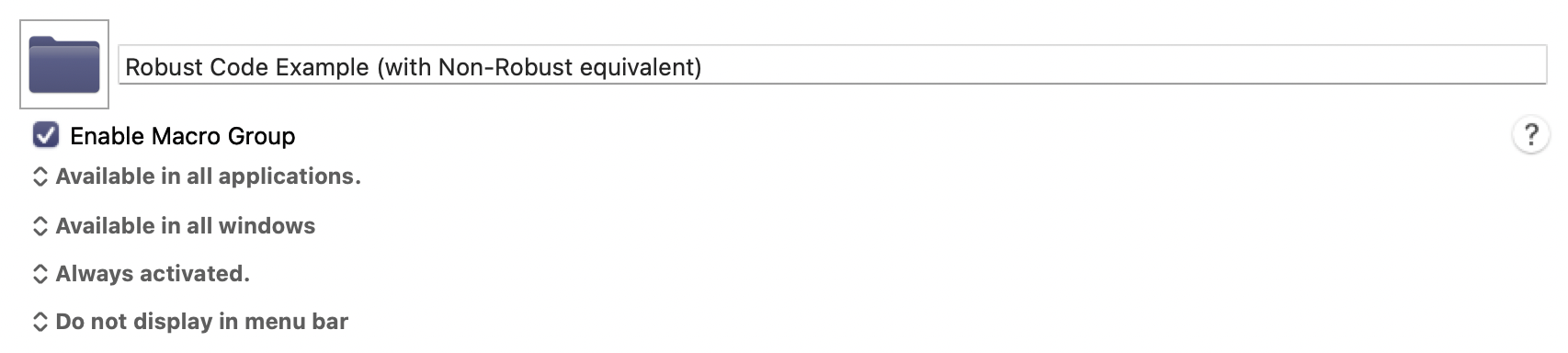
I included both a non-robustified and robustified version of the same task in this upload. The non-robustified code looks like this:
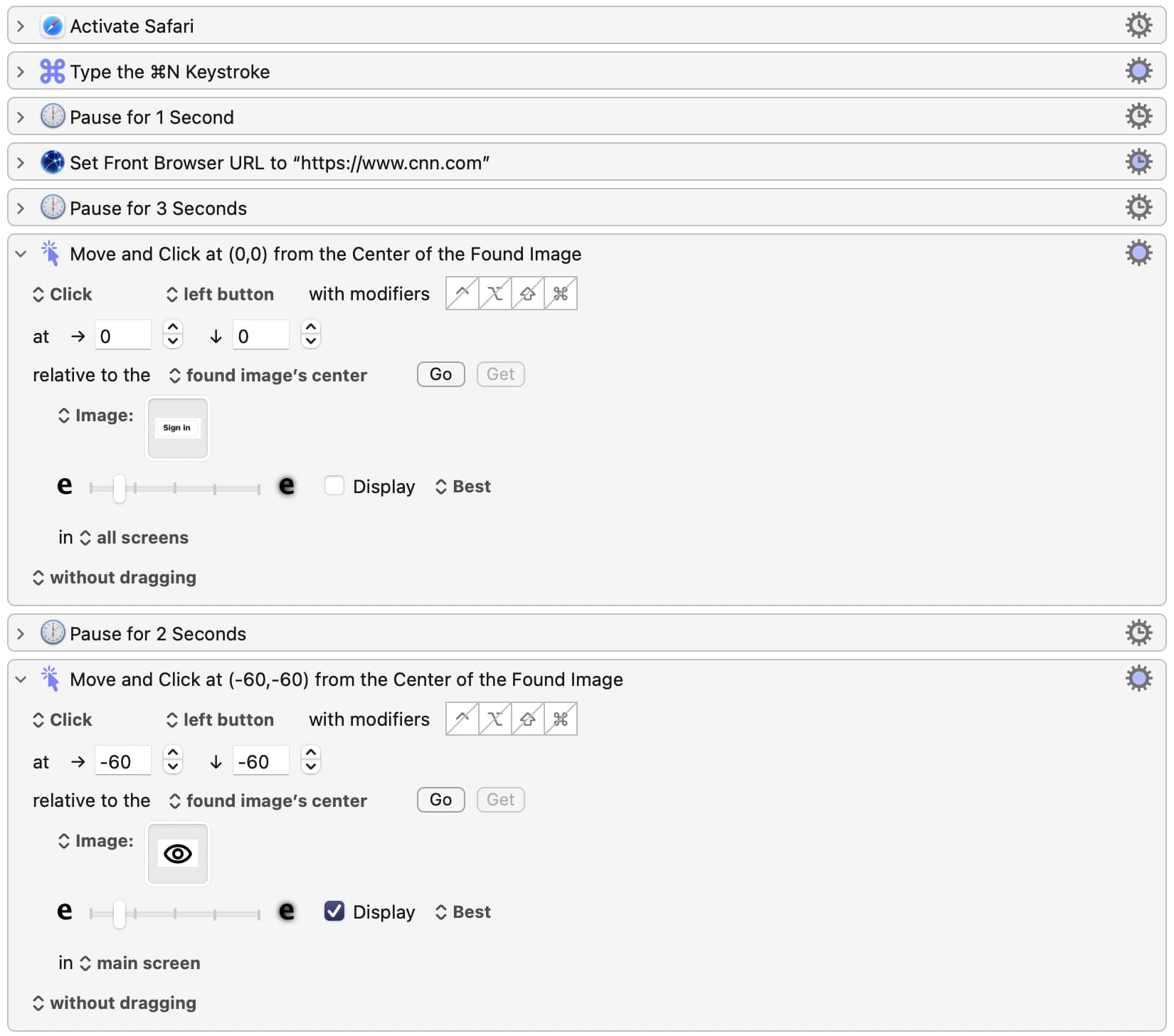
When I look at code like that, I usually say "ugh" because I see so many possibilities for failure. The robustiified version of that code is also included in the upload, but it's about ten times larger than the non-robustified version above, so I won't include a screenshot of it here. However I will show a screenshot of a small piece of my code, below, for demonstration purposes, so people don't have to download my macro to get a small idea of what it does:
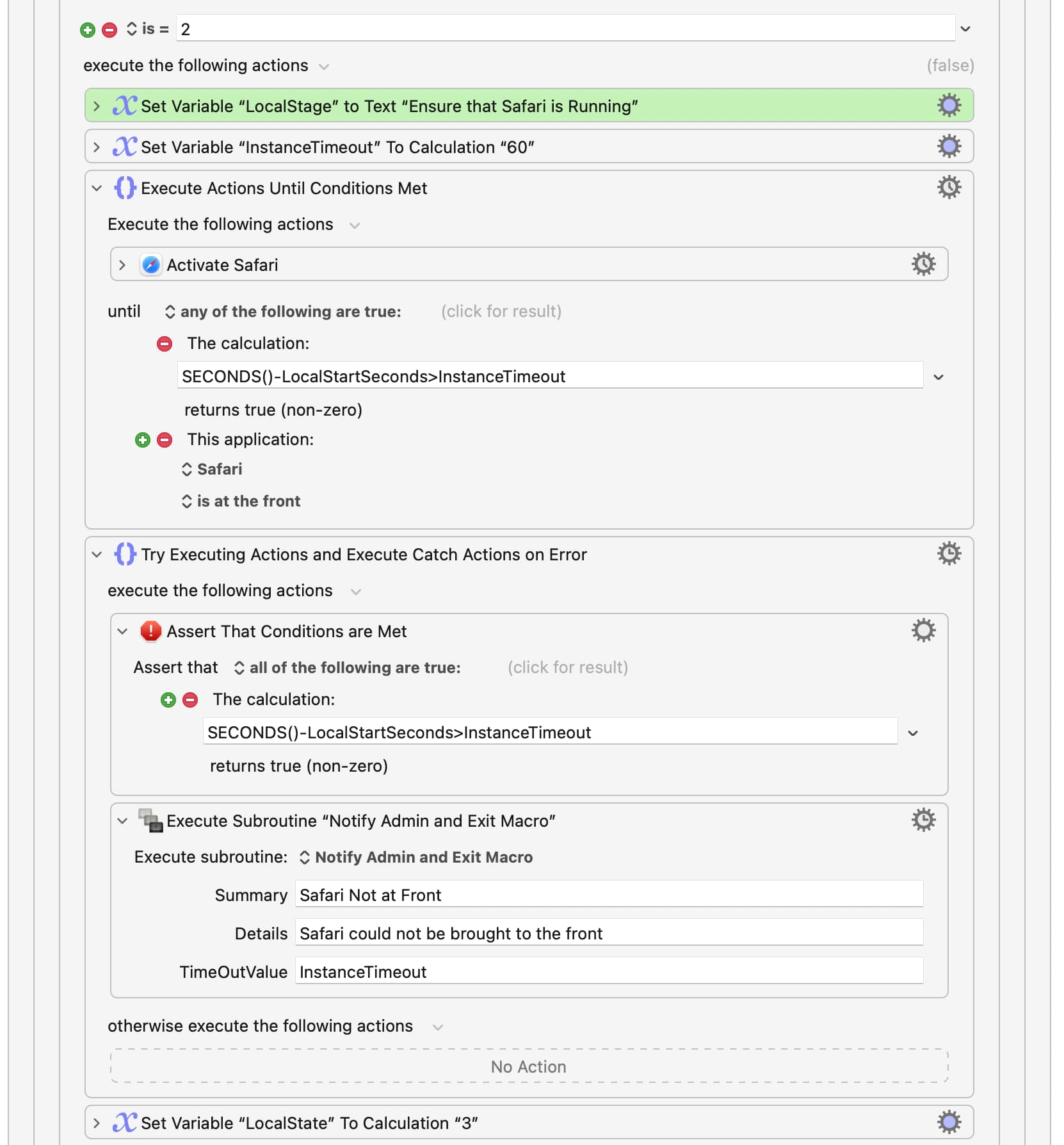
Yup, it's a lot of extra code to write, but for some people, using techniques that always handle errors correctly is a desirable goal. So this macro can be worth examining if you want to write code that handles many kinds of errors.
I just sat down and churned this thing out in an hour or two, so it's possible that it may contain inefficiencies or bugs. Feel free to point them out, but this was not intended to be a perfect macro, just a macro to demonstrate ideas.
Oh, and I forgot to mention one cool thing. It not only makes the code robust, but it generates a report at the end (which you can turn off) which reports on how time-efficient the code is. Here's what the report looks like when I run it on my Mac:
This run, in seconds: (in order of execution)
0.06 sec. - Check if the Internet is Up
0.08 sec. - Ensure that Safari is Running
0.02 sec. - Ensure Safari Window open
5.58 sec. - Open CNN.COM in window
0.17 sec. - Find the "Sign In" button
1.99 sec. - Click on the Sign In Button
0.24 sec. - Click in the user name fieldAll runs, in seconds: (alphabetical order)
Check if the Internet is Up: 0.06,0.47,41.13,0.07,0.06,3.14,0.06
Click in the user name field: 0.17,0.26,0.16,0.23,0.25,0.24
Click on the Sign In Button: 1.67,1.97,3.46,2.02,2.01,2.03
Ensure Safari Window open: 0.02,0.02,0.02,0.02,0.02,0.02,0.02
Ensure that Safari is Running: 0.17,0.18,0.11,0.10,0.10,0.02,0.08
Find the "Sign In" button: 0.20,0.18,0.19,0.15,0.40,0.17
Open CNN.COM in window: 2.10,2.05,1.85,6.68,2.09,5.02,5.58
That report shows you how long each stage of your macro took, followed by how long each stage took the last N times you ran it. This can be helpful to find out where you need to work on performance issues.