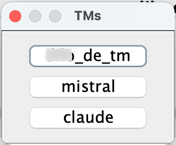
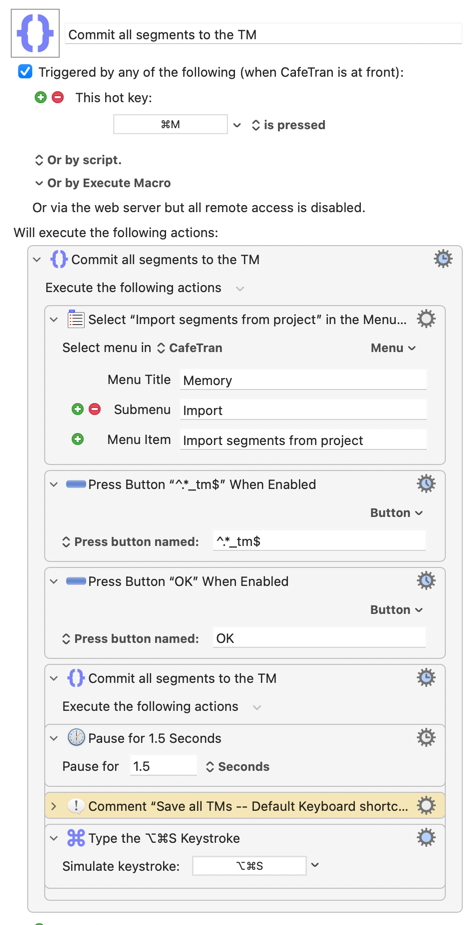
I have a macro that detects which button from a small dialog ends with “_tm” and then presses that button. I have set a progress indicator for the action that follows. Obviously, this indicator uses the name of the macro. That’s fine, but I’d like to add the name of the clicked button (xyz_de_tm) to the macro name so that it’s shown in the progress indicator: Commit all segments to the TM: xyz_de_tm.
I can't find a way -- regex capture groups don't carry across Actions, I've found no Token for "last regex match", there's nothing relevant in the Engine log, %ActionResult% will only be "OK" with no details,...
Only things I can think of are to either use AS and System Events to get all the button names then extract what you want or -- and perhaps easier, given this is CafeTran! -- use KM Actions to OCR that window and extract the matching button name from the resulting text.
Both of which feel... clumsy. Hopefully someone has a better idea!
Yes, the automatic click on the button displaying the name of the translation memory ending with “_tm” works fine. The thing is, I always feel a little unsure that actually the correct translation memory is updated. The ugly little menu is part of CafeTran Espresso.
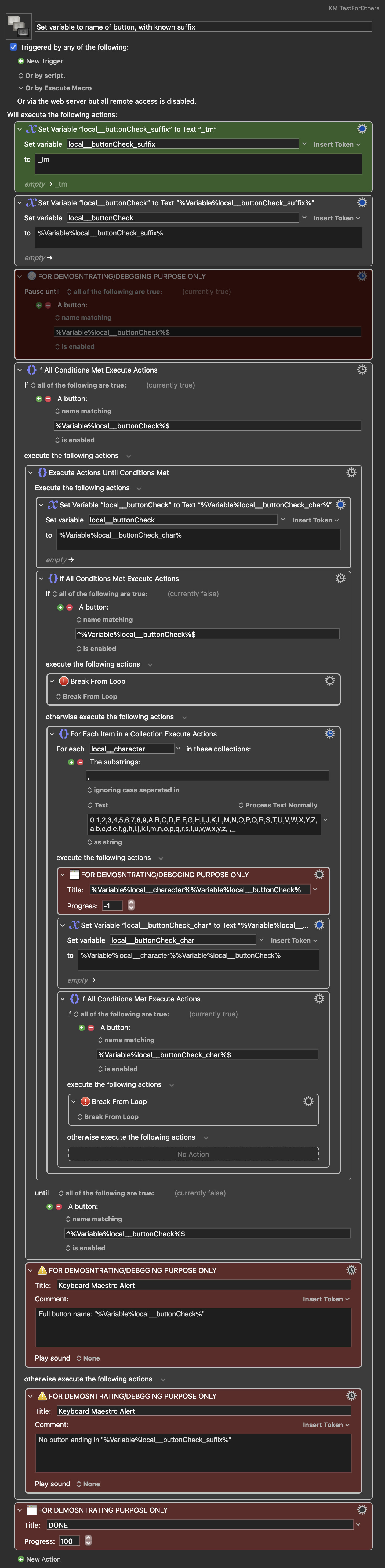
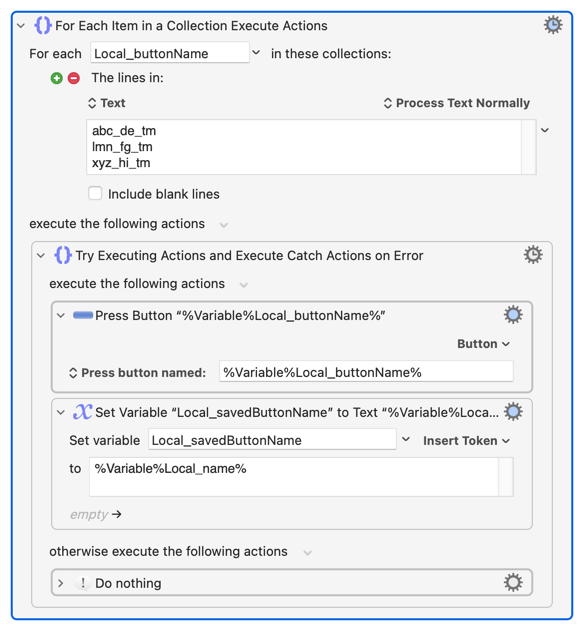
Speaking of clumsy, here's my very cumbersome take: Starting from the suffix, the macro moves backwards, looping through each word character and space, one character at the time, to "read" off what the full text of the button with the user-definable suffix is.
It's just very crudely thrown together now, and not thoroughly tested, but it might be something to work off from. I might in a few days create and share a more generalized version of this macro (as I kind of like this idea).
As of now, it only works with button names consisting solely of word characters and spaces, and it assumes there is only one button with the defined suffix present on the screen:
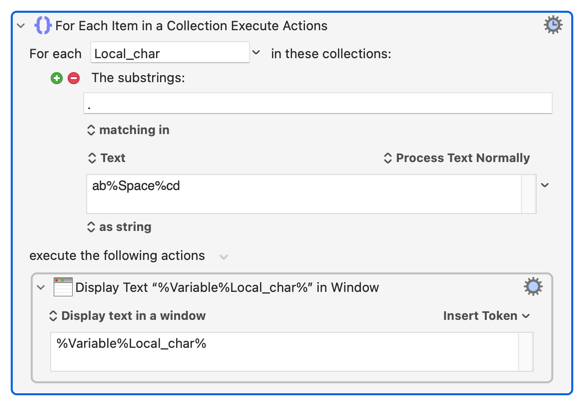
You can make the local_character "For Each..." slightly easier on the eye if you do "matching substrings: ." -- handily, you can include Tokens in the list to make the space character explicit:
I may have been over-thinking this, though. @ALYB -- is this a truly "unknown" button name that you need to regex for or is that a convenience that covers multiple names in a single action?
If it's the latter and you have a known list you can work through you could "For Each" the list of names, putting the current iteration's value into a variable if there's a button match. Something like (untested!):
Yes, there is this convention to indicate the language (“de” for German) and the fact that it’s a translation memory (“tm”), but the first part is the client’s name, which changes per project.
To be more precise: the part “_de_tm” is always present in the button name: e.g. mercedes_de_tm
When there’s only one button present in the dialog, and this has “_tm” in its name, the macro displays the button name correctly. If there are more buttons, the second one is displayed, even when it doesn’t contain “_tm”.
BTW, I was looking for a way to get the name of the button that is clicked macro-wise, not only the name of the button visible. Of course a button needs to be visible to be clicked, but the fact that it’s visible doesn’t mean that exactly that button was clicked by the macro.
Try the OCR method -- it worked remarkably well on the image in your opening post! I think Cafe Trans, as a Java app, treats prompts like that as normal windows so you should be able to OCR either "the front window" or "window with the title: TMs" to limit the area processed.
With the prompt open you could try the following in Script Editor and see if it gives something you can work with:
tell application "System Events"
	tell process "CafeTran Espresso"
		tell window 1
			return name of every button
		end tell
	end tell
end tell
(You may have to play around with the process name -- I'm guessing here!)
Alternatively, can you infer the client name later in the macro from the imported data, file names, Finder selection or insertion location, or similar?
They'll be the same if there's only one button with a label ending in "_de_tm". If there can be more than one you're in for a world of trouble anyway -- how will the "Press a Button" Action know which to target?
Yes, I can determine the client name in several ways. I realized that I actually don’t want to know whether the button is clicked, but whether the TM is updated.
So I need to add some lines to compare the file date of the TM at the start of the macro and at the end of the macro. When these differ, a notification will be triggered. Nice challenge for me.
Get the file date of ~/dropbox/ct/mem/mercedes/mercedes_de_tm.tmx
Save this file in CafeTran Espresso
Get the file date again
Compare the file dates
If the second file date is newer, trigger a notification
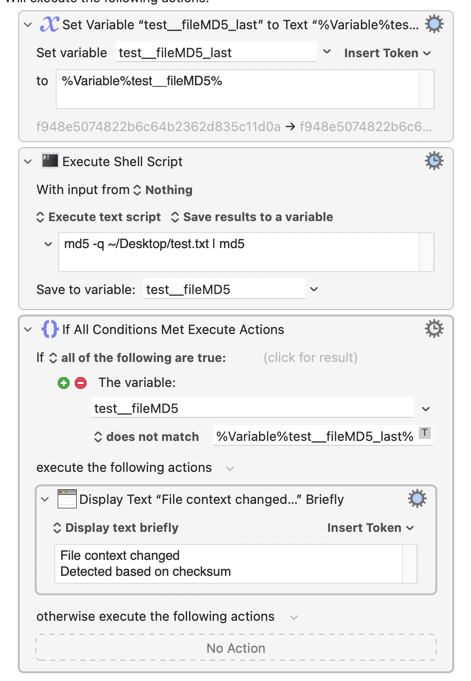
You don't need the | md5 at the end of your shell script (@Alexander did because he was running md5s on potentially multiple items and used the second md5 to combine those multiple hashes into a single one).
Checksumming the file content may be over the top but will cover you in case the file gets re-saved, changing its modification date, without any changes be made. Not normal behaviour, but this isn't a "normal" Mac program
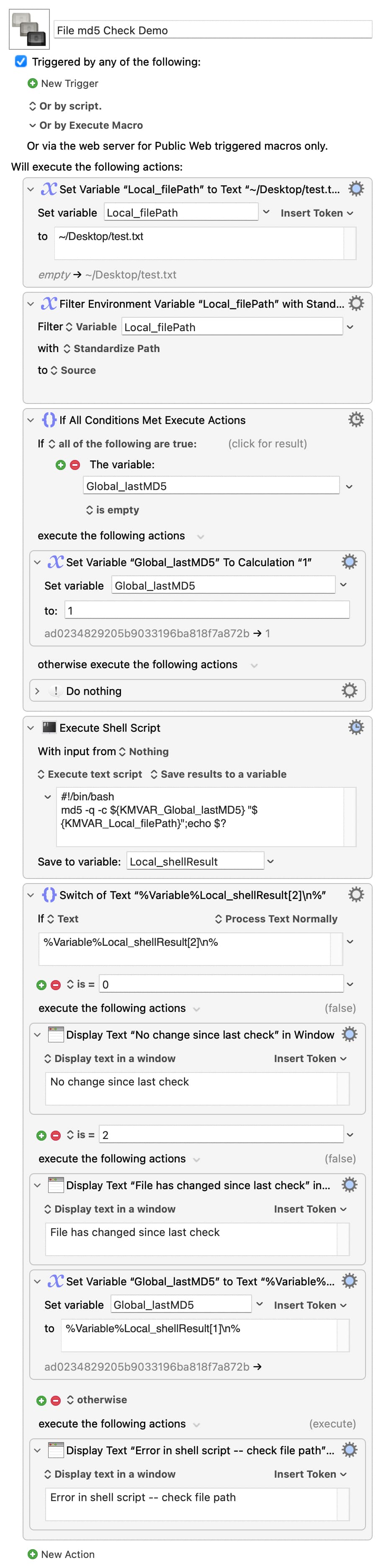
I like using md5's -c, or --check, option where you compare a previous checksum against one generated from the target file. You can then look at the "last result code" -- stored in the shell's$? variable -- where 0 means the checksums matched, 2 means they are different and 1 means there was an error.
You do need to make sure your "last MD5" global exists since providing an empty string for the -c option will also result in an error...