I’d like to use KM to replicate something I’ve already done with BTT. I know how to set up the macro. The problem is the trigger. It’s a short/long press trigger.
Normally, this works with KM as follows: a short press is triggered when the key is released. A long press is also triggered when the key is released, but it must be held down longer.
I want a trigger that always fires when the key is pressed, in both cases short and long pressed.
This means that the long-press action always triggers the short-press action as well. But the short press action never trigger the long-press action. Is that possible? Thanks for your help!
I need this to format text starting from the cursor’s current position without using any modifiers. It looks like this.
Here's another. The main benefit is that actions trigger as soon as a long press is detected, rather than having to wait until after the trigger is released.
Thanks @Zabobon an @peternlewis
If I understand correctly, in your solutions, at least one macro is triggered when the key is released. Unfortunately, that doesn't work for my purposes.
And thank you very much @noisneil
With your macro, I can press a key, then Macro 1 is triggered; if I keep holding the key down, Macro 2 is triggered as well. Is that right?
Would you be so kind as to post your macro?
If I may ask one more thing, I seem to recall that KM has a condition “if text is selected.” Am I right? Unfortunately, I can't find it anymore.
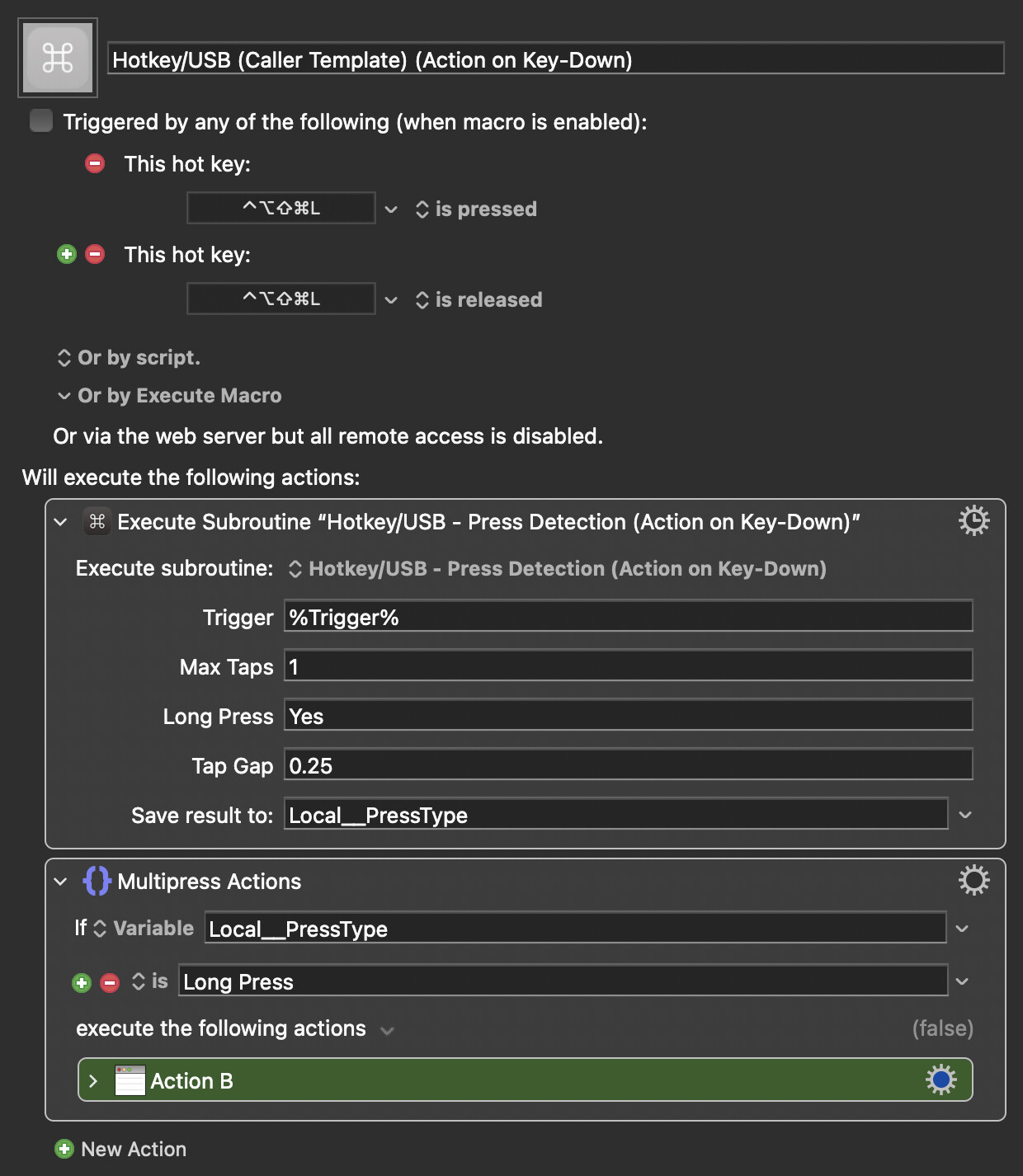
If you tap, action A runs.
If you keep holding, macros A and B run sequentially.
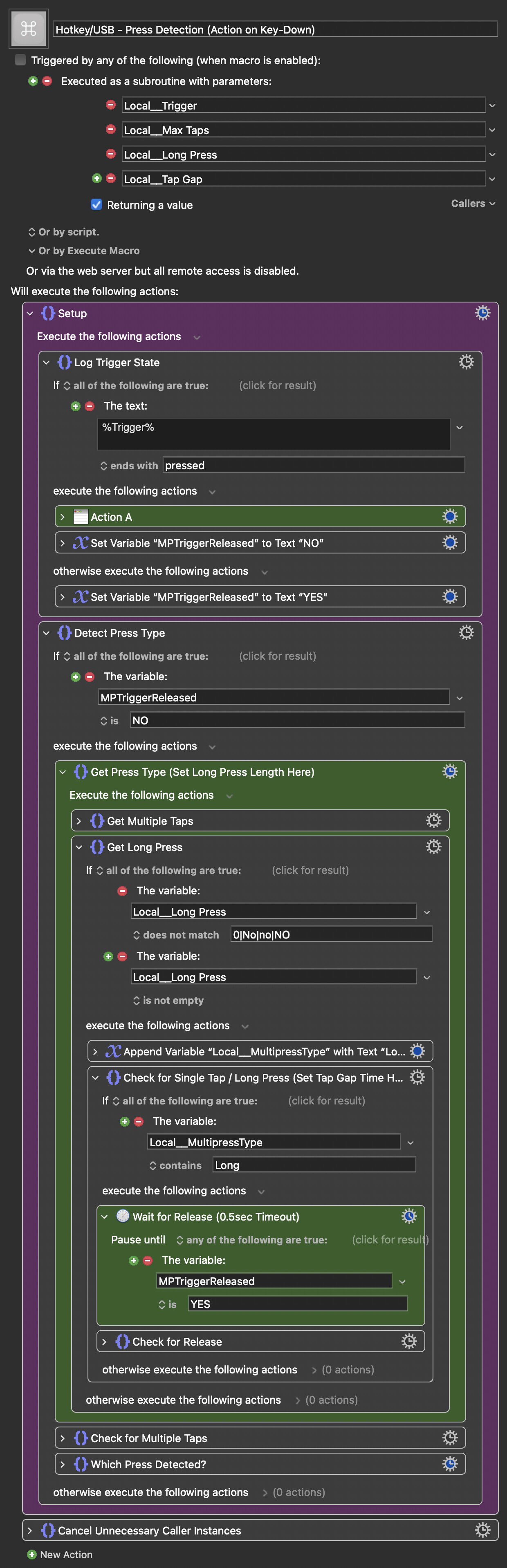
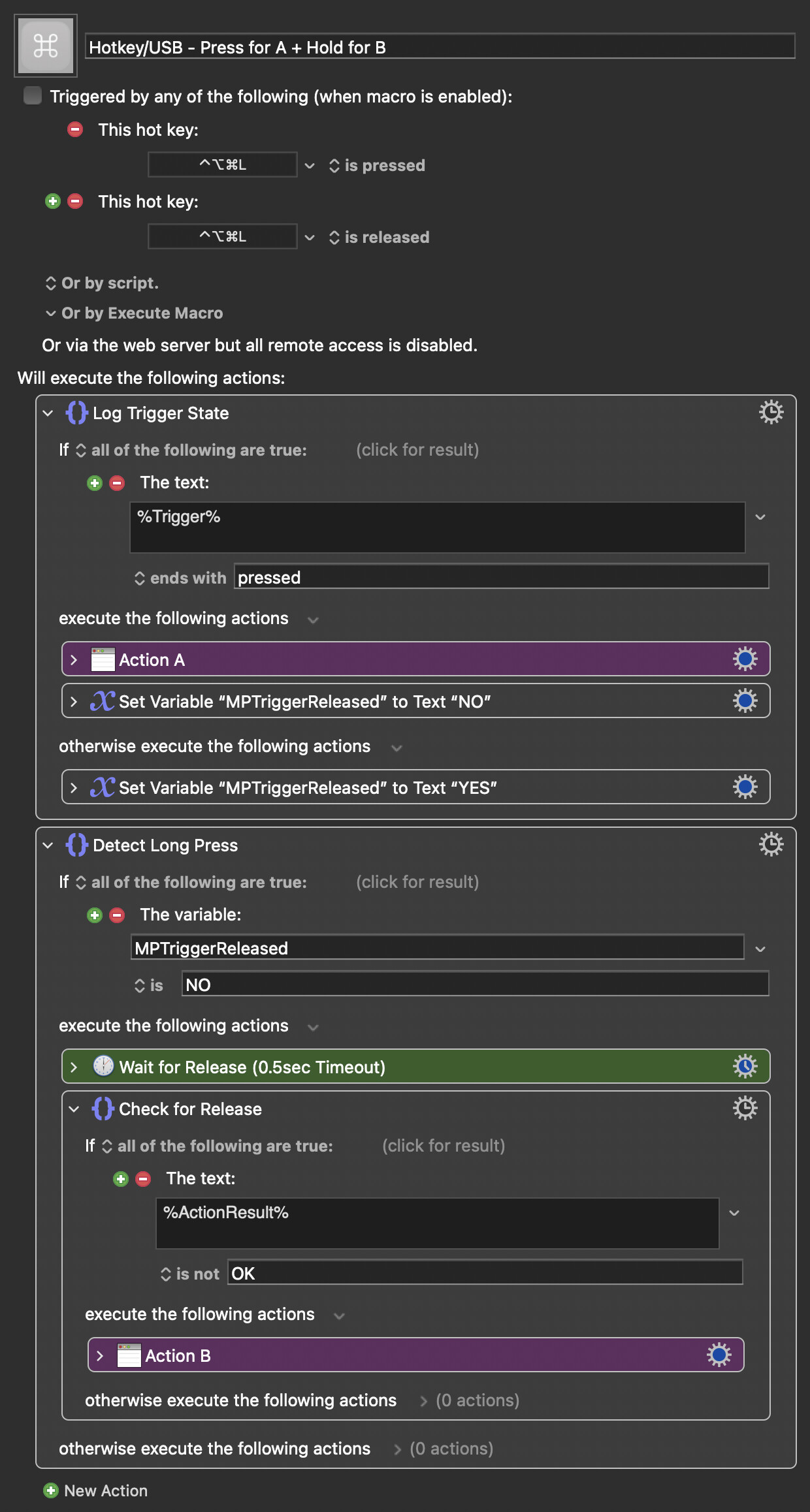
It's included in the macro post I linked to as an example caller. Just insert your actions and pick a trigger. Note that you must have a press and release trigger.
So, that means the long press action triggers both macros and the short press triggers only one of the macros. In each case at least one Macro is triggered which is what the solutions above do.
I'm trying to work out what you want to happen
Is it:
One Trigger for running Macro A
One Trigger for running Macro B
One Trigger for running Macro A and Macro B
...after being down a short time. That bit's important.
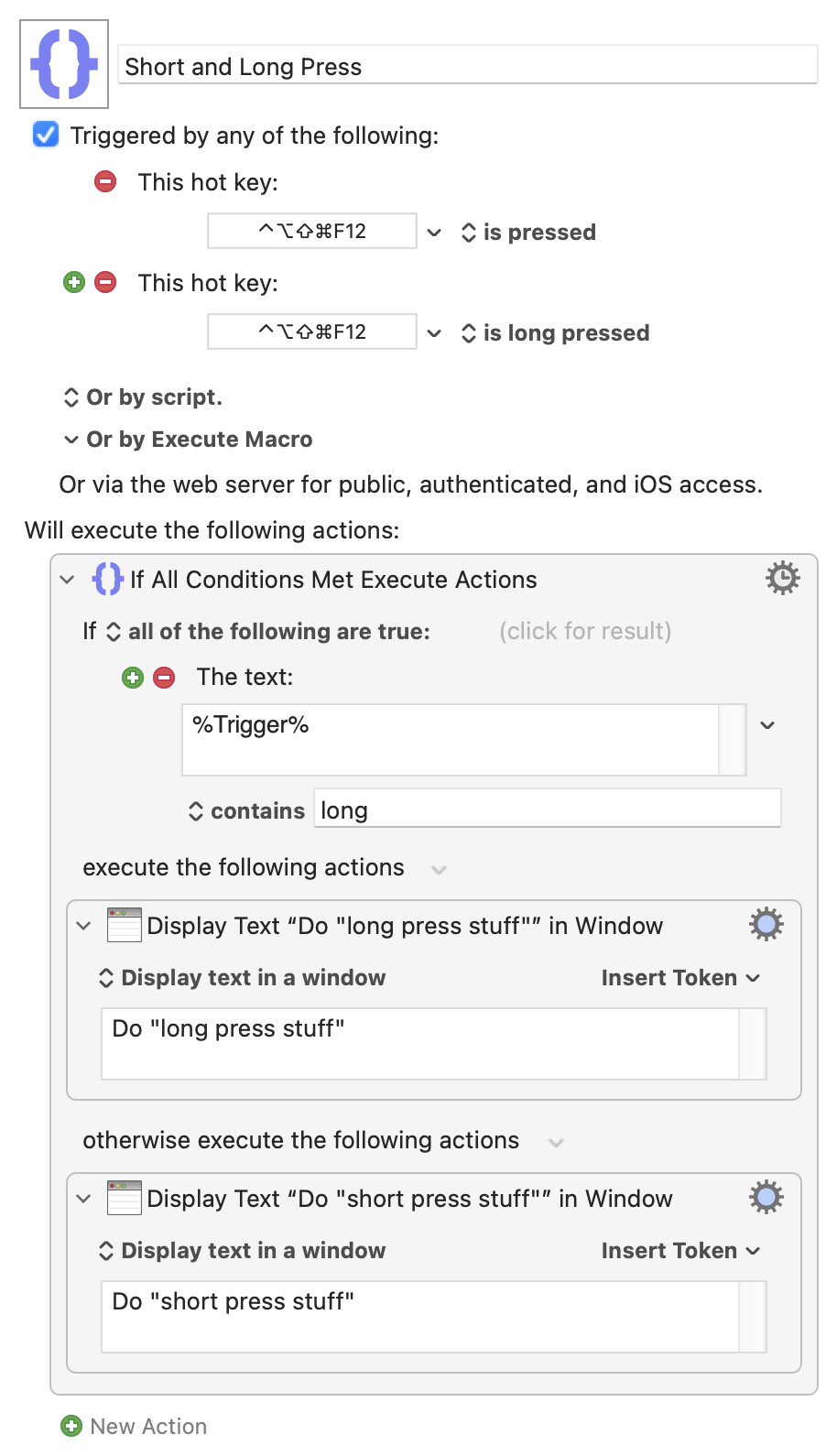
"Is pressed" fires on key down (not on release, as you state in your OP), while "is long pressed" is on key release.
Like @Zabobon, I'm a bit confused as to the combinations you want. But I'd note that you can't have "short press only" macro that fires on key-down while also using the same trigger as a long-press...
I've added placeholder actions that simply display the press-type large on-screen for testing.
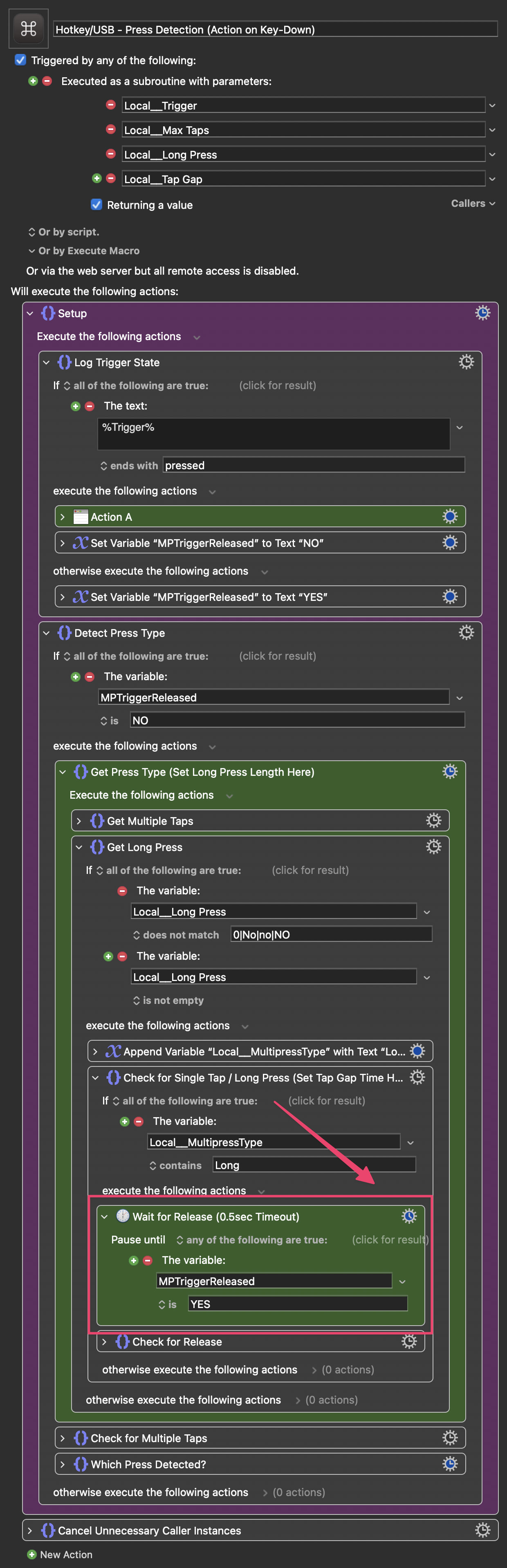
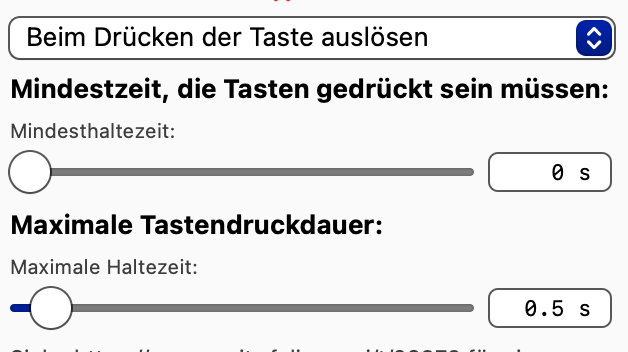
The long-press duration is set by adjusting the timeout of this action in the main macro, via its gear menu. I've set it to 0.5sec to make the effect more obvious, but I usually have it set shorter:
Hi @Nige_S , I'm not at my computer right now, so I can't test. But from what I see on the screen..
There's nothing wrong with your solution. That's one way to do it. But you're actually missing one detail, and I'm glad it was noisneil who formulated it that way.
I don't think your macro does that. As long as the key is held, nothing happens. Action B isn't executed until the key is released, as far as I can tell without testing.
It’s just a strong preference of mine that I see action B happen while I’m holding down the key.
Ah, gotcha. So you don't want a "long press" to trigger the macro, you want a "press and hold" -- which isn't a KM trigger so, yes, you'll have to use @noisneil's excellent solution or roll your own functionality.
I'd use @noisneil's, since he's been kind enough to do all the hard work
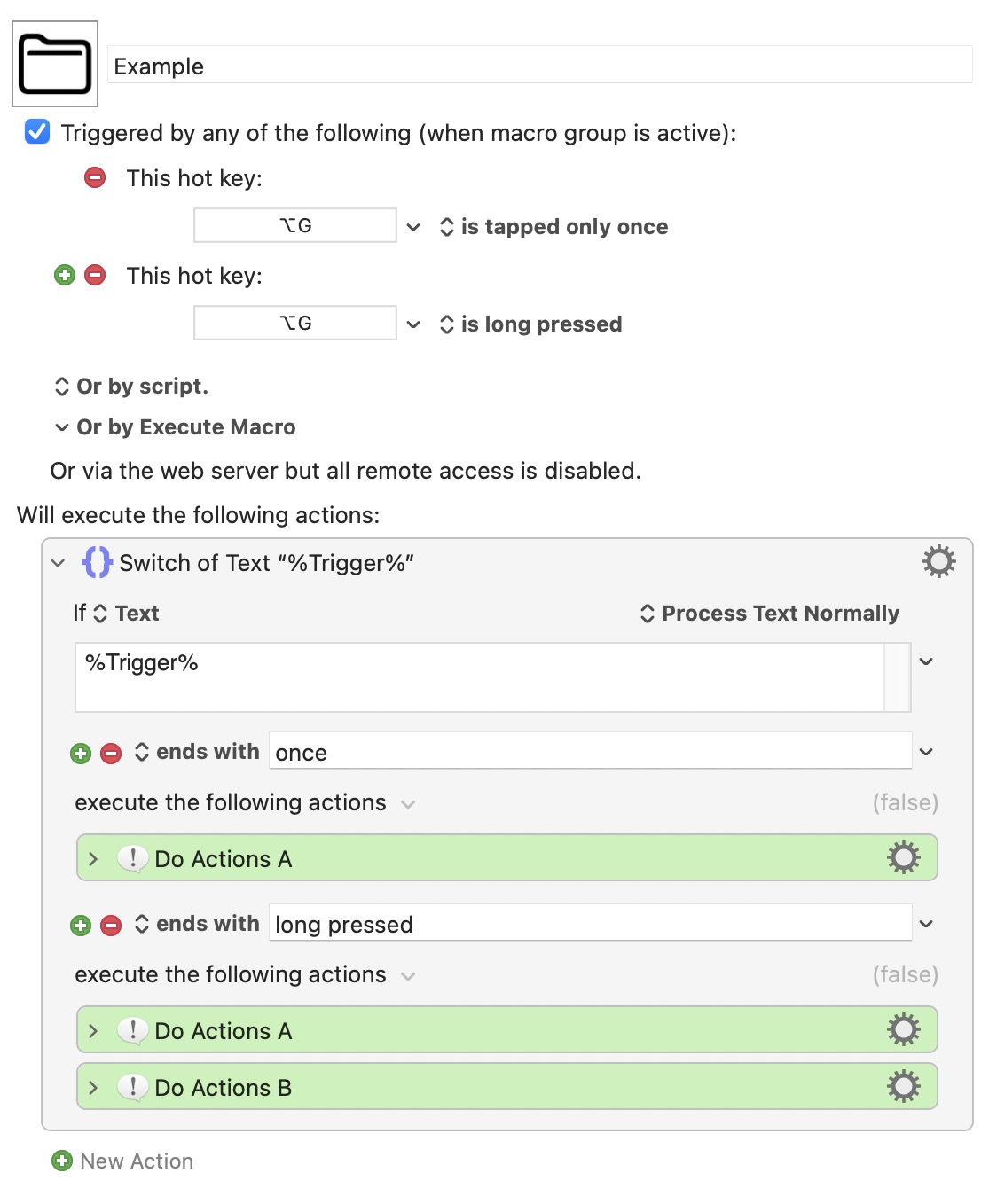
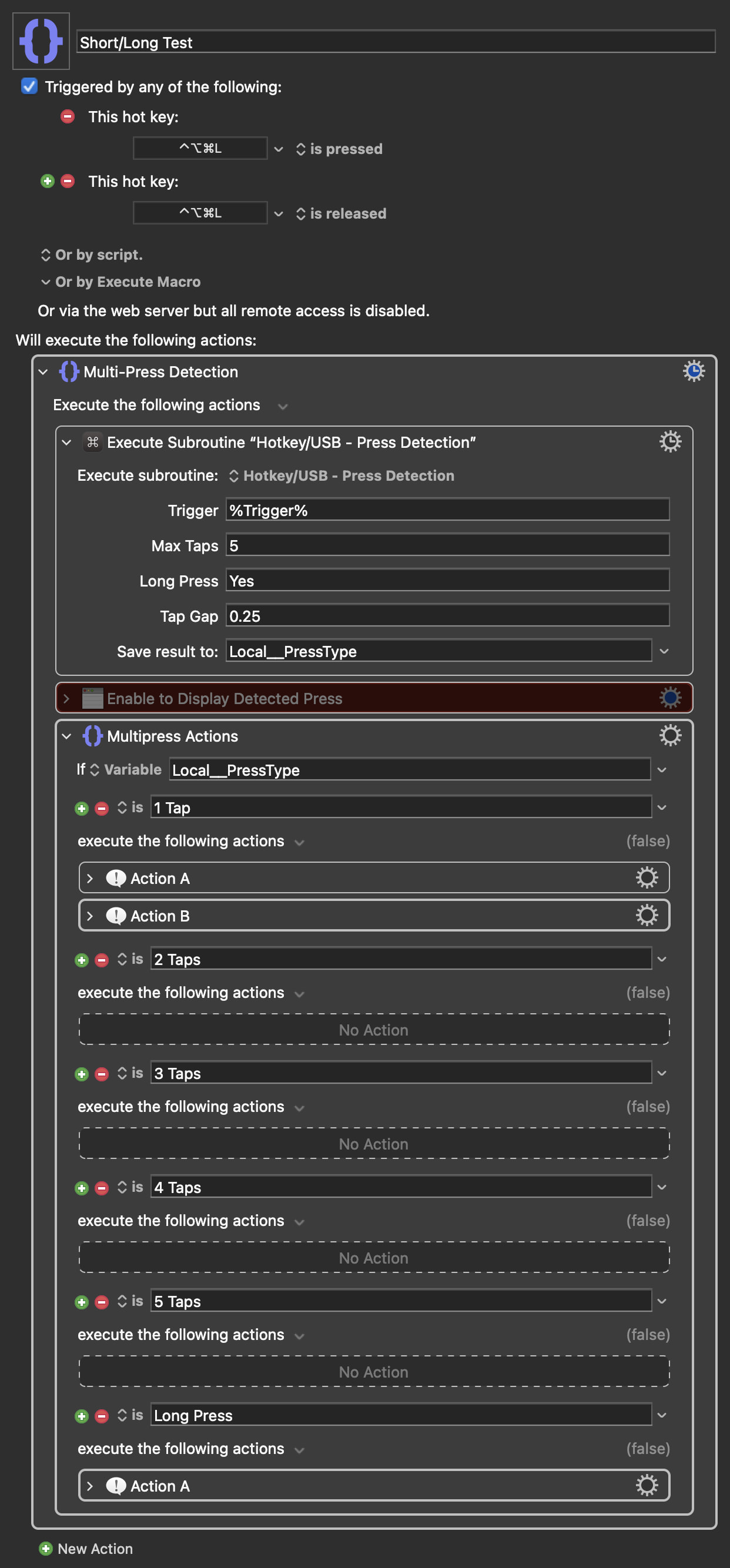
 If it works like this “tap” then the macro is triggered when “A” is released.