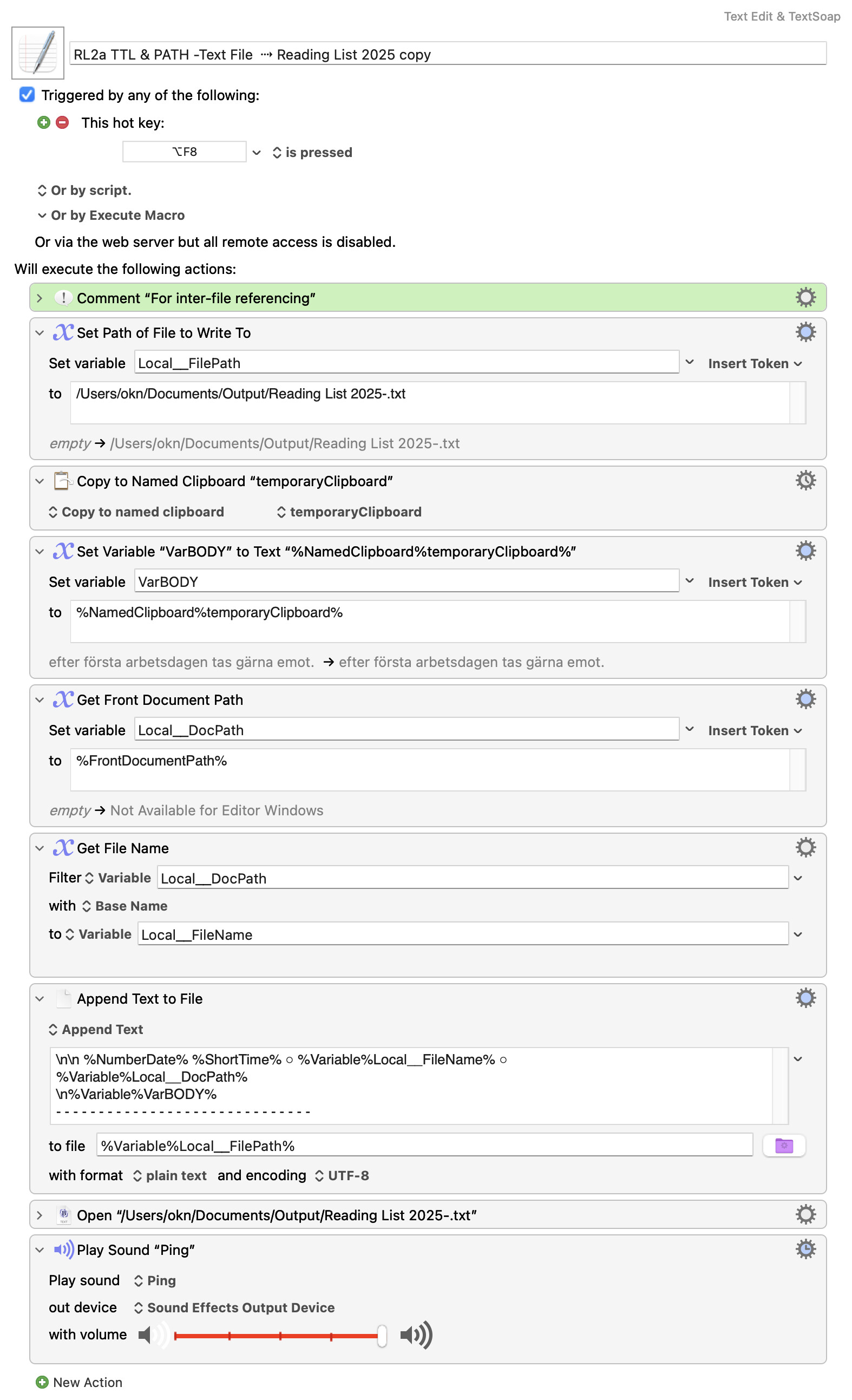
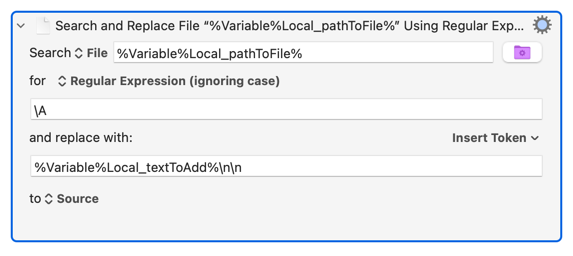
There is a working macro that prepends but it is built on RegEx alone.
So I can manage this 'prepending issue'.
It's only that there doesn't seem to be any example macro showing how the Prepend action works.
Aim
How can the new Prepend action be employed for a basic example macro.
The macro below is only an example, a basic macro will be simpler.
To prepend a TEXT containing FILENAME, PATH and BODYtext from som other file for reference to an existing textfile ("ReadingList").
Prepend gets less and less efficient as file size grows -- you have to read in the entire file, put your new text at the start, write the new version back out again. Much more work than simply adding some lines to the end of the file (which is why logs are appended to, not prepended).
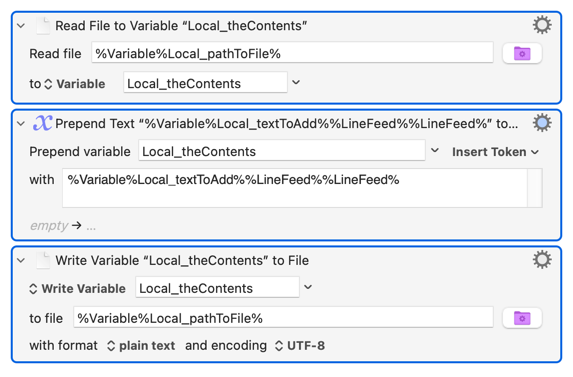
Because of that there is no "Append Text to File" "Prepend Text to File" Action (thanks to @okn for the correction!). You'll have to either read the file into a variable, append text to that, then write the new contents out to disk again:
"Search for the very beginning (\A) of the string read in from the file and replace the 0th character with the contents of Local_textToAdd then two newlines. Write the new string out to the source file, replacing the old contents."
Write the new string out to the source file, replacing the old contents."
Doesn't this mean that this macro will read the whole text, too?
Just to make sure, in which case it has the same drawback as the 1st version (%Variable%Local_pathToFile%)
Much more work than simply adding some lines to the end of the file (which is why logs are appended to, not prepended).
Why I wanted the Prepend is simply to see the last/ newest entry when opening the file without having to scroll down, but then it occured to me that I could just add the ”Arrow down” action after the Append action,
Yes. But that kind of single-Action text manipulation is pretty quick, even for large text files.
There is no way round it -- when prepending to a simple text file you have read in and then write out the entire thing.
Certainly the easier choice!
But try the read/append/write routine for yourself. With modern machines and, particularly, SSD storage you'll find it takes no time at all to prepend to even a large plain text file.