While this works
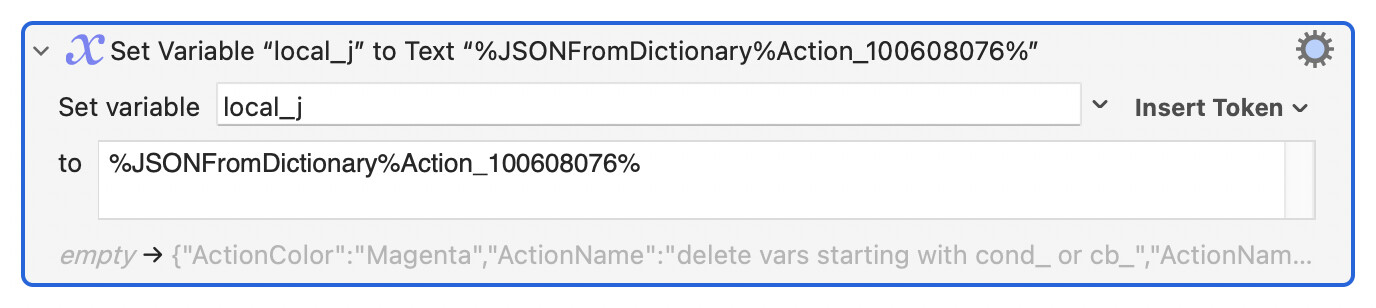
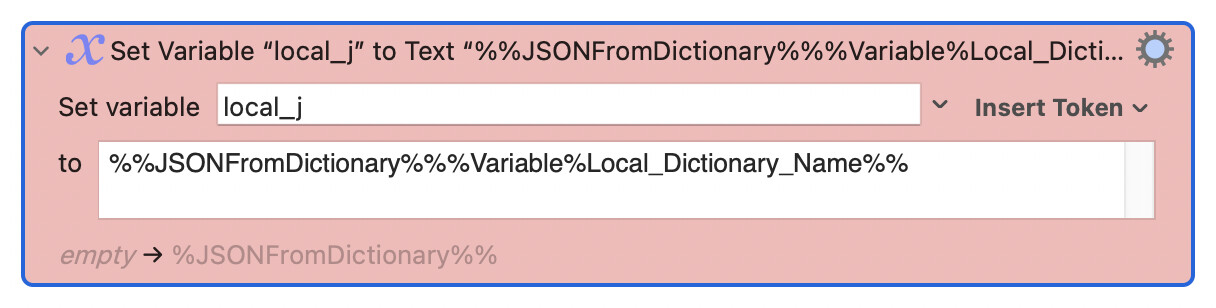
I found no correct way to use a variable, tried:
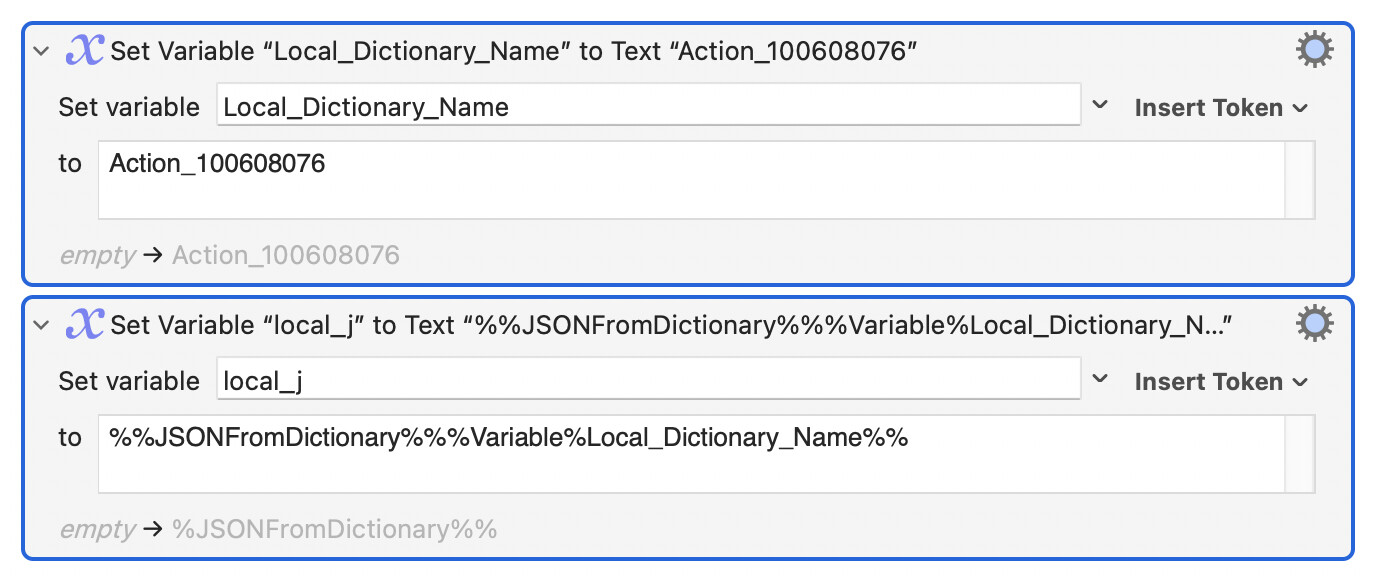
Apparently, I'm making a mistake with the “%” symbols.
While this works
I found no correct way to use a variable, tried:
Apparently, I'm making a mistake with the “%” symbols.
This topic show examples on using variables created by %JSONFromVariables%. It should be the same as %JSONFromDictionary%.
I think you need one more percent sign at the end of your outer token:
%%JSONFromDictionary%%%Variable%local_Dictionary_Name%%%
Run that through Filter with Process Tokens to set your variable to the dictionary's JSON.
The KM wiki shows the technique with the ExecutingInstanceName token:
As I understand it, Keyboard Maestro processes tokens only once, not recursively.
So %Variable%local_Dictionary_Name% cannot supply the dictionary name to %JSONFromDictionary%…% in the same pass.
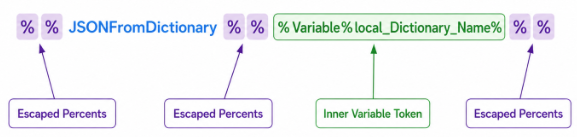
Escape the outer token by doubling its percent signs:
So the first pass processes the unescaped Variable token and doubled percents change to single percents (unescaped).
This results in a variable that contains the complete JSONFromDictionary token.
A second pass through Filter with Process Tokens processes that token.
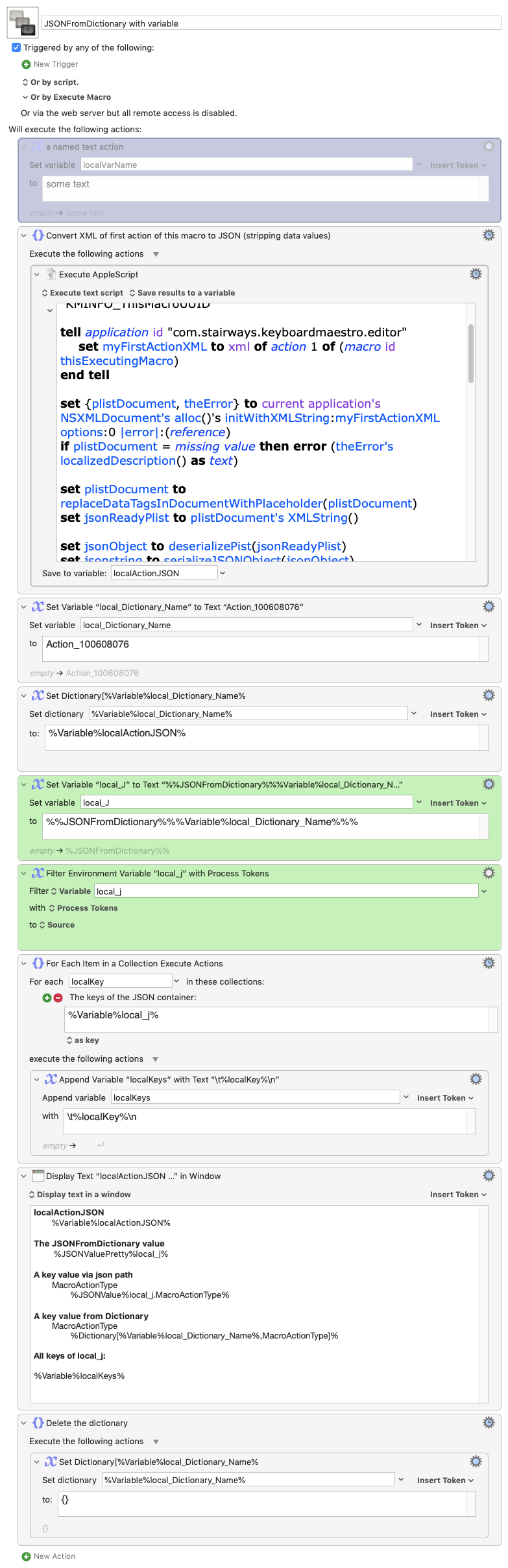
Here's a demo that converts the xml () of the first action of the macro (purple, disabled) to JSON (stripping out any data values, disallowed in JSON).
It then creates a km dictionary named, Action_100608076. with that JSON.
After that, it feeds the nested token into a Filter with Process Tokens to get the JSON to a variable again.
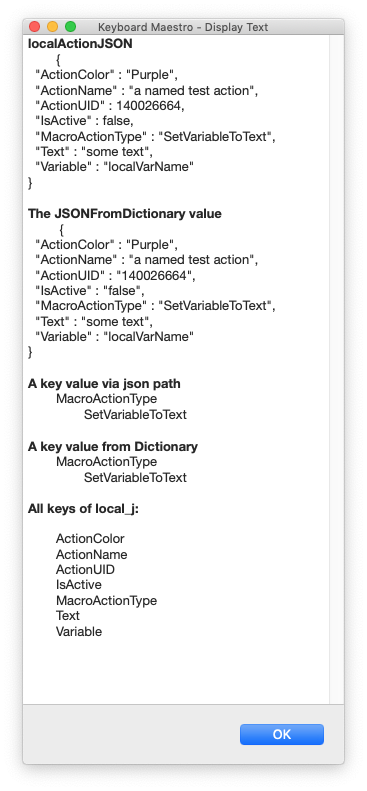
It then displays a report of values:
Finally, it deletes the Action_100608076 dictionary.
JSONFromDictionary with variable.kmmacros (11.7 KB)
Addendum:
The wiki gives better explanation, but I couldn't remember where I'd seen it until just now:
NB: The %Dictionary[Dictionary,Key]% token seems to be a token that DOES allow variables to be processed in its parameters in the first pass.
Which is why this works in the values report of the demo:
A key value from Dictionary
MacroActionType
%Dictionary[%Variable%local_Dictionary_Name%,MacroActionType]%
And a variable should also work in the key parameter (occupied by MacroActionType above).
Many thanks!
For me, the key is “Filter Process Tokens” (which I’ll probably never fully understand).
Surprisingly, it also works without the last “%”:
Follow the processing and you'll see why.
Starting at the beginning of the string, there's a double % which gets processed to a single %:
%%JSONFromDictionary%%%Variable%Local_Dictionary_Name%%
^^
-->
%JSONFromDictionary%%%Variable%Local_Dictionary_Name%%
^
...and the following JSONFromDictionary is literal text. Then another double % to process:
%JSONFromDictionary%%%Variable%Local_Dictionary_Name%%
                   ^^
-->
%JSONFromDictionary%%Variable%Local_Dictionary_Name%%
                   ^
But next is a single % -- if what comes next can be evaluated it will be:
%JSONFromDictionary%%Variable%Local_Dictionary_Name%%
                    ^^^^^^^^^^^^^^^^^^^^^^^^^^^^^^^^
%JSONFromDictionary%foobar%
                    ^^^^^^
And finally a single % -- there is no valid evaluation so it is treated as a literal %, leaving:
%JSONFromDictionary%foobar%
That can now be evaluated as "get the JSON object from the Dictionary foobar", as you'd expect.