I can’t get this to work. The functionality is to simulate pressing all the modifiers with one key. Am I doing something wrong? If this were functioning properly, could it trigger other KM macros? For example, I have a macro that is triggered by shift-control-option-command-C, so it theory I could press Caps-C to trigger it.
What you'll get with this is something that repeatedly presses and releases the modifier keys while you hold the Caps Lock key down, so it'll be hit and miss whether the modifiers are in effect when you press the C key.
Your Caps Lock will still caps lock too, so after you release it you'll be typing capital letters.
And then there's the problem of mixing KM-simulated Events with actual hardware Events (your C key press) and (if you change the Trigger to "pressed" and the Action's options to "Press and hold") having this macro wait until that key press happens so it can "Release" the modifiers...
An all-round nightmare. Much better to step away from KM and install one of the hyper key utilities such as (the aptly-named) Hyperkey app. There are others -- I think Better Touch Tool includes this functionality, if you already have that.
Thank you for your response. I thought it might be a fun challenge to make KM do something like that, but you’re right to suggest I just get the already-existing utility that does exactly what I need.
First, when the macro ends, Keyboard Maestro releases all the modifiers. And in any event, the action is not configured to press and hold them so it essentially is just tapping all of them briefly.
Second is that simulated keystrokes and modifiers do not interact with physical keystrokes and modifiers. So if Keyboard Maestro simulates pressing and holding the Command key and you press C, you will get a c, not menu selection of Copy.
As suggested there are other applications that work at a lower level, like Karabiner Elements, that can do this sort of thing, but remapping the keyboard layout is below the level that Keyboard Maestro operates at.
Thank you for your response. I very much appreciate you taking the time to explain. I'm a huge fan of KM and use it constantly, so much that I'll sometimes take the long way around the block with KM to accomplish a goal rather than use the obvious solution.
Please eat plenty of broccoli so you can keep KM in perpetual development.
If you’re just looking for the challenge and absolutely want to do it with KM, there is a way In macOS, remap Caps Lock to Control. You won’t see it, but this way Caps Lock becomes your physical right Control key, which doesn’t exist on most keyboards. The left Control remains as it is. Now you can trigger different things with left/right Control + letter. There ist this example showing how KM can distinguish between the left and right modifiers.
For example, on my macBook Pro, with BTT I've mapped all of the modifier keys (if tapped alone) to generate a hot key combinations of F19 (a key that I don't have on my computer). For example, if I tap Right ⌥, ⌃⇧⌘F19 is generated which triggers a macro that displays a Keyboard Maestro palette. I use that palette to launch applications and related tools. For example, to launch macOS Mail, I tap Right ⌥ then M in rapid succession. For something as common as Mail, I do it so fast that the Keyboard Maestro palette is only visible for a fraction of a second. For other items that I'm unsure of, I can press Right ⌥ and pause to scan the palette to determine the next key to press.
Back to your original objective..
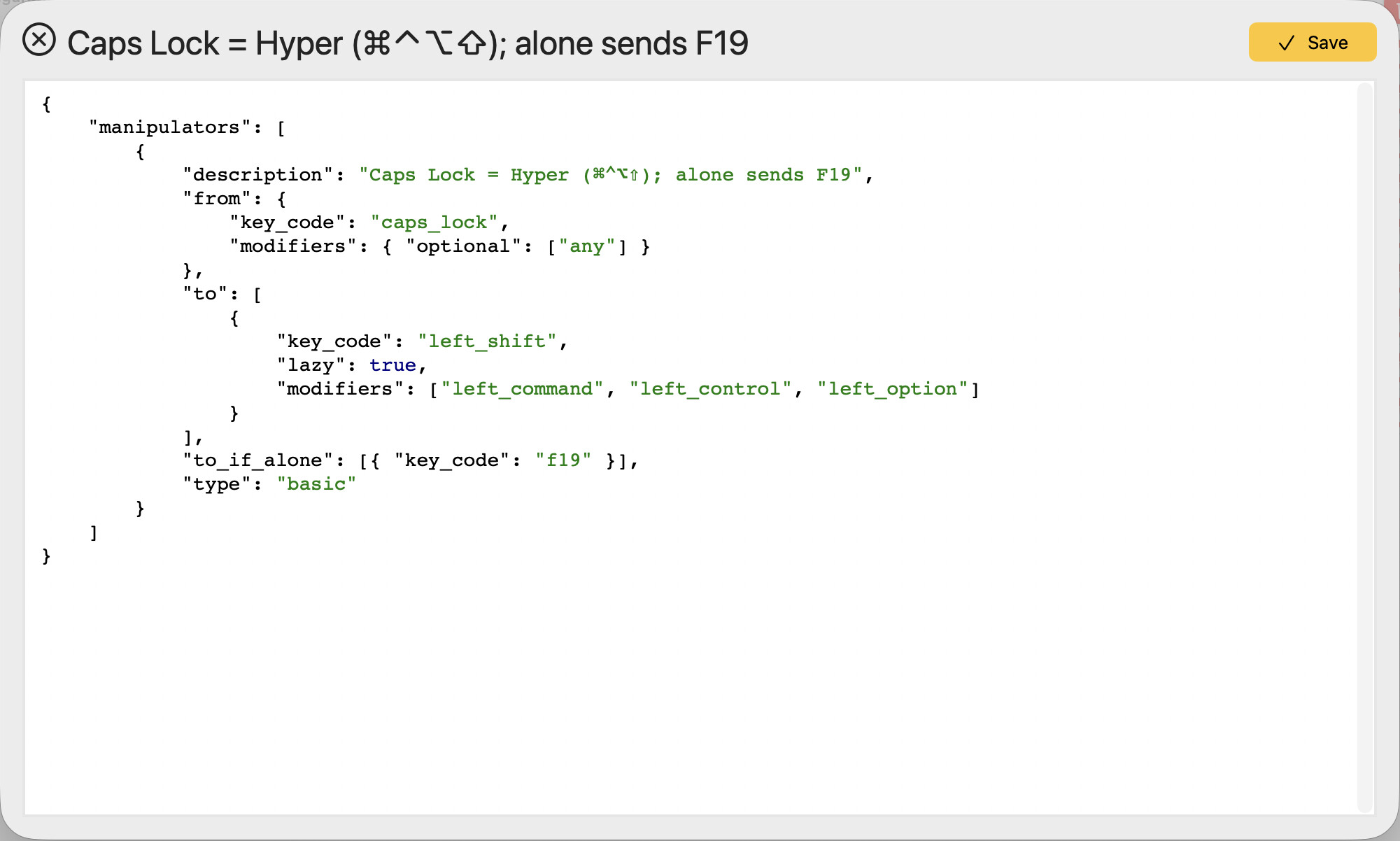
Specifically for the Hyper key, I've chosen to use to use Karabiner Elements. Out of the box, I think there's a quick link to create the standard Hyper key (⌃⌥⇧⌘). In my case, I've extended the function to generate F19 if caps lock is pressed alone.
For some reason I thought there was a native MacOS setting that could change the caps lock to a hyper key but I’m not at my Mac at the moment so I will submit to being wrong.
Macmost has created a KM macro (set of them) that a person could probably modify for your use. In his case he uses the hyper key alone to do something but it could maybe be combined with other keys I don’t know. In his case you need to disable caps lock in order for it to work.

 In macOS, remap Caps Lock to Control. You won’t see it, but this way Caps Lock becomes your physical right Control key, which doesn’t exist on most keyboards. The left Control remains as it is. Now you can trigger different things with left/right Control + letter. There ist this example showing how KM can distinguish between the left and right modifiers.