Jim
1
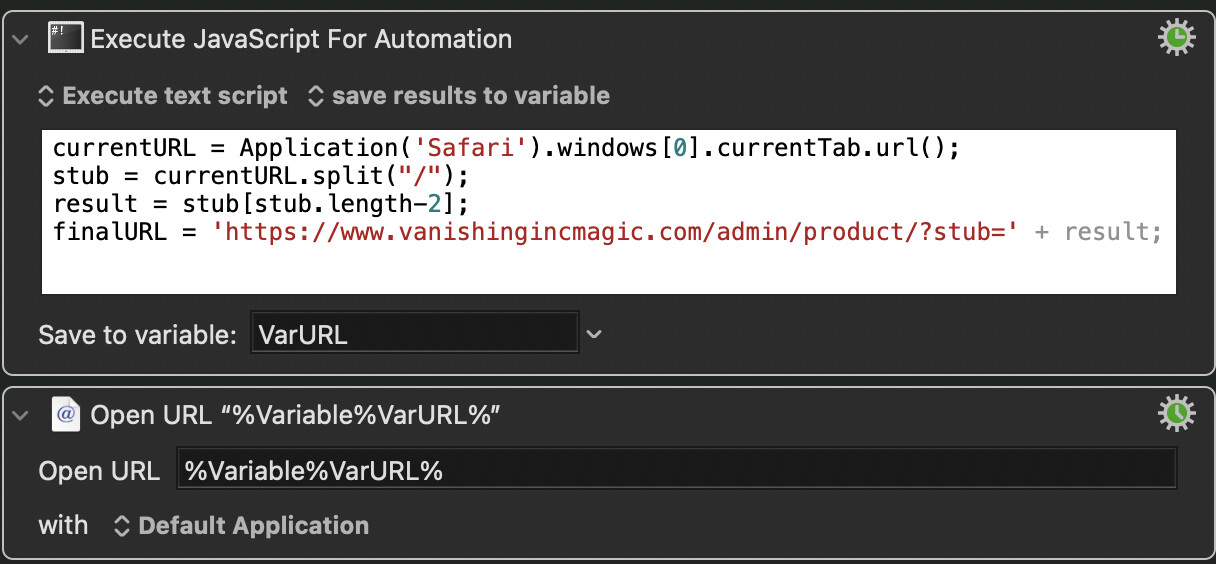
The macro takes a part of a product's URL, and appends that part to a query URL and then opens it in a new tab in Safari.
Example starting URL: https://www.vanishingincmagic.com/stage-and-parlor-magic/juice-pop/
Example ending URL: https://www.vanishingincmagic.com/admin/product/?stub=juice-pop
This is the working version that I cobbled together (I think I have some bad code in there for the variables—shouldn't they start with var?):
This is my attempt at doing it all in JXA (which gives me an error):
currentURL = Application('Safari').windows[0].currentTab.url();
stub = currentURL.split("/");
result = stub[stub.length-2];
finalURL = 'https://www.vanishingincmagic.com/admin/product/?stub=' + result;
window.open(finalURL, "_blank");
Ideas on what I am doing wrong?
Hi Jim, what is the name window bound to there ?
In JS interpreters embedded in a browser, a global object with the name window is typically defined, but not in an osascript instance of a JSContext.
PS I'm away from my main machine today, but broadly, one simple way of opening a url in Safari is to use .doShellScript
Perhaps something roughly like:
(() => {
    'use strict';

    const
        safari = Application('Safari'),
        currentURL = safari.windows[0].currentTab.url(),
        stub = currentURL.split("/"),
        result = stub[stub.length - 2],
        finalURL = 'https://www.vanishingincmagic.com/admin/product/?stub=' + result;

    return (
        // In Safari,
        Object.assign(Application.currentApplication(), {
            includeStandardAdditions: true
        }).doShellScript('open -a Safari ' + finalURL),

        // and in JavaScript
        finalURL
    );
})();
1 Like
Jim
4
Thank you @ComplexPoint — a good question about window, and your solution works well!