- Part of my workflow is pasting a URL into Text Edit App, and manually Selecting and Copying the last 10 characters in the URL string. In order to save time, and let the master macro continue uninterrupted, I’d like to automate this action.
- Obviously, when the URL is pasted, the cursor winds up at the end of the URL, and at the end (ie: the RIGHT) of the 10-character-string I need to copy.
- Is there a way to set up an action within KM that basically tells KM the following:
- “From wherever the cursor is at the time of the execution of this action, SELECT & COPY the 10 characters to the LEFT of the cursor at its current location.”
As the fast reply, in shell you can just call pipe and get result in modified clipboard
pbpaste | perl -ne 'print substr($_, -10)' | pbcopy
or just get result (stdout) in KM Var (Save result to variable):
pbpaste | perl -ne 'print substr($_, -10)'
2 Likes
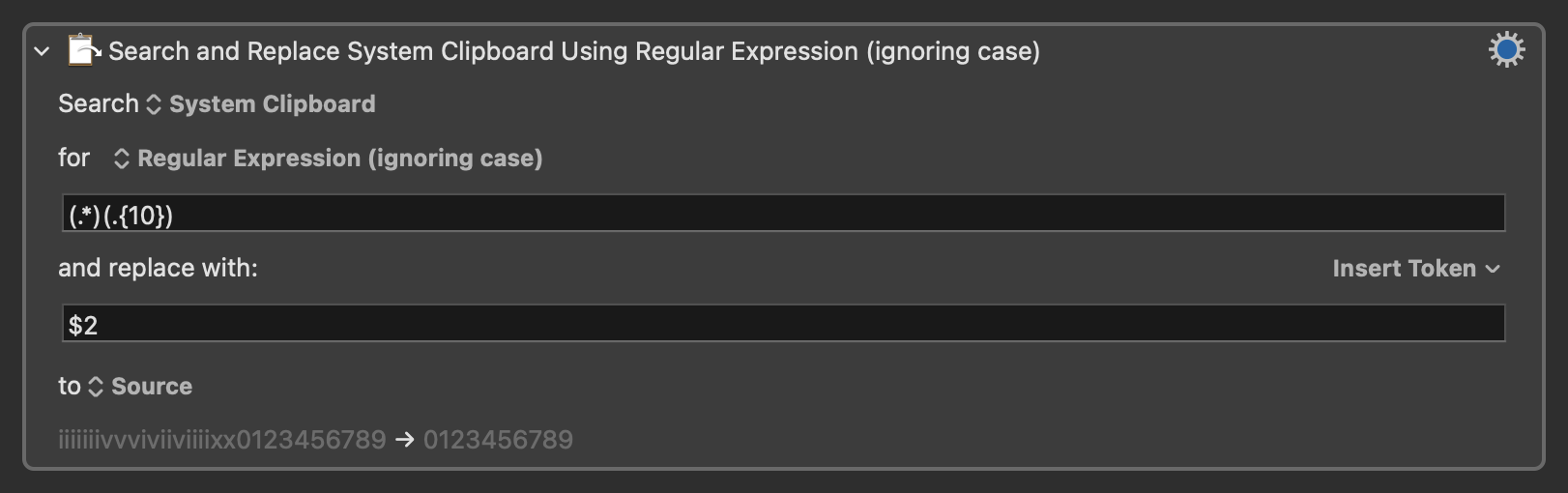
Additionally, if you want a KM action, you could use Search and Replace and regex to grab the last 10 characters directly from and then save back to the clipboard.
2 Likes
I tried this one, but it just kept returing the entire clipboard, instead of only the last 10 characters. Having said that, thank you for posting this…I learned something new (ie: the “Search and Replace” function. Thanks).
I have another sticking point within the same workflow, but it is a more difficult challenge.
I need to extract a very specific URL from within paragraphs of HTML code.
Example:
"url":" http://blah.blah.com/deliveries/f860c4a9f3a8eab08ee0ee8718d429b9 .bin"
While there are about 8 "url":"http......" sequences in the HTML code, the one I need always ends in ".bin", and it is always the FIRST "url":"http occurrence of the 8 that are listed.
So, is there a way to have KM:
- Search for the first "url":"http occurrence,
- And then Copy everything from http, to the last letter of the URL, EXCLUDING .bin?
If it matters, the URL I need sometimes varies in length, and is not always in the exact same location (ie: character position "X") in the HTML code block.
So the URL is already on the System Clipboard? Don't over-complicate things, just use the KM "Substring" Action:
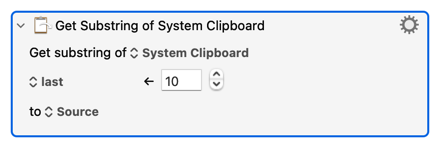
(The "to source" puts those 10 characters back on the Clipboard ready for you to Paste.)
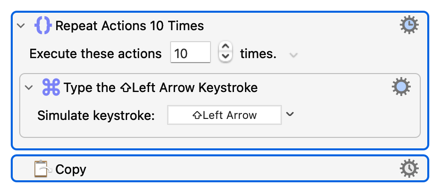
How would you do this manually? Probably by holding down the Shift key, left-arrowing 10 times, then Copying:
Is it actually a link, as in the HTML code will be
<a href="http://blah.blah.com/deliveries/f860c4a9f3a8eab08ee0ee8718d429b9 .bin>
...and is that space actually in the code or a typo?
A sample of the text would help here. If it is actually a web page and this really is the first link on the page then the easiest method is probably to get the first link on the page!
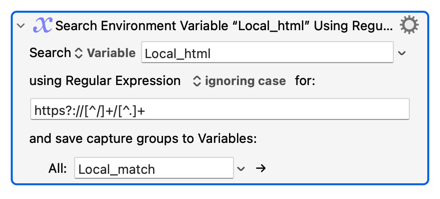
Otherwise, have a play with the "Search using Regular Expression" Action -- the good news is that this Action only catches the first match (it isn't global). Depending on your text you might get away with something as simple as "starting with http, an optional s, then :// followed by characters that aren't a /, followed by a /, followed by any characters that aren't a ." (or a space, if it isn't a typo in your example):
https?://[^/]+/[^.]+
2 Likes
I thought for sure there must be something like this, but I was looking in all the wrong places. I didn't know this action existed.
Me too. It seems unavoidable in these forums.
This may help you:
Get URL from HTML block.kmmacros (2.3 KB)
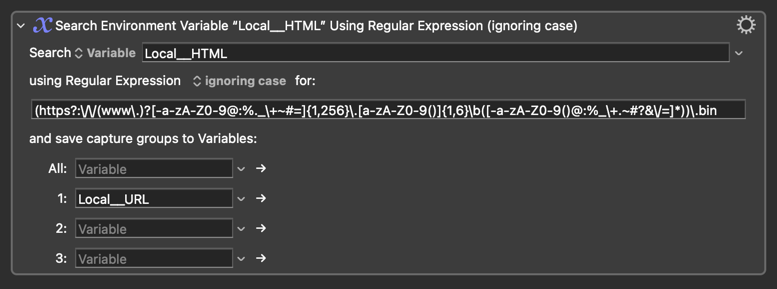
Regex pattern:
(https?:\/\/(www\.)?[-a-zA-Z0-9@:%._\+~#=]{1,256}\.[a-zA-Z0-9()]{1,6}\b([-a-zA-Z0-9()@:%_\+.~#?&\/=]*))\.bin
Attached is an example of the block of code that I have to sift through manually to find the first URL that I need to copy (highlighted in BLUE) in the attached picture.
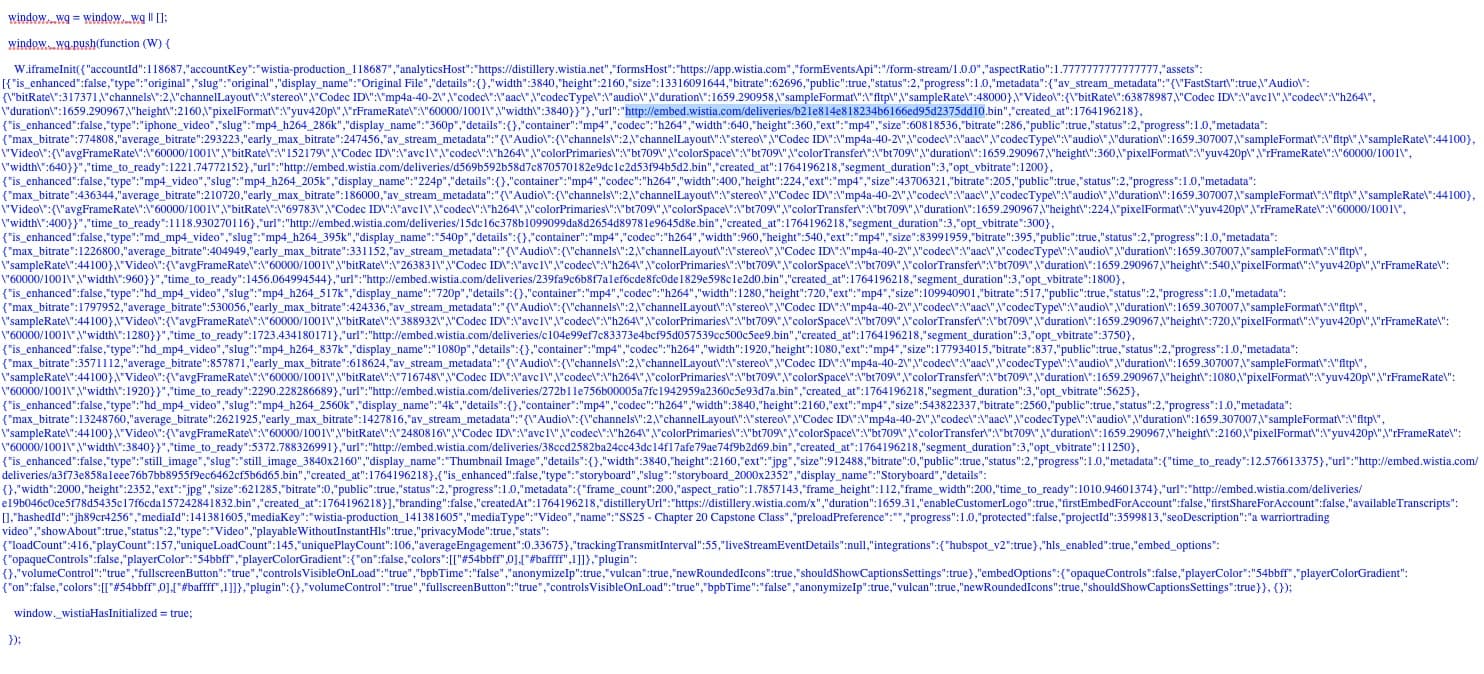
Will this macro get the FIRST and ONLY the First URL ending in ".bin"?
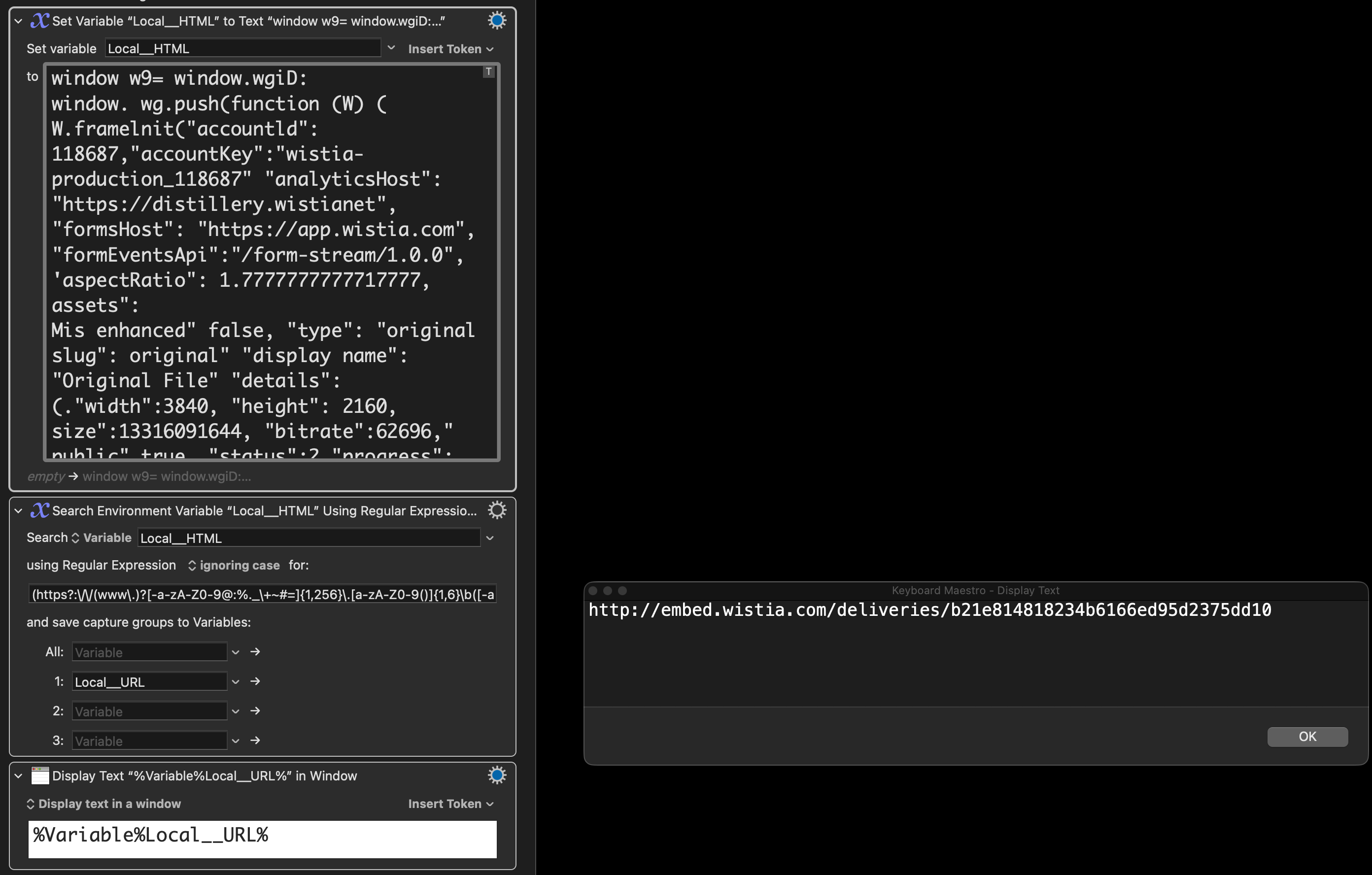
Very strange - before I wr one on the wiki I’ve checked this in my system (in terminal window). How did you check/implemented this?
I also didn’t know about this function.
In my opinion there is an inconsistency between index of actions and action names:
Index of actions has Substring_of_Variable_or_Clipboard but name of the action is Get substring of…
It could be nice to have actions grouped around the functionality: strings, clipboard etc.
You don't need to get complicated with this -- notice how the entry you want is " delimited? " isn't a valid character in an URL so you can use "http and`.bin" as "search anchors".
"(https?://.+?)\.bin"
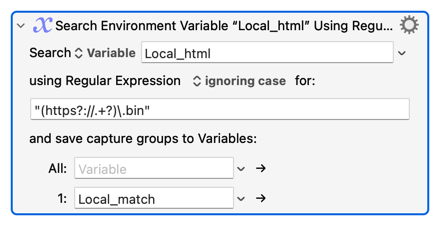
Remember -- while there are other, later, matches in your text the Keyboard Maestro "Search Using Regular Expression" Action matches only the first occurrence.
1 Like
Don't confuse the name of an Action with the displayed name of an Action. For example:
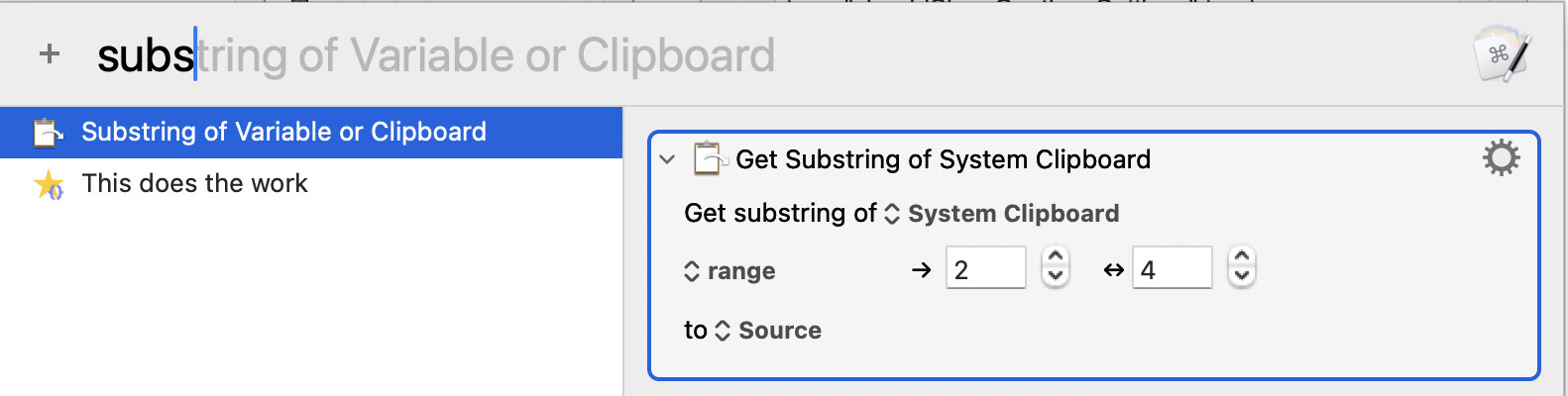
The displayed name of this Action (and many others) will change depending on the options chosen -- or, for maximum Forum confusion, could be changed completely via "Rename"!
The Wiki index can't show all possible display permutations, so search the list using the most meaningful term ("substring" in this example).
And where would you put an Action like "Substring" that would be in both "strings" and "clipboard" (and "variable", and "file"...)?
Actions are so flexible it is hard to meaningfully categorise them -- and, really, it only takes a moment to scan the whole list to look for something that might do what you want.
So - in my old days of writing in Assembler and C, the XREF (cross refrence) was very useful tool  .
.
Anyway I understand the problem because I myself use dokuwiki engine for last 20 years  . It is so usable that I even generate wiki pages in dynamic way.