Idea: A simple solution for web page loading check

I have seen here several discussions about how to detect, whether a web page already has finished loading. I might have figured out an easy implementable and reliable way to solve the problem - at least in some of the use cases. The implementation would, however, unfortunately require a bit coding work by the KM staff...

When using my own eyes, I usually detect whether the loading is complete - or at least complete enough to allow the next action to be taken - when a certain screen area is not empty any more. At least in my case the problem is, however, that the reply I am waiting for is often quite unpredictable and hence waiting for some specific criteria in the DOM model or CSS really isn't a feasible solution. And if iFrames have been used, that approach gets complicated.

What is actually needed, would just be a "wildcard" in the "Found image" criteria to be able to check whether there is "anything" or "nothing" in a certain screen area.

The definition of "nothing" would here simply be that all pixels in that certain screen area have a uniform colour. Any colour. Just all of them being equal.

This could probably be quite easily an elegantly added into the "Found image" feature by defaulting it to "nothing" if no picture has been set to search for. As said; "nothing" being here defined as all pixels having a uniform colour (in a certain screen area). The "fuzziness" slider could perhaps also be disabled when no image has been uploaded.

(for V.2 of this feature: If the uniform colour in the empty area should have some specific value, a small picture with that uniform colour could be used as the search criteria.)

How do you like this idea? Does it deserve to be to be set to (close to) the top of Peter's backlog? :slight_smile:

Related to this idea - but independent from it - I also have two small UI-suggestions:

1.) "Found image" UI:
Problem: When the images which are used as search criteria contain a lot of gray, it is difficult to see wheter a picture actually already has been added or not.
Suggestion: The emptiness of the image field could be explicitly clarified by defaulting the empty image field to show a thin, red St. Andrew's cross ( :x:). This would also support signalling the above mentioned "nothing" image value.

2.) "Area" values UI:
Problem: The currently selected "area" pixel values cannot be visually shown on the screen but can only be overwritten with the "get" button
Suggestion: As long as any of the four value fields is activated for entering values, a light blue rectangle could indicate the selected area. This would also make it much easier to make pixel-precise adjustments to the selected area using the arrow keys.

P.S. I just joined and this is my first post here. Please do tell me if I messed up somehow and could have done something better.
If that colour is fixed, just screen capture that area and "Pause Until" the area does not contain the image.

For a web page, though, you might be better off using a loop that contains an "Execute a JavaScript in Front Browser" action, and querying the DOM until that particular element is no longer "empty" or similar.

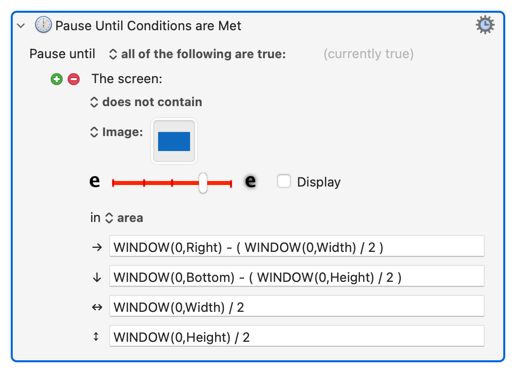
It's a nice idea, but it will only work for some values -- you can include calculations in those fields, for example. And if your calculation is "the area that is the bottom-right quarter of the front window":

image

...then your marker will bounce around depending on whether you are in your browser or the KM Editor. It could be tied to the presence of the "Get" button, which disappears as soon as any field contains a calculation, but an indicator that sometimes there is almost worse than one that is never there...

Luckily, we have Keyboard Maestro to help us with Keyboard Maestro :wink: Here's a hacked-up-in-a-few-minutes macro, containing a script with absolutely no error-checking that could certainly be improved on, that will draw a rectangle showing the "Area" of the currently-selected KM image detection-based action. (It's just a wrapper for an AppleScript, so no image.)

Hilite Action's "Area".kmmacros (3.1 KB)

The script:

tell application "Keyboard Maestro"
	set theXML to xml of item 1 of (get selection)
end tell

set AppleScript's text item delimiters to "<key>ScreenArea</key>"
set theXML to text item 2 of theXML
set AppleScript's text item delimiters to {"<string>", "</string>"}
set h to text item 2 of theXML
set l to text item 4 of theXML
set t to text item 8 of theXML
set w to text item 10 of theXML

tell application "Keyboard Maestro Engine"
	do script "<dict>
		<key>ActionUID</key>
		<integer>99831782</integer>
		<key>Animate</key>
		<true/>
		<key>DisplayTime</key>
		<string>1</string>
		<key>Height</key>
		<string>" & h & "</string>
		<key>Left</key>
		<string>" & l & "</string>
		<key>MacroActionType</key>
		<string>HiliteLocation</string>
		<key>Style</key>
		<string>Rectangle</string>
		<key>TimeOutAbortsMacro</key>
		<true/>
		<key>Top</key>
		<string>" & t & "</string>
		<key>Width</key>
		<string>" & w & "</string>
	</dict>
</array>
</plist>"
end tell

Thanks for your reply, @Nige_S.

I already tried that approach, screenshotted the whole screen in the moment as it wasn't yet ready and then clipped from the picture the exact area to observe but to my surprise that image of the empty area wasn't recognised if I had copied it from a saved picture. I had to manage to grab the picture of that area exactly during the brief moment, when the page wasn't yet there.

Well... I'm not a programmer and would generally like to see things kept as simple as possible. :slightly_smiling_face: Jumps to some external JavaScripts or AppleScripts wouldn't actually simplify the solution. If I have understood right, the DOM-approach also wouldn't be applicable if iFrames are being used.
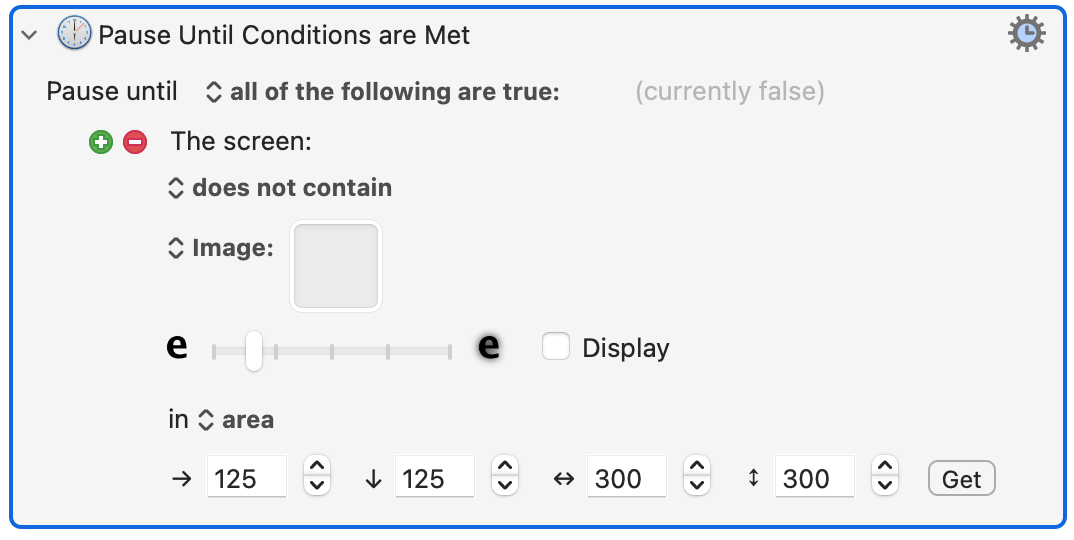
The display of the area could, of course, be disabled if the coordinates of the area would depend on some calculations. Displaying the area (when possible) would, however, at least help entering an area using fixed values like here:

My original idea was actually to add a "show" button for showing the area but that would have been an additional element in the UI, which I wanted to avoid. Having said that, a "Display" checkbox would allow the area to be shown, if the user so wishes, in an analogous manner to displaying the found image.

P.S. Thanks for the AppleScript hack. I'll have to try it out! :+1:
P.P.S I tried: Would it be possible to make the AppleScript show a pixel-precise rectangular, semi-transparent overlay instead of drawing a line...? (You can also send me that bit per DM to avoid cluttering this public discussion...)

Your ideas are welcome, of course. But on web forums, there will usually be people who try to think of negative responses to new ideas.

The Find Image action isn't designed to work with a web browser specifically. It's designed to work with the macOS screen. I use Find Image a lot, but only a small percent of the time with a web browser. I can't imagine a situation where your new feature idea would help me. If your new feature idea is implemented, I hope that the new feature can be hidden from people who don't use it.

Nige had some great ideas to help you.

P.S. Some browsers have problems with the Find Image action, which implies that your feature may only work with certain browsers. Is that ok with you?

Retina display, by any chance? If so, do your edits then use your favourite image editor (or a KM macro :wink: ) to re-res the image to 144dpi (or whatever your screen is).

There are problems using screenshot-to-file with dpi not being recorded -- the image then defaults to 72dpi which messes up image detection. The usual solution of capture to clipboard and paste directly into the image well won't work in your case, so force the dpi instead.

1 Like

Thanks, @Airy.

I have many ideas and my motto is "sharing is caring" so I also usually post them a lot. I'm used to seeing such "devil's advocates" reacting to my suggestions, seeing mainly the negative sides like potential threats and weaknesses :grin:

Well... If you don't use macros with browsers, you also might have less situations, where the loading state is unknown. :wink:

My idea would basically just use a hitherto unused state ("Find image", "in an area" & "no image entered") for a certain purpose so I don't actually think that there would be much need to deliberately "hide it" - but thanks for the thought, anyway - also I prefer keeping the UI as simple as possible.

Nope -- if you look closely (and squint, then maybe ask your favourite AI :wink: ) you'll see it's leveraging KM's "Highlight Location" action to do the drawing, so it's limited to what that can do.

You might get closer to what you want using a "Custom HTML Prompt" instead.

But such pixel-precision is rarely necessary for image detection areas, and in many cases is actually detrimental -- web pages aren't guaranteed to be drawn exactly the same way every time and, for the UI in general, just a 1 pixel difference in positioning can change anti-aliasing enough that a tightly-defined image detection will fail. If you must use image detection -- and there are usually more robust methods for things like state determination -- it pays to be a bit looser and maybe use a combination of checks.

Which all sounds a bit... fluffy. Have you got an example of what you are trying to do and why you need to be so precise?

For my current scripting needs (automated handling of incoming notifications, posts and replies) the manually adjustable pixel-accuracy isn't urgently necessary (although it would be beneficial) but because my suggestion would allow an area to be shown and adjusted precisely, I just wanted to know whether displaying such a coloured rectangle could also be scripted, somehow.

After all, KM is already capable of displaying a semi-transparent green rectangle on the screen for indicating a found picture so that kind of a code snippet already seems to exist "somewhere".

Yes, I have Retina :slight_smile:
Pasting the searched image directly from clipboard DOES work but saving a file and clipping from there doesn't. Have to check the dpi-thing. Thanks for the hint. :pray:

And my point is that such precision can make image detection more fragile rather than more accurate. The area you want to look "within", to avoid false matches from other parts of the screen (and, to an extent, to limit processing requirements, should be loose enough to allow for some UI "wiggle".

Anyways -- back to "is this field blank?"...

Here's some sample HTML (don't laugh at it, pro coders!) to create a form with an empty field and a button to press to fill that field.

HTML
<html><head><title>Test Page</title></head>
<body>
<form>
<textarea id='textbox' rows='4' cols='50'></textarea>
<button type='button' onclick='addContent()'>Add Content</button>
<script>
	function addContent() {
		const textbox = document.getElementById('textbox');
		textbox.value = "Here is some text, the addition of which we are hoping to detect";
	}
</script>
</form>
</body>
</html>

Copy'n'paste to your fav text editor (or TextEdit in plain text mode) and save to your Desktop with a sensible name that has the extension .html then "Open..." the file in your web browser. Click the button to add text to the field, refresh the page to clear it.

You can then make a test macro, eg

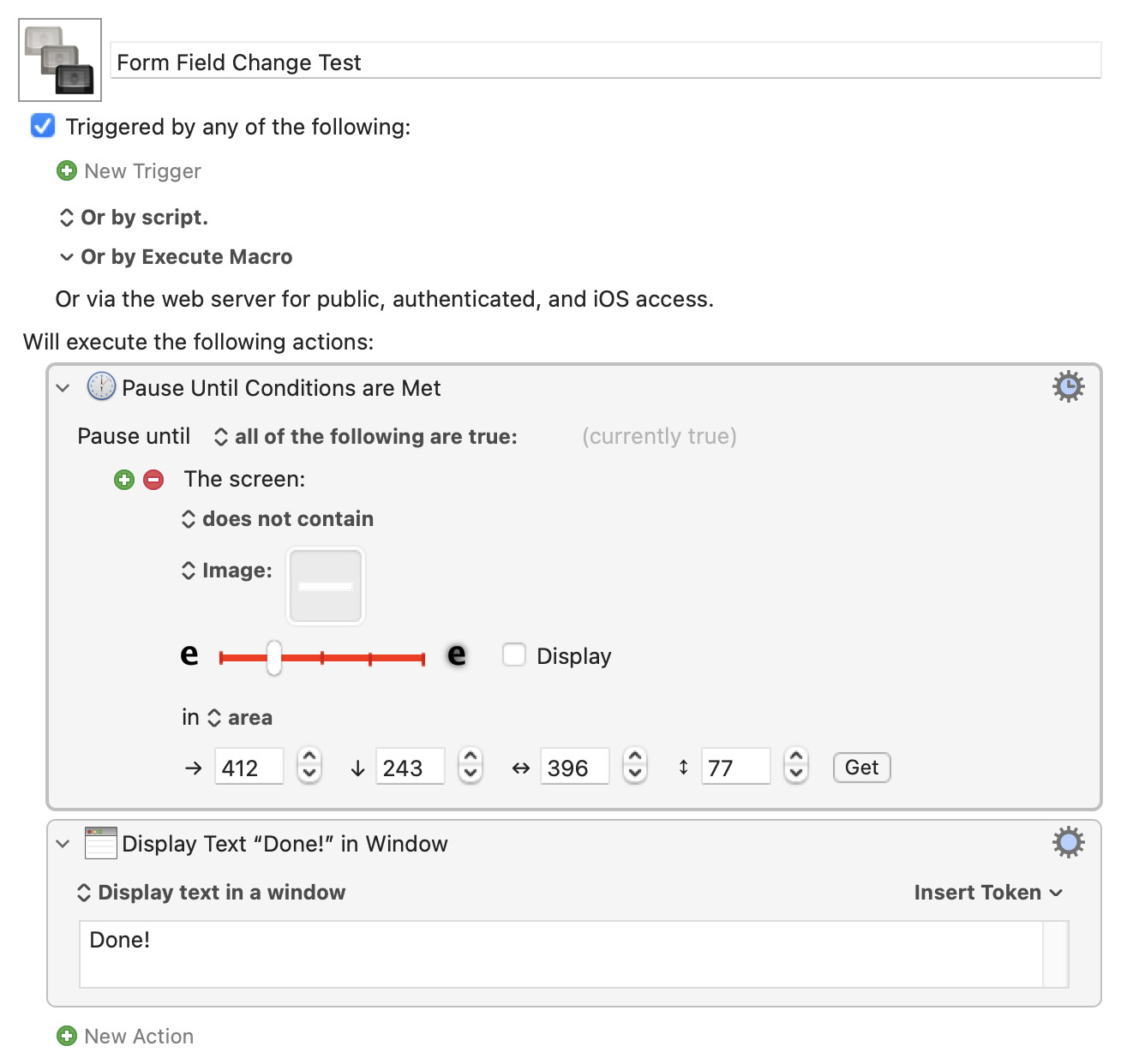
Form Field Change Test.kmmacros (19.2 KB)

...and define the area to slightly encompass the the web page's text box. Then โŒƒโ‡งโŒ˜4 and drag out an area just inside the edges of the text box and Paste into the action's image well. Run the macro and it should pause while the text box is empty -- press the web page's "Add Content" button and the macro should almost immediately throw up the "Done!" Display Text box.

Nothing groundbreaking, but it'll give you time to play around with settings rather than trying to grab screenshots etc in the nanosecond your production web page is loading :wink:

Thanks, @Nige_S. An excellent answer - although unfortunately to some completely other question than mine :upside_down_face:

I am - in this case - not looking for an empty field but an empty screen area. Perhaps detecting fields is currently being discussed in some other thread/topic, which I have missed.

As a matter of fact, I have already implemented detection of presence and content of fields. Works like a charm.:smiling_face_with_three_hearts:

And an empty field to which something is then added to is an easy way to replicate an empty screen area to which something is then added to, with the benefits that you can do it again and again and at your own pace.

The action knows nothing about the field -- it is simply comparing the stored image to what's on screen in the defined area, just like you wanted.

This proves that yes, you can detect when an area of the screen changes from your definition of "nothing":

...to "something".