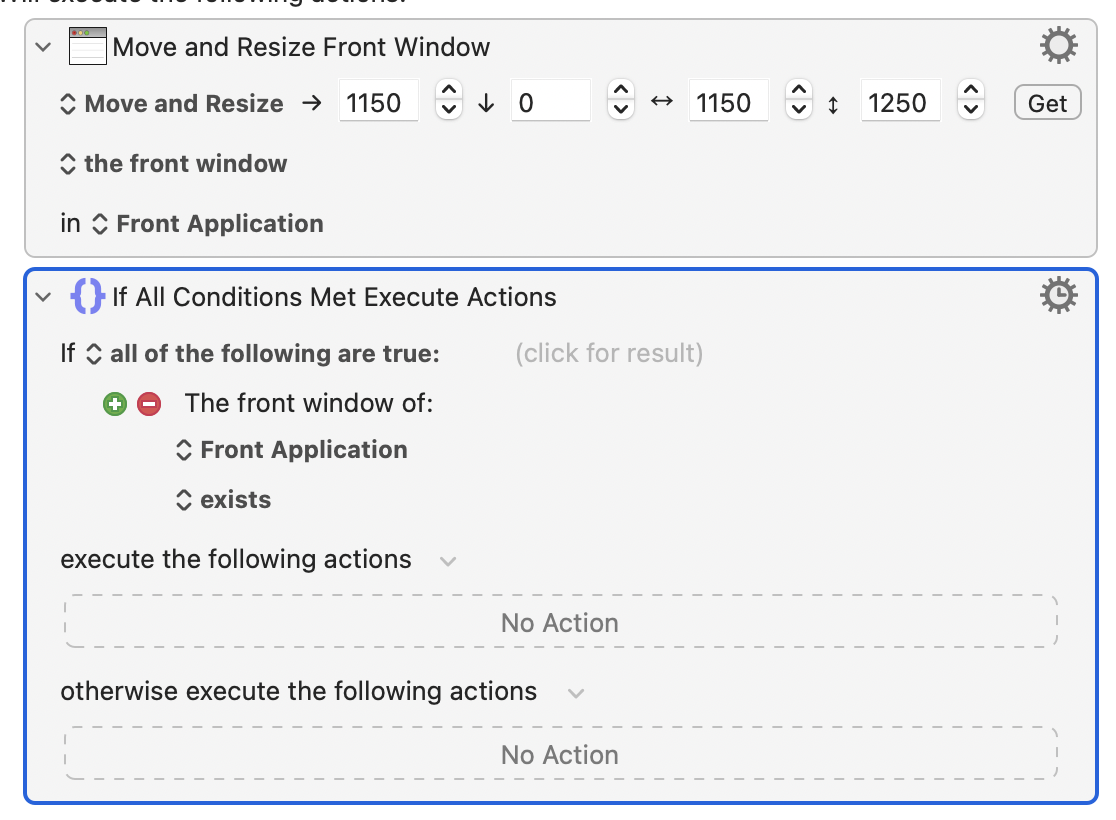
it seems have no window position condition to choose.
is there still something i can set in Macros rather then use Applescript ?
How about storing the before and after window positions in variables, and use an if statement to check for variable changes.
right ! i just never do it before, so i need to check the variables changing. see whether i can find the correct macros then. thank you anyhow !
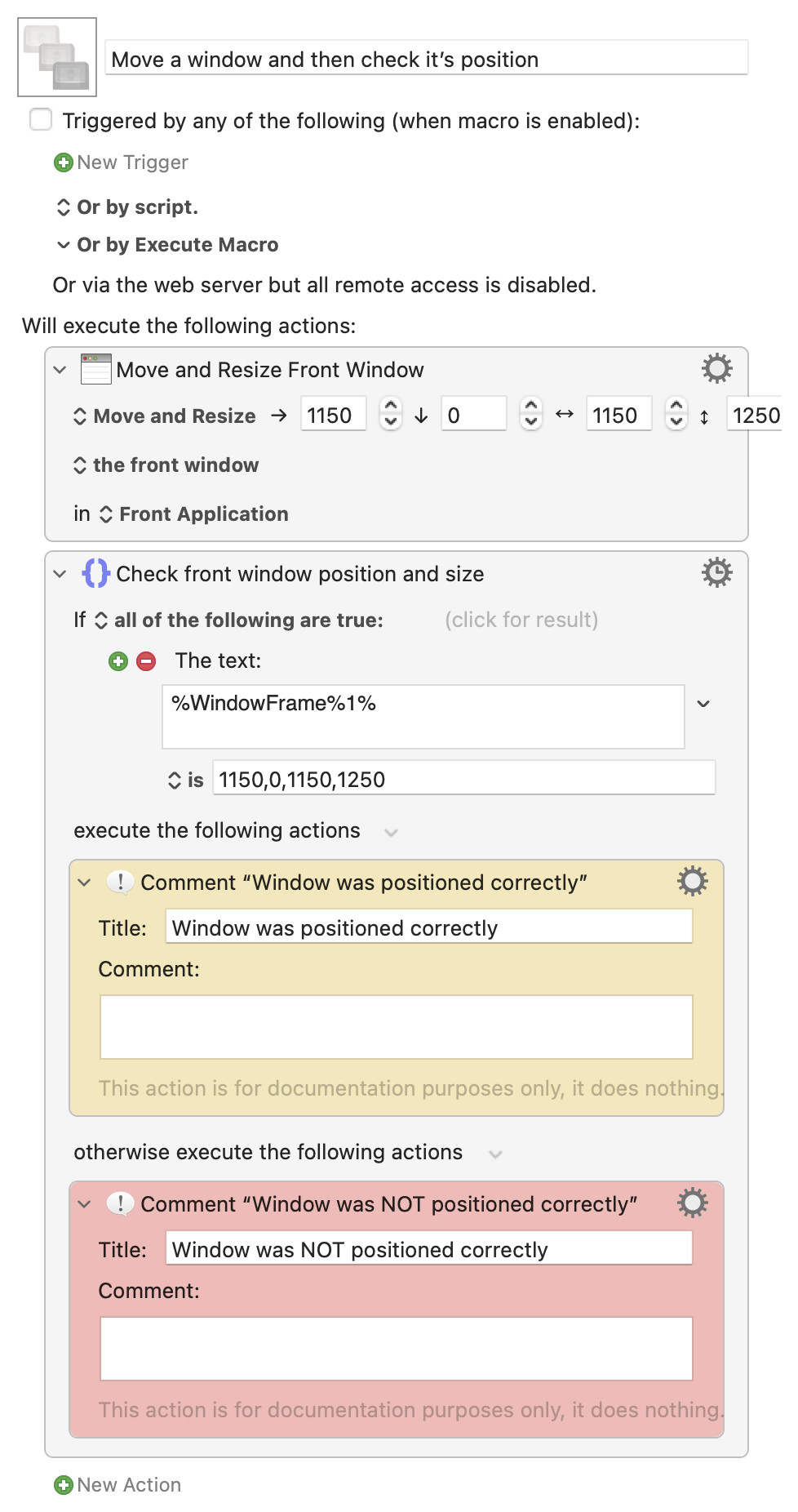
Here you go. You can use the %WindowFrame%1% token (see Window Tokens wiki entry for more info) to check the window’s position after moving it.
Download Macro(s): Move a window and then check it’s position.kmmacros (4.5 KB)
Macro-Notes
- Macros are always disabled when imported into the Keyboard Maestro Editor.
- The user must ensure the macro is enabled.
- The user must also ensure the macro's parent macro-group is enabled.
System Information
- macOS 13.5.1
- Keyboard Maestro v10.2
1 Like
wow … thank you !
%WindowFrame%1%
%WindowPosition%1%
are they the same ?
what is the meaning of 1%
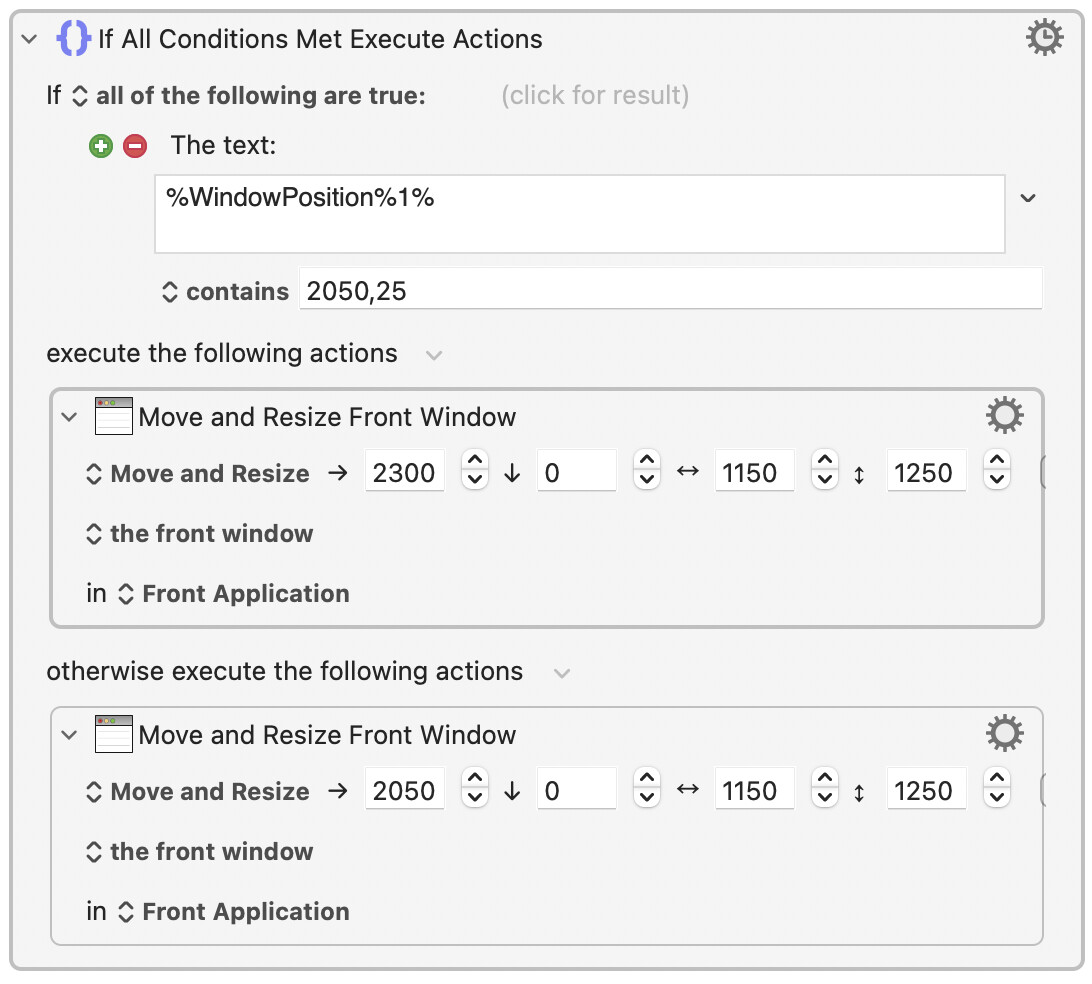
and this is what i just figure out :
1 Like
I encourage you to read the wiki entry I linked to in my previous reply. You’ll find the information there. 
Hi, @Pyxis. As @cdthomer mentioned, the wiki is a great resource. You can gain quick access to specific sections by selecting Help from the gear menu of actions.
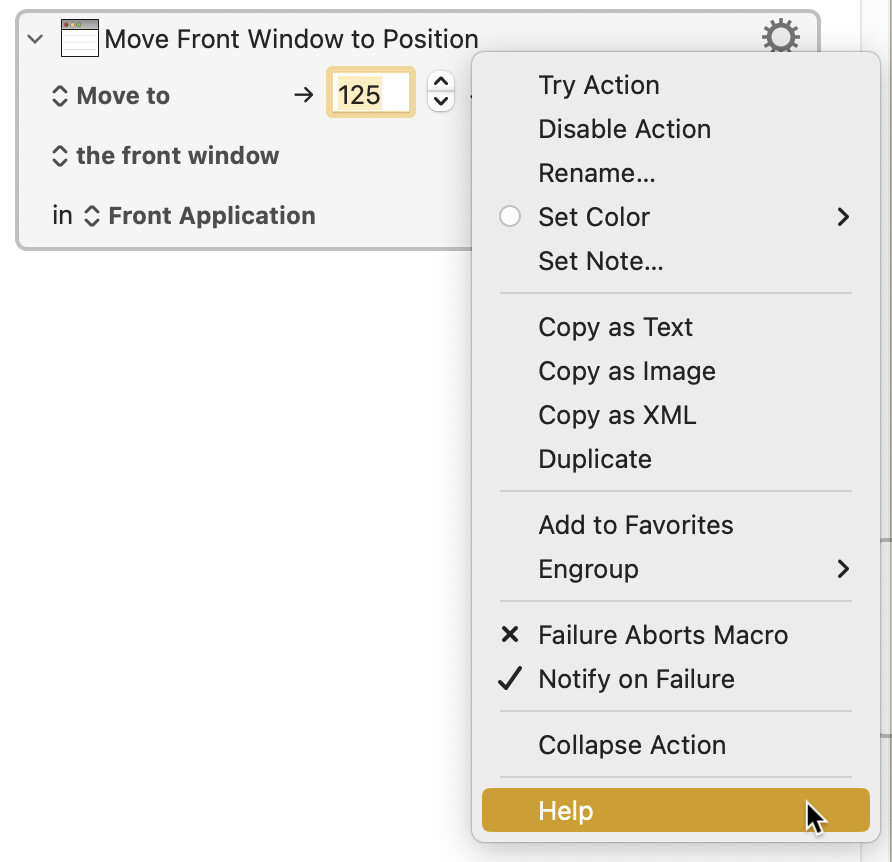
In this case, the wiki page includes a hyperlink to the tokens %FrontWindowFrame% (== %WindowFrame%1%) and %FrontWindowPosition% (== %WindowPosition%1%). The page also includes a hyperlink to the See all Tokens page.
If you find yourself using tokens often, you might find this helpful: MACRO: Insert Token
2 Likes
that's helpful, i really appreciate it.
2 Likes
Glad to help! As @_jims pointed out, the wiki has a lot of information, so it’s always a good place to check first. But of course, if you still need help with something, that’s what we’re here for.
2 Likes
You can use the WINDOW function to get the location of the front window and the Calculation condition to test it.
1 Like